
Password Manager With Built-In 2FA: Best Apps Compared
Published October 9, 2026 · Updated October 21, 2026
A password manager with built in 2fa support can store your login and generate its verification code, but you should protect the vault with a separate factor. That arrangement saves a step at ordinary sign-ins; it also changes what happens if an attacker opens the vault. The right decision depends on the sensitivity of the account, how often you sign in, and how you will recover access after losing a device. This guide compares the workable arrangements and shows how to set them up without trapping your vault’s own second factor inside itself.
The short verdict: use an integrated code selectively
An integrated authenticator is a useful convenience for low- and medium-risk accounts. It can make enabling two-step verification realistic for a person who would otherwise leave it off. For a primary email account, financial account, or the vault itself, a separate authenticator or phishing-resistant security key gives stronger separation. There is no universal rule that every code must live elsewhere, but the consequences of one unlocked vault deserve an explicit choice.
| Account or need | Practical arrangement | Why |
| Password manager login | Separate authenticator or security key | You need the factor before you can open the vault |
| Primary email and recovery accounts | Separate app or security key | These can reset other accounts |
| Routine low-risk accounts | Built-in TOTP where supported | Reduces friction while adding a second sign-in step |
| Shared team account | Organization-controlled method | Keeps access and recovery under an owner, not one employee |
A quick decision test
Ask what an attacker could reset if this one login were taken. If the answer includes your vault, your email, or a payment method, give it an independent factor. If the account is a discussion forum you rarely use, enabling integrated TOTP may be a meaningful improvement over a password alone. Revisit the classification when an account gains sensitive data or payment access. A password manager with integrated 2FA can store credentials and generate verification codes for compatible websites, but these are still two different security functions. Our guide explaining what an authenticator app is covers time-based verification codes, how authenticator enrollment works, and the difference between password storage and second-factor authentication.
What “built in” actually means
The website gives you a QR code or setup key. The manager stores that TOTP secret in a vault item and calculates a short code from the secret and current time. Some managers copy the code to the clipboard or fill it during sign-in. The website still asks for a second step; the distinction is where the secret lives. The manager does not silently turn every account into a two-factor account: you must enable it at each service and finish the confirmation step.
Secure your accounts with fast, reliable two-factor authentication. Download now and protect your login in seconds.Download Authenticator App
Compare the available arrangements
The word “2FA” can refer to securing the password manager account or to generating codes for other websites. Those are different configurations. A password manager with built in 2fa support may do both, neither, or one under a particular plan. Read the current product documentation before paying, especially if you need sharing, exports, or offline access.
| Arrangement | Sign-in experience | Main trade-off | Appropriate use |
| Password and TOTP in one vault | Fast fill or copy | One unlocked vault exposes both | Routine accounts |
| Manager plus separate TOTP app | Switch to phone/app | Separate device and recovery process | Email and important accounts |
| Manager plus security key/passkey | Device-bound approval | Carry and back up keys | Highest-value accounts |
| Password manager only | One step | No independent challenge | Temporary state during migration |
Convenience does not equal independence
The login service sees a password followed by a valid one-time code. It does not know whether you retrieved both from a single unlocked vault. If malware or an intruder obtains a usable vault session, both may be available. Yet an attacker who merely finds a reused password in an old breach still lacks the TOTP secret. Those threat models should not be collapsed into one claim that integrated TOTP is “not real 2FA.”
Phishing is a separate question
A one-time code can be entered into a convincing fraudulent website and relayed immediately. A security key or properly implemented passkey is designed to bind authentication to the legitimate site. CISA recommends phishing-resistant MFA where possible. Even when you keep TOTP separate, always inspect the site’s address and avoid approving an unsolicited prompt.
Which managers offer integrated codes?
1Password’s official support explains how to save one-time passwords in its apps and browser extension. Bitwarden documents a Password Manager integrated authenticator as well as a separate Bitwarden Authenticator app; its integrated code generation depends on an eligible plan, while its standalone app can be used without a manager account. Features, limits, and pricing can change, so verify the current plan and platform before adopting either. This is a feature comparison, not a claim that one vendor is categorically safer.
If you’re deciding whether to keep passwords and verification codes together or use a dedicated authenticator, our Begamob Authenticator vs Bitwarden Authenticator comparison explores separate code storage, vault-connected authentication, and the recovery dependencies of different setups.
1Password: a streamlined individual flow
The practical advantage is a login item that can hold the password and the one-time secret together. You scan the service’s QR code through 1Password, test the next code, and can then fill it at sign-in. Its own support advises keeping codes for your 1Password account in a different authenticator. That warning is essential: an inaccessible vault cannot supply the code needed to open the same vault.
Bitwarden: an explicit split option
Bitwarden’s two-app distinction makes the storage decision visible. Its standalone Authenticator can keep a code local, whereas the integrated authenticator stores it with the vault item. You can choose per account. If you switch plans or devices, test the code generation and recovery path rather than assuming a stored secret always produces a code on every plan.
What to evaluate in any other product
Check whether the manager imports existing TOTP secrets, whether it exports them in a usable form, and whether codes remain available offline. Find out how shared vault permissions work: a shared password plus shared TOTP may grant a colleague complete sign-in capability. A polished autofill demo does not answer those ownership questions. Avoid committing all important accounts until you have practiced a device change with one disposable test login.
Set up a built-in TOTP code without losing access
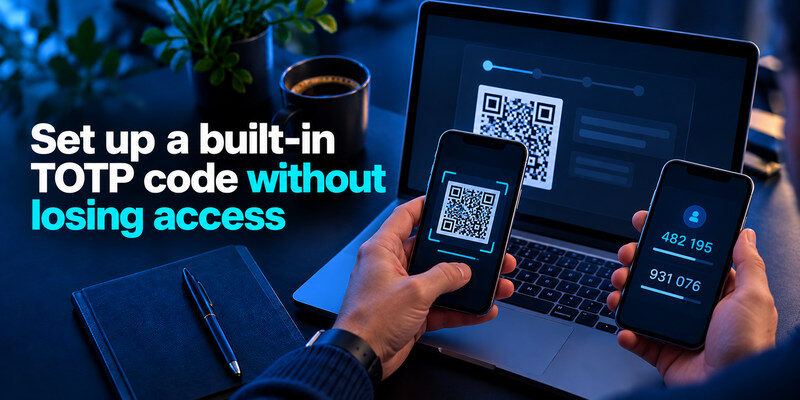
First sign in directly to the service you want to protect. Open its security or two-step verification settings, choose an authenticator app, and keep the setup page open. In your password manager, add the QR code or manual setup key to the correct login item. Enter the newly generated code on the service’s setup page to confirm it, then sign out and perform a fresh sign-in test.
Choose the correct item and account
Many people keep two identities on the same website. Put the TOTP secret under the matching username and label it clearly. A correct-looking six-digit code from the wrong account will fail and can trigger a lockout. If the code is near the end of its countdown, wait for the next one before testing; a code that expires during entry is easy to misdiagnose as a broken import.
Save service recovery codes separately
Most services offer single-use backup or recovery codes. Store them somewhere you can reach when the manager or phone is unavailable, such as a protected physical record or a separately secured recovery system. Do not use the account’s own vault item as the only copy. Mark a recovery code as used after consuming it and regenerate a fresh set if the service allows.
Test before removing an old authenticator
When migrating from a separate app, leave the old code active until the new one passes a real sign-in test and your backup route works. Some services invalidate the previous TOTP secret when you enroll a new one; others let multiple methods coexist. Follow the service’s actual options. A screenshot of the QR setup page is a sensitive copy of the secret, not a harmless record, and should not be left in a photo library.
Protect the password manager account itself
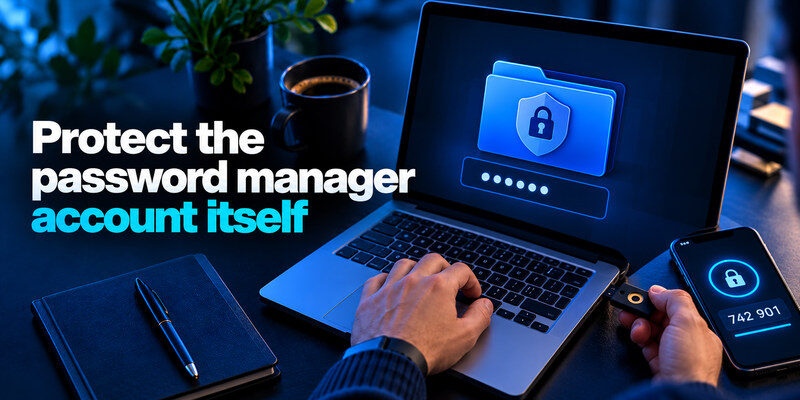
The master password or account password should be long, unique, and never used on another website. Enable a separate authenticator or security key on the manager account and secure the email address used for recovery. The manager’s own TOTP code should not be available only after unlocking the manager. According to Bitwarden’s two-step login guidance, an authenticator app can protect its vault even for free accounts; 1Password similarly recommends a separate authenticator for its account.
Storing passwords and verification codes in one vault can improve convenience, but it also increases the importance of protecting that vault. Our guide on is it safe to store passwords in one app examines encryption, master-password security, recovery risks, and what happens if an attacker gains access to an unlocked vault.
Break the circular dependency
Imagine getting a new phone while your old one is lost. The manager asks for a code, but the code lives inside the locked manager. That is a circular recovery design. Keep a separate factor and any manager recovery codes accessible from a different protected location. A second registered security key, stored securely away from the primary key, can be a practical backup where the provider supports it.
Defend the unlocked session
Automatic locking, device screen security, operating-system updates, and limited browser-extension permissions matter because encryption protects a locked vault differently from an already unlocked session. Do not leave the vault open on a shared computer. Review connected devices and sign out old sessions when changing machines. A second factor at vault sign-in does not prevent a person using your already unlocked laptop from reading the current contents.
What if you lose the phone or the manager?
If the manager still opens on a trusted device, export or transfer codes using its documented workflow, then test the new device before wiping the old one. If the vault is locked and your independent factor is missing, use the manager’s official recovery route or saved recovery code. For individual websites, use each service’s backup codes or account recovery process. Avoid anyone offering to “bypass” authentication; the proper route is through the provider.
A recovery drill worth doing now
Write down which account is the root of recovery: usually primary email, the password manager, and a phone number or security key. For each, record the provider’s official recovery entry point and where its backup method resides. You do not need to print every password. The test is whether you can explain the path after losing your main phone without relying on information stored only on that phone.
When a separate app is simpler
If keeping sensitive TOTP secrets outside your vault fits your risk model, use a dedicated authenticator for those accounts. can serve as that separate code generator where a service supports standard authenticator codes. Confirm the specific service’s setup options and keep its recovery codes. This separates the factor from a manager that may contain the matching passwords.
Even when a password manager generates verification codes for your other accounts, its own master password remains a critical security control. Our guide on how to create a strong master password explains how to build a memorable passphrase, avoid reuse, and prepare for secure recovery.
How to decide when separation is worth the extra step
There are two costs to compare: the chance that an attacker reaches both secrets in one place, and the chance that the rightful user gets locked out by a complicated setup. For an account used daily on several devices, an integrated code can reduce the friction that often makes people turn off 2FA. For a recovery mailbox that can reset a hundred services, switching to a separate app or key is a small cost relative to the impact of takeover. Decide per account instead of migrating every code as a single block.
Check the service’s supported methods
Some services offer TOTP, security keys, passkeys, and SMS. If a phishing-resistant option is available and workable, consider it for the most valuable account. If the service offers only TOTP, a separate app can keep the code independent of the vault. If it offers only SMS, use that rather than leaving MFA off, then secure the phone number and recovery process. Do not describe all of these as interchangeable “codes”; their attack and recovery properties differ.
Document the exception you make
When you intentionally keep a TOTP secret in the same vault as a routine password, note why and how that account can be recovered. If the service later becomes a payment account or gains administrative rights, revisit the arrangement. If you share the vault item with someone else, ask whether the one-time secret should be shared too. A saved login that fills smoothly today can become a complete access package after one role change.
Check the manager’s export behavior before moving many codes. A password CSV may omit TOTP seeds or handle them differently from a full encrypted export. If you migrate to another provider, sign in to a representative account and confirm its code before closing the old vault. Never leave a plaintext export in Downloads just because the import succeeded; remove temporary files according to the provider’s instructions after verifying the destination.
For an account with an enforced second factor, find out whether the service allows multiple authenticator devices or backup methods. If it does not, re-enrollment may invalidate the earlier secret. Coordinate that change with anyone else who needs access. The decision about integrated TOTP is not merely where to click “scan”; it determines who can sign in after the phone, subscription, or team membership changes.
Frequently Asked Questions
Does a password manager replace 2FA?
No. A password manager stores and fills credentials; 2FA is a second check required by the service. Some managers also generate TOTP codes, but you still must enable the service’s second factor. Protect the manager account with its own independent factor.
Is built-in TOTP useless if both secrets live together?
No. It still blocks an attacker who has only the website password. The weaker separation matters when an attacker can unlock or exfiltrate the vault itself. Match the arrangement to the account’s value and your recovery plan.
Can I move integrated codes to a separate authenticator?
Sometimes. Export support varies by manager and service. The safest generally available route is to re-enroll TOTP in the service’s security settings, scan the new QR code into the separate app, test it, and replace the recovery codes.
Should I store all backup codes in my password manager?
It is convenient to store a copy, but it should not be the only reachable copy for the manager’s own account or other critical recovery accounts. Maintain an independent, protected route for device-loss scenarios.
Final Thoughts
A password manager with built in 2fa support makes routine two-step verification easier to use, but it concentrates secrets in the vault. Use it deliberately for accounts where that convenience is worthwhile. Keep the vault’s own factor outside it, and consider a separate authenticator or security key for primary email and high-impact services. The best configuration is the one you can both defend and recover.
