
How to Check If Your Data Was Breached: Identify What Was Exposed
Published October 21, 2026
To check if your data was breached, verify official notices from services you use, search your email in a reputable known-breach database, and identify the exact types of information exposed. A breach result is a lead, not a complete inventory of your personal records. Passwords, card numbers, identity details, and medical or work information require different responses. This guide focuses on establishing the scope before taking action, so you do not treat an old email-only exposure like a current account takeover.
Start with the notice and its source

A company may email a breach notice, post an announcement, or send an in-app message. Do not click an unexpected “verify data” link. Open the company’s genuine site or app and look for its current incident page. Record the incident date, notice date, systems affected, and the categories of data listed. If the notice is vague, contact official support for clarification.
Different dates tell different stories
The intrusion date, discovery date, public announcement, and date a dataset is added to a checker can be far apart. A new alert about an old incident is not necessarily a new theft. Compare these dates before changing the narrative. Preserve the notice if it includes a case number, eligibility for monitoring, or a deadline.
Beware the fake follow-up
Scammers send messages that use real company names and breach news to demand a password, code, payment, or identity document. Verify the sender through a known channel. A real breach may coexist with a fake “remediation” email; the existence of the incident does not authenticate every message about it.
Secure your accounts with fast, reliable two-factor authentication. Download now and protect your login in seconds.Download Authenticator App
Search known records without over-sharing
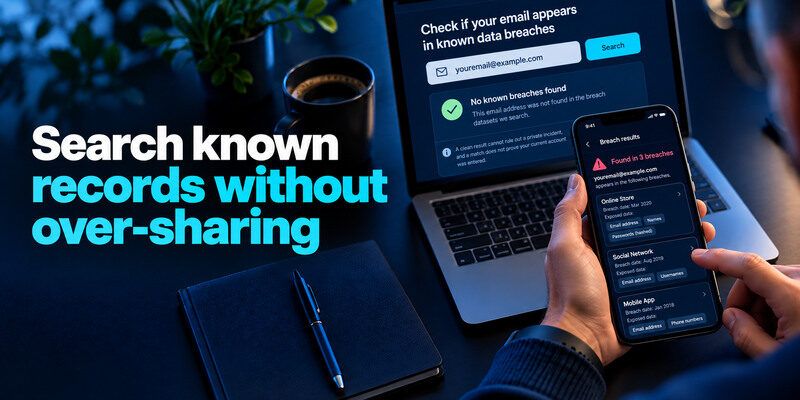
Have I Been Pwned and Mozilla Monitor can show whether an email address appears in known breach datasets. Search the addresses you used with services, including old aliases when relevant. Read the breach description and exposed-data fields. A clean result cannot rule out a private incident, and a match does not prove your current account was entered. Do not upload identity documents or passwords to an unknown scanner.
An email breach search and a compromised-password check answer different questions. A breach lookup identifies known incidents involving an email address, while a password check evaluates whether a password string appears in exposed datasets. Our guide on how to check if your password was leaked explains how to investigate password exposure without submitting live credentials to an untrusted website.
| Source | Useful evidence | Limitation |
| Official company notice | Its reported incident and affected data | May be preliminary or later revised |
| Reputable email breach search | Known datasets involving address | Not every incident or record is present |
| Account activity | Successful sign-ins and changes | May not show data copied at the company |
| Bank or credit statement | Financial misuse | Can appear after the breach |
Distinguish an address match from your exact record
A checker may say that a breach included names and passwords generally, without proving each field was in your personal row. Follow the provider’s account-specific notice if available. If uncertainty remains, take prudent steps for the higher-risk field, but do not state that every data class was definitely stolen.
A reported breach may identify categories of exposed data without confirming that every category was present in your individual record. It also does not prove that someone successfully accessed your account. Our guide on signs your account is hacked explains which account changes and activities provide stronger evidence of unauthorized access.
Search other identifiers cautiously
Some monitoring services offer phone-number or domain checks. Understand their privacy policies and ownership-verification rules before submitting information. Do not paste Social Security numbers, card numbers, or full identity documents into a search page just because it promises a “dark web” score. The appropriate response to sensitive-identifier exposure usually begins with the official notice and relevant institutions.
Build a data-type inventory
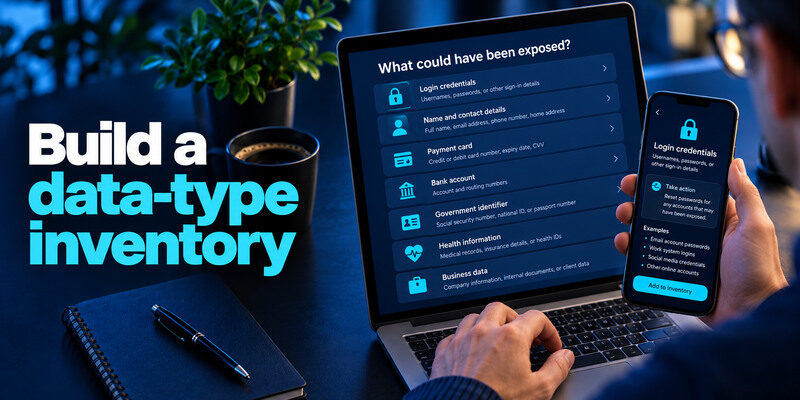
List what could have been exposed: login credentials, name and contact details, payment card, bank account, government identifier, health information, or business data. The categories are not interchangeable. A password reset is essential for a leaked credential but does not replace a compromised card. A credit freeze may address new-account fraud risk from identity details but does not stop someone from signing into a reused password.
Login credentials
Change a known-exposed password on the real service and anywhere it was reused. Use unique generated credentials, enable MFA, revoke unknown sessions, and check recovery settings. If a password hash was exposed, follow the provider’s guidance even if it says the data was not plain text. Protect primary email first because it can reset other accounts.
When a leaked password is reused across multiple websites, attackers may test the same username-and-password combination against unrelated services. This is known as credential stuffing. Our guide on what is credential stuffing explains how reused credentials increase the impact of a data breach and why each account needs a unique password.
Financial information
Contact the bank or card issuer through a known number about unauthorized charges or exposed card data. Review statements and replace a card when advised. Updating a card can affect recurring payments; keep a list of legitimate subscriptions to update. Do not pay a stranger to “remove” the card from a dataset.
Identity and sensitive personal records
For a government identifier or similar data, follow the provider’s notice and the FTC’s data-breach/identity-theft guidance, including whether a credit freeze or fraud alert fits your situation. Keep documentation of misuse. Health or employment data may call for an insurer, employer, or relevant provider response. Do not assume a general email checker sees those records.
Check whether an account was also taken over
A breach at a company and unauthorized access to your account are separate events. Inspect recent successful sign-ins, changed recovery methods, messages, purchases, and connected apps. An email address in a breach alone does not prove inbox compromise. Conversely, a phished account can be taken over without appearing in public breach data.
A company data breach does not always result in unauthorized access to individual user accounts. However, exposed credentials may later be used in phishing or automated login attacks. Our guide on what is account takeover explains how attackers gain control of accounts and why successful unauthorized access should be investigated separately from the original breach.
A failed attempt is weaker evidence
Someone may test a leaked old password and fail. Verify whether the current credential is unique and MFA is active. If an unfamiliar successful session appears, revoke it and follow the hacked-account flow. A location estimate alone can be misleading because of travel or a VPN.
Look beyond login history
If primary email is involved, inspect forwarding and filters. A shopping account may have altered delivery addresses or payment methods. A business account may have added administrators or API tokens. The provider may have additional logs that the user interface does not expose; ask official support when the scope matters.
If your primary mailbox may have been affected, check more than recent login history. Review forwarding rules, filters, recovery addresses, connected applications, and messages you did not send. Our guide on how to secure your email account explains how to inspect these settings and reduce the risk of further unauthorized access.
Put the response in an order you can execute
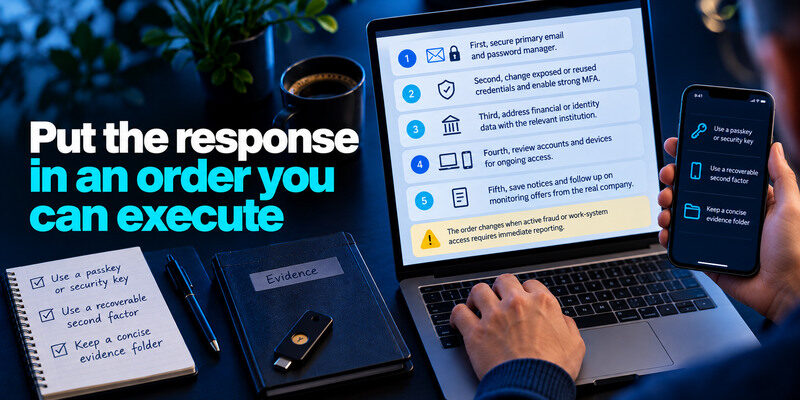
First, secure primary email and password manager. Second, change exposed or reused credentials and enable strong MFA. Third, address financial or identity data with the relevant institution. Fourth, review accounts and devices for ongoing access. Fifth, save notices and follow up on monitoring offers from the real company. The order changes when active fraud or work-system access requires immediate reporting.
Use a recoverable second factor
A passkey or security key can help on supported accounts. A TOTP app is useful when offered; can generate codes for compatible services. Save backup codes outside the device and verify a fresh sign-in. MFA reduces password-only takeover but cannot erase already exposed personal information.
Keep a concise evidence folder
Save the official notice, dates, case numbers, affected services, and actions taken. Do not copy passwords, live codes, or full card details into the folder. A timeline helps if fraud appears later and prevents repeated changes based on confusion over old versus new alerts.
What if there is no notice or search result?
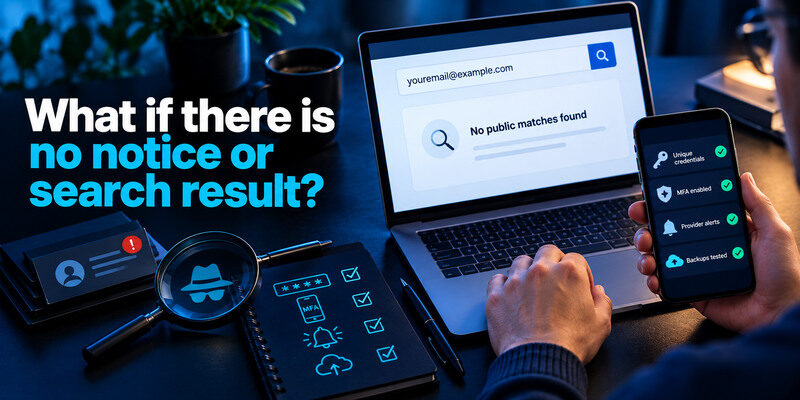
No public match means only that the queried dataset did not include your address at that time. A service may be investigating privately, or a phishing incident may have nothing to do with a company breach. Keep using unique credentials, MFA, provider alerts, and tested backups. If you have direct evidence of fraud or an unknown successful sign-in, respond to that evidence without waiting for a breach listing.
Avoid false certainty from a paid scan
A dark-web-monitoring subscription cannot see every private exchange or prove that data is absent. Ask what sources it checks and whether it exposes more personal data than necessary. Paid status is not a guarantee. An official notice and account activity may be more actionable than a vague “risk score.”
Recheck when new facts arrive
A company can revise the affected population or data classes. Read follow-up notices through its genuine site and adjust your response. Do not repeat destructive account resets when only a date or wording changed. Keep a record of what you already fixed.
Data breach investigations can change as organizations confirm which records and information types were affected. Keep official notices, review updates, and revisit account security settings when new evidence appears. Our personal cybersecurity checklist provides a regular routine for reviewing account alerts, passwords, recovery methods, and device security.
Make a precise exposure inventory
Read the original notice for the incident date, affected service, data fields, and any identity-protection contact. Then make one row per data type. This keeps password changes separate from credit or payment steps. If the notice says only that an email address was exposed, do not assume a payment card was included; if it lists a government identifier, a password reset alone is inadequate.
Handle uncertainty explicitly
Write “unknown” rather than guessing when the company has not specified whether a field was accessed. Revisit the official incident page as details change. Preserve the notice date because a later update may widen the affected population or narrow the exposed fields.
Follow the reset chain
If the affected service could reset your primary email or other accounts, review those connections. Check successful sessions and recovery details at each important service. A database exposure and an account takeover are separate findings that can require separate actions.
Password or reusable login secret|Replace it and its reused copies|
Payment card details|Contact card issuer and monitor charges|
Identity information|Consult FTC identity-theft and credit guidance|
Email alone|Expect phishing and verify messages independently|
Frequently Asked Questions
Can I check all my personal data in one place?
No single service sees every breach, private dataset, financial misuse, and account login. Use official provider notices, reputable known-breach searches, account activity, and relevant financial or identity records together.
Does a data breach mean my password was leaked?
Not always. Read the exposed-data categories. An incident may involve only contact information or, conversely, credentials and identity details. Replace a password when exposed or reused and check the account separately.
Should I freeze my credit after any breach?
It depends on the information exposed and your risk. The FTC explains credit freezes and fraud alerts, especially when sensitive identity information is at issue. A freeze affects opening new credit, not existing account sign-ins.
What if the company says the breach did not affect me?
Keep the notice or statement and follow later updates. Direct unauthorized transactions or account changes still deserve attention. A public checker result may be from a different incident or an old address. Ask the provider through official support if facts conflict.
Final Thoughts
Checking whether your data was breached means identifying the source, dates, and data classes, then looking for actual account misuse. Use trustworthy lookups as evidence with limited scope. Match each response to the exposed information and preserve a record for later follow-up.
