
How to Check If Your Password Was Leaked Without Exposing It Again
Published October 21, 2026
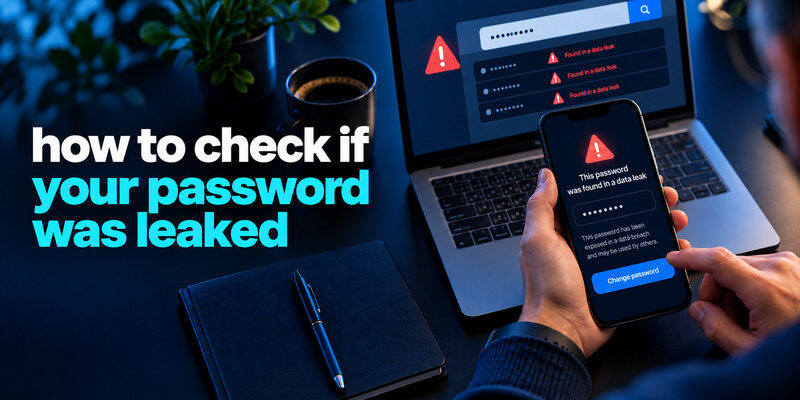
To check if your password was leaked, review compromised-password alerts in a trusted password manager or use Have I Been Pwned’s Pwned Passwords service through its genuine site. Never paste a current secret into an unknown “leak checker.” A match means the password string has appeared in known exposed data, not necessarily that your specific account was accessed. Replace it everywhere you used it, then inspect important account sessions and recovery methods.
Start with the password tool you already use
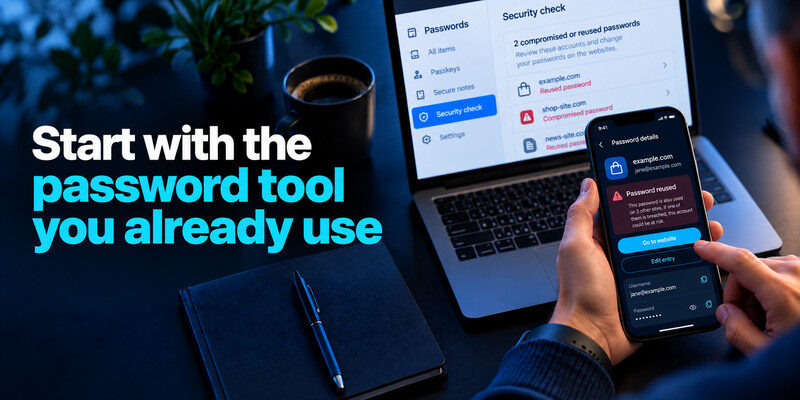
Google Password Manager and Apple’s Passwords app can flag saved credentials that appear compromised or reused. Open their genuine settings directly and inspect the account and website associated with the warning. Interfaces vary by device and version. The warning is a cue to visit the real service and change the credential there. Editing a saved entry in the manager alone does not change the website’s password.
Trusted password managers can help identify saved credentials that are reused or appear in known compromised-password datasets. They also make it easier to replace exposed passwords with unique credentials. Our guide on use a password manager explains how to generate, organize, and protect passwords across multiple accounts.
Match the warning to the exact site
A manager can hold multiple entries for a domain or a retired account. Identify the correct username and whether the site still exists. If the password has already been changed but an old entry remains, verify a fresh login before deleting the stale record. Do not dismiss an alert merely because you no longer use the affected service; the old password may have been reused elsewhere.
Treat a negative result narrowly
A checker compares against data it knows. It cannot rule out a private phishing incident, malware, or a breach not yet included. Keep unique generated passwords and MFA regardless of the warning status. If an unknown successful session appears, investigate even when the manager shows no compromised-password label.
Secure your accounts with fast, reliable two-factor authentication. Download now and protect your login in seconds.Download Authenticator App
Use Pwned Passwords carefully
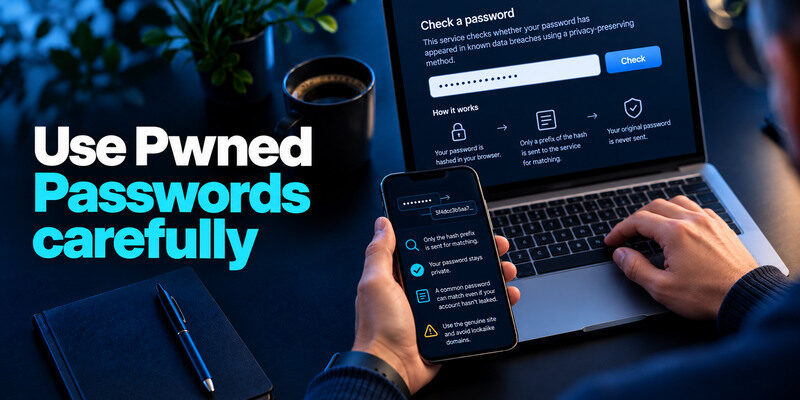
Have I Been Pwned’s Pwned Passwords corpus checks whether a password has appeared in known leaks. Its documented web lookup hashes the password in the browser and sends only a prefix of the hash for matching, rather than sending the original secret. Use the genuine service and read its current privacy explanation. For an important live password, a manager-integrated check that you trust may feel less error-prone than manually typing the secret into any website.
| Method | What it checks | Main limitation |
| Manager’s compromised-password warning | Saved entries against known exposure | Only entries it can assess |
| Pwned Passwords | Whether a password string appears in corpus | Not which account, or whether it was accessed |
| Email breach search | Address in known breach data | Does not directly prove current password leaked |
| Provider notice | Incident scope described by provider | May be delayed or incomplete |
A common password can match without your account leaking
If a password like a familiar phrase appears in the corpus, that proves the string is unsafe to keep using. It does not establish that your exact account was in the source data. Replace the password anyway. The practical goal is to stop using an exposed or easily guessed secret, not to determine who first typed it.
A password can be unsafe even when you cannot identify a breach involving your own account. Common phrases, predictable patterns, and previously exposed strings should be replaced with unique credentials. Our guide on how to generate a strong password explains how to create credentials that are difficult to guess and practical to manage.
Avoid lookalike domains
A fake password checker can collect the exact secrets it promises to protect. Navigate to the official site independently and inspect the full domain. Do not enter passwords in search ads, browser popups, direct-message links, or an emailed “emergency audit.” Do not send a current password to a support agent.
Distinguish the three possible findings
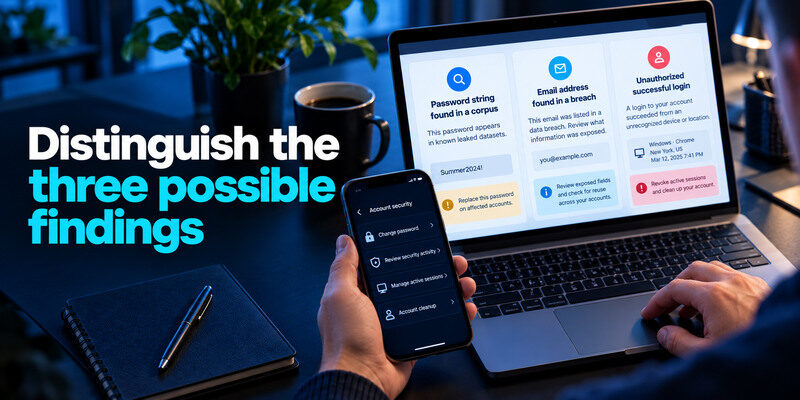
A password string found in a corpus, an email address found in a breach, and an unauthorized successful login are separate facts. They can occur together or independently. A breached string calls for replacement; an email listing calls for reviewing the exposed fields and reuse; an unauthorized login calls for session revocation and account cleanup. Do not collapse all three into “I was hacked.”
Review the site where you used it
Open the real account, change the password, sign out of other sessions where offered, and inspect recovery methods if the account is important. Look for messages, purchases, or settings changes you did not make. If you cannot log in, follow the provider’s official recovery process. Avoid changing the password on a device you suspect is infected.
Find every reused copy
Search your manager for duplicate or similar credentials; do not publish the password to a search engine. Think of old accounts where you manually reused it. Replace each with an independent generated secret, not a version with one character changed. Prioritize email, financial, work, and social services. An attacker can try the leaked string on sites unrelated to the original breach.
When attackers test leaked username-and-password combinations against unrelated websites, the technique is called credential stuffing. Reusing the same password across services makes a single leak more dangerous. Our guide on what is credential stuffing explains how these attacks work and why every affected account needs a different replacement password.
Change the password safely
Generate a new unique credential in a trusted manager on a clean device. On the real website, use its account settings or reset flow and verify the change. Save the new entry under the correct domain, sign out, and sign back in once. Only then delete an old stored entry. If you receive a password-change email you did not initiate, open the provider independently to investigate.
Do not rotate to a pattern
`OldPassword2026!` after `OldPassword2025!` is predictable if the old value leaks. A manager-generated unrelated string eliminates that relationship. NIST guidance emphasizes screening common and compromised passwords and discourages arbitrary periodic changes without evidence. Here you have evidence of exposure, so a replacement is justified.
Protect the recovery path
Check the account’s recovery email and phone before signing out of the only working device. Save backup codes outside the locked account. If the main mailbox can reset the affected service, secure it first. An intruder with recovery access can undo a password change.
Add or strengthen MFA
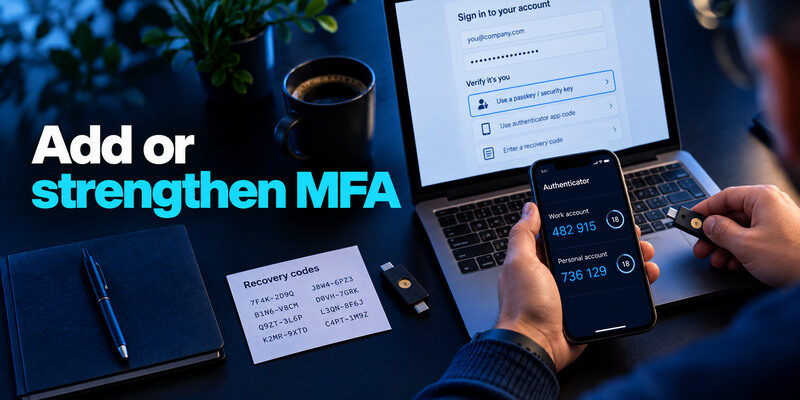
A second factor can stop an attacker who has only the leaked password. Prefer phishing-resistant passkeys or security keys where supported and recoverable. A TOTP app is broadly supported; can generate compatible codes after setup. Save service recovery codes separately. A live code can be phished, so enter it only into a verified sign-in you initiated.
A second authentication factor can block many attempts that rely on a leaked password alone. Prefer phishing-resistant passkeys or security keys where supported. For services offering standard one-time codes, a TOTP authenticator app can generate verification codes after enrollment. Store recovery codes securely and remember that MFA does not automatically revoke sessions that an attacker already controls.
Check active sessions
Some services keep existing sessions after a password reset. Use the provider’s sign-out-all option or revoke unfamiliar devices. Review connected apps, API tokens, and additional administrators where relevant. Password change and session cleanup are distinct operations. Recheck later for settings that reappear.
If work credentials are involved
Report the warning through the organization’s official security process. Do not paste the work password into a public checker or change managed access outside policy. The security team can assess logs and reset paths for other systems. Preserve the alert without copying the secret into the report.
What if the checker finds nothing?
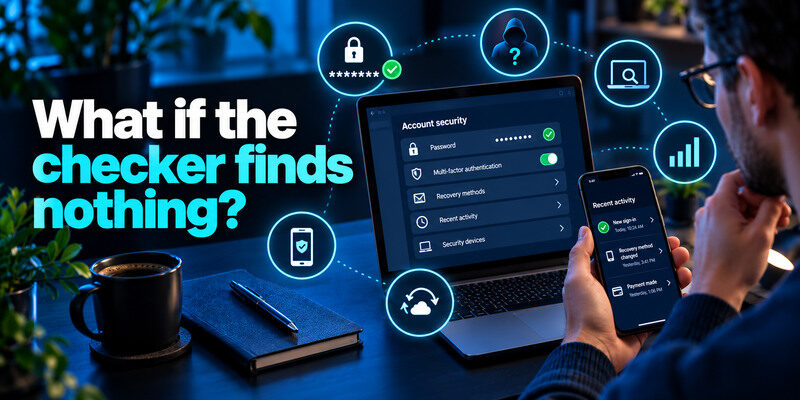
Use a unique password anyway. Unknown exposure can exist, and a negative result is limited by the datasets and saved entries covered. Investigate direct signs such as a successful unknown session, changed recovery method, or transaction. If the account is valuable, enable MFA and keep a tested backup path. Avoid routine resets solely to chase a clean score.
A password checker cannot detect every private breach, phishing attempt, or unauthorized login. If you notice an unfamiliar successful session, changed recovery settings, or unexpected transactions, investigate the account directly even when no password leak is reported. Our guide on how to check if your account has been hacked explains how to verify possible compromise.
Check the device if the secret keeps leaking
If a newly changed password is compromised again or unauthorized sessions recur, inspect the device for malware and malicious extensions. Change secrets from a trusted device after cleanup. A leaked password is not always caused by the service’s database; phishing or an infected endpoint can capture it.
Monitor the right things
Turn on provider sign-in alerts and consider reputable breach notifications for your email. A password checker is not a live account monitor. Review financial statements and account activity if a credible incident occurred. Do not upload a whole vault to an untrusted “security audit.”
Interpret a match without exposing the secret
A password-manager warning may identify a saved credential that matches a known compromised password. Pwned Passwords documents a privacy-preserving query based on a hash prefix; the user should still reach the genuine service, follow its instructions, and never type the password into an unfamiliar page. A match tells you the string has appeared in a known set. It does not by itself establish which of your accounts was accessed.
Reuse turns one match into several tasks
If the same string protects three accounts, replace all three independently. Start with email, manager, and financial access because they can affect other services. Mark each completed change in a private checklist without recording the old password in plain text.
If leaked credentials were reused and you discover unauthorized activity, replacing passwords is only part of the response. You may also need to revoke sessions, remove unknown recovery methods, and inspect changes made by an attacker. Our guide on how to recover a hacked account explains the additional steps required after confirmed compromise.
A negative result is limited evidence
An unlisted password can still be weak, phished, or privately stolen. Keep it unique and long. If an unknown successful session exists, investigate that account even if a password checker is quiet.
Known compromised string|The password value is in a known dataset|Your specific account was entered|
Saved credential warning|A stored account needs review|Every account using it is listed|
No match|No match in that tool’s dataset|The secret is safe everywhere|
Frequently Asked Questions
Should I type my live password into Pwned Passwords?
Its official service documents a privacy-preserving lookup, but confirm the domain and understand the method before using it. A trusted password manager’s integrated warning can reduce manual handling. Never type a live password into an unknown site claiming to be a checker.
Does a match prove my account was hacked?
No. It means the password string appears in known exposed data. Replace it and inspect accounts where it was used. A successful unauthorized session or changed settings would be separate evidence of takeover.
If I changed the password last month, am I safe?
If the new password is unique, was created on a trusted device, and the old one is no longer used elsewhere, the old listing may have limited current impact. Review sessions and recovery after a credible incident. Do not delete evidence of unauthorized activity just because the password changed.
Can MFA stop a leaked password from being used?
It blocks many password-only sign-ins, but not every route. A phished code, approved fraudulent prompt, stolen session, or weak recovery method can still enable access. Use strong MFA with unique credentials and session reviews.
Final Thoughts
Check a password’s exposure through trusted tools, interpret a match as a reason to replace the string, and fix every reused copy. Verify the real account’s activity and recovery path separately. The safest check is one that does not create a new leak while trying to find an old one.
