
What Is Credential Stuffing? How Reused Logins Become Account Takeovers
Published October 20, 2026 · Updated October 21, 2026
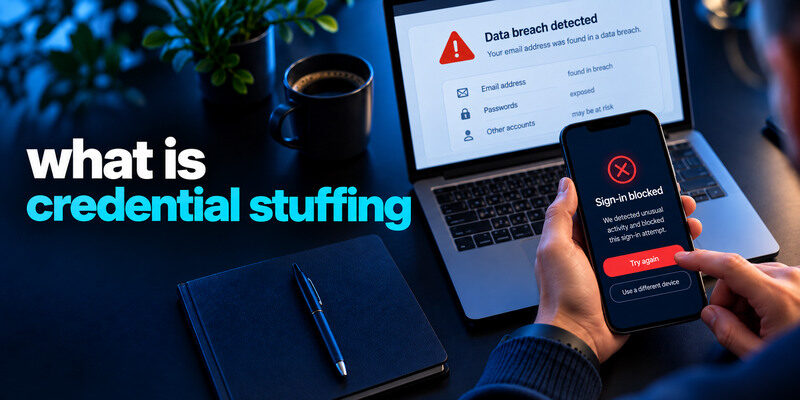
Credential stuffing is an automated attempt to sign in to one service using username-and-password pairs stolen from another. It succeeds when people reuse credentials across sites. An attacker does not need to guess the password from scratch; a previously exposed pair may still work elsewhere. The most useful personal defenses are unique passwords, MFA, and prompt action on credible breach and login alerts. This guide separates credential stuffing from brute force and password spraying, then shows how to protect an account without treating every failed attempt as a takeover.
Follow a stolen pair through the attack
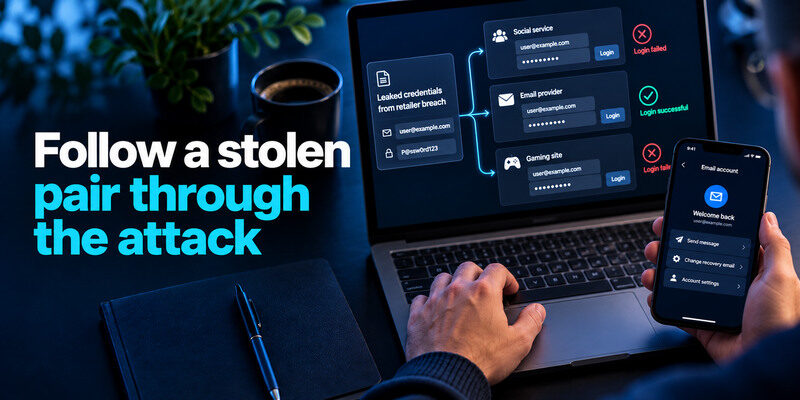
A retailer breach exposes an email address and password. Someone tests that pair at an unrelated social service, an email provider, and a gaming site. Automated tools can submit many pairs, but the decisive weakness in this example is the reused password. One successful login can let an attacker send messages, change recovery details, or make purchases. The original retailer breach and the later account takeover are two different events.
Where the credential pair comes from
Pairs can come from data breaches, phishing pages, malware, or other unauthorized collections. A leak may be old yet still useful if a password was never replaced. Attackers may also combine a known email with common password variations, but that becomes guessing rather than strict reuse of a stolen pair. Do not assume a new alert means the service itself was breached.
Why automation changes the scale
A single pair may be tried across many websites; a large list can be checked rapidly. Services may see spikes in failed attempts from diverse sources. Users may notice failed-login notices even when their own account remains protected. OWASP’s Credential Stuffing Prevention Cheat Sheet distinguishes this use of previously breached pairs from guessing many candidate passwords against one account.
Secure your accounts with fast, reliable two-factor authentication. Download now and protect your login in seconds.Download Authenticator App
Credential stuffing vs other password attacks
| Attack | What is tried | Characteristic weakness | Example signal |
| Credential stuffing | Exposed username-password pairs at other sites | Password reuse | Known leaked pair succeeds elsewhere |
| Brute force/password guessing | Many candidate passwords for one account | Guessable secret or weak rate limits | Repeated failures on one account |
| Password spraying | One or a few common passwords across many accounts | Common passwords | Broad failures with little activity per user |
| Phishing | User enters secret into fake page | Deceptive sign-in | Credential submitted to impostor |
These categories can overlap in a real incident. A phished pair can be stuffed elsewhere. A service’s warning might say only “unusual activity” without specifying the attack technique. Focus on whether a successful unauthorized session exists and whether any credential was reused.
Attackers may use exposed credential lists to test logins across email providers, shopping websites, and other online services. A successful login may go unnoticed if the account owner does not review security alerts or recent activity. Our guide on how to check if your account has been hacked explains the warning signs and account checks that can help identify unauthorized access.
A failed attempt is still useful information
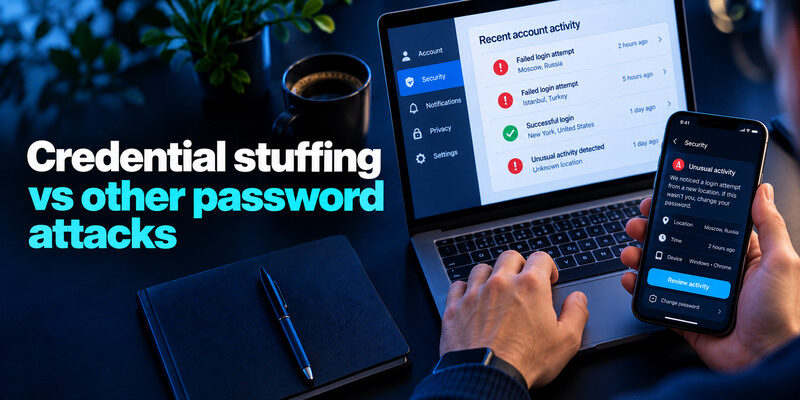
A failed login from an unfamiliar location may mean someone knows your email, not your current password. Verify the event in the real account’s security page. If the password is unique and MFA is active, keep monitoring rather than resetting everything reflexively. If the credential is reused or appears in a known leak, replace it and its copies.
Success changes the response
An unknown successful sign-in is a potential takeover. Change the affected password from a trusted device, revoke unfamiliar sessions, check recovery methods, connected apps, messages, and payments. Protect primary email first if it can reset the other account. Report work access through the authorized security team. Password replacement alone may not invalidate every active session.
How to tell whether your credentials are exposed
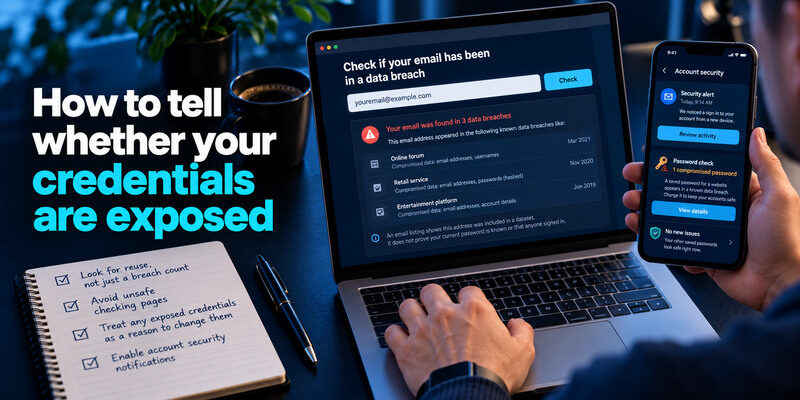
Use the genuine provider’s security notifications and a reputable breach lookup, such as Have I Been Pwned, for known email exposure. An email listing tells you a dataset included that address; it does not prove your present password is known or that anyone signed in. Conversely, no listing does not prove a credential is secret. A password manager’s compromised-password warning may identify a saved secret that needs replacement.
Credential stuffing, brute-force attacks, and password spraying use different techniques, but they all exploit weaknesses in account authentication. Unique passwords, multifactor authentication, login monitoring, and appropriate rate limits can reduce the risk of successful attacks. Our guide to the best account security practices explains how these protections work together.
Look for reuse, not just a breach count
List the services where the same or nearly identical password was used. Prioritize email, the password manager, financial, work, and social accounts. Replace each with a distinct generated credential. If you changed only the breached service, an attacker could still use the old pair at another site. A manager makes independent passwords practical.
Avoid unsafe checking pages
Do not type a live password into a random “dark web scan.” Use a trusted password manager’s check or the genuine Pwned Passwords service, which documents its privacy-preserving lookup. A screenshot of a breach result should not include a password or recovery code. An email sent by a supposed security vendor may itself be phishing; navigate independently.
The defenses that stop reuse from spreading
Unique passwords remove the central cross-site bridge. MFA adds a separate requirement after a password is accepted. A passkey or security key can offer phishing resistance where supported. A TOTP authenticator blocks password-only sign-ins, though live codes can be phished. Use the strongest method each important service supports and maintain a recovery plan.
Reusing a password means that a breach affecting one website can put unrelated accounts at risk. Each important account should have its own long, randomly generated password so that exposed credentials cannot be reused elsewhere. Our guide on how to generate a strong password explains how to create credentials that are difficult to guess and practical to manage securely.
Choose a manager you can recover
A manager can generate independent credentials and match autofill to the correct website. Secure its own account with a long unique secret and MFA, then save recovery material outside the vault it unlocks. Test a fresh sign-in on a second device before replacing dozens of passwords. A vault does not help if its master secret is reused elsewhere.
Finish TOTP enrollment
For compatible services, can generate a separate one-time code. Scan the service’s QR or enter its setup key, confirm with a valid code, and store service backup codes outside the phone. Never approve an unexpected prompt or read a live code to a caller. If the service supports a phishing-resistant passkey and you can recover it, consider that for high-value accounts.
What a service can do on its side
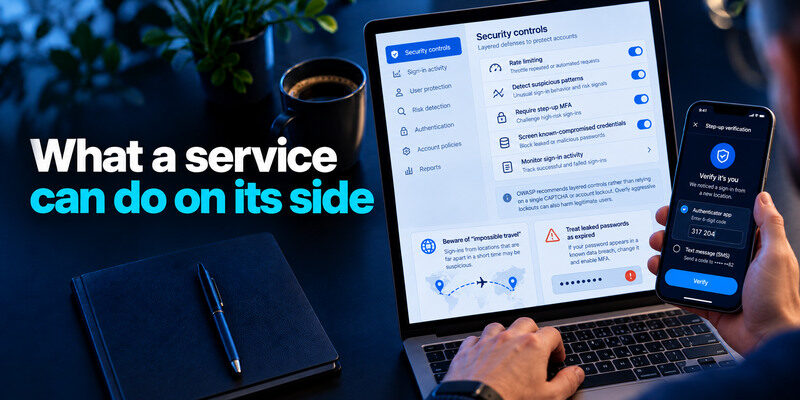
A service operator can rate-limit, detect suspicious patterns, require step-up MFA, screen known-compromised credentials, and monitor successful and failed sign-ins. OWASP recommends layered controls rather than relying on one CAPTCHA or account lockout. Overly aggressive lockouts can also harm legitimate users, especially when an attacker deliberately triggers them. A user cannot configure the service’s detection engine, but can choose unique credentials and report suspicious activity.
A password manager makes it easier to assign a different password to every account without memorizing dozens of credentials. This reduces the impact of password reuse, which is a central weakness exploited by credential stuffing. Our guide on use a password manager explains how to generate, store, and autofill unique passwords securely.
Beware of “impossible travel” as proof
IP-based location can be distorted by cellular networks and VPNs. Compare device, time, success status, and subsequent account changes. A login from a distant city on your own phone may be a false alarm; an unknown device plus changed recovery email is more concerning. Use the service’s official activity view instead of judging a forwarded screenshot.
Treat leaked passwords as expired
Even if a service reports no unauthorized session, a known-exposed password should be replaced. Do not rotate to a predictable version such as the same base plus a new year. Change every account that shared the old secret. Review recovery questions if they too relied on exposed or discoverable information.
A 15-minute response when a stuffing alert arrives
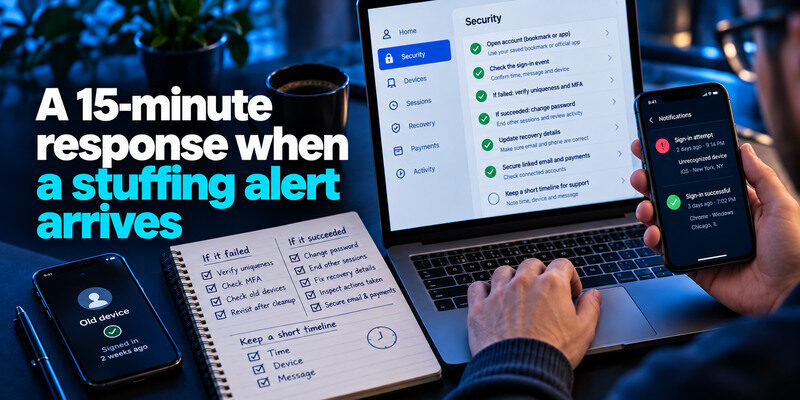
Open the account through a saved bookmark or app. Check whether the event succeeded, identify the device, and preserve the time and message. If it failed, verify uniqueness and MFA. If it succeeded, change the password, end other sessions, correct recovery details, and inspect actions taken. Secure linked email and payments where applicable. Keep a short timeline for support, omitting passwords and live codes.
Even when an attacker obtains a valid password, multifactor authentication can add another requirement before a login succeeds. A standard authenticator app generates temporary verification codes that help protect supported accounts against password-only attacks. Our guide on what is an authenticator app explains how app-based verification works and how to set it up.
Check an old device before blaming an intruder
A phone app with a stale saved password can create repeated failures after you change credentials. Update that app and check whether the alerts stop. Do not dismiss an unfamiliar successful session merely because an old device exists. The success status and device identity determine the next move.
Revisit after the first cleanup
Check for forwarding rules in email, connected OAuth apps, additional administrators, and renewed sessions. Warn contacts through another channel if the account sent scam messages. A fresh password and MFA protect future sign-ins, but cannot undo messages already sent or payments already made.
A worked example: one reused password, three outcomes
Imagine a gaming service announces that customer login records were exposed. Lena used the same password for that service, a shopping account, and her primary email. A subsequent failed shopping login is evidence of a test, but not necessarily a takeover; an unfamiliar successful email login is much more urgent. She opens each service directly, secures email first, replaces all three passwords with independent ones, checks recovery methods and active sessions, and stores backup codes separately after enrolling MFA.
If the attacker only knows the old pair
Changing the reused password on every affected account closes that path. A password manager’s duplicate-password view is helpful because small variants can still be predictable. Lena also checks whether an old app or device is causing failed sign-ins after the change; those failures can be benign without making an unknown successful session benign.
A breach notification is a reason to investigate, not automatic proof that someone accessed your account. Check the official account activity page for unfamiliar successful sessions, changed recovery information, and unauthorized actions. Our guide on how to check if your account has been hacked explains how to distinguish warning signs from confirmed compromise.
If the attacker got in before the change
She inspects sent mail, forwarding, purchases, and connected apps, and signs out unfamiliar sessions. She records dates and transaction identifiers for provider support. A new password prevents later reuse of the old pair, but it does not automatically reverse a purchase or revoke every token.
Email appears in a known breach|Historical exposure of that address|Data classes and reuse|
Failed unfamiliar sign-in|An attempt, not a confirmed takeover|Unique password and MFA|
Unknown successful session|Potential access to that account|Revoke, recover, inspect changes|
Unrecognized purchase|Possible financial harm|Provider and payment institution|
Frequently Asked Questions
Is credential stuffing the same as hacking a website?
No. A website may be targeted with stolen pairs from a different breach without its own database being breached. A successful login is still unauthorized access to an account. The original leak, the test attempts, and any resulting takeover are distinct stages.
Can credential stuffing work if MFA is on?
MFA usually blocks password-only access, but a phished code, fraudulent approval, stolen session, or weak recovery method can bypass that protection. Prefer phishing-resistant methods for critical accounts and review existing sessions after a credible alert.
Does a failed attempt mean my password leaked?
Not necessarily. Attackers may try old pairs or common guesses. Check whether your current password is unique and whether a known breach includes your address. A successful unknown sign-in or changed settings warrants a stronger response.
Do I need to change every password now?
Replace passwords known to be exposed or reused, beginning with the most important accounts. Independent generated credentials do not automatically need rotation because another service leaked. Review activity and recovery paths as you go.
Final Thoughts
Credential stuffing exploits reuse of a stolen login pair. Break the link with a different generated password for every service, add a recoverable second factor, and investigate successful unknown sessions promptly. A breach lookup is a starting clue; your own account activity and the exact password history determine the response.
