
Adaptive MFA and How Risk Changes the Sign-In Challenge
Published November 16, 2026
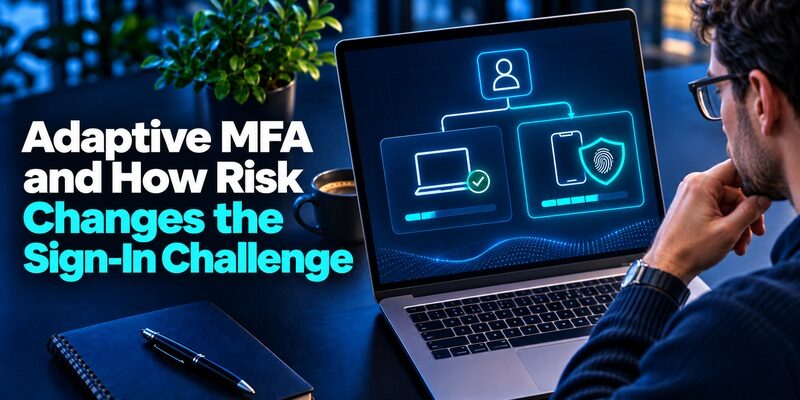
Adaptive MFA (Adaptive Multi-Factor Authentication) is a security method that adjusts authentication requirements according to the risk of each login attempt. Instead of requiring the same verification steps every time, it evaluates factors such as device, location, IP reputation, and user behavior to decide whether additional verification is necessary.
Quick answer: Adaptive MFA helps organizations strengthen account security while reducing unnecessary login interruptions. Trusted, low-risk sign-ins may proceed with less friction, while suspicious attempts trigger stronger verification or access restrictions.
For example, an employee signing in from a familiar laptop and network may experience a streamlined login. However, accessing the same account from an unfamiliar device or suspicious location could trigger an additional security challenge.
Microsoft reports that multifactor authentication can block more than 99.2% of account compromise attacks in its research. This finding demonstrates the importance of MFA generally; it should not be interpreted as a separate effectiveness measurement for risk-adaptive implementations.
As organizations adopt cloud services, hybrid work, and Zero Trust security, adaptive MFA offers a flexible approach to protecting accounts without forcing every user through identical authentication steps.
This guide explains how the technology works, compares leading platforms, and provides a practical implementation checklist.
1. What Is Adaptive MFA and Why Does It Matter?
The question what is adaptive mfa refers to an authentication approach that uses contextual information and risk analysis to determine when additional identity verification should be required.
Traditional multi-factor authentication adds a second factor to a login process, such as a one-time password, security key, or biometric verification.
Risk-adaptive authentication builds on this concept by evaluating the circumstances surrounding each login.
Rather than treating every sign-in as equally risky, adaptive MFA adjusts the authentication experience according to the organization’s security policies.
Understanding adaptive authentication
If you are asking what is adaptive authentication, the simplest explanation is that authentication requirements change based on contextual risk.
A risk-based system typically examines:
- Device recognition: Is the user signing in from a known device?
- Geographic location: Is the login location consistent with previous activity?
- IP reputation: Is the connecting IP address associated with suspicious behavior?
- Behavioral patterns: Does the login resemble the user’s established activity?
- Application sensitivity: Is the user accessing a high-value business system?
The system combines available information to make an authentication decision.
For example, accessing a company dashboard from a familiar device may present relatively little risk.
However, the same user attempting to access financial records from an unfamiliar device could receive an additional authentication challenge.
The goal is to apply stronger security when the circumstances justify it.
Why businesses need risk-adaptive authentication
Organizations face several identity-related challenges.
Employees use personal devices, contractors access cloud applications, and business systems are increasingly available outside traditional office networks.
Requiring a second factor at every login can improve security, but excessive authentication prompts may frustrate users.
At the same time, relying only on passwords exposes organizations to credential theft and account takeover.
Adaptive MFA helps balance these concerns by introducing additional checks when risk increases.
Its advantages include improving the login experience, supporting security policies across different user groups, and helping administrators respond to unusual activity.
However, it should complement baseline authentication controls rather than replace them.
2. How Does Adaptive MFA Work?

Adaptive MFA generally follows a risk-assessment workflow that evaluates the context of a login before determining whether additional verification is required.
The exact decision process depends on the identity provider, configured policies, and available security signals.
Step 1: A user initiates a login
The process begins when someone attempts to access an application, employee portal, or other protected resource.
The identity platform collects information associated with the authentication request.
This may include device characteristics, network information, session history, and previous sign-in patterns.
Step 2: The system evaluates risk signals
A risk engine analyzes the available context to estimate whether the login is legitimate.
Common signals include:
Unrecognized devices
A login from a device that has never been associated with the account may warrant additional verification.
Unusual geographic activity
A login appearing to originate from a distant location shortly after another successful login may indicate suspicious activity.
Untrusted IP addresses
An IP address associated with malicious activity, anonymization infrastructure, or suspicious network behavior may increase the assessed risk.
Behavioral anomalies
Changes in established login patterns can provide additional context.
For example, an employee who usually accesses an account during business hours might trigger closer evaluation after an unusual sign-in.
A single unusual signal does not automatically prove that an account has been compromised.
Legitimate travel, VPN usage, and device changes can also affect risk assessments.
Step 3: The platform calculates the risk level
The authentication platform combines the available information according to its risk model.
For illustration, organizations may categorize sign-ins as low, medium, or high risk.
| Risk level | Example | Possible response |
|---|---|---|
| Low | Familiar device and expected activity | Allow access under applicable policy |
| Medium | New device or unusual login context | Request additional verification |
| High | Suspicious IP and abnormal activity | Require stronger verification or block access |
This table represents an illustrative policy design, not a universal scoring standard.
Different platforms use different risk calculations and decision rules.
Step 4: The user completes the required verification
When a policy requires another factor, the user may be asked to complete an authentication challenge.
Possible methods include a security key, passkey, approved push notification, biometric-enabled authentication, or a time-based one-time password.
For compatible TOTP workflows, an Authenticator app can generate temporary verification codes.
These codes commonly contain six digits and refresh every 30 seconds.
The application generates the verification code; the identity platform performs the risk assessment and determines whether the code is needed.
Step 5: Access is granted or denied
Once the user satisfies the required authentication policy, the platform can grant access.
If verification fails or the risk is considered unacceptable, access may be denied.
Some identity systems also support additional monitoring after the initial login.
Adaptive MFA therefore creates a more context-aware process than a fixed authentication rule alone.
3. Adaptive MFA vs. Traditional MFA: Key Differences
Both conventional MFA and risk-adaptive authentication improve protection beyond a password-only login.
Their main difference is how they determine when additional verification should occur.
Traditional MFA
Traditional MFA requires users to provide two or more authentication factors according to a predefined policy.
For example, an organization may require employees to enter a password and then provide a six-digit verification code during every login.
This approach is relatively straightforward to configure and understand.
However, it does not necessarily distinguish routine activity from suspicious access attempts.
Risk-adaptive MFA
Adaptive MFA evaluates contextual information and adjusts verification requirements based on the configured policy.
A familiar login may require fewer steps, while an unusual login may trigger stronger authentication.
This approach can reduce unnecessary challenges and improve responsiveness to changing risk conditions.
Comparison table
| Feature | Traditional MFA | Adaptive MFA |
|---|---|---|
| Verification triggers | Fixed policy | Context and risk-based policy |
| Risk assessment | Not inherently required | Core capability |
| User experience | More predictable, potentially repetitive | More flexible |
| Device and location signals | Optional | Commonly evaluated |
| Setup complexity | Usually lower | Usually higher |
| Administrative monitoring | Standard authentication logs | Risk and authentication insights |
| Typical use case | Consistent additional verification | Context-sensitive access protection |
Is adaptive authentication always better?
Not necessarily.
Traditional MFA may be sufficient for smaller environments with straightforward access requirements.
Risk-adaptive policies are particularly useful when organizations manage diverse users, applications, devices, and network conditions.
However, poorly configured policies may underestimate threats or create unnecessary authentication prompts.
Adaptive MFA also does not automatically make a weak authentication factor resistant to phishing.
According to NIST SP 800-63B, manually entered one-time passwords are not phishing-resistant because an attacker-controlled website can relay a captured code.
For sensitive accounts, organizations should prioritize phishing-resistant methods, such as appropriate FIDO2 security keys or passkeys, where supported.
4. Common Adaptive MFA Examples and Use Cases

Understanding practical mfa examples makes it easier to identify when risk-based authentication can improve security and usability.
The following scenarios illustrate how organizations may implement adaptive verification policies.
Example 1: An employee uses a trusted office laptop
An employee regularly signs in to a company application from a managed laptop.
The device is recognized, the network is familiar, and the login behavior matches previous activity.
The identity platform determines that the sign-in presents relatively little risk.
Depending on the organization’s policies, the user may proceed without an additional interactive verification prompt.
Result: A streamlined login experience for a familiar, low-risk situation.
Example 2: An unfamiliar device accesses a business account
The same employee attempts to sign in from a new smartphone.
The platform identifies a device it has not previously associated with the user.
An adaptive MFA policy may require another authentication factor before granting access.
If the user successfully verifies their identity, the login can continue.
Result: Additional protection when device context changes.
Example 3: Suspicious geographic activity
A user successfully signs in from one country.
A short time later, another authentication request appears to originate from a geographically distant location.
The system may identify an impossible-travel signal.
However, VPN services and mobile network routing can complicate geographic analysis.
The authentication provider may therefore combine this signal with device history and IP reputation before making a decision.
Result: Suspicious activity receives additional scrutiny rather than automatic trust.
Example 4: Accessing sensitive financial information
An employee accesses a normal collaboration platform during the working day.
Later, the employee attempts to open a privileged financial administration application.
Even with a familiar device, the organization may require stronger authentication because the requested resource is sensitive.
This is often implemented through resource-specific or step-up authentication rules.
Result: Sensitive systems receive stronger protection regardless of routine login conditions.
Example 5: A suspicious administrator login
A privileged account attempts to authenticate from an unfamiliar network with multiple unusual signals.
The platform assesses the request as high risk.
Depending on the policy, access may be denied or additional verification may be required.
Adaptive MFA can support this response, but privileged accounts should also have strong baseline protection and appropriate monitoring.
5. How Does Okta Adaptive MFA Work?

Okta provides risk-based authentication capabilities that allow organizations to evaluate sign-in activity and enforce contextual access policies.
Users searching for adaptive mfa okta are generally looking for Okta’s risk evaluation features, behavioral detection, and authentication policy controls.
Key features of Okta’s approach
Okta Identity Engine provides risk and behavior evaluation using information associated with sign-in requests.
Relevant signals include:
- IP address and network context.
- Device information.
- Previous successful and failed sign-ins.
- Behavioral changes.
- Other available risk indicators.
Administrators can use these signals to configure global session policies and application sign-in policies.
For example, a policy may require additional authentication when a login has a high risk level.
Risk evaluation and authentication enforcement are related but separate steps. The risk engine assesses the sign-in, while configured policies determine the action.
How to configure an Okta policy
For an organization with the appropriate features and permissions:
- Sign in to the Okta Admin Console.
- Review the available risk-scoring and behavior-detection capabilities.
- Open the relevant global session or application sign-in policy configuration.
- Define conditions based on supported risk levels or behavioral signals.
- Specify the required authentication response.
- Test the policy with representative users and devices.
- Review authentication events and adjust the rules.
Exact menu options and product availability can vary by Okta engine, licensing, and feature configuration.
Important security considerations
Okta documentation recommends requiring MFA at every sign-in when configuring high-risk or high-risk-behavior conditions, rather than relying on relaxed device-session intervals.
This helps prevent risky authentication attempts from receiving insufficient verification because of an existing session or remembered device.
Organizations researching okta adaptive mfa should also evaluate device assurance, phishing-resistant authenticators, recovery procedures, and log visibility.
A well-designed policy should protect high-risk access without making routine employee authentication unnecessarily difficult.
6. How Does Auth0 Adaptive MFA Work?
Auth0 provides adaptive authentication capabilities for applications that need context-sensitive login security.
Organizations researching auth0 adaptive mfa typically want to understand how Auth0 assesses authentication risk and decides when users need an additional factor.
Risk signals used by Auth0
Auth0’s documentation identifies three important risk assessors:
New Device: Evaluates whether the authentication request comes from a device that is recognized.
Impossible Travel: Evaluates potentially suspicious geographic changes between authentication events.
Untrusted IP: Assesses whether the connecting IP address is associated with known suspicious activity.
These assessors contribute to an overall confidence assessment.
Auth0 does not necessarily trigger an additional challenge whenever one individual signal appears suspicious.
Under its documented default behavior, the overall confidence assessment determines whether a login requires additional verification.
This helps avoid treating every legitimate VPN connection or device change as an attack.
How to configure Auth0 risk-based authentication
For supported Auth0 tenants, administrators can generally:
- Open the Auth0 Dashboard.
- Navigate to Security and Multi-factor Authentication.
- Review the available authentication factors.
- Enable the required risk assessment functionality.
- Select the appropriate MFA policy.
- Configure supported post-login Actions when custom behavior is needed.
- Test low-risk and high-risk authentication scenarios.
Certain features, including specific adaptive risk-assessment capabilities, may require an eligible enterprise subscription or add-on.
Customizing authentication decisions
Auth0 Actions can support advanced workflows based on authentication events and available risk information.
For example, a developer may use risk assessment data to implement a customized MFA decision.
However, an application-specific Action does not necessarily override every platform-level security requirement.
Administrators must understand how built-in policies and Actions interact.
When evaluating adaptive mfa auth0 configurations, testing should include recognized devices, unfamiliar devices, VPN connections, and recovery scenarios.
The goal is consistent enforcement that matches the application’s actual risk profile.
SSO vs MFA: Key Differences, Benefits & Which Is More Secure?
7. How to Implement Adaptive MFA: Step-by-Step Checklist

Successful adaptive MFA implementation requires more than enabling a security setting.
Organizations should plan their authentication requirements, available factors, risk policies, employee experience, and recovery procedures before rollout.
Step 1: Identify the accounts requiring protection
Start by listing applications and user groups.
Prioritize sensitive environments such as:
- Administrator accounts.
- Corporate email systems.
- Financial applications.
- Customer databases.
- Cloud infrastructure.
- Remote access systems.
Identify the identity provider responsible for each application.
Every sensitive login path should have a documented authentication requirement.
Step 2: Define baseline security requirements
Determine which users must always provide strong authentication and which applications can use contextual policies.
For example, administrator accounts should not lose essential security protections simply because a login appears low risk.
Define the minimum acceptable authentication strength before introducing adaptive rules.
Step 3: Select authentication factors
Choose supported verification methods according to security requirements and user needs.
Phishing-resistant options should be preferred for high-value accounts.
Where a service supports standard TOTP verification, users may also benefit from a dedicated code generator.
For compatible services, the Begamob application can help users manage time-based verification codes.
Download authenticator app for iPhone.
The application serves as an authentication factor where supported; it does not replace the organization’s identity provider or risk engine.
For users comparing device options, our guides to google authenticator for mac and apple authenticator explain related authentication workflows.
Step 4: Configure risk-based policies
Review the platform’s mfa settings and establish rules for different authentication scenarios.
A practical starting framework might include:
Low risk: Follow the organization’s approved baseline authentication requirements.
Medium risk: Request additional verification or a stronger factor.
High risk: Require phishing-resistant authentication where available, or deny access according to policy.
Ensure that sensitive applications and privileged roles remain adequately protected under every risk category.
Step 5: Run a pilot program
Before deploying policies to the entire organization, test with a limited employee group.
Include different devices, operating systems, roles, geographic locations, and network environments.
Ask pilot users to report repeated challenges, unexpected lockouts, and confusing authentication instructions.
Measure both security effectiveness and user experience.
Step 6: Establish recovery procedures
Users will lose phones, replace devices, and encounter authentication failures.
Plan how authorized administrators will recover accounts without weakening security.
Recovery procedures should include identity verification, controlled authenticator resets, and monitoring for suspicious recovery requests.
Where supported, provide suitable backup authentication methods.
For additional guidance, see how to reset an authentication application.
Step 7: Monitor rollout performance
Track measurable outcomes, including:
- MFA enrollment completion rate.
- Percentage of sign-ins requiring additional verification.
- High-risk login detection volume.
- Failed authentication rates.
- Account recovery requests.
- Employee support tickets.
- Authentication-related account compromise incidents.
Compare these indicators before and after rollout.
Adaptive MFA requires ongoing review because authentication patterns, threats, and employee workflows evolve.
8. Adaptive MFA Best Practices and Frequently Asked Questions

Strong authentication policies combine contextual risk evaluation with secure verification methods, appropriate monitoring, and reliable recovery processes.
Best practice 1: Prioritize phishing-resistant authentication
CISA recommends phishing-resistant MFA, including suitable FIDO/WebAuthn security keys and passkeys, for sensitive accounts.
These methods provide stronger protection against credential phishing than manually entered verification codes.
According to NIST SP 800-63B, OTP codes are not considered phishing-resistant because they can be relayed through a fraudulent login interface.
Choose the authentication factor according to account sensitivity, not convenience alone.
Best practice 2: Avoid excessive authentication prompts
An overly aggressive policy may generate repeated challenges for legitimate users.
This can create frustration and increase support requests.
Use available risk information to reduce unnecessary prompts while keeping essential verification requirements intact.
Remember that a new device or unusual location does not automatically indicate malicious activity.
Best practice 3: Protect authentication recovery
Account recovery is a potential target for attackers.
Use strong identity verification before resetting MFA factors.
Avoid allowing weaker recovery methods to bypass stronger primary authentication requirements without appropriate safeguards.
Best practice 4: Review suspicious activity
Regularly inspect authentication logs for unusual access patterns.
Investigate repeated failed sign-ins, unexpected changes in device context, and high-risk access attempts.
Adaptive MFA is most effective when combined with active security monitoring and incident response.
Frequently Asked Questions
What is MFA enabled?
The search query what is mfa enabled generally refers to an account that has multi-factor authentication activated.
An MFA-enabled account requires additional identity verification according to its configured policy.
With adaptive authentication, that additional step may be triggered conditionally rather than during every interaction.
Is adaptive authentication the same as two-factor authentication?
No. Two-factor authentication refers to using two authentication factors.
Risk-adaptive authentication determines whether extra verification is necessary based on contextual information and policies.
The technologies can work together, but they describe different security concepts.
What does MFA mean in German?
Users searching for mfa was ist das are asking what multi-factor authentication means.
In German, it is commonly called Multi-Faktor-Authentifizierung.
It refers to verifying identity using multiple distinct authentication factors.
Can small businesses use adaptive authentication?
Yes. Small businesses may benefit from risk-based policies when supporting remote employees, cloud applications, and sensitive accounts.
However, the value depends on the organization’s security requirements, technical resources, and identity provider.
Simple, consistently enforced MFA is preferable to a poorly configured adaptive system.
Does an authenticator application provide adaptive risk scoring?
A standard TOTP application primarily generates verification codes.
The identity provider evaluates login risk and determines whether those codes are required.
A compatible code generator can participate in an adaptive authentication workflow without independently providing risk scoring.
Can adaptive authentication replace passwords?
Not by itself.
Risk-based authentication can complement password-based or passwordless login systems.
Removing passwords requires a supported authentication architecture, such as an appropriate passkey or other passwordless credential.
Is adaptive authentication completely secure?
No authentication method can guarantee absolute security.
Risk engines may produce false positives or fail to detect some threats.
Phishing, compromised endpoints, insecure recovery processes, and session theft may remain concerns.
A layered security strategy should combine authentication, device protection, monitoring, and incident response.
Final Thoughts
Adaptive MFA offers a practical way to align authentication requirements with login risk, helping businesses strengthen account security while reducing unnecessary verification challenges.
Organizations using Okta, Auth0, or similar identity platforms should evaluate risk signals, establish strong baseline policies, prioritize phishing-resistant methods, and test real employee workflows before deployment.
For services that support standard TOTP authentication, a dedicated verification application can serve as one component of the broader security system.
Get Authenticator App for iPhone to manage verification codes for compatible accounts.
The best authentication strategy combines contextual risk assessment, strong verification factors, dependable recovery, and continuous monitoring.
