
Best SSO Providers for Enterprise: A Practical Shortlist
Published November 11, 2026
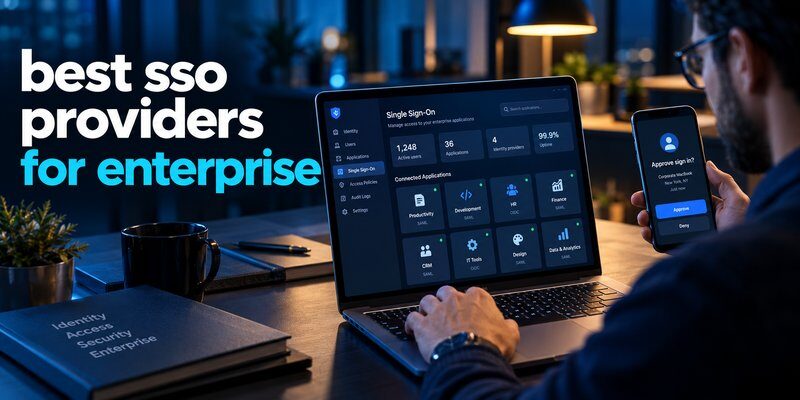
The best sso providers for enterprise in 2026 include Okta, Microsoft Entra ID, Ping Identity, JumpCloud, OneLogin, Cisco Duo, and Google Cloud Identity. These platforms help organizations centralize employee authentication, simplify application access, and enforce consistent security policies across business systems.
Okta is a strong choice for diverse enterprise application environments, Microsoft Entra ID fits Microsoft-focused organizations, and Ping Identity is well suited to complex hybrid identity requirements.
However, choosing the right solution requires more than comparing login convenience. Enterprises should evaluate authentication standards, multi-factor authentication (MFA), automated user provisioning, integration capabilities, and total ownership costs.
The security risks are significant. According to the Verizon 2025 Data Breach Investigations Report, stolen credentials were involved in approximately 22% of breaches as an initial access vector. Meanwhile, IBM’s 2025 Cost of a Data Breach Report estimated the global average breach cost at $4.44 million.
These findings demonstrate why identity protection is a major business priority.
This guide examines the best sso providers for enterprise, compares their capabilities, and explains how to select a platform that supports long-term security and scalability.
What Are the Best SSO Providers for Enterprise in 2026?
The best sso providers for enterprise combine reliable authentication, centralized identity management, strong security controls, and integration with existing business infrastructure.
Here are seven leading solutions worth evaluating.
| Provider | Best for | Key strength |
|---|---|---|
| Okta | Large, diverse enterprises | Broad application integrations |
| Microsoft Entra ID | Microsoft 365 environments | Microsoft ecosystem integration |
| Ping Identity | Complex hybrid enterprises | Flexible identity federation |
| JumpCloud | Mixed-device organizations | Unified identity and device management |
| OneLogin | Streamlined workforce access | SSO and lifecycle management |
| Cisco Duo | Security-focused organizations | MFA and access policies |
| Google Cloud Identity | Google Workspace businesses | Google ecosystem integration |
Quick recommendation: Choose Okta for broad SaaS integration, Microsoft Entra ID for Microsoft-heavy infrastructure, or Ping Identity when federation and hybrid authentication are major priorities.
These recommendations reflect typical product strengths rather than a universal performance ranking. Each organization should validate its application compatibility, security requirements, and licensing needs before purchasing.
What Is an SSO Provider and How Does It Work?

Before comparing the best sso providers for enterprise, it is important to understand how single sign-on works.
What is an SSO provider?
For anyone asking what is an sso provider, it is an identity service that authenticates users and enables them to access multiple connected applications through a centralized sign-in experience.
Instead of remembering separate passwords for every business tool, employees authenticate through a trusted identity provider.
For example, an employee might access Microsoft 365, Salesforce, Slack, and an internal HR platform without repeatedly entering separate credentials.
A typical SSO process involves four stages:
- The employee requests access: A user opens a business application integrated with the identity provider.
- The application redirects authentication: The user is directed to the organization’s identity system.
- The identity provider verifies the user: Authentication may include passwords, passkeys, biometric verification, or MFA.
- The application grants access: The identity provider returns a validated authentication response, allowing the application to establish a session.
Common enterprise federation standards include SAML 2.0 and OpenID Connect (OIDC).
Why enterprises need centralized authentication
Managing thousands of employees across numerous applications can create significant administrative challenges.
Organizations must control account creation, employee permissions, authentication policies, and access removal.
Without centralized identity management, inactive accounts and inconsistent security configurations may remain unnoticed.
The best sso providers for enterprise address these challenges by creating a central point for authentication and access governance.
Important benefits include:
- Improved employee productivity: Fewer repeated authentication steps across connected applications.
- Centralized security controls: Administrators can enforce consistent authentication policies.
- Simplified onboarding: New employees can receive access based on their roles.
- Faster offboarding: Centralized controls help revoke access when employees leave.
- Better visibility: Security teams can review authentication events and suspicious activity.
However, SSO does not automatically eliminate all security risks. Strong MFA, secure recovery procedures, and continuous monitoring remain essential.
7 Best SSO Providers for Enterprise Compared
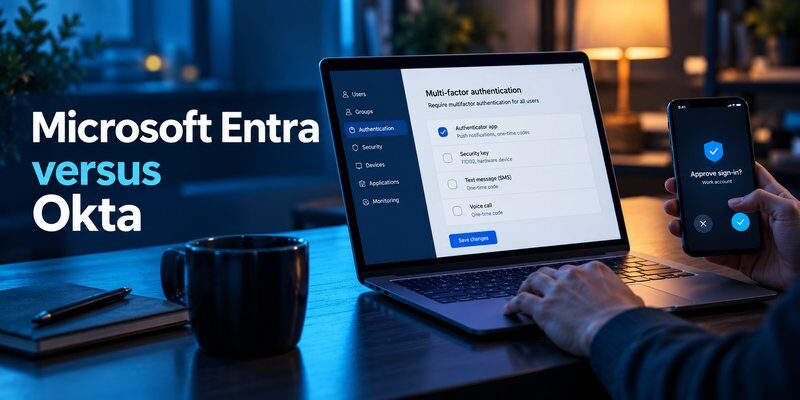
The following sso providers list highlights major enterprise identity platforms, their strengths, limitations, and ideal use cases.
1. Okta — Best for Large Enterprises With Diverse Applications
Okta is among the most established enterprise workforce identity platforms.
Its Single Sign-On offering centralizes employee access across cloud applications and supported on-premises systems.
Key features:
- SAML and OIDC authentication integrations.
- Centralized application dashboard.
- Adaptive MFA and passwordless authentication options.
- Lifecycle management and automated access workflows.
- Integration with existing corporate directories.
Okta advertises more than 8,000 prebuilt integrations through its integration network, making it attractive to organizations operating numerous business applications.
Advantages: Extensive application connectivity, centralized policy management, and strong identity governance options.
Limitations: Advanced functionality may require additional licenses, while complex implementations can demand specialized administration.
Best for: Large enterprises using multiple SaaS platforms, legacy applications, and distributed identity systems.
Organizations prioritizing application flexibility should include Okta when evaluating the best sso providers for enterprise.
2. Microsoft Entra ID — Best for Microsoft 365 Enterprises
Microsoft Entra ID, formerly Azure Active Directory, provides centralized identity management and SSO capabilities.
It is particularly relevant for organizations already using Microsoft 365, Azure, and Windows-based infrastructure.
Key features:
- SAML and OIDC single sign-on.
- Conditional Access policies.
- Integration with Microsoft 365 applications.
- Passwordless authentication support.
- Automated user provisioning through supported connectors and SCIM.
Microsoft’s enterprise application gallery includes thousands of preintegrated applications.
IT administrators can apply authentication requirements based on signals such as sign-in risk, device compliance, and application sensitivity.
Advantages: Deep Microsoft integration, flexible access policies, and centralized identity administration.
Limitations: Advanced governance and Conditional Access capabilities depend on licensing, and configuration can become complicated across large environments.
Best for: Microsoft-centered enterprises that want SSO integrated with their existing identity infrastructure.
Businesses exploring stronger authentication can also review microsoft multi factor authentication to understand additional account protection requirements.
For Microsoft-heavy organizations, Entra ID deserves serious consideration among the best sso providers for enterprise.
3. Ping Identity — Best for Complex Hybrid Environments
Ping Identity provides workforce identity solutions designed for organizations with sophisticated authentication and federation requirements.
Its PingOne platform supports cloud authentication, while related products can help address more complex enterprise architectures.
Key features:
- SAML and OpenID Connect support.
- Centralized workforce authentication.
- Adaptive authentication options.
- Directory and legacy infrastructure integration.
- Support for multiple identity providers and federation scenarios.
Ping Identity is particularly useful when an enterprise must connect modern cloud applications with established identity infrastructure.
Advantages: Flexible federation architecture, support for hybrid deployments, and extensive authentication customization.
Limitations: Some implementations require significant identity engineering expertise, and capabilities differ across product packages.
Best for: Large financial institutions, multinational companies, and organizations with complex legacy authentication environments.
Ping Identity stands out among the best sso providers for enterprise when identity federation is a major technical requirement.
4. JumpCloud — Best for Unified Identity and Device Management
JumpCloud combines identity management, device management, and workforce access capabilities.
This makes it useful for organizations managing Windows, macOS, Linux, and diverse cloud applications.
Key features:
- SAML and OIDC SSO integrations.
- Centralized cloud directory capabilities.
- Device management and authentication policies.
- MFA and passwordless access options.
- Automated user provisioning and deactivation.
Unlike platforms focused primarily on application authentication, JumpCloud connects workforce identity with managed-device security.
Advantages: Consolidated administration, cross-platform device support, and centralized access management.
Limitations: Organizations with highly specialized federation or identity governance requirements should validate feature depth and integration coverage.
Best for: Mid-sized and distributed businesses seeking a unified identity and device management platform.
JumpCloud is worth considering when comparing the best sso providers for enterprise for mixed operating-system environments.
5. OneLogin — Best for Streamlined Workforce SSO
OneLogin, part of One Identity, provides workforce authentication and access management capabilities.
Its platform focuses on simplifying application sign-in while supporting enterprise security controls.
Key features:
- Single sign-on for supported cloud and on-premises applications.
- Risk-based and adaptive authentication.
- Directory integration.
- Identity lifecycle management.
- Automated onboarding and offboarding workflows.
OneLogin can help IT teams reduce repetitive account administration and centralize authentication operations.
Advantages: Unified workforce access features, directory synchronization, and identity lifecycle automation.
Limitations: Organizations should compare advanced governance functionality, application-specific integrations, and licensing requirements against larger identity platforms.
Best for: Enterprises seeking a practical workforce identity solution without unnecessary infrastructure complexity.
OneLogin remains a relevant option among popular sso providers for organizations prioritizing manageable deployment and administration.
6. Cisco Duo — Best for MFA-Focused Secure Access
Cisco Duo is widely associated with multi-factor authentication, but its portfolio also includes Duo Single Sign-On.
Duo SSO operates as a cloud-hosted identity provider supporting SAML 2.0 and OpenID Connect.
Key features:
- Centralized application authentication.
- MFA enforcement.
- Security keys and passkey authentication options.
- Device-related access controls.
- Integration with supported identity directories.
Duo is particularly attractive to businesses seeking to strengthen authentication without introducing unnecessary friction for employees.
Advantages: Strong authentication focus, multiple verification methods, and security-centered access workflows.
Limitations: Organizations requiring broader identity lifecycle management or governance may need additional tools.
Best for: Security-conscious organizations implementing stronger workforce authentication policies.
Cisco Duo is an important candidate when assessing the best sso providers for enterprise, especially where MFA is a primary objective.
7. Google Cloud Identity — Best for Google Workspace Organizations
Google Cloud Identity provides identity and device management capabilities that integrate with Google’s business ecosystem.
It can help organizations centrally manage workforce identities and access to compatible applications.
Key features:
- SAML-based SSO integrations.
- Identity administration.
- Integration with Google Workspace.
- User and group management.
- Security and device-related management capabilities.
Google Workspace also supports federation with external identity providers using supported authentication standards.
Advantages: Familiar Google administration environment and integration with Google-based collaboration tools.
Limitations: Businesses with complex legacy Windows infrastructure or specialized hybrid identity requirements may prefer platforms with a broader focus on those environments.
Best for: Organizations built primarily around Google Workspace and cloud-based collaboration.
Google Cloud Identity completes this comparison of the best sso providers for enterprise in 2026.
Download Authenticator App
Secure your accounts with fast, reliable two-factor authentication. Download now and protect your login in seconds.
How to Choose the Right Enterprise SSO Provider
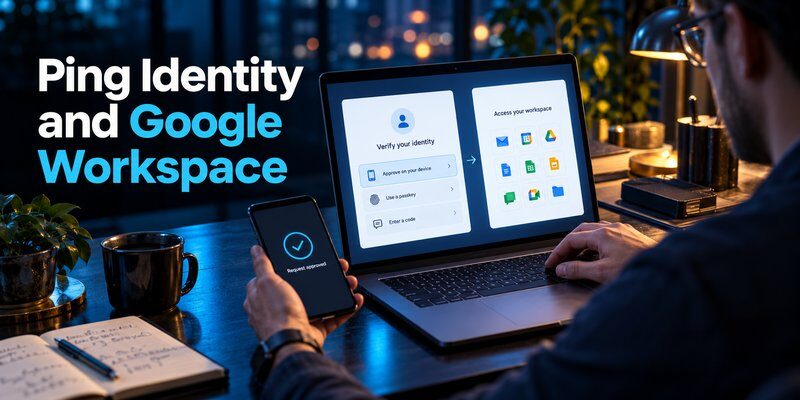
Selecting from the best sso providers for enterprise requires evaluating security and operational requirements rather than relying only on vendor popularity.
1. Evaluate application compatibility
Check whether the identity platform supports your company’s existing applications.
Prioritize support for:
- SAML 2.0 and OpenID Connect.
- Legacy application integration.
- Existing enterprise directories.
- HR and workforce management systems.
- Automated provisioning through SCIM.
Application compatibility should be tested using actual enterprise workflows, not assumed from the vendor’s overall integration count.
2. Prioritize security capabilities
Strong identity management should include MFA, conditional access, audit logging, and secure administrator controls.
Organizations should also evaluate phishing-resistant authentication options such as FIDO2 security keys and passkeys.
A platform with extensive integrations but weak authentication policies may introduce unnecessary security exposure.
3. Assess scalability and administration
Large enterprises often manage employees, contractors, subsidiaries, and temporary workers.
The chosen platform must support user lifecycle changes without creating excessive administrative work.
Automated provisioning and deprovisioning are especially valuable when teams frequently change or employees leave.
4. Compare total ownership costs
Enterprise SSO pricing may depend on user counts, authentication functionality, support levels, and additional identity products.
Evaluate licensing alongside implementation, migration, training, and maintenance costs.
Do not assume every advertised feature is included in a standard subscription.
5. Evaluate business continuity
Centralized authentication creates an important operational dependency.
Review provider availability commitments, disaster recovery, administrator emergency access, and offline recovery procedures.
A well-designed enterprise architecture should prevent a single authentication outage from unnecessarily disrupting business operations.
The best sso providers for enterprise should balance security, availability, interoperability, and manageable long-term costs.
SSO vs. Federated SSO: Key Differences

Understanding the difference between sso and federated sso helps enterprises choose an appropriate authentication architecture.
SSO describes the user experience of accessing multiple applications through a shared authentication process.
Federated SSO describes an implementation in which separate systems or security domains establish trust and exchange authentication assertions.
| Feature | SSO | Federated SSO |
|---|---|---|
| Primary purpose | Simplify access across applications | Enable trusted authentication across security domains |
| Identity relationship | May use a shared identity service | Involves trust between separate identity and application systems |
| Common technologies | SAML, OIDC, Kerberos, session mechanisms | SAML, OIDC, federation trust agreements |
| Typical environment | Corporate application ecosystem | Hybrid, partner, or multi-organization environments |
Federated SSO is a form of SSO, not a completely separate replacement for it.
For example, an enterprise may authenticate employees through its internal identity platform while granting access to an external partner’s application through a trusted SAML connection.
The partner application accepts the authentication assertion rather than requiring a completely separate login.
NIST Special Publication 800-63C-4, published in July 2025, provides guidance on federation architectures, assertions, and identity trust relationships.
Organizations managing Apple enterprise environments may also benefit from understanding federated authentication apple business manager.
When comparing the best sso providers for enterprise, review whether each solution supports the federation relationships your organization actually needs.
Why MFA Matters for Enterprise SSO Security
Even the best sso providers for enterprise cannot protect an organization effectively if authentication security is poorly configured.
Centralized identity systems simplify access, but a compromised identity account may expose multiple connected applications.
This makes MFA an essential part of secure SSO deployment.
Combine SSO with multi-factor authentication
MFA adds an additional authentication requirement beyond a password.
Common authentication methods include:
- Security keys using FIDO2.
- Device-bound passkeys.
- Authentication approval applications.
- Time-based one-time passwords (TOTP).
- Biometric verification combined with a cryptographic authenticator.
Phishing-resistant methods such as properly implemented FIDO2 authentication should be prioritized for high-risk accounts.
TOTP authentication provides an additional layer of protection compared with password-only login, but OTP codes can still be captured through real-time phishing attacks.
Use authenticator apps where supported
An Authenticator app can generate time-based verification codes for compatible accounts and services.
These codes help verify that a user has access to an enrolled authentication factor.
For administrators reviewing account security, understanding what is authenticator app can clarify the role of software-based verification.
It is important to distinguish an authenticator application from an enterprise identity provider.
An authenticator app does not replace an SSO platform. Instead, it can provide an additional authentication factor when the identity service supports standard TOTP verification.
Organizations should verify compatibility with their selected identity platform before choosing an authentication application.
Protect different devices and user environments
Businesses with mixed-device environments may need authentication guidance for several platforms.
For example, employees seeking information about google authenticator for mac can review available authentication approaches through the Google Authenticator for Mac guide.
Likewise, organizations supporting iPhones can review apple authenticator solutions and device-compatible verification methods.
Administrators should also teach employees to recognize suspicious authentication requests.
Security awareness resources covering what is phishing can complement technical access controls.
For compatible personal or business accounts, employees can Download authenticator app to use supported TOTP-based authentication.
The strongest enterprise security strategy combines SSO, appropriate MFA, controlled permissions, and continuous monitoring.
How to Implement Enterprise SSO Successfully
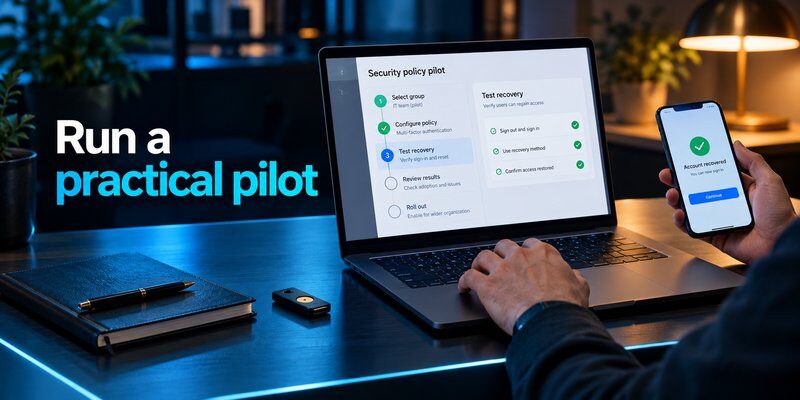
After reviewing the best sso providers for enterprise, organizations should create a deployment plan that reduces migration risks.
Step 1: Audit existing accounts and applications
Identify all business-critical applications and the authentication methods they currently use.
Document application owners, employee access levels, and accounts that cannot yet support federation.
This process helps identify technical limitations before the migration begins.
Step 2: Define identity policies
Establish authentication requirements for different employee groups.
Administrators and privileged users should receive stronger protection than ordinary low-risk workflows.
Use role-based access, least privilege, and appropriate MFA requirements.
Step 3: Launch a controlled pilot
Begin with a small group of employees and a limited set of applications.
Test authentication on different devices and network environments.
Pay particular attention to session expiration, recovery procedures, and compatibility with legacy systems.
Step 4: Automate identity lifecycle management
Connect supported HR systems and directories to automate account provisioning.
Where available, use SCIM integrations to create, update, and disable access.
Remember that disabling the central account does not necessarily terminate every active application session immediately. Validate revocation behavior for critical systems.
Step 5: Monitor and improve
After deployment, evaluate:
- Authentication success and failure rates.
- MFA enrollment coverage.
- Provisioning and deprovisioning delays.
- Suspicious authentication events.
- Support requests related to login problems.
- Availability and incident response performance.
Security policies should be reviewed regularly as employees, applications, and threat conditions change.
This structured approach helps organizations achieve greater value from the best sso providers for enterprise without sacrificing operational stability.
Frequently Asked Questions About Enterprise SSO
Which SSO provider is best for large enterprises?
The answer depends on existing systems and business requirements.
Okta is strong for diverse application environments. Microsoft Entra ID suits Microsoft-focused businesses, while Ping Identity is particularly relevant for complex federation requirements.
Organizations should compare the best sso providers for enterprise through practical integration testing before committing to a platform.
Are enterprise SSO providers secure?
Enterprise SSO can improve security by centralizing authentication and policy enforcement.
However, its effectiveness depends on MFA, session management, access permissions, monitoring, and configuration quality.
No SSO platform guarantees protection against every identity-related attack.
Can SSO work with MFA?
Yes. Many SSO systems support MFA during centralized authentication.
Enterprises can require additional verification based on user role, device trust, application sensitivity, or other risk indicators.
Phishing-resistant authentication methods should be preferred where supported.
Which providers support SAML and OpenID Connect?
Several top sso providers, including Okta, Microsoft Entra ID, Ping Identity, JumpCloud, and Cisco Duo, support standards-based authentication.
However, protocol availability can vary by application, product package, and deployment configuration.
Is SSO suitable for hybrid enterprises?
Yes. Many enterprise sso providers support combinations of cloud services, internal applications, and existing corporate directories.
The best solution depends on legacy system compatibility, federation requirements, and administrative complexity.
Does SSO replace password managers or authenticator apps?
No.
SSO centralizes access to connected applications. Password managers store and manage credentials, while authenticator apps can generate verification codes for supported services.
These tools address different security needs and may complement one another.
How much does enterprise SSO cost?
Costs depend on the vendor, number of users, selected features, implementation complexity, and support agreements.
Businesses should request a detailed enterprise quote and compare the total cost of ownership rather than only the advertised per-user subscription rate.
Final Verdict: Which Enterprise SSO Provider Should You Choose?
The best sso providers for enterprise in 2026 are those that match an organization’s infrastructure, risk profile, and operational requirements.
Okta is a strong choice for broad integration, Microsoft Entra ID for Microsoft-centered environments, and Ping Identity for complex federation architectures. JumpCloud, OneLogin, Cisco Duo, and Google Cloud Identity offer valuable alternatives for specific business needs.
The most effective SSO strategy also requires secure authentication methods, automated account management, and regular access reviews.
Choose an enterprise SSO provider based on verified compatibility and security capabilities—not simply brand recognition.
For accounts that support standard TOTP verification, an additional authenticator application can complement the enterprise identity security strategy.
Download Authenticator App
Secure your accounts with fast, reliable two-factor authentication. Download now and protect your login in seconds.
