
Best Free VPN: Which Free Plan Should You Choose in 2026?
Published October 30, 2026
Quick answer: Proton VPN Free is our Best Free VPN for most users in 2026, thanks to unlimited data, an independently audited no-logs policy, and strong privacy features. Windscribe Free is a good alternative for choosing server locations, while PrivadoVPN Free is worth considering for occasional streaming. hide.me Free also provides unlimited data, and TunnelBear Free is beginner-friendly but limited to 2GB monthly.
The Best Free VPN should protect your connection without requiring a paid subscription, collecting unnecessary personal information, or making misleading promises.
However, free VPN services are not identical. Some provide unlimited data but restrict server selection. Others offer more flexibility but impose monthly usage limits.
Finding the Best Free VPN means comparing privacy policies, data allowances, security features, server availability, and device compatibility, rather than simply downloading the first free app you see.
This guide examines five legitimate free VPN plans, explains their limitations, and helps you select the right option.
1. Best Free VPN in 2026: Quick Comparison
If you are looking for the Best Free VPN, start with this comparison of five established providers.
Each offers a genuine free tier rather than simply advertising a short-term premium trial.
| VPN provider | Free data allowance | Main advantage | Main limitation | Best for |
|---|---|---|---|---|
| Proton VPN Free | Unlimited | Audited privacy protections | Limited server selection | Overall privacy |
| Windscribe Free | 10GB/month with confirmed email | Server choice and flexible features | Monthly data cap | Everyday browsing |
| PrivadoVPN Free | 10GB/30 days at full speed | Flexible locations and performance | Slower after allowance | Occasional streaming |
| hide.me Free | Unlimited | No mandatory registration and no data cap | Restricted speeds and locations | Private browsing |
| TunnelBear Free | 2GB/month | Simple interface | Small data allowance | Beginners |
Our top recommendation: Proton VPN Free.
Its strongest advantage is that free users receive unlimited VPN data without advertisements. According to Proton’s published pricing information, its free tier also supports one connection at a time and provides access to servers across 10 countries through automatic selection.
Windscribe and PrivadoVPN offer more location flexibility, although their standard free allowances are limited to 10GB per month or 30-day period.
Important: An unlimited-data VPN does not necessarily provide unlimited speeds, premium streaming access, or unrestricted server selection.
The Best Free VPN for you depends on whether you prioritize continuous privacy protection, streaming, location choice, or simplicity.
📖 Read More Guides: How to Hide Your IP Address: Practical Options and Their Limits
2. The 5 Best Free VPN Services Reviewed
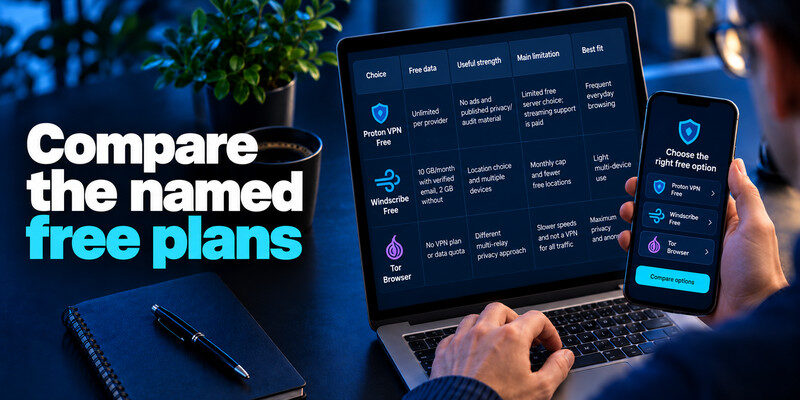
Choosing the Best Free VPN requires looking beyond advertising claims.
The following services were selected because they publish identifiable free-plan conditions, offer applications for common devices, and provide meaningful security or privacy documentation.
2.1. Proton VPN Free — Best Overall for Privacy
Best for: People who want reliable, everyday VPN protection without a monthly data allowance.
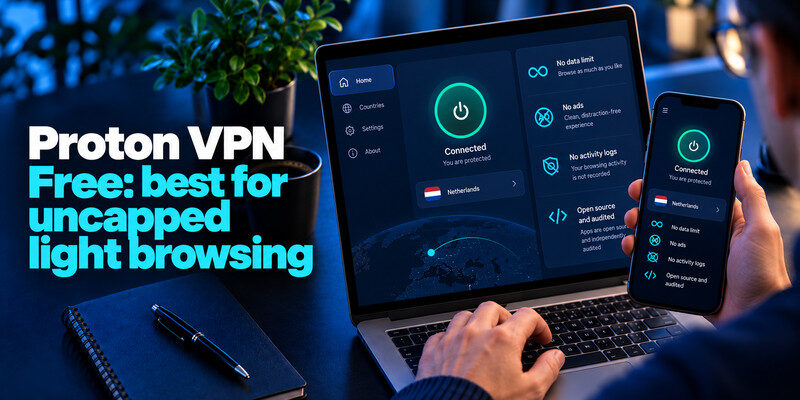
Proton VPN Free is our leading Best Free VPN recommendation because it combines unlimited data with a comparatively strong transparency record.
Unlike many free services, Proton does not require users to purchase additional bandwidth after reaching a monthly usage threshold.
According to its official documentation, the free service includes:
- Unlimited VPN data and bandwidth
- One simultaneous connection
- Access to free servers in 10 countries
- A no-logs policy covering free users
- Strong encryption and secure VPN protocols
- A kill switch for supported applications
- No advertisements
Proton has also published independent security reviews of its infrastructure.
In April 2026, the company reported its fifth consecutive annual no-logs audit, performed by Securitum.
This is valuable because a VPN’s privacy promises are difficult for ordinary users to verify.
An independent audit offers additional evidence, although it cannot guarantee that a service will remain secure under every circumstance.
What makes Proton VPN stand out?
Its primary benefit is unlimited usage.
You can keep the VPN connected while browsing, checking email, or using public Wi-Fi without worrying about a 2GB or 10GB monthly limit.
However, free users cannot freely select every server. Proton normally assigns an available free server automatically, and changes may involve restrictions or a cooldown period.
Streaming-optimized servers and wider location choices belong to paid plans.
Pros: Unlimited data, published audits, no ads, straightforward applications.
Cons: Limited location control, one active connection, restricted premium features.
Verdict: Proton VPN Free is the strongest starting point for privacy-focused users who want ongoing protection.
Official references: Proton VPN pricing | 2026 no-logs audit
2.2. Windscribe Free — Best for Server Flexibility
Best for: Users who want control over their VPN location and only need moderate monthly data.
Windscribe is another strong Best Free VPN contender, especially for people who prefer selecting a country instead of relying on an automatically assigned server.
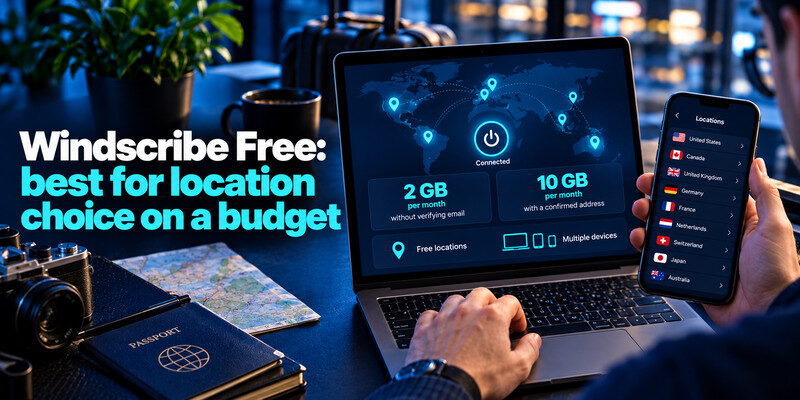
Its free plan offers 10GB of monthly data after email confirmation. Accounts without a confirmed email receive 2GB per month.
Windscribe also provides free access to a limited selection of countries and supports multiple devices.
Useful features include:
- Manual selection of eligible free locations
- Secure VPN protocols
- Firewall-based connection protection
- Ad and tracker blocking features
- Split tunneling on supported platforms
- Desktop, mobile, and browser applications
Why choose Windscribe?
Location selection is helpful when you want to compare connections across nearby servers or need an IP address from an eligible country.
Windscribe also offers more configuration controls than some simplified VPN applications.
However, the interface may feel complicated to beginners.
Its most significant limitation is the data allowance.
A 10GB monthly cap is sufficient for many browsing sessions but can disappear quickly during video streaming.
For example, Netflix estimates that high-definition playback can use up to 3GB per hour.
At that rate, 10GB would cover approximately three hours and 20 minutes of HD streaming, assuming the VPN can access the service.
Pros: Useful features, manual location selection, multiple-device support.
Cons: Monthly data restrictions, additional settings to learn.
Verdict: Windscribe Free is an excellent option when location flexibility matters more than unlimited data.
Official reference: Windscribe free-plan details
2.3. PrivadoVPN Free — Best for Occasional Streaming
Best for: Users seeking a free VPN with reasonable location flexibility and occasional media access.
PrivadoVPN deserves consideration among the Best Free VPN options because it provides 10GB of unrestricted-speed usage every 30 days.
After that allowance is exhausted, its published support documentation states that connections can continue at a restricted speed of 1Mbps until the next renewal period.
This makes its limitation different from services that stop providing VPN data completely.
PrivadoVPN Free includes:
- 10GB of full-speed data every 30 days
- Access to a limited selection of server locations
- WireGuard and other supported VPN protocols
- Applications for major operating systems
- One simultaneous free-plan connection
- Reduced-speed access after the full-speed allowance
PrivadoVPN uses a freemium business model, offering paid plans with wider server coverage and additional capabilities.
Is PrivadoVPN Free good for streaming?
It can be useful for occasional streaming, depending on the platform, server, and current restrictions.
However, compatibility is not guaranteed.
Video services regularly change how they identify VPN connections. A server working today may become unavailable later.
Users should also remember that high-definition video consumes considerable bandwidth.
Pros: Useful full-speed allowance, multiple server choices, continued restricted-speed access.
Cons: 10GB full-speed limit, one active free connection, no guaranteed streaming support.
Verdict: PrivadoVPN is a practical option for occasional video use, but heavier viewers should expect limitations.
Official reference: PrivadoVPN free versus paid plans
2.4. hide.me Free — Best Unlimited-Data Alternative
Best for: People who want unlimited VPN data without paying or creating a conventional user account.
hide.me is another Best Free VPN alternative for users who value continuous protection.
Its free plan provides unlimited data, although speed and server availability remain restricted.
According to hide.me’s 2026 documentation, the free service includes:
- Unlimited monthly data
- One simultaneous connection
- A limited selection of free locations
- WireGuard support
- A published no-logs policy
- Free access without a mandatory credit card
The service also states that its privacy and encryption protections apply across free and premium tiers.
What is the main trade-off?
The biggest limitation is performance.
While the free plan does not impose a monthly data quota, it may restrict connection speeds and does not provide the same location selection or streaming capabilities as premium accounts.
For ordinary browsing, these limitations may be acceptable.
For large downloads, intensive gaming, or reliable international streaming, they become more noticeable.
Pros: Unlimited data, simple entry, established privacy documentation.
Cons: Restricted speeds, limited locations, premium-only features.
Verdict: hide.me Free is a strong alternative for continuous browsing when Proton VPN is unsuitable.
Official reference: hide.me free-plan comparison
2.5. TunnelBear Free — Best for Beginners
Best for: First-time VPN users who want a simple application for occasional use.
TunnelBear provides an approachable introduction to VPN technology.
Its interface focuses on making connections understandable rather than presenting numerous technical settings.
The service is suitable for people who primarily want to experiment with VPN protection before deciding whether they need a paid subscription.
TunnelBear’s official support documentation confirms that free accounts receive 2GB of data per month.
This allowance resets monthly, and unused data does not roll over.
What makes TunnelBear useful?
Its simplicity is the main attraction.
Users can install the application, select a location, and connect without learning advanced network settings.
The main disadvantage is the small allowance.
For comparison, Netflix estimates HD streaming can use up to 3GB per hour. At that rate, TunnelBear’s entire 2GB allocation could be consumed in around 40 minutes.
Therefore, TunnelBear is more suitable for occasional browsing than continuous video usage.
Pros: Beginner-friendly interface, uncomplicated setup, genuine free tier.
Cons: Only 2GB monthly, unsuitable for frequent streaming or downloading.
Verdict: TunnelBear is worth trying if ease of use is your main priority.
Official reference: TunnelBear free-plan limits
3. How to Choose the Best Free VPN for Your Needs
When deciding on the Best Free VPN, consider your actual internet habits rather than choosing whichever provider advertises the largest number of servers.
A good selection process should focus on five factors.
Privacy Policy and Transparency
A trustworthy privacy policy is more important than an impressive server count.
A VPN provider can potentially observe sensitive connection information, depending on how its infrastructure operates.
Look for clear explanations of:
- What connection information is collected
- Whether browsing activity is logged
- How long account information is retained
- Whether information is shared with third parties
- What independent audits have examined
An audited policy provides stronger evidence than an unsupported marketing statement.
However, even an audit is limited to its specific scope and assessment period.
Monthly Data Allowance
Data limits determine whether a VPN can realistically support your daily activities.
Consider three general categories.
Unlimited data: More suitable for maintaining continuous protection.
10GB monthly: Often enough for occasional browsing, messaging, and light media consumption.
2GB monthly: Better for short sessions or testing an application.
Your actual usage depends on the websites, apps, and media you access.
Do not assume a free VPN’s data allowance is the same as your mobile carrier’s allowance. A VPN does not replace or bypass your internet provider’s data plan.
Security Features
The Best Free VPN should offer secure protocols and reliable connection protection.
Look for modern protocols such as WireGuard or OpenVPN, supported encryption, DNS leak protection, and a kill switch.
A kill switch is particularly useful because it can prevent ordinary internet traffic from continuing outside the VPN tunnel after an unexpected disconnection.
Availability can vary by operating system and application version.
Connection Speed and Locations
A VPN usually introduces additional routing and processing.
Your connection may become slower because of server distance, congestion, network conditions, and encryption overhead.
A nearby server often provides lower latency than a distant one.
Choose a provider with usable free locations rather than assuming that a large premium network is available without payment.
Provider Reputation
The final consideration is whether the company is transparent about its business model.
A legitimate free plan should explain how the service is funded.
Freemium services commonly support free accounts through paying subscribers.
That is a more understandable arrangement than an anonymous VPN promising unlimited everything without explaining its revenue model.
The Best Free VPN is the service whose limitations you understand and can accept.
4. Are Free VPNs Safe? Privacy and Security Risks
Yes, some free VPNs are reasonably trustworthy, but free VPNs are not automatically safe.
Safety depends on the provider’s practices, software security, transparency, and the features available in its free plan.
The United States Federal Trade Commission warns that some VPN applications monetize their services through advertising or information sharing.
The FTC also explains that using a VPN does not make someone completely anonymous online.
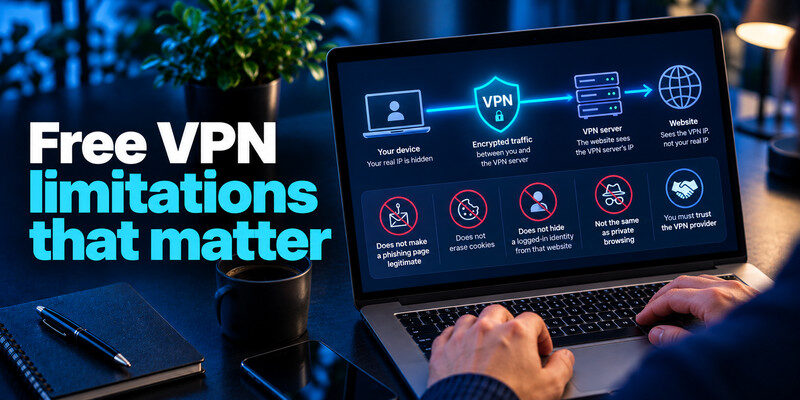
What a VPN Actually Protects
A VPN creates an encrypted connection between your device and the VPN provider.
This can reduce what local network operators and internet service providers can observe about your traffic.
It also replaces the IP address websites ordinarily see with an address associated with the VPN server.
However, a VPN does not prevent websites from identifying you when you sign into your accounts.
Cookies, account credentials, tracking technologies, and information you voluntarily provide can still identify you.
The VPN provider also becomes an important party you must trust.
Security Risks to Avoid
Be cautious with free VPN apps that have unclear ownership, excessive permissions, vague privacy policies, or suspicious installation instructions.
Avoid applications that promise complete anonymity or guaranteed access to every blocked website.
These claims are unrealistic.
Never install an unofficial VPN APK or modified application merely to unlock premium features.
Use the provider’s website or a verified application store instead.
VPN Protection Is Not Account Protection
A VPN does not replace strong passwords, security updates, or multi-factor authentication.
Even when your connection is encrypted, attackers may attempt phishing or account takeover.
For stronger account security, learn what an authenticator app is and consider enabling two-factor authentication where supported.
You can also compare SMS vs. authenticator app security to understand the differences between common verification methods.
A VPN protects network traffic; multi-factor authentication protects account access.
Combining both measures offers broader protection than relying on either one alone.
For more guidance, see the FTC’s VPN security advice.
5. Best Free VPN for iPhone, Android, Windows, and Mac
Device compatibility matters when selecting the Best Free VPN.
Even when a provider supports several operating systems, the available settings may differ.
Best Free VPN for iPhone
Recommended: Proton VPN Free.
Proton is a strong starting point for iPhone users who want an unlimited-data VPN for everyday browsing.
The iOS application offers a relatively simple connection process.
Users should check the current availability of kill-switch behavior and other settings in their specific app version.
Windscribe is another option if choosing eligible server locations is important.
If you use the same iPhone for financial or personal accounts, complement VPN protection with an authenticator app for iPhone where the relevant service supports it.
Best Free VPN for Android
Recommended: Proton VPN Free or Windscribe Free.
Android users who prioritize ongoing connections may prefer Proton’s unlimited data.
Windscribe may be more attractive to users who value configuration options, eligible server choices, and traffic controls.
Whichever app you choose, download it from an official source.
Review the requested permissions and disable unnecessary background restrictions if they interfere with VPN stability.
Best Free VPN for Windows
Recommended: Windscribe Free.
Windscribe provides a feature-rich Windows application with security controls that appeal to users who want more configuration flexibility.
Its firewall feature can help prevent traffic from escaping the protected connection.
Proton remains a good alternative for users who want unlimited data and less frequent configuration.
Best Free VPN for Mac
Recommended: Proton VPN Free or hide.me Free.
Both are suitable starting points for basic macOS browsing protection.
Proton offers unlimited data with strong published privacy documentation.
hide.me also provides an unlimited-data free tier, although it restricts other capabilities.
Before installation, confirm that your macOS version is supported by the provider’s current application.
The Best Free VPN for your device is the one that combines trustworthy privacy practices with features that work correctly on your operating system.
6. How to Set Up and Test Your Free VPN
Once you have chosen the Best Free VPN, setting it up usually takes only a few steps.
However, installation alone does not prove that your connection is working correctly.
Step 1: Download the Official Application
Visit your chosen VPN provider’s official website or verified app-store listing.
Avoid unofficial download sites and modified software packages.
Check whether the free plan requires account registration or email confirmation.
Step 2: Select the Free Plan
Create an account if necessary.
Make sure you are selecting the genuine free tier rather than a premium trial that requires payment details.
Read the stated data allowance, connection limits, and any renewal conditions.
Step 3: Connect to a Server
Open the application and select its connect option.
If manual location selection is available, begin with a nearby server.
A geographically close server may provide better responsiveness for ordinary browsing.
Step 4: Enable Available Security Settings
Review settings for automatic connection, the kill switch, DNS protection, and supported VPN protocols.
Where available, enable automatic protection on networks you do not control.
Only change advanced protocol settings if you understand their purpose.
Step 5: Verify the Connection
Check your public IP address before and after connecting.
The visible IP address should normally change to one associated with the VPN server.
You can also run DNS and WebRTC leak checks, recognizing that no single online test establishes complete privacy.
Test normal browsing and reconnect after temporarily changing networks.
Step 6: Protect Your VPN Account
If your provider supports multi-factor authentication, enable it.
Users managing supported OpenVPN-related authentication systems may also find this guide about Google Authenticator and OpenVPN useful.
A successful setup means the VPN connects reliably, protects the intended traffic, and behaves predictably when disconnected.
7. Free VPN vs. Paid VPN: What Are the Differences?

The Best Free VPN can be sufficient for everyday privacy, but paid VPN services usually offer greater flexibility.
The main difference is not necessarily the underlying encryption.
Reputable providers may use similar security protocols across free and premium plans.
Instead, paid subscriptions commonly improve performance, location availability, and convenience.
| Feature | Free VPN | Paid VPN |
|---|---|---|
| Monthly data | Limited or unlimited, depending on provider | Usually unlimited |
| Server selection | Restricted | Wider selection |
| Connection speeds | May be restricted or congested | Often higher capacity |
| Streaming | Limited or inconsistent | More specialized support |
| Simultaneous devices | Often restricted | Typically more |
| Support | Usually basic | Often higher priority |
| Advanced features | Selected features | More features |
When Is a Free VPN Enough?
A free service may be sufficient if you primarily browse websites, read news, use messaging services, or connect to occasional public networks.
You may not need to pay if a trusted free provider offers the locations and security protections you require.
When Should You Upgrade?
Consider a paid VPN if you need frequent high-resolution streaming, multiple simultaneous connections, specific countries, faster downloads, or dependable access while traveling.
For example, a 10GB data allowance is not practical for someone who streams HD video for several hours every week.
A paid plan can also make sense when you regularly need a particular server location that free users cannot select.
However, payment alone does not guarantee privacy.
Always evaluate the provider’s transparency and security practices, regardless of price.
8. Best Free VPN FAQs and Final Verdict
What is the best free VPN 2026 option for most users?
Proton VPN Free is our leading recommendation for most people.
It offers unlimited data, no advertisements, published no-logs audits, and accessible applications for common platforms.
Windscribe is a strong alternative if manual server choice is more important than unrestricted data.
Which free VPN should I choose?
Choose Proton VPN Free for continuous browsing and privacy, Windscribe Free for location flexibility, PrivadoVPN Free for occasional streaming, hide.me Free for another unlimited-data option, or TunnelBear Free for a beginner-friendly introduction.
Your main use case should determine your choice.
Are top free VPN services completely anonymous?
No.
A VPN can help hide your ordinary IP address from websites and protect traffic between your device and the provider.
However, websites can still identify users through account logins, cookies, and other mechanisms.
VPN providers also differ in what information they collect and retain.
No reputable VPN should promise complete anonymity in every situation.
Is there a free VPN with unlimited data?
Yes.
Proton VPN Free and hide.me Free both advertise unlimited data allowances.
However, unlimited data does not imply unrestricted speed, location selection, or streaming support.
Always check the current free-plan conditions before downloading.
Can I use a free VPN for Netflix?
Sometimes, but it is not guaranteed.
VPN detection, licensing rules, server availability, and platform policies affect whether content can be accessed.
Data allowances also limit viewing time.
Netflix reports that HD video can consume up to 3GB per hour, making small free-plan allowances unsuitable for extended streaming.
Does a free VPN work on public Wi-Fi?
Yes, a trustworthy VPN can help protect traffic while connected to public Wi-Fi networks.
However, modern HTTPS connections already encrypt much web traffic, and a VPN does not eliminate risks from phishing, malicious downloads, or compromised accounts.
Use a VPN alongside HTTPS, software updates, and multi-factor authentication.
Will a free VPN make my internet faster?
Usually not.
Routing traffic through an additional VPN server can introduce latency or reduce speed.
In unusual situations, a VPN may improve performance when an internet provider is applying particular types of traffic management, but that outcome should not be assumed.
Can I use the same free VPN on multiple devices?
That depends on the provider.
Some free VPNs allow multiple installed or connected devices, while others restrict the number of simultaneous connections.
For example, Proton VPN Free supports one active connection, while Windscribe provides more flexible device usage.
Check the latest plan conditions before relying on a VPN across several devices.
Is it legal to use a free VPN?
VPN use is legal in many countries, but regulations and restrictions vary by location.
Using a VPN does not make otherwise unlawful activities legal.
Check applicable local rules, particularly when traveling.
Is a free VPN better than no VPN?
A trustworthy free VPN may improve privacy in certain situations.
An unknown VPN with questionable data practices, however, may introduce additional risks.
The provider’s trustworthiness matters more than whether the service costs money.
Final Verdict: Which Best Free VPN Should You Use?
There is no single solution for every situation, but Proton VPN Free is our Best Free VPN recommendation for most users in 2026.
Its unlimited data, published independent audits, and privacy-focused design make it a compelling starting point.
Choose Windscribe if you value location selection, PrivadoVPN for occasional streaming, hide.me for an alternative unlimited-data plan, or TunnelBear for simple, occasional use.
The most important decision is not finding the service with the largest marketing claims. It is choosing a transparent VPN provider whose free plan genuinely meets your needs.
Before installing any Best Free VPN candidate, confirm its latest data allowance, supported devices, privacy policy, and security features.
A reliable free VPN should help protect your connection without creating unnecessary new risks.
