
List of Recent Data Breaches 2026: How to Read Verified Incident Records
Published October 27, 2026
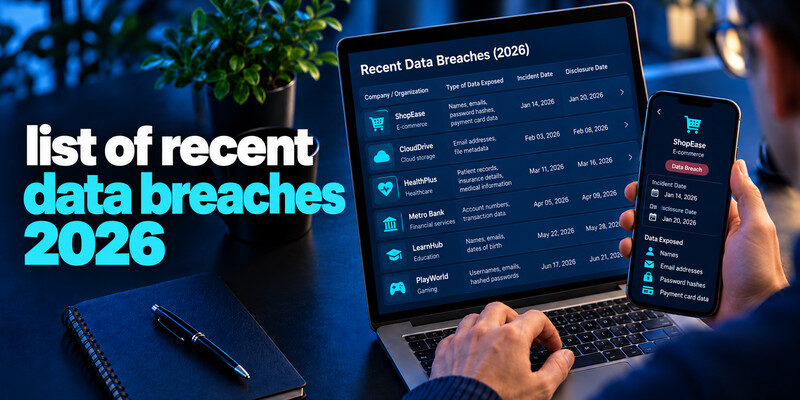
A list of recent data breaches 2026 should name the organization, distinguish the incident date from the disclosure date, and identify the source and exposed data. The examples below are a dated snapshot of entries in Have I Been Pwned’s public breach catalog, checked on October 26, 2026. They are not a complete list of every 2026 incident, nor proof that every customer of a named company was affected. Search your own address through a reputable checker and read the company’s official notice for your individual scope.
Apply the answer
- Read the incident date rather than only the database entry date.
- Confirm the named company notice.
- Check whether your own email or account was actually in scope.
A list of companies with data breaches in 2026 needs a labeled incident or disclosure date; those are different editorial claims.
Verified examples list of recent data breaches in the 2026 snapshot
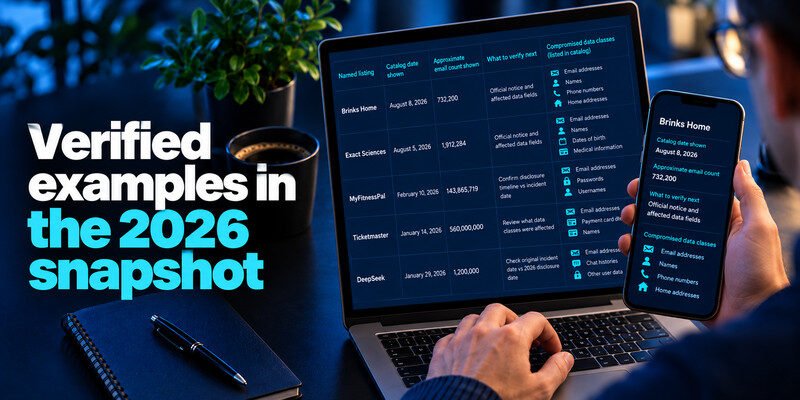
The Have I Been Pwned catalog lists incidents with a date, record count, and compromised data classes. Some events happened earlier but were disclosed or added to the catalog in 2026. The table deliberately separates those dates instead of calling every listing a “new 2026 hack.”
| Named listing | Catalog date shown | Approximate email count shown | What to verify next |
| Brinks Home | August 8, 2026 | 732,200 | Official notice and affected data fields |
| Exact Sciences | August 7, 2026 | 10.9 million | Individual notification and scope |
| Inter-Con Security | August 5, 2026 | 276,100 | Whether your address is in the entry |
| SplitVPN | August 1, 2026 | 865,300 | Credentials, sessions, and provider guidance |
These figures are the catalog’s displayed rounded counts, not an independent audit of how many people suffered misuse. A record may represent an email address, not necessarily a unique person. Check the catalog entry for precise incident wording and any updates.
To understand the difference between a public breach record and a direct customer warning, read our guide to data breach notification meaning. It explains how to interpret incident dates, affected data categories, and the recommended actions in an organization’s official notice.
An incident date is not an alert date
A breach might occur in one month, be disclosed later, and enter a checker later still. Keep three dates separate when evaluating a headline. Someone who changed a reused password after the incident but before the public listing may already have closed the most direct risk.
A named entry does not identify you
The public list names an organization. An address search or direct notice establishes whether your email appears in a known dataset, while the company may provide narrower account-specific information. Do not assume all customers had the same fields exposed.
A reader searching for “recent” can mean an incident that happened in 2026, one disclosed in 2026, or one added to a database in 2026. State which date the list uses. When comparing named records, open both the public catalog entry and the company’s original statement. The latter may describe who is affected and what to do; a catalog can help place the incident among other records but may omit individual context.
Why a company count is not a personal match: A public entry can list millions of records without confirming that your address was included. Search a reputable breach checker with your own email and read its caveats. Some affected organizations notify customers through an account inbox or postal mail. A missing checker hit does not overrule a direct verified notice.
Avoid sensational “top breach” rankings: The largest count may involve contact details while a smaller event exposes a working password or identity documents. Rank by data class and actionability, if you rank at all. The same address may appear in several datasets, and a later repost can look like a new event. Do not add separate counts to estimate unique people without de-duplication evidence.
Keep the snapshot auditable: An editor should preserve the checked date and exact source names for each item. If an entry changes from unverified to verified, update the label and article date. If a company disputes an estimate, show that the count is contested. Readers need a route to check the current incident statement, not a frozen assertion that every record is final.
Secure your accounts with fast, reliable two-factor authentication. Download now and protect your login in seconds.Download Authenticator App
Where to verify a headline
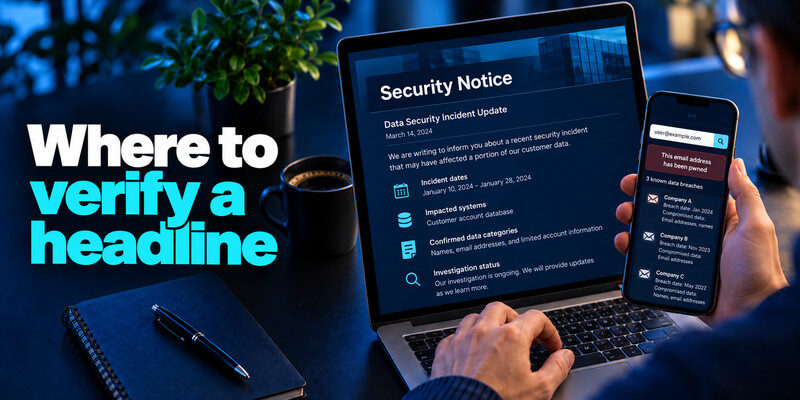
Start with the affected organization’s security notice, regulatory filing, or direct customer notification. Use Have I Been Pwned’s named entry as a secondary catalog of known email exposure. A news headline can help you find the company, but it may conflate investigation, confirmation, and later litigation.
Check the original company statement
Look for incident dates, impacted systems, confirmed data categories, and whether the investigation remains open. If the notice says “we have no evidence of misuse,” that is a qualified observation at that point in time, not proof that data was never accessed.
Check a trustworthy public catalog
Have I Been Pwned exposes a breach search and descriptions of compromised fields. Its FAQ discusses sensitive entries, data collection, and notification timing. A listing may be updated as evidence improves. Search only an address you control and do not enter a password in an email-breach search.
Read more: Is My Password in a Data Breach? How to Interpret the Warning
Turn the list recent data breaches into a personal action plan

Your first question is whether your information was involved. The second is what kind. Login credentials call for password changes and session review. Payment cards call for issuer advice. Identity records may call for FTC-recommended protections. A list alone cannot answer any of these for you.
A public breach list identifies reported incidents, not necessarily the individuals affected. Our guide on how to check if your data was breached explains how to investigate known exposures, review official notices, and distinguish a database match from confirmed account compromise.
If an address appears
Read the entry’s data classes and date. Open the real affected service independently, change a still-reused password, inspect login activity, and update recovery settings. Enable MFA or a phishing-resistant sign-in method where available. For TOTP accounts, can supply one-time codes; save recovery codes separately.
If no address appears
The checker has no known match in its searchable collection at that moment. Private incidents, unindexed records, and targeted phishing remain possible. Continue using unique passwords and take official provider alerts seriously.
| Personal finding | What it supports | What it cannot establish |
| Named company in catalog | Public incident record exists | Your particular record was involved |
| Your address matches | Address in indexed dataset | Your mailbox was entered |
| Password named in notice | Credential risk | Current password still unchanged |
| Unknown successful login | Possible account access | Which breach supplied the secret |
Read more: How to Secure Your Home WiFi Network: From Router to Devices
Avoid misleading “latest breach” rankings
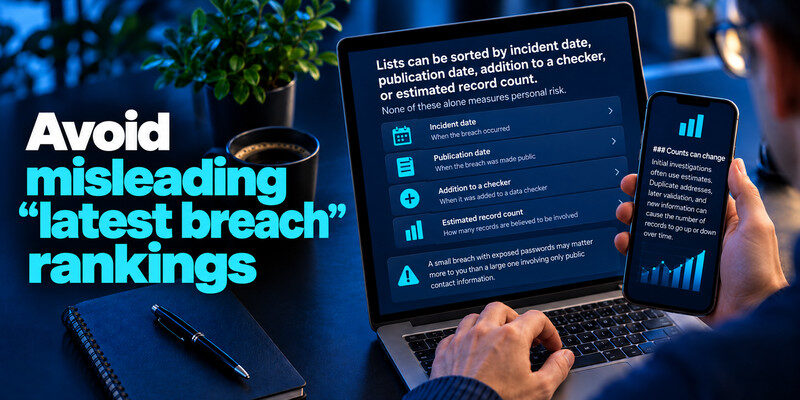
Lists can be sorted by incident date, publication date, addition to a checker, or estimated record count. None of these alone measures personal risk. A small breach with exposed passwords may matter more to you than a large one involving only public contact information.
Counts can change
Initial investigations often use estimates. Duplicate addresses, later validation, and changed scope can alter a reported count. Cite a snapshot date in any public article and update the table when the source changes.
If you want to compare public lookup options before entering an email address, our guide to the best free breach check websites explains the differences between known-breach databases, monitoring services, and tools that help identify potentially exposed credentials. Avoid websites that request your current password simply to perform an email lookup.
“Recent” has a shelf life
This article is a dated reference, not a live ticker. For the latest situation, open the catalog and company notices directly. Editorial maintenance should recheck named entries, dates, and data classes before republishing or syndicating the table.
Before republishing, re-open each named listing and the original organization page, verify the displayed count and date, and note whether the entry was revised. Add new examples only when a reliable primary record exists. Do not quietly overwrite an older snapshot without changing the “last updated” line; readers need to know when the table was checked.
Avoid a false ranking: Do not order incidents by a “most dangerous” score unless the method is explicit. A count sorts records, not consequences. Group by incident date or publication date and label the chosen basis.
Link the response to data class: Even a meticulously updated list is useful only when readers can act: passwords lead to independent replacement, payment fields to issuer contact, and identity fields to official guidance. Keep those branches next to the named examples.
Common response mistakes
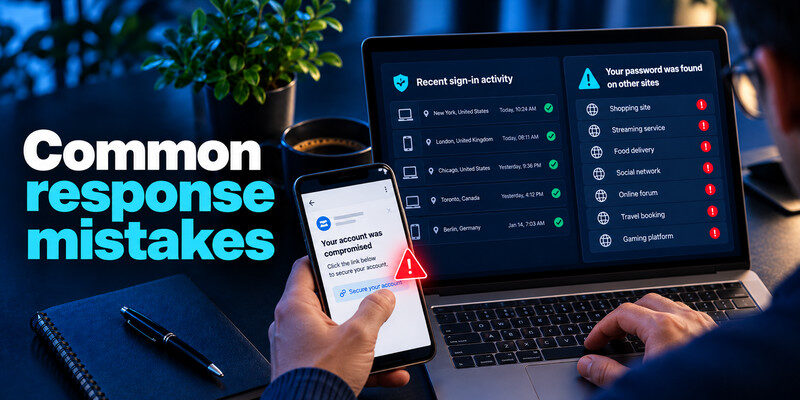
Do not click a breach-themed link solely because the sender uses a named company’s logo. Do not reset every password to the same new secret. Do not assume a password manager warning proves someone entered your account. Use official activity views for successful sign-ins and a separate list of every site where an exposed password was reused.
Preserve the timeline
Record the incident date, notice date, when you changed passwords, and any confirmed account activity. This lets support teams understand which events followed the exposure. Keep the actual passwords and recovery codes out of the record.
Prioritize primary email
An email account can reset other services. If it has an unknown successful session, secure it before other accounts, revoke unfamiliar sessions, remove unauthorized forwarding, and verify recovery contacts. An email address in a breach without such activity is a different finding.
Read more: How to Respond to a Data Breach: A First-Day Action Plan
Read a breach entry as a record, not a headline
Public catalogs often have a breach date, an added date, a description of compromised fields, and an estimated count. Each field answers a different question. A 2026 catalog entry could document an event from an earlier year, and a current company notice might not be indexed yet. Treat a list as an editorial snapshot with a source and update date.
The count is not your risk score
Ten million email records do not imply ten million account takeovers. A smaller incident exposing current credentials may require more urgent password work. Conversely, a large identity-data event can call for financial and identity precautions even if no password is involved. The useful variable is what was exposed about you and whether it is still usable.
Verification status matters
Some collections include unverified or disputed data. Read a catalog’s labeling and original company statement. Do not repeat a rumor as a confirmed breach. If the company has not published a notice, say what the catalog reports and what remains uncertain.
Three example readers, three different actions
One reader finds an old retailer listing for an address they still use; another receives a direct notice about a card; a third sees a named organization in the table but no personal match. Their responses should differ.
Old retailer address
The reader compares the entry’s fields with passwords they used at that time. If a password was involved and copied elsewhere, they replace every reused copy and check primary email. If only contact details appeared, they prepare for believable phishing without assuming an account takeover.
Cardholder notice
The cardholder calls the issuer through a known number, reviews recent transactions, and follows replacement or monitoring advice. A breach lookup may add context, but it cannot make a card number safe or settle a disputed charge.
No personal match
The third reader should not claim immunity. Their email may be outside the dataset, the incident may be private, or the checker may not have indexed it. They keep unique passwords and use official company notices if they are a customer.
Frequently Asked Questions
Are these the biggest breaches of 2026?
No. The examples show named entries in a public catalog at a particular date. “Biggest” depends on record count, field sensitivity, and which events were confirmed and published.
Why is a company missing from a public checker?
The incident may be private, unverified, not yet indexed, or involve data without searchable email addresses. Use the company’s original notice when available.
Does a listing mean my account was hacked?
No. A listing indicates an exposed record in that dataset. Check the affected service’s activity and recovery settings to assess account access.
Should I pay for a dark web scan?
Begin with free known-breach checks and direct provider notices. A paid monitor may offer specific support, but no service can guarantee a complete view or remove every leaked copy.
Final Thoughts
Use this 2026 list as a starting point, then verify each entry at its source and determine whether your own information was exposed. The data types and your account activity, not the headline size, determine the next step.
Next step
If the affected service still uses time-based codes, set up after changing a compromised password. Scan the QR code from the real account’s security page and store its backup codes separately.
