
Venmo 2FA for New Devices, Phone Changes, and Account Recovery
Published November 17, 2026

By the Authenticator App Team
Venmo 2FA protects every Venmo account. When a sign-in needs extra verification, Venmo may send a six-digit code to the phone number registered with your account. Enter that code only in the official Venmo app or website where you started the sign-in. There is no separate setup step you need to perform to turn on the built-in protection. Keeping your registered number current is the most practical thing to do before signing in on a new phone.
If you cannot reach the old number, use the alternate verification choice in the official sign-in when it appears. Venmo’s Help Center describes options labeled Other options or I don’t have access to this phone. If neither is available, contact Venmo Support through a route you open yourself. Venmo says it will never ask you to share the six-digit sign-in code by phone, text, email, or chat.
Complete Venmo 2FA on a New Phone or Browser
Start the Sign-In Yourself
Open the official Venmo app or navigate to Venmo using a trusted bookmark. Enter the email, username, or phone number tied to your account and your password. Venmo’s Signing In FAQ says the linked personal and business profiles use the same sign-in credentials. Check the account before submitting, especially if an old browser autofills another person’s details.
When Venmo 2FA appears, read the delivery instruction and check the masked destination. If the displayed number is yours and accessible, wait for the message. Keep the challenge open and enter the current value there. Opening a new sign-in while waiting can make it harder to tell which request you are completing.
Understand When a Device Appears New
Venmo’s Login Security guidance explains that using another browser or clearing browser cookies can make the sign-in appear to come from a new device. A different browser profile on the same laptop can also start without the remembered session. The Venmo 2FA prompt is consistent with that behavior.
If you receive a new-device email after signing in, compare the timing with your own activity. If the notice does not match an action you took, open Venmo independently and review the account. Avoid using an unexpected message as your starting point.
Keep the Right App Open While You Check the Message
Switch to the messages app to read the code, then return to the official Venmo prompt. Enter the value privately. If the code is delayed, follow any resend direction shown in Venmo. A six-digit code requested by a stranger can enable a sign-in or account change that you did not authorize.
A code that arrives after you closed the screen may relate to an older attempt. Open Venmo again through your normal route and follow its current instruction. If you have several profiles linked to one account, finish the account sign-in and then confirm you are viewing the intended profile.
Know Which Venmo Security Check You Are Completing

| Prompt or event | What it checks | What to do |
|---|---|---|
| Code requested during a sign-in | The account holder can complete the additional challenge | Use the current Venmo 2FA prompt |
| Code sent after you change your number | You can receive a message at the new number | Enter it in the phone verification flow |
| Face ID, fingerprint, or local passcode | You can unlock the Venmo app on that device | Use the device’s approved unlock method |
| Other options during sign-in | You need another way to verify ownership | Follow the identity verification shown by Venmo |
| A code arrives with no request from you | Someone may have started a verification attempt | Leave it unused and review the account independently |
Distinguish App Unlock From Account Sign-In
Venmo’s Passcode and Touch ID Setup guide describes a local app passcode and supported biometric unlock options. These help restrict access to the app on a device you already use. A Face ID or fingerprint request after opening the app can therefore occur at a different point from the online Venmo 2FA challenge.
If you cannot unlock the app, follow Venmo’s app unlock or account recovery instructions for the situation. If you can open the app but see a six-digit sign-in prompt, check the destination and use the proof the account requests. Local unlock and account verification can each protect access to the same app without using the same credential.
Check What Venmo Documents About Code Apps
Venmo’s public login security guidance describes a delivered phone code for the relevant sign-in flow. It does not document a standard authenticator app enrollment path for that flow. Use the option displayed by your account. A code app on your phone cannot generate the specific Venmo 2FA message the service sent to your number.
On accounts that explicitly offer standard time-based code enrollment, is an option to evaluate. Start from the individual account’s official security settings. For Venmo, keep the current phone number and recovery contact available and review the security options it actually presents.
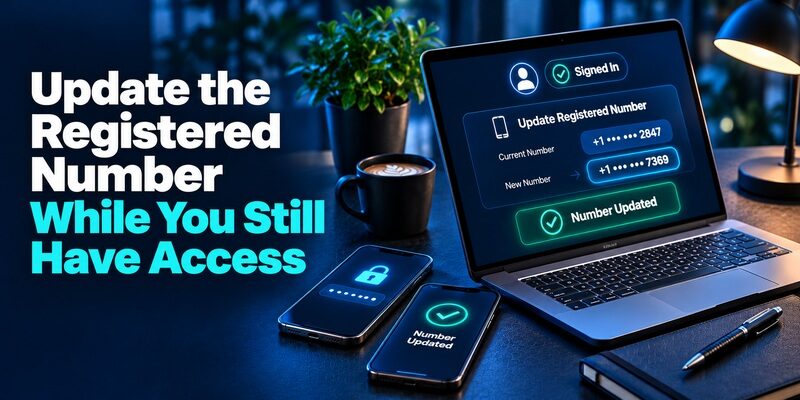
Update the Registered Number While You Still Have Access
Make the Change From an Existing Authorized Session
If the old phone or an existing Venmo session still works, open the account settings before you give up the number. Venmo’s Phone and Email Verification guide describes going through the Me tab, opening Settings, then Account and Phone Number. Use the options visible on your version of the app. Enter the new number carefully and complete the verification step sent to it.
A successfully verified new number helps you receive future Venmo 2FA texts. Check the updated details in account settings and make sure the session belongs to the correct account. If your phone can use two lines, compare the number displayed by Venmo with the line you intend to keep.
Test the New Number Before Ending the Old Session
Keep the original session available and start a separate official sign-in if appropriate. If Venmo requests verification, check that it points to the expected destination and that the new device receives the message. Confirm you reach the intended personal or linked business profile afterward.
Suppose you are changing carriers and keeping the number. Test message delivery after the carrier completes the move. If you are changing the number too, complete the Venmo update before the old one becomes inaccessible where possible. Both changes can affect whether a Venmo 2FA code reaches you, and they need separate checks.
Resolve a Number Already Associated With an Account
If Venmo says the new number is already registered, use its account help before trying another profile. The Help Center says the error can mean the address or number is connected to an active account. It could be an old account you still own or a number that has been reassigned. Use the official recovery or support route for the actual situation.
Keep track of which account you want to recover and which contact details belong to it. Adding another account does not transfer the old account’s balance, history, or access. If you are uncertain about the profile attached to a number, let Venmo Support verify ownership through its authorized process.
Recover Access Without Your Old Phone Number
| What still works | First route | What to confirm afterward |
|---|---|---|
| A remembered browser | Use your existing access and review security settings | Update the number and remove devices that should no longer have access |
| The password but no old phone | Start an official sign-in and look for the alternate verification choice | Complete identity verification and update contact details |
| No usable alternate choice | Open official Venmo Support | Verify ownership through the requested secure process |
| A lost or stolen phone with a remembered session | Use a trusted device to revoke the missing phone’s access | Review remembered devices, activity, and the password |
Use the Alternate Option on the Sign-In Screen
Venmo’s new-device verification help says to start with the account’s username, email, or old phone number and password. Look for Other options or I don’t have access to this phone on the next screen. Follow the identity checks that appear. Use the old number only to identify the account when prompted. You do not need to ask the current holder of a reassigned number for a Venmo 2FA code.
If the alternate choice is missing, contact Venmo Support through the official Help Center or a trusted route you already know. Support may ask for account identifiers and limited details as described in its official instructions. Keep the full card number, full bank account number, password, and live code out of chat, email, and phone calls.
Revoke Access to a Missing Device
Venmo’s Lost or Stolen Phone guide says you can revoke a device from another device you previously used for Venmo. Open the account’s security settings and review the remembered devices or the option to forget sessions as shown. Check which sessions the control will end before using it. Preserve a working authorized route while you verify the result.
If you think the password was exposed, change it through Venmo’s official flow. Review the registered phone number and email and inspect account activity. A Venmo 2FA prompt is useful, and a previously authorized device also deserves attention when it leaves your control.
2Factor Login for the Log2X Dashboard and OTP Troubleshooting
Troubleshoot a Missing or Rejected Text

Confirm the Destination and Carrier Delivery
Read the masked number displayed by Venmo and compare it with the number you currently use. Check whether your phone can receive other texts and whether the carrier or a device setting is blocking the relevant messages. Venmo’s phone verification guidance includes steps for users who have trouble receiving short-code messages.
Keep the original sign-in screen open while waiting and use resend according to its instructions. If the message reaches another line or you no longer own the number, use the alternate Venmo 2FA recovery route instead. Changing your phone’s messaging app cannot update the number stored on the Venmo account.
Enter the Value for the Current Challenge
Use the latest valid code for the prompt you are completing, according to the app’s instructions. A sign-in code and a phone number verification code may belong to separate actions. If multiple messages arrive, check what you requested and when. Start fresh through the official app if the current screen says the challenge expired.
If Venmo 2FA still fails, describe the device, masked number, approximate time, and exact error in an official support request. Explain whether the code was never delivered or was delivered and rejected. That distinction helps identify the problem without exposing the actual value.
Respond to a Venmo Code You Did Not Request

Verify the Activity Through Venmo
An unexpected code or new-device message can indicate someone tried to sign in. Leave the code unused and open Venmo directly. Check the remembered devices, the registered number and email, and recent account activity. Venmo’s Login Security guide recommends changing the password and removing unknown remembered devices after an unrecognized new-device alert.
If you see an unauthorized transaction or change, use the official support route promptly. Record the timing and the relevant activity from inside your account. Do not assume that sending money, installing another app, or reading a Venmo 2FA code to someone will stop an unauthorized payment.
Use an Independent Route to Reach Support
A message can imitate a bank or Venmo support conversation. End the interaction and open the official app or Help Center yourself. Venmo’s Login Security page says it will never ask you to give the six-digit sign-in code by phone, text, email, or chat.
If your number stopped receiving calls and texts unexpectedly, contact your carrier through an independent trusted route and check what changed. Then review the payment account and other accounts that use the number. The carrier can investigate the line, while Venmo can investigate activity in the payment account.
Common Venmo 2FA Questions
Does Venmo Have Two Factor Authentication Already?
Yes. Venmo’s Help Center says MFA protects all accounts. Expect the service to ask for an additional check when it needs one, including during some new-device sign-ins. Confirm that the contact information on the account is current so the extra check remains reachable.
Can I Use the Same Number for My Linked Business Profile?
Venmo’s Signing In FAQ says a linked business profile uses the same sign-in credentials as its connected personal account. Sign in to that account and confirm the intended profile after completing Venmo 2FA. If you cannot see a business profile after authentication, check the account linkage through the official app or support.
Why Does My Regular Computer Ask for a Code?
Venmo can treat a browser without its remembered cookies as a new device. Clearing cookies, switching browsers, or using a separate browser profile can trigger a fresh check. Compare the destination and complete it only if you started the attempt. Review remembered devices if an alert describes activity you do not recognize.
Review Your Setup After a Successful Recovery

Check that the intended profile opens and that its phone and email details match the current owner. Review the remembered devices after a lost phone or unexpected Venmo 2FA challenge. Test access from the device you plan to use regularly before abandoning the only known working session.
If you moved your number to another carrier, confirm that a code can arrive through that carrier where Venmo asks for it. A successful payment or account view can show that the session works, while a fresh verification checks whether future sign-ins can reach you. Keep your next steps limited to the changes you actually need.
If you use a device that several people can access, end the session when finished and avoid leaving it remembered. On a personal phone, review the available local app unlock options and use the one that suits the device. Each of these steps addresses a different point where another person could gain access.
Prepare for a Phone Change Before You Start It
Keep Access Available on the Day of the Move
Before trading in a phone, sign in through an official remembered device if available and confirm you know which email, username, and number identify the account. Keep the old line active long enough to complete any Venmo 2FA prompt needed to update the contact. If the carrier is transferring the same number, wait for calls and SMS to work on the new device before depending on it.
If you need to use Venmo for a time-sensitive payment, confirm access before you rely on it. A verification delay can happen while a new phone or carrier line finishes activation. A trusted browser can help you review the account, while the new device needs to pass its own sign-in when Venmo asks.
Review the Email Address as Well as the Phone Number
Venmo uses account contact details in different security and recovery flows. Check your email address and test access to that inbox independently. Secure the mailbox itself and make sure its recovery route still works after your phone change. An address that receives notices can help you identify an unexpected Venmo 2FA attempt even when you do not see the related text.
After both contact details are current, review remembered devices for anything you no longer use. A successful Venmo 2FA test from the new device and a review of existing sessions cover different parts of the move. Keep a note of the verification date if you need one, without retaining the code.
Final Thoughts
Use Venmo 2FA in the official app or website and enter the current code only for a sign-in you started. Keep your number current, know how to reach the alternate verification path, and review remembered devices when a phone is lost or a sign-in alert is unexpected.
If you cannot reach the registered number, follow Venmo’s official identity checks or contact Venmo Support directly. Once you regain access, verify the updated number and test the device you plan to keep.
Download Authenticator App
Secure your accounts with fast, reliable two-factor authentication. Download now and protect your login in seconds.
