
Microsoft Teams IT Support Scam: Hackers Steal Corporate Credentials
Published November 4, 2026
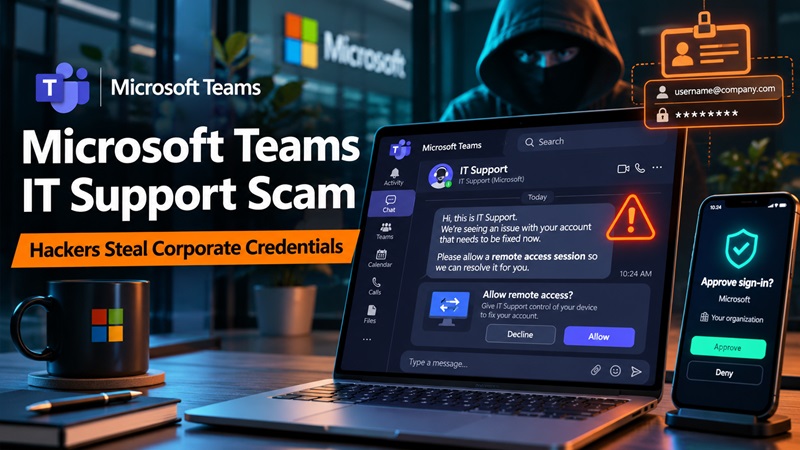
Hackers are impersonating corporate IT support staff on Microsoft Teams to trick employees into granting remote access to their computers. Once connected, attackers can exploit weaknesses in enterprise authentication systems to gain privileged access and steal company data.
Microsoft revealed details of these attacks in a security research report published on October 30, 2026.
The investigation uncovered two separate intrusions in which cybercriminals used Microsoft Teams messages and calls to pose as legitimate technical support representatives.
After gaining users’ trust, the attackers persuaded employees to establish remote support sessions, primarily using Microsoft Quick Assist.
What began as an ordinary-looking support interaction became a much more serious security threat.
In one case, attackers obtained authentication certificates for privileged corporate identities and eventually transferred data from an internal file server to an external destination.
In another, attackers abused a different certificate-related weakness to obtain a certificate representing a domain controller.
Importantly, Microsoft confirmed that the attackers did not exploit a vulnerability in Microsoft Teams itself.
Instead, they combined social engineering, legitimate remote-access software, and insecure Active Directory Certificate Services (AD CS) configurations.
The findings demonstrate how a convincing support scam can potentially escalate into enterprise-wide identity compromise.
Key facts about the Microsoft Teams security warning
| Detail | Information |
|---|---|
| Security research published | October 30, 2026 |
| News coverage | November 2, 2026 |
| Targeted platform | Microsoft Teams |
| Initial attack method | IT help desk impersonation |
| Remote-access tool | Primarily Microsoft Quick Assist |
| Additional weakness | Insecure AD CS configurations |
| Authentication abuse | ESC1 and ESC8 |
| Confirmed impact | Privileged certificate abuse; data exfiltration in one case |
| Teams software vulnerability | None identified in these attacks |
| Attacker attribution | No specific group identified |
According to Microsoft Security Research, the most dangerous part of these incidents was the transition from an employee-approved remote session to authentication as privileged corporate identities.
How the Microsoft Teams IT Support Scam Works
The Microsoft Teams IT Support Scam relies on a familiar workplace situation: an employee receives a message from someone claiming to represent the company’s technical support team.
The request may appear legitimate because it arrives through an application employees use every day.
However, the attacker is not an authorized IT administrator.
Step 1: Hackers impersonate technical support
Microsoft found that the attackers used external Teams accounts with organization-themed tenant names and support-related display names.
These identities made the messages appear connected to the victim’s company.
An employee might receive a message claiming that technical support needs to:
- Investigate a device problem.
- Complete a security check.
- Resolve a Microsoft 365 login issue.
- Fix an application error.
- Perform urgent system maintenance.
These are examples of plausible support pretexts; Microsoft did not confirm that every example was used in the two investigated incidents.
The attacker’s objective is to persuade the employee that the request is both legitimate and urgent.
Step 2: Victims are asked to open Quick Assist
After establishing contact, the fake support representative encourages the employee to launch Microsoft Quick Assist.
Quick Assist is a legitimate Windows application designed to help trusted people provide remote technical support.
During the observed incidents, attackers guided victims through the process of establishing a remote session.
Once the victim approved access, the attacker obtained interactive control over the workstation.
This is the decisive moment when a suspicious Teams conversation becomes a potential system compromise.
Because the employee voluntarily approves the connection, the attacker does not necessarily need to exploit a software vulnerability to gain initial access.
Step 3: Malicious components are introduced
After obtaining remote access, the attackers transferred files to the victim’s device.
Microsoft observed archives being extracted into directories with names that resembled Windows update folders.
The attackers then executed code using portable software runtimes, including Python, Bun, and Java.
These tools are legitimate technologies commonly used by developers and administrators.
However, in this case, they were used to execute attacker-controlled components.
This approach made detection more difficult because individual programs might appear legitimate when examined without the surrounding activity.
Step 4: Attackers investigate the corporate network
Once the malicious components were running, the attackers collected information about the compromised workstation and surrounding environment.
The activity included examining:
- Windows system information.
- Network configurations.
- Running processes.
- Corporate domain infrastructure.
- Active Directory Certificate Services.
The purpose was to identify opportunities to move beyond the employee’s workstation.
In both investigated incidents, the attackers eventually focused on weaknesses in the organization’s certificate-based authentication infrastructure.
Hackers Exploit Active Directory Certificates to Hijack Accounts
The most serious aspect of the Microsoft investigation involved Active Directory Certificate Services (AD CS).
AD CS allows organizations to issue digital certificates used for authentication and other security functions.
Certificates can establish identity without requiring a conventional password during every authentication process.
When configured correctly, this technology can provide strong security.
However, insecure certificate templates or enrollment services can create dangerous opportunities for attackers.
ESC1: Obtaining certificates for privileged accounts
In the first incident, Microsoft discovered that the attackers exploited a misconfigured certificate template associated with a weakness known as ESC1.
The configuration allowed eligible requesters to supply identity information when requesting certain authentication certificates.
Because enrollment permissions and issuance requirements were insufficiently restricted, the attackers could obtain certificates representing more privileged identities.
These certificates could then be used to authenticate as the accounts they represented.
This means attackers did not necessarily need to know the privileged accounts’ original passwords to impersonate them.
Microsoft reported that the attackers obtained certificates representing three highly privileged accounts during the initial attack wave.
A subsequent attack wave resulted in certificates for eight additional privileged accounts.
This was an authentication compromise rather than simply the theft of usernames or passwords.
ESC8: Abuse of certificate enrollment services
The second incident involved a different weakness known as ESC8.
In this case, attackers used an authentication coercion technique called PetitPotam and relayed NTLM authentication to an insecure AD CS Web Enrollment endpoint.
This enabled them to obtain an authentication certificate associated with a domain controller.
A domain controller is a critical component of a Windows enterprise environment because it handles authentication and access to domain resources.
Possession of an unauthorized certificate representing such a system can create a severe identity security risk.
Microsoft observed the attacker using the certificate for Kerberos authentication.
However, the affected organization isolated the compromised workstation after security alerts, and Microsoft reported no further progression.
Why resetting passwords may not be enough
One important finding from Microsoft’s report is that authentication certificates can remain usable independently of the original passwords.
If an attacker possesses a valid certificate representing an account, simply resetting that account’s password may not invalidate the certificate.
Similarly, reinstalling Windows on the initially compromised workstation may not remove an authentication certificate already issued to an attacker.
Security teams must therefore investigate certificate issuance, revoke unauthorized credentials, and examine existing authentication sessions.
This is an important distinction between conventional corporate credential theft and certificate-based identity compromise.
What Microsoft’s Investigation Revealed
The investigation described two intrusions with similar starting points but different outcomes.
Case 1: Attackers compromise privileged identities and steal company data
The first attack initially targeted three user accounts and compromised one workstation.
From this workstation, the attacker discovered an insecure certificate template and obtained authentication certificates for three privileged accounts.
Microsoft Defender automatically disrupted access associated with the compromised identities.
However, one privileged account had been excluded from automated containment.
Approximately 90 minutes later, the attackers launched another phishing wave targeting 16 users.
This second wave compromised another workstation and led to the issuance of certificates for eight additional privileged accounts.
Microsoft reported that its automated security controls blocked more than 1,000 subsequent attempts to access files through SMB, along with additional login attempts.
Despite these protections, the account excluded from automatic containment remained accessible.
The attacker subsequently reached an internal file server and used a renamed copy of the Rclone data-transfer utility to copy information to an external SFTP server.
The public report did not establish the precise volume of data transferred.
Microsoft also observed DCSync activity, which can be used to obtain sensitive Active Directory replication data. The extent of any credential data obtained was not disclosed.
The key lesson is that incomplete containment of privileged identities can leave attackers with a path into critical systems, even when other security controls are effective.
Case 2: Domain controller certificate abuse stopped after detection
In the second incident, attackers again used Teams impersonation and remote access to compromise a workstation.
Instead of exploiting an ESC1-vulnerable certificate template, they targeted an insecure web-based certificate enrollment service.
The attackers obtained an authentication certificate representing a domain controller.
Microsoft Defender generated alerts associated with the activity.
The organization then isolated the compromised workstation.
According to Microsoft’s investigation, no further progression was observed following this response.
Comparison of the two attacks
| Security factor | Incident 1 | Incident 2 |
|---|---|---|
| Initial access | Fake Teams IT support | Fake Teams IT support |
| Remote access | Quick Assist-based | Quick Assist-based |
| Authentication weakness | ESC1 | ESC8 |
| Target identities | Privileged user accounts | Domain controller account |
| Security response | Automated disruption with an exclusion | Alerts and workstation isolation |
| Observed outcome | Data transferred to an external destination | No further progression observed |
The incidents show that the initial social engineering tactic can produce very different consequences depending on the target organization’s security configuration.
Why Traditional MFA Cannot Stop Every Attack
Many organizations rely on multi-factor authentication to protect Microsoft 365 and corporate accounts.
MFA provides an additional verification step beyond a password.
For example, a user might enter a password and approve a sign-in using Microsoft Authenticator.
This makes password-only attacks substantially more difficult.
However, the Microsoft Teams IT Support Scam shows that strong login security alone cannot prevent every form of account compromise.
The attacker may already have remote access
In the investigated incidents, attackers did not initially need to defeat the victim’s MFA challenge.
Instead, employees were persuaded to approve remote support sessions.
After obtaining control of a workstation, the attackers searched for infrastructure weaknesses that could provide broader access.
An authenticator app cannot automatically prevent an employee from approving an unauthorized remote connection.
This is why organizations need both secure authentication and controls over remote-access activity.
Certificate authentication introduces different risks
Traditional MFA commonly protects the login process.
However, compromised certificate infrastructure can create alternative authentication pathways.
An attacker holding an unauthorized authentication certificate may be able to impersonate an account without knowing its password.
This is not evidence that Microsoft Authenticator itself was bypassed or compromised in the reported incidents.
Instead, the attacks demonstrate why organizations must secure certificate issuance and authentication policies alongside conventional MFA.
Phishing-resistant MFA still matters
Organizations should continue adopting phishing-resistant MFA, including FIDO2 passkeys and security keys, where supported.
These technologies help prevent attackers from stealing reusable credentials through fake login websites.
However, phishing-resistant MFA should not be mistaken for complete protection against social engineering, remote-control scams, or insecure certificate infrastructure.
For more information, read our Microsoft Multi-Factor Authentication Guide.
How to Recognize a Fake IT Support Message on Teams
Employees can reduce their exposure by recognizing warning signs before granting remote access.
Unexpected support requests
Be cautious if someone contacts you unexpectedly through Teams and claims your device requires immediate technical assistance.
Legitimate IT support departments generally have established processes for opening support tickets and contacting employees.
An unexpected message should be verified through those official channels.
External sender warnings
Microsoft Teams may display indicators when a message or call originates from outside your organization.
These can include external-user labels or warnings about suspicious contact.
A familiar display name does not prove the sender is an authorized company employee.
Always verify the actual identity of someone requesting access to your device.
Requests for remote-control permission
A major warning sign is an unsolicited request to open Quick Assist or another remote-support application.
Be especially cautious if the person asks you to share a connection code or grant control of your screen.
Never approve remote access solely because the requester claims to be from Microsoft or your company’s help desk.
Pressure to act immediately
Scammers may claim that an account will be disabled or that an urgent security issue requires immediate action.
These messages are designed to reduce the time available for verification.
If the request is legitimate, the IT department should be able to confirm it through an independently established support channel.
Requests for authentication codes
A support impersonator may also ask for passwords, one-time codes or authentication approvals.
Do not share sensitive authentication credentials through Teams chats, phone calls or support sessions.
If you receive an unexpected authentication notification, review it before taking action.
Our guide to Microsoft Authenticator Keeps Asking for Approval explains how to distinguish routine sign-in problems from possible MFA fatigue attacks.
How to Protect Microsoft 365 and Corporate Accounts
Microsoft’s findings provide several practical lessons for employees and IT administrators.
1. Verify support requests through official channels
Employees should verify unexpected IT support messages using a known company contact method.
For example, contact the help desk through the organization’s established internal portal or published telephone number.
Do not rely on contact information provided within the suspicious message.
2. Restrict unnecessary external Teams communication
Organizations should review Microsoft Teams external access policies.
Where appropriate, administrators can limit interactions to trusted external organizations or approved domains.
External communication may be necessary for business operations, but it should not automatically grant outsiders the same level of trust as internal employees.
3. Control remote-support tools
IT departments should establish clear policies for Quick Assist and other remote-management utilities.
Recommended controls include:
- Allowing only approved remote-support software.
- Requiring users to verify technicians before granting access.
- Monitoring unexpected remote sessions.
- Restricting unauthorized execution of scripts and portable applications.
- Investigating remote-support activity followed by suspicious system changes.
These precautions help reduce the likelihood that a support conversation can turn into unauthorized interactive access.
4. Strengthen Microsoft account authentication
Employees should enable the strongest authentication methods supported by their organization.
Depending on company policy, options may include:
- FIDO2 passkeys.
- Hardware security keys.
- Microsoft Authenticator.
- Approved multi-factor authentication methods.
- Device-based passwordless authentication.
Standard authenticator-generated TOTP codes can protect supported services against password-only attacks.
For organizations that require Microsoft-specific authentication, follow the official setup instructions.
Our Microsoft Authenticator Setup Guide explains how to register work and school accounts securely.
5. Review Active Directory Certificate Services
For enterprise administrators, AD CS configuration is especially important.
Microsoft recommends reviewing certificate templates and enrollment permissions to identify risky configurations associated with ESC1.
Organizations should also assess web-based certificate enrollment services for ESC8 exposure.
Relevant precautions include enabling appropriate endpoint protections, strengthening enrollment authentication, and disabling unnecessary services.
Microsoft provides additional technical guidance in its AD CS NTLM Relay Mitigation Advisory.
6. Monitor certificates and privileged identities
Security monitoring should cover more than ordinary account sign-in events.
Administrators should investigate unusual certificate requests, privileged authentication activity, unexpected Kerberos tickets and suspicious directory replication activity.
If unauthorized certificates have been issued, incident responders may need to revoke those certificates and address authentication sessions that remain valid.
Compromised identities excluded from automatic containment should receive explicit manual attention.
What to Do If You Have Already Granted Remote Access
If you believe you interacted with a fake Teams support representative, respond quickly.
Disconnect and report the incident
Stop the suspicious interaction and contact your organization’s security team through a trusted channel.
If remote control may still be active, follow your organization’s incident-response instructions for isolating the affected device.
Avoid attempting to investigate the attacker independently.
Preserve useful information
Record the Teams contact name, approximate interaction time, relevant support-ticket details and the remote-access application involved.
Do not share passwords, authentication codes or recovery secrets in the incident report.
Security teams may need to preserve system logs and other evidence before performing remediation.
Review authentication activity
Administrators should check for suspicious account sign-ins, newly registered authentication methods and unauthorized privilege changes.
Where certificate infrastructure may be involved, investigators should also review certificate authority logs and issued certificates.
Changing the password alone may not eliminate unauthorized certificate-based access.
Re-establish trusted account access
Follow the organization’s approved recovery process.
This may include resetting affected credentials, revoking unauthorized certificates, invalidating sessions and re-registering authentication methods.
If your organization uses Microsoft Authenticator, do not delete your only working verification method without arranging a supported recovery option.
Frequently Asked Questions
Is Microsoft Teams hacked in this attack?
No vulnerability in Microsoft Teams was identified as the initial attack mechanism. Criminals abused legitimate communication features to impersonate support personnel and persuade employees to grant remote access.
How do hackers impersonate IT support on Microsoft Teams?
They may contact employees through external Teams accounts using familiar organization-themed names and support-related identities. The goal is to convince employees that the conversation is an authorized technical support request.
Can Microsoft Quick Assist be used by scammers?
Yes. Quick Assist is legitimate remote-support software, but criminals can misuse it when victims grant access to untrusted individuals.
Only establish remote-support sessions with verified technicians.
Were corporate passwords stolen?
Microsoft reported unauthorized certificate-based authentication, privileged identity compromise and DCSync activity. One incident also involved data exfiltration. The public report did not establish the exact amount of password or credential data obtained.
Can Microsoft Authenticator prevent this scam?
Microsoft Authenticator can strengthen authentication, depending on the configured method. However, it cannot independently stop users from granting unauthorized remote access or prevent attackers from exploiting insecure certificate infrastructure.
What should employees do after receiving a suspicious Teams message?
Avoid opening unsolicited links or granting remote control. Verify the sender through an official company channel and report suspicious messages to the security team.
Final Thoughts
The Microsoft Teams IT Support Scam demonstrates how cybercriminals can turn routine workplace communication into a serious corporate security incident.
According to Microsoft’s October 30, 2026 investigation, attackers used fake IT support messages to persuade employees to approve remote-access sessions.
They then exploited insecure Active Directory Certificate Services configurations to obtain authentication certificates for privileged accounts.
In one case, this led to data being transferred outside the organization.
The central lesson is that account security requires more than strong passwords or conventional MFA.
Employees must verify unexpected support requests, while organizations need to secure remote-access workflows, certificate services and privileged authentication systems.
For individual users, enabling two-factor authentication remains an important way to protect accounts from password-only attacks.
For enterprise environments, phishing-resistant authentication, strong identity policies and secure infrastructure configurations provide additional protection.
As workplace phishing becomes more sophisticated, organizations should treat unexpected support requests as a potential security risk—even when they arrive through trusted collaboration platforms.
Sources and References
- Microsoft Security Research — From Help Desk Impersonation to AD CS Abuse: Investigating ESC1 and ESC8 Intrusion Paths — October 30, 2026.
- The Hacker News — Attackers Pose as IT Support on Microsoft Teams, Abuse AD CS to Steal Company Data — November 2, 2026.
- Microsoft Security Research — Impersonating IT Support: How Threat Actors Turn a Remote Session Into Enterprise-Wide Access — September 2, 2026.
- Microsoft Support — KB5005413: Mitigating NTLM Relay Attacks on Active Directory Certificate Services — Official technical guidance.
