
MFA Email Codes for Sign-In and Account Recovery
Published November 17, 2026
By the Authenticator App Team
Last updated: November 2026
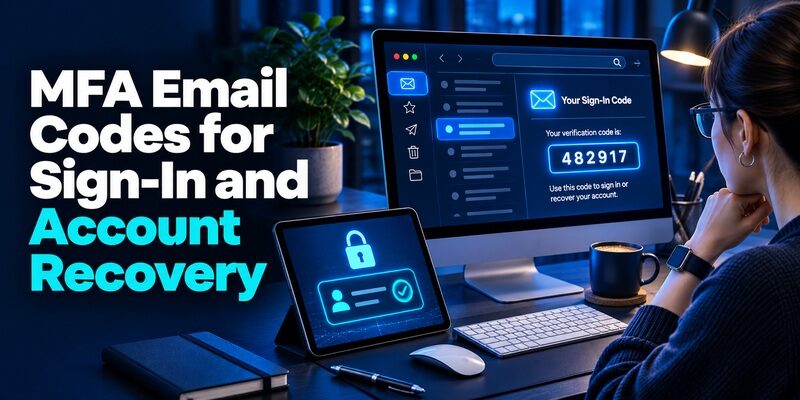
An MFA email code verifies access to the mailbox that received it. Your provider decides whether it accepts that proof for sign-in, a backup option, or account recovery. If you requested the code, open the registered inbox and enter the latest valid value on the same official page. If you did not request it, leave it unused and check the account directly.
For administrators, the essential question is whether the inbox adds independent evidence. An inbox and the application can rely on the same password, browser session, or recovery route. That dependency makes an emailed code a poor fit for policies that require an independent or phishing-resistant factor. Check the identity provider’s method rules and the assurance your application needs before enabling it.
Identify the MFA Email Prompt You Received
| Prompt or message | What it usually checks | What to do |
|---|---|---|
| Sign-in code requested on the account page | Access to a registered mailbox | Enter the current value in the official challenge you initiated |
| Password reset or recovery email | Access to the mailbox during account recovery | Follow the provider’s official reset flow and read the requested action |
| Invitation or guest access code | Access to the mailbox invited to the resource | Match the recipient address and the organization |
| New email address confirmation | Control of an address being added | Confirm only a change you started |
| Unexpected code | A request was made for that account or address | Leave it unused and inspect activity from a trusted session |
Match the Request and the Destination
Read the action on the service page before opening the inbox. Check the masked address and make sure it is yours. A message can be triggered by a password reset, guest invitation, or account change as well as ordinary sign-in. The MFA email subject line alone cannot establish which account action is pending. Keep the original trusted page open so you can compare the destination and purpose.
Enter Only the Code for That Request
If you asked for multiple codes, use the latest valid message for the current request. Some providers invalidate earlier values when they issue a new one. Others bind a code to a specific browser session. If a colleague forwarded you a message for a different address, use the account’s support route instead. Control of someone else’s mailbox is not the intended way to complete your verification.
Consider two browser tabs. The first is a work application that uses the employer’s single sign-on. The second is a mailbox that accepts the same session. If the policy requires a fresh, separate factor, opening the second tab can leave that requirement unmet. For the reader, this explains why an MFA email code might arrive even when the administrator says the app still needs a separate registered device.
Write down which address the service used, whether the inbox was already signed in, and what action opened the challenge. Keep the value itself out of the record. If a message lands in a shared queue, follow the account owner’s official support route to update the destination. Using the queue as an informal code relay makes individual accountability difficult.
Determine What Access to the Inbox Proves
Find the Actual Boundary Between the Two Accounts
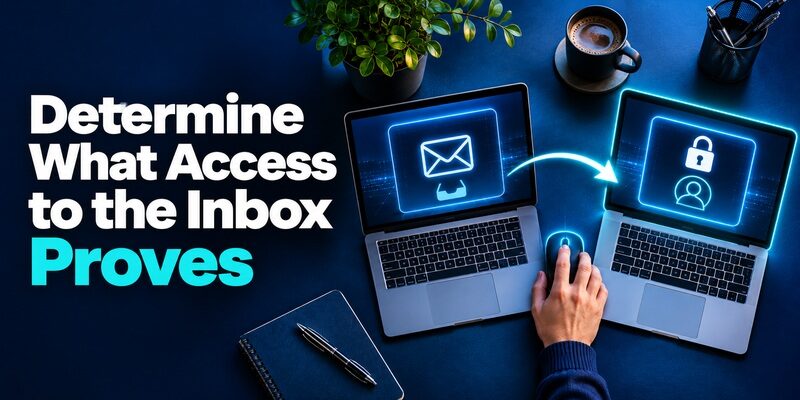
An MFA email prompt can prove that you can read a message at a destination. To assess independence, find out how that destination is protected. If the application and mailbox use the same federated identity, an attacker with an active identity session may be able to open both. If the mailbox uses a distinct, well-protected account, it can add a barrier, but the provider still needs to decide whether that barrier satisfies policy.
Check Shared and Forwarded Mailboxes
A team address may distribute messages to several staff members. Forwarding can put a code in a second mailbox that was not considered during enrollment. For a service tied to a named employee, verify that its registered email follows the organization’s account ownership rules. Avoid using a group inbox for an MFA email method when the service needs proof tied to one person.
Consider Existing Mail Sessions
A code can appear in an already signed-in browser, a notification preview, or another client. That can be convenient for a legitimate user and means the proof depends on protection of those sessions. Review active devices and mailbox access when designing a recovery plan. A strong mailbox sign-in policy does not automatically recheck every device that is already signed in.
An MFA email method can also create a recovery loop. Imagine an inbox account whose own reset emails go to a secondary address, while that secondary account requires access to the first inbox. A person who loses both sessions may be unable to recover either. Test how to regain access from a clean browser with the primary phone unavailable. A recovery option should remain reachable outside the systems it is intended to recover.
How to Add Email to Authenticator App With QR or Manual Setup
Separate Email Codes From Independent Factors
| Proof | What the service verifies | Common dependency |
|---|---|---|
| Email OTP | The submitted value from a registered inbox | Mailbox credentials, existing sessions, or forwarding |
| TOTP | Current code from an enrolled shared secret | Phone or vault holding the secret and an accurate clock |
| Push approval | Response from an enrolled app or device | Provider registration, device access, and usually connectivity |
| Passkey or security key | A response from a registered cryptographic credential | Supported device or key and its recovery plan |
Read the NIST Requirement in Context
NIST’s Digital Identity Guidelines in SP 800-63B prohibit email for out-of-band authentication in that framework. The guidance distinguishes email confirmation and recovery uses from a primary authentication method. When an application says it supports email MFA, check how the feature fits the system’s applicable requirements. An MFA email product label does not on its own make the method suitable for a policy that requires the NIST out-of-band authenticator controls.
Distinguish a Time-Based Code From a Delivered Code
An enrolled TOTP app calculates an MFA OTP locally using its setup secret and time. An emailed code arrives from the provider after a request. Both can be relayed if a user types the value into a fraudulent page. A supported passkey or security key offers phishing resistance by tying its proof to the legitimate service. Choose based on what the verifier actually checks and what the account holder can recover.
Use a practical review question before you choose email. Would the application need the same assurance from a guest reading a shared document as from an employee managing access? Those can be separate policies with separate acceptable proofs. Verify what the service records after each test. An MFA email challenge that is acceptable for one bounded route may give too little assurance for a different operation with wider access.
Email Authenticator: Complete Guide to Secure Email Authentication
Check Where Microsoft Entra Uses Email OTP
Distinguish Member Recovery From Guest Sign-In
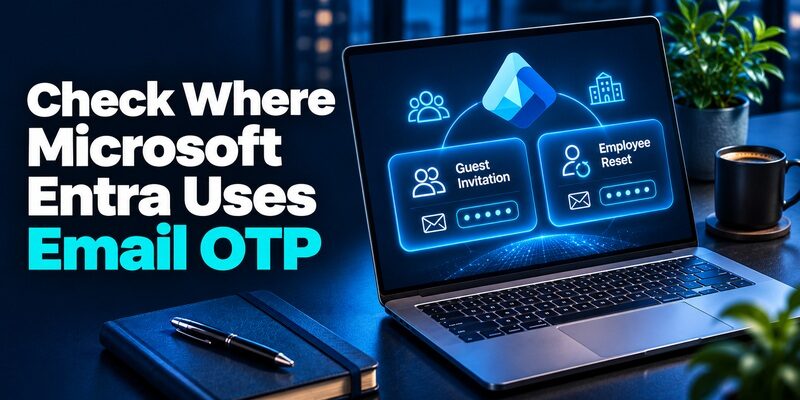
Microsoft Learn’s authentication overview distinguishes email OTP for self-service password reset by tenant members from a guest sign-in use. A guest may be invited to a resource and receive a code in the invited mailbox. An employee may use email during password reset. Read the account type before treating an MFA email message as proof that a workforce MFA policy accepted it.
Test the Actual Sign-In and Recovery Paths
Use separate test identities for a member and an invited guest. Confirm the displayed tenant and invited address. Record whether the email code appeared during guest access or password reset. Test the workforce policy with its approved authenticator separately. A successful guest login is evidence about that guest flow. It does not validate a policy meant for employees or privileged accounts.
An invitation sent to a second address can produce a working MFA email code for that address while the person is signed in to a different identity in another tab. Verify the organization and invited address, then open the original authorized resource. If the invitation reached an alias that cannot sign in, ask the resource owner to correct the recipient through the provider. Avoid forwarding a live invitation or code across identities.
Steam Turn Off Email Authentication: Settings and Alternatives
Check When Auth0 Shows the Email Factor
Confirm Another Method and a Verified Address
Auth0 Support’s guide to email visibility describes email as an alternative factor in its New Universal Login. It says the user needs a verified email and prior enrollment with another factor for the documented flow. If the MFA email option is missing, check the user’s enrollment, the email verification status, and the tenant’s MFA factor setting before changing the global policy.
Test an Eligible User Alongside a First-Time User
Use one test account with a verified address and another method, and a second account still going through its first setup. Compare which methods the tenant shows. Confirm that users can complete the approved primary factor before they need a fallback. If the tenant has multiple applications, verify the result in the one whose policy you are changing. Keep setup values and live codes out of the test notes.
Suppose you manage support for an application and only newly created users report that the MFA email choice is missing. Compare the factor setting, address verification and initial enrollment on a controlled first-time account. If existing users still have the option, a delivery outage is less likely to explain the missing choice. Capture the application and policy context so the next person can reproduce the same state without collecting anyone’s credentials.
Fix a Missing or Expired Email Code
Check the Address and the Current Message
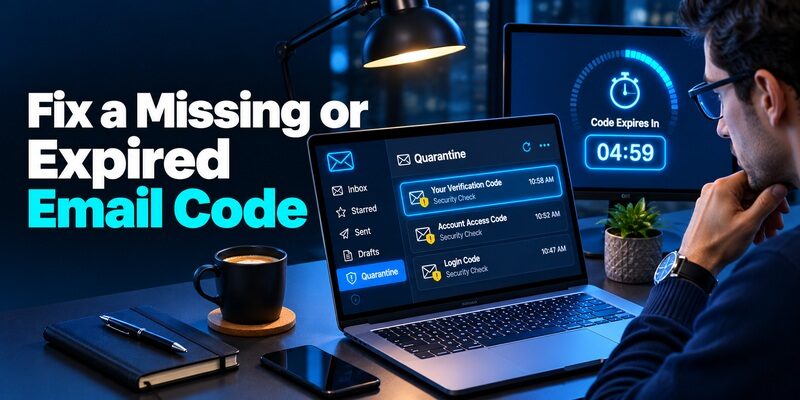
Compare the masked address with the inbox you opened. Look for the provider’s message in spam, filtered folders, and any workplace quarantine you are authorized to inspect. A message delayed by a filter may arrive after the verification session expires. If the provider offers resend, wait for the current request to finish, then request one fresh MFA email code and use it in that session.
Keep the Original Verification Session Open
A code requested from one browser tab may not complete a newer request in another. Use the official tab that issued the current challenge. If you started over, check the timestamp in the inbox. Enter the latest value only after you confirm the account and action. If the code repeatedly fails, record the exact error and whether the provider accepted the password or initial sign-in proof.
Use an Approved Alternate During a Delivery Incident
If an MFA email code will not arrive, look for another registered method in the official prompt. A time-based app, passkey, or security key may remain usable when mail is delayed. For a managed account, report a possible mail delivery issue using the authorized help desk. Ask them to verify the channel and approved fallback without forwarding the code or changing a working factor unnecessarily.
Check delivery in the same order the user experiences it. First verify that the service generated a challenge. Then check whether the mail system received or quarantined the corresponding message. Finally, compare the time the user submitted the value with the request’s validity. This separates a delivery problem from a code rejected by the verifier. Record only timestamps and request identifiers that your organization permits.
Respond to an Email Code You Did Not Request
Check Activity From the Service Itself
An unexpected MFA email message means a request was triggered, but it cannot tell you by itself whether someone signed in. Open the provider from a trusted bookmark, check current sessions and security activity if available, and verify your registered contacts. If you suspect someone knows the password or can read your inbox, use the provider’s official security process. A legitimate email subject is not a reason to reply with the code.
Inspect the Mailbox as Well as the Service
Review forwarding rules, delegates and signed-in devices if you suspect mailbox access. An attacker who can read your messages may also see account recovery requests from other services. Use the mailbox provider’s controls to revoke unfamiliar access and correct any affected settings. If it is a workplace inbox, tell the authorized security team which time and account were involved without sending the MFA email value.
A message claiming that your MFA email code will expire unless you send it to a support agent is a reason to open the provider independently. If a legitimate support case exists, the official system should show the next authorized action. Leave the code unused. If you already entered it into a page you now distrust, report what was entered and when without repeating the value.
Choose a Better Default for Sensitive Accounts
Use a Phishing-Resistant Method When Supported
For a privileged or high-impact account, check whether the service supports passkeys or hardware security keys. Test a supported spare or recovery route. Compare which methods your provider permits for the protected action. If an account policy says phishing-resistant authentication is required, a manually entered MFA email code is not an equivalent substitute. Document the approved fallback without lowering the requirement implicitly.
Consider a Separate TOTP App Where It Fits
If the service supports standard TOTP, a dedicated option such as Begamob’s can calculate codes independently of email delivery. Register it using the account’s own setup and verify the first value. Check that the backup does not depend entirely on the same inbox. For a managed account, follow the organization’s approved app or hardware method. Keep recovery available when you change the primary route.
For an account that can approve payment or change user roles, test whether the application accepts a less secure fallback for that action. The ordinary login policy and the protected operation may have different requirements. If you allow MFA email as a fallback in one place, check that the fallback cannot automatically satisfy a stronger requirement elsewhere. Record the decision and the protected operation in your policy notes.
PHP Email Authentication With SMTP and Verified Sign-In Flows
Design and Test a Recovery Policy
Define the Role of Each Method
Write down which proof starts a session, which proof satisfies an additional authentication requirement, and which proof is only for recovery. For an MFA email option, identify whether the email account is independent and what happens if its address changes. Check who is authorized to approve such changes. If people use delegated inboxes, include that configuration in the test.
Cover a Real Failure Scenario
Test a mailbox outage and a lost phone separately. In the first case, confirm that a pre-registered alternate works without mail. In the second, verify that the user can reach the official recovery route without the missing device. Record where the challenge stops and whether the intended policy is enforced. Keep real MFA email codes and recovery values out of diagnostics and support notes.
Monitor Mail and Authentication as Separate Systems
Track whether messages were accepted for delivery and whether the verifier accepted the user’s proof. A mail provider reporting successful delivery does not show that the correct person opened the message. An identity provider reporting a failed code does not show whether spam filtering delayed delivery. Use the appropriate event logs for each stage and define who handles each failure.
Before broadening a recovery policy, test a mailbox that is available through an existing browser session and one that actually needs the configured sign-in. The two cases can behave differently after a password reset or device loss. Also test an address update with the intended account owner. Verify that the new address becomes effective only through the provider’s authorized confirmation process.
Questions About MFA Email
Is Email MFA the Same as an Authenticator App?
No. Email delivers a value to a mailbox after a request. A TOTP app calculates the value from an enrolled secret and time. The provider’s prompt identifies which one it expects, and organizational policy determines whether either is appropriate.
Can I Use Email for Employee MFA in Microsoft Entra?
Check the specific method and account type. Microsoft’s overview lists email OTP uses for guest sign-in and member self-service password reset. Use an approved workforce authentication method for a policy that requires Microsoft Entra MFA.
Why Did My Code Fail When It Just Arrived?
It may belong to an earlier request or a different account. Compare the timestamp and the official verification session. If the provider says the MFA email value expired, request a fresh one from the trusted page and follow any attempt limit.
What Should I Use If My Inbox Is Unavailable?
Choose an already registered alternate method in the official sign-in flow if available. Otherwise follow the provider or employer’s recovery instructions. Confirm you can still access the mailbox independently before keeping it as a recovery route.
Does a Code Email Mean Someone Has My Password?
The message alone does not establish that. It can follow a sign-in attempt, reset request, invitation, or another action. Do not use an unrequested code. Check the service’s security activity directly and follow official guidance if anything looks unfamiliar.
After changing a sign-in policy, ask a test user to complete the flow without instructions from an administrator. Check that the prompt names the requested method clearly and that the user can find the approved alternative. If the user mistakes an email delivery problem for an app enrollment problem, improve the method label and support guidance before expanding the rollout.
Final Thoughts
Treat an MFA email code according to the action and account that requested it. Use the latest valid message only in the official flow you initiated. Check the destination and keep a verified alternative for delivery or mailbox problems.
For an application policy, document what the mailbox proves and whether its access is independent. Match recovery, guest sign-in, and workforce authentication to their actual requirements. Test each route with the correct account type before relying on it.
Download Authenticator App
Secure your accounts with fast, reliable two-factor authentication. Download now and protect your login in seconds.
