Email Account Without Verification Options and Privacy Tradeoffs
Published September 22, 2026
Choose a provider with phone-free signup to create an email account without verification by SMS. Tuta advertises registration without a mobile number; Proton may offer CAPTCHA or email verification, depending on the options presented during signup.
The important choice is what information you want to avoid sharing. An email account without verification by SMS can still require a password, an anti-abuse check, or a waiting period. It also still needs a dependable recovery method if you intend to use it for important accounts.
This guide compares the practical routes, explains what phone-free registration does and does not mean, and shows how to test a new mailbox before relying on it. It also separates private mailbox signup from the very different request to send email through an unauthenticated server.
Define What Email Account Without Verification Means to You
Separate phone checks from other requirements
No reputable service can promise that every signup will avoid all checks. A phone check asks you to prove access to a number, commonly by entering a received code. A CAPTCHA attempts to distinguish a person from automated abuse. A recovery address gives the service another contact route. These checks answer different questions and do not create identical privacy tradeoffs.
When comparing an email account without verification, name the requirement you cannot or do not want to meet. Perhaps you have no active SIM, share a family number, or prefer not to connect a personal number to another service. That narrower requirement is easier to evaluate than a claim that an account has no verification whatsoever.
Distinguish signup from everyday sign-in
After registration, a private mailbox should still authenticate its owner. A password, passkey, or supported second factor protects your messages from other people. Removing those controls would make the mailbox less useful, even if signup appeared convenient.
| Requirement | What it establishes | Can it differ from phone verification? |
|---|---|---|
| CAPTCHA | A signup is less likely automated | Yes |
| Secondary email check | Access to another mailbox | Yes |
| Password at sign-in | Knowledge of the account credential | Yes |
| Authenticator challenge | Possession of an enrolled factor | Yes |
Read a provider’s actual signup screen alongside its official help information. If they differ, resolve that difference before storing important messages. The phrase email account without verification should describe your chosen registration path accurately; it should not become a reason to ignore later account restrictions or recovery requirements.
Check whether the requirement applies only during registration or also during recovery, because those two moments can present different options.
💡 Discover Helpful Guides: Email Authenticator: Complete Guide to Secure Email Authentication
Compare Tuta and Proton by Their Published Signup Policies
Tuta explicitly supports phone-free registration
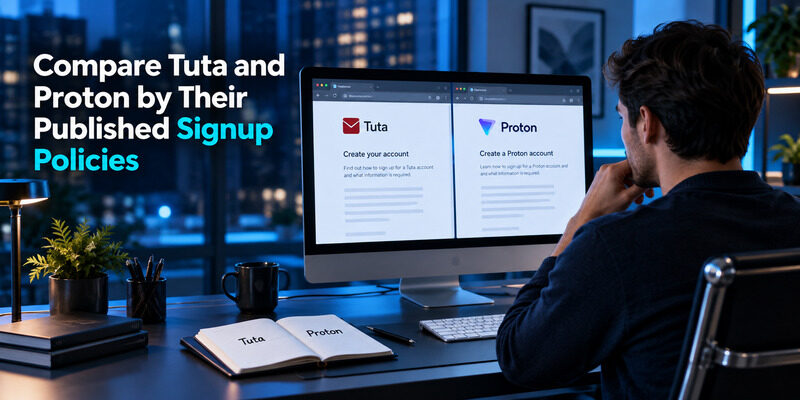
Tuta’s official article about creating an address without a phone number says a mobile number is not required. It also explains that some accounts can be held for approval and describes a waiting period of up to 48 hours. Phone-free does not therefore guarantee immediate unrestricted use.
Proton can present different human checks
Proton’s Human verification help page describes CAPTCHA, email, and SMS options. The available methods can vary. That makes Proton a candidate to evaluate when seeking an email account without verification by phone, rather than a guarantee that every person will see a phone-free route.
Choose for the mailbox you will actually use
| Provider | Published signup distinction | Practical implication |
|---|---|---|
| Tuta | Registration without a mobile number | Allow for possible approval |
| Proton | Human verification options may vary | Check the options you receive |
These are policy distinctions, not a ranking of every feature or a claim that either service is appropriate for every situation. Before choosing, review the current plan’s storage, supported apps, sending limits, recovery process, and any features essential to your use. Avoid selecting a mailbox solely because an old screenshot showed fewer fields.
If an email account without verification is needed today for a time-sensitive message, complete registration and a delivery test before promising that address to someone else. A policy that fits your privacy preference can still involve a delay. Keep an existing contact method available until the new mailbox has demonstrated that it can receive and send the messages you need.
📘 Find the Right Guide: Email Authentication Outlook: Setup and Recovery
Check the Signup Path Without Creating Recovery Problems
Use the provider’s own registration page
Start from the official service or its verified application. Third-party pages promising instant preverified accounts introduce a separate trust problem: another person may have created the account, retained its recovery details, or still control the credentials. You cannot establish exclusive ownership merely by changing the visible password.
For an email account without verification by SMS, follow the alternatives the provider actually offers. If a field is optional, understand whether skipping it affects recovery. If an anti-abuse review appears, read the stated process instead of repeatedly starting new registrations that leave you unsure which account exists.
Record the account before leaving signup
Save the exact address, a unique password, and the provider’s recovery material in an appropriate secure location. Similar-looking addresses and several provider domains can create a surprisingly ordinary problem: a user remembers the password but attempts to sign in with the wrong address.
Open a fresh browser session and verify that you can sign in using the recorded details. Do this before closing the original session if the provider is still showing recovery information you need to retain. Avoid sharing screenshots that expose that information.
An email account without verification can reduce the personal information requested at signup, but it also makes your own recordkeeping more important. Treat registration as complete only when you know the address, understand its current approval status, can sign in again, and know which recovery option applies. That is a more useful completion test than simply reaching a welcome screen.
💡 Discover Helpful Guides: Email 2FA: Protect Your Inbox and Understand Email Codes
Choose Between a Separate Mailbox an Alias and a Temporary Inbox

A mailbox provides its own account boundary
A separate mailbox has its own sign-in and recovery arrangement. It can suit a distinct project or contact identity, provided you are prepared to maintain it. Additional accounts also add passwords, recovery records, and places where important messages can be overlooked.
An email account without verification is not always necessary if the actual goal is to keep a primary address out of newsletters or store registrations. Consider whether an alias achieves that narrower goal with less account maintenance.
An alias forwards or organizes an existing identity
An alias can provide another address while relying on an underlying mailbox or forwarding service. Review who controls that address, where messages arrive, whether replies preserve it, and what happens if the subscription or destination changes. An alias is not automatically an independent recovery route.
Temporary inboxes have different ownership risks
A disposable or public inbox may be short-lived, shared, or accessible without a private account. Its convenience makes it unsuitable for messages that could reset an important password. Do not assume an address remains exclusively yours merely because you were the first person to open it.
| Route | Useful purpose | Main question before relying on it |
|---|---|---|
| Separate private mailbox | Independent correspondence | Can you recover and maintain it? |
| Alias or forwarding address | Limit exposure of a primary address | Who controls the destination? |
| Temporary inbox | Low-value transient messages | Could access expire or be shared? |
Choose the route based on the consequence of losing access. For important correspondence, an email account without verification should still have durable ownership and a recovery plan that you understand.
Also check whether the address can receive a reply after its initial use; receiving one message does not prove durable access.
📘 Find the Right Guide: Email Authentication Failed Fixes for Login and Sending
Understand What Phone-Free Signup Does Not Hide
Avoiding a phone number reduces one connection between an account and your personal information. It does not make every message anonymous. A display name, reused username, signature, profile image, payment record, or attachment can reveal information independently of the registration form.
Consider an ordinary example: you create an email account without verification by phone for a separate project, then attach a document containing your full name in its visible header. The signup choice has not removed the information you deliberately sent. Review the message and attachment itself whenever separation of identities matters.
Also distinguish the privacy of stored messages from the privacy of correspondence sent to someone else. The recipient can retain, forward, or quote what you send. A service’s encryption features do not prevent a recipient from sharing a readable message after receiving it.
Choose a realistic objective for an email account without verification: avoiding an unnecessary phone field, limiting address exposure, or keeping a project separate from a personal inbox. Each is a concrete goal you can assess. Claims of complete untraceability require much more than a phone-free form and should not be inferred from it.
Review account settings after signup, including display name, signature, and automatic content loading where available. Send yourself a test message and inspect how the sender appears to the recipient. This simple check often reveals identifying details that are more immediate than the information you chose not to provide during registration.
Download Authenticator App
Secure your accounts with fast, reliable two-factor authentication. Download now and protect your login in seconds.
💡 Discover Helpful Guides: Passwordless Email Authentication With Magic Links and Codes
Build Recovery That Does Not Depend on SMS

Save the recovery method your provider actually supports
A recovery code, recovery phrase, secondary address, or other supported mechanism can help you return to an account. Their effects differ between providers, especially where encrypted data recovery and account access are separate concerns. Read the instructions for the specific method you enable.
For an email account without verification by phone, keep recovery material somewhere you can access without opening that same mailbox. A message stored only inside the locked account cannot help you regain access to it. Similarly, a recovery file saved only on the phone you may lose is not an independent fallback.
Avoid circular recovery relationships
If mailbox A can be recovered only through mailbox B, and B can be recovered only through A, losing both sessions creates a dead end. Sketch the dependency in ordinary words before relying on it. At least one supported route should remain available when the main device and its saved sessions are unavailable.
Review recovery information after a device change or a change of secondary address. You do not need to trigger a destructive reset just to understand the process; confirm that the recovery material is present and follow any safe checking procedure the provider offers.
An email account without verification is easier to maintain when recovery is planned before the first urgent need. Record the provider’s relevant help page title or support route with your private account notes so you can find the correct process later, without searching through misleading advertisements when you are already locked out.
💡 Discover Helpful Guides
Google Email Two Factor Authentication Setup for Gmail
Add Sign-In Protection Without Adding a Phone Number
Enable a supported second factor
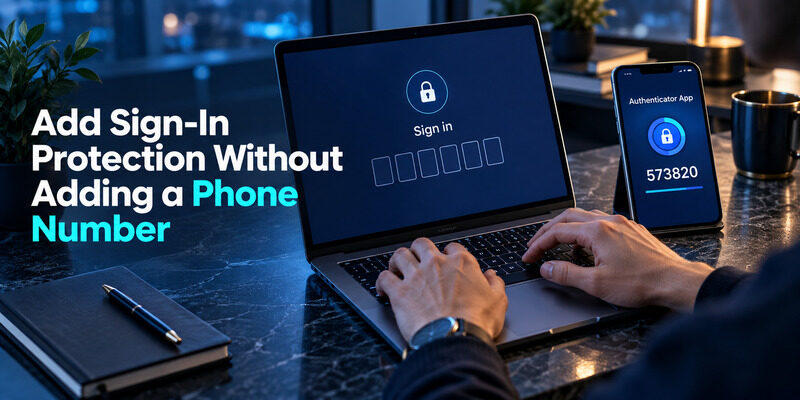
If the mailbox supports a as a second factor, you can use it without receiving an SMS for every sign-in. Enroll through the mailbox’s own security settings and complete the confirmation challenge. An entry in an authenticator is useful only after the account has accepted that enrollment.
For an email account without verification by SMS, this can preserve the phone-number preference while improving sign-in protection. It still depends on the methods offered by the chosen provider. Do not assume that every mailbox or plan supports every authenticator, passkey, or hardware key.
Test a fresh login before closing your working session
Keep the original session open while testing a separate sign-in. Confirm that the second factor is requested and that the enrolled code works. If a code is rejected, check the selected account entry and the device’s time settings before repeatedly entering different values.
can generate codes for accounts that offer compatible TOTP enrollment. Add the provider’s QR code or manual secret through the supported setup, then retain the mailbox’s recovery options separately. Do not put the enrollment secret into a support screenshot or public note.
An email account without verification does not need to be an account without protection. The useful distinction is between sharing a number during registration and proving ownership during later access. Choose the strongest supported method you can reliably maintain, and make sure a lost device does not remove your only route back to important correspondence.
📖 Explore Articles: How to Add Email to Authenticator App With QR or Manual Setup
Separate Mailbox Signup From Sending Without SMTP Authentication
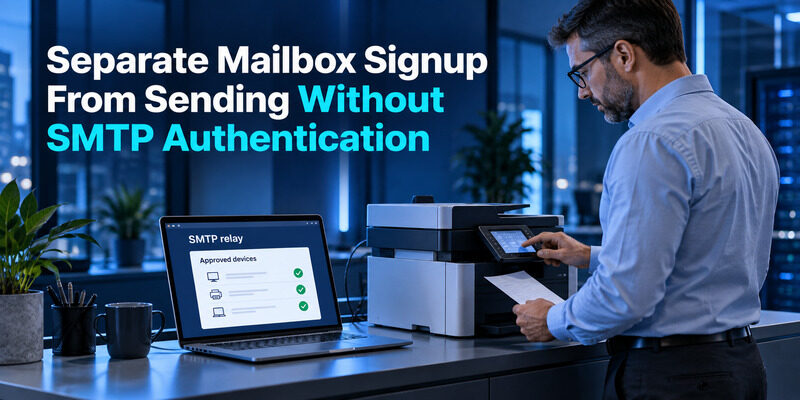
People searching for send email without authentication may be configuring a printer, server, or application rather than creating a personal mailbox. That is a different problem. SMTP submission normally needs an authorized sending arrangement; some managed relay designs use network identity or another restriction instead of a username and password.
Google Workspace’s SMTP relay documentation, for example, describes administrator-configured relay controls. This does not mean that anyone on the internet should be able to send arbitrary mail through the server. A controlled relay and an open relay have very different access boundaries.
Creating an email account without verification will not automatically repair an application’s SMTP failure. Check which host receives the connection, which transport and authentication method it requires, and whether the sender identity is allowed. A personal webmail login and an application sending credential may use different supported mechanisms.
If the goal is account privacy, choose a mailbox based on its signup and recovery policies. If the goal is application delivery, use the mail provider’s supported submission or relay configuration. Keep those decisions separate so a search for emails without phone verification does not lead to removing necessary sending controls.
When handing the issue to an administrator, describe the device or application, the intended sender domain, and the error stage. Do not send the mailbox password in a ticket. This gives the administrator a concrete problem to solve while preserving the security of any email account without verification that you use for normal correspondence.
💡 Discover Helpful Guides:
Email Authentication Firebase Guide to Passwords Links and Verification
Frequently Asked Questions
Is a free email account without verification possible?
Yes, phone-free registration is available from some providers, but that is not a guarantee of zero checks. Review the provider’s current signup process and any approval requirements. Also confirm what the free plan supports before using the address for important correspondence or recovery.
Does Proton always let me skip a phone number?
No universal promise applies. Proton describes several human-verification methods, and the choices shown can vary. Evaluate the options presented for your signup. If the available process does not meet your needs, use the provider’s support route or choose a service with a suitable published policy.
Can a temporary inbox receive password-reset messages?
It may technically receive them, but that does not make it an appropriate recovery address. Access may expire, be shared, or lack durable ownership. Use a private mailbox you control for accounts whose loss would matter, and maintain an independent recovery method for that mailbox.
Is an authenticator the same as SMS verification?
No. A compatible authenticator generates codes from an enrolled secret, while SMS delivers a message to a phone number. The mailbox must support and confirm the chosen method. Installing an authenticator alone does not change the provider’s signup requirements or activate a second factor.
Can I keep the account if I lose my phone?
That depends on the provider’s supported recovery options and what you saved beforehand. Keep recovery material accessible independently of the missing device. Review both account access and encrypted-data recovery where relevant, because restoring a login may not automatically restore every protected message.
💡 Discover Helpful Guides: How to Add Email to Authenticator App With QR or Manual Setup
Final Thoughts
Choose an email account without verification by identifying the specific information you want to avoid sharing, then checking the provider’s actual signup and recovery process. Phone-free registration is a meaningful preference, but it should sit alongside reliable access, appropriate sign-in protection, and a clear understanding of any approval delay.
Tuta and Proton illustrate why broad promises can mislead: published signup policies describe different routes and conditions. Use those official explanations to form a shortlist, then test the route you actually receive. Do not assume that another person’s successful registration guarantees an identical experience for your account.
Before relying on the address, send and receive a test message, sign in from a fresh session, and confirm how the sender appears to recipients. Save the exact address and recovery material. Review whether an alias would satisfy the original purpose with fewer accounts to maintain.
Where compatible enrollment is available, Authenticator App can support a second factor without making SMS your everyday sign-in method. Keep the recovery plan separate from the device holding those codes. A useful email account without verification preserves your chosen privacy boundary while remaining an account you can protect, use consistently, and recover when an ordinary device or password problem occurs. That practical ownership matters more than the smallest possible signup form.