
Best Authentication Providers for Businesses and Apps
Published October 13, 2026 · Updated October 21, 2026
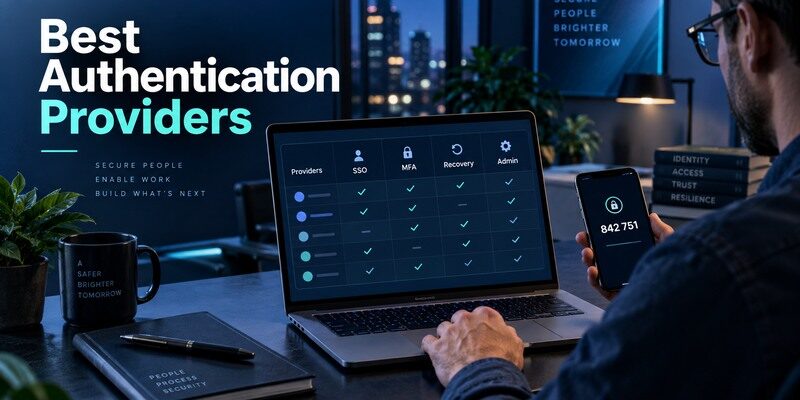
The best authentication providers help businesses and developers secure user logins, manage identities, and protect access to applications. Whether you need enterprise single sign-on, multi-factor authentication, passwordless login, or customer identity management, choosing the right provider depends on your organization’s requirements.
In this guide, we compare seven authentication providers in 2026, including Okta, Microsoft Entra ID, Auth0, Cisco Duo, Clerk, Firebase Authentication, and Amazon Cognito. Explore their key features, strengths, limitations, and ideal use cases to find the right authentication solution.
Best Authentication Providers Compared at a Glance
| Candidate | Core role | Strong fit | Pilot question |
| Microsoft Entra ID | Cloud identity, app access and conditional policies | Organizations already managing Microsoft accounts and devices | Can your actual app and device mix meet the policy? |
| Okta Workforce Identity | Federation, lifecycle and organization-controlled authenticators | Mixed application estates needing centralized enrollment | Does the required application support the planned sign-in flow? |
| Cisco Duo | MFA, device trust and SSO options | Teams adding strong access checks to many applications | What happens when an enrolled phone is replaced? |
| Consumer TOTP app | Generates codes for compatible sites | Individual accounts or an approved fallback | Does the issuer allow this method at all? |
Compare an organization, not a six-digit screen
The first three candidates can govern users and apps through a central administrative system. A personal authenticator displays a code after a service enrolls its secret. It cannot by itself create a directory, decide who may join a company application or revoke a former employee’s sessions. A purchasing team should therefore compare identity providers on lifecycle and policy, and compare mobile code apps separately on everyday usability and recovery.
Resist a universal ranking
A vendor might win a feature checklist yet lose a rollout if your critical application requires a custom federation configuration or your staff cannot recover after losing a phone. The recommended starting point is a two-week pilot with actual representative accounts, at least one unmanaged device, a replaced handset and a disabled test user. Note which outcomes depend on plan or licensing. Published capabilities are candidates for testing, not proof that your specific tenant is ready.
An identity provider manages users, access policies, and application connections, while an authenticator app supplies a verification method for compatible accounts. If you are comparing these two roles, our guide on what is an authenticator app explains how app-generated verification codes work and where they fit into a broader authentication system.
Which option should you choose?
Microsoft Entra ID is the practical first pilot for a Microsoft 365 organization; Okta Workforce Identity deserves the first pilot for a mixed application estate; Cisco Duo is the strongest addition when device trust and step-up access are the central requirement. A buyer should not select a provider from a generic security ranking: the deciding test is whether actual users can enroll, access a critical app, replace a lost factor, and have access revoked on time.
Entra may be economical within existing Microsoft licensing but needs careful policy and tenant administration. Okta offers a broad identity orchestration route, with integration and contract work to budget. Duo can strengthen access in an existing stack, yet does not automatically replace the directory or customer identity platform. Shortlist two vendors against the same five real applications and one lost-phone scenario; select the one that passes with the least operational exception work.
Secure your accounts with fast, reliable two-factor authentication. Download now and protect your login in seconds.Download Authenticator App
Separate an Identity Provider from a Code App
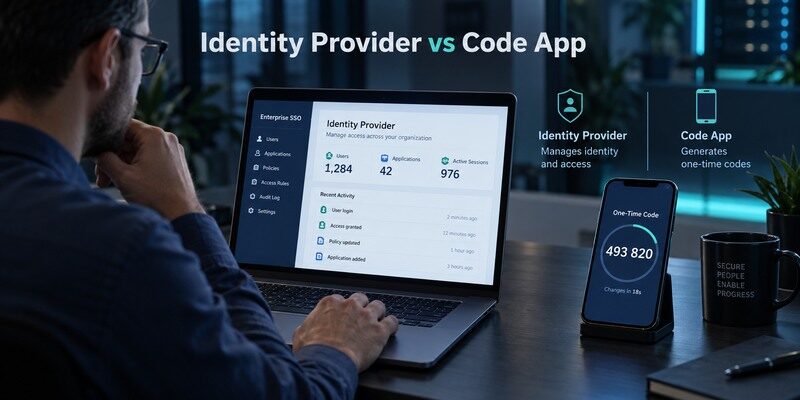
Identity is issued and governed centrally
An identity provider knows the user, can issue sign-in assertions to connected applications and may enforce an access rule based on the application, device or risk context. Administrators control who can enroll which factor and may require a passkey, a security key or an approved app. Microsoft Entra Conditional Access, Okta policies and Duo administration illustrate different ways to implement this broader layer. The exact configuration is a local decision; a generic authenticator comparison cannot tell you what an employer permits.
An authenticator holds one part of a login
A time-based one-time password app stores a secret enrolled by a website and computes a code. It can be a helpful personal fallback and may work without a network connection after setup. Yet a code does not automatically satisfy a push, passkey or device-bound method that a provider specifically requires. For an individual shopping for a place to keep personal codes, the describes QR/manual enrollment and offline codes. Check its installed version for current backup controls and check each issuer for TOTP support. That personal choice should not be sold as a replacement for enterprise administration.
Organizations using Microsoft Entra ID should also understand how Microsoft Authenticator fits into their sign-in policies. Our guide to Microsoft Authenticator for business explains the role of the app in workplace authentication and the distinction between supported verification methods and centrally managed identity policies.
Start with Applications and Account Ownership
Inventory five to ten applications that matter most: productivity suite, VPN, payroll, customer data, developer tools and a third-party portal. Record how each application authenticates today, whether the employer controls it and who can reset access. A corporate dashboard and a separate contractor portal may use different identity authorities even when they appear on the same desktop.
Federation changes the path a user sees
Single sign-on can route a user to a central provider and back to the requested application. In a pilot, sign in from a fresh browser and confirm the user sees the right account, not a remembered session. Test one application using SAML or OpenID Connect according to its supported configuration. Make sure logout and user suspension behave as expected. Counting connected app tiles is less meaningful than proving that an offboarded test user truly loses access.
External users need a different owner
Contractors, agencies and shared service accounts create edge cases. A central provider might manage them directly or accept an external identity under specific policy. Avoid sharing one account so several people can approve each other’s prompts. During the pilot, assign an individual test account to a contractor, set a planned end date and verify that support can identify its sponsor. A provider’s directory feature is valuable only if the team maintains those ownership records throughout the account’s life.
Choose Authentication Methods Before Vendors
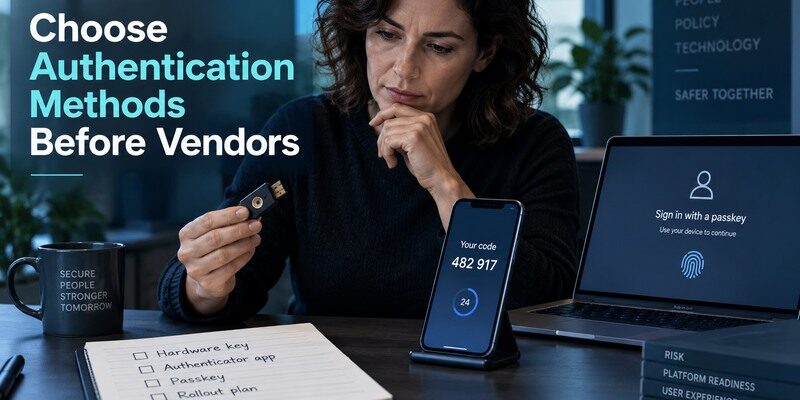
Passkeys and security keys answer a phishing question
NIST distinguishes phishing-resistant authenticators from manually entered one-time codes. A code can be typed into a convincing fake sign-in page and potentially relayed; a correctly implemented passkey or security key is bound to the legitimate service. If phishing resistance is an explicit policy goal for administrators or finance staff, test that method with the applications that hold sensitive data. Do not call every form of MFA phishing-resistant merely because it adds a second step.
For employees using Microsoft-managed accounts, the available authentication methods depend on organizational policy rather than personal app preferences alone. Our guide to Microsoft Authenticator for work accounts explains common app setup and sign-in workflows, while administrators remain responsible for enforcing the methods permitted by the organization.
Push and TOTP have distinct operational risks
A push is convenient, but a user can be pressured into approving an unexpected request. Number matching and device context can help the person evaluate the prompt, while training should reinforce rejection of unsolicited approvals. TOTP does not require push delivery, but codes are portable in ways that require care with QR images and exports. SMS may provide access where smartphones are unavailable, though it has its own threat and accessibility considerations. The right method mix comes from roles and failure scenarios, not a single favored icon.
Register at least two recovery routes
For a privileged account, one handset should not be the sole working factor. Test a second approved method or administrator recovery route under your policy and keep recovery credentials protected. Simulate loss of the original device and measure whether the user can regain access without an improvised bypass. Record who verifies identity during reset and whether the old device is revoked. A product demo that shows only a successful approval misses the most expensive day in the lifecycle.
Assess Policy and Device Signals
A provider’s access rule should be easy for the security team to explain: who, which app, which device, which method and which exception. Microsoft documents authentication strengths in Conditional Access; Okta and Duo provide their own organization-facing controls. Compare the exact rule you intend to deploy rather than an abstract claim of “advanced security.” If your workforce includes personal phones, clarify what device information you can collect and what happens when an employee declines enrollment.
Test risky and ordinary sessions separately
Use a managed laptop on the usual network, then an unmanaged browser and a newly registered phone. Confirm when the rule prompts again and whether a trusted-device designation persists longer than policy permits. A pass on the familiar office laptop may simply reflect an existing session. Repeat on a clean browser profile. Capture the sign-in event in admin logs and make sure the support desk can interpret it without reading an opaque error code back to a user.
Time-based one-time passwords are useful when an application supports standard TOTP enrollment, but they should not be confused with phishing-resistant authentication. Our guide to a TOTP authenticator app explains how time-based codes are generated, how enrollment works, and why recovery and secret storage require careful planning.
Write an exception expiry into the design
Emergency bypasses can outlive their reason if nobody owns them. During the pilot, create a test exception for a lost device, assign an approver and a short expiry, then verify automatic removal or a documented review. Keep the reasons in an auditable place. The best authentication service for a team is one whose policies staff can operate safely on a Monday morning, including the exceptions, not merely configure once in a lab.
Compare Recovery and Service Operations

| Failure | Question for provider | Acceptance test |
| Lost phone | Who resets enrollment and revokes the old method? | Replace a test device and complete a fresh sign-in |
| Identity-system outage | Which applications have a resilient access route? | Run the documented continuity exercise |
| Terminated account | Are sessions and app access revoked? | Disable a test user and check downstream apps |
| Forgotten backup password | Can the person still recover through an approved route? | Perform the reset without the original phone |
Help-desk work is a security control
A support agent needs a method to verify the person asking for a reset without trusting an email or call that an attacker could spoof. Ask each provider how factor resets are logged and which administrative roles may perform them. Practice the precise handoff from employee to support to administrator. A fast but unaudited recovery can erase the benefit of a strong initial authentication method.
Keep a break-glass account outside the same loop
An administrator may be unable to fix a tenant-wide problem if the only emergency account is subject to the same failed policy and depends on the same unavailable phone. Follow the provider’s current emergency-access guidance: keep accounts controlled, monitor usage and test them periodically. The goal is controlled continuity, not a hidden everyday login. Record who may access the method and what alerts fire when it is used.
Price the Whole Identity Project
Vendor lists and per-user prices can change, so do not quote a snapshot as a purchase recommendation. Ask for a current proposal that includes plan tier, authentication methods, device policy, support obligations and integrations you will actually enable. Migration has its own cost: repairing inconsistent usernames, enrolling users, teaching staff to spot a fake prompt and supporting the first phone-replacement wave.
Account for overlap with existing licenses
An organization already paying for a productivity suite may have some identity capability included and need an additional tier for a particular conditional policy. Another team may prefer a neutral provider because its application estate spans several clouds. Duo may complement an existing primary identity source or serve as an SSO provider in a selected architecture. Do not compare all three as if their deployment scope were identical. Ask a vendor to draw the actual sign-in path for two representative apps and show where each paid component acts.
Measure support load, not only subscription cost
Track failed enrollments, recovery requests and time to restore access during the pilot. A method that adds thirty seconds per sign-in across a large team can matter, but an unsafe shortcut that saves thirty seconds is not an improvement. Segment results by role and device. A frontline worker with a shared workstation may need a different workflow from a developer with a company laptop. Use those observations to decide whether one policy fits everyone or several narrowly defined policies are warranted.
Where Authenticator App Fits in the Stack
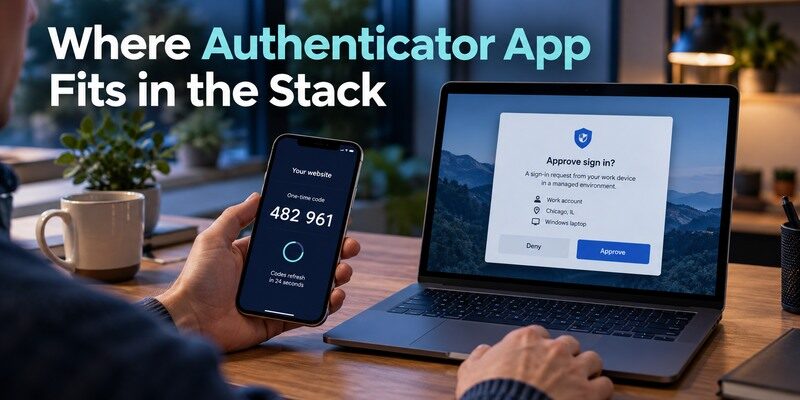
An organization can authorize standard TOTP as one method for certain applications while requiring stronger registered methods elsewhere. A personal authenticator can display ordinary codes for compatible accounts; it cannot supply a managed Okta FastPass, a Duo Push enrollment or a Microsoft-only approval simply by generating six digits. For personal services, a user may evaluate on a recoverable account and confirm a fresh login, account labels and current replacement-phone controls.
Do not enroll company secrets in an unapproved app just to reduce the number of icons on a phone. Separate employer methods from personal entries, and ask the administrator which alternative factors the policy supports. If a personal service issues recovery codes, save them independently of the authenticator device. An app choice becomes useful only after the responsible issuer accepts it and the user has a tested way back in.
Frequently Asked Questions
Is the best identity provider also the best authenticator app?
No. A provider governs users, applications and policy; a code app generates an enrolled factor. Some vendors offer both, but evaluate the two jobs separately.
Can a TOTP app replace every company approval?
Only where the administrator and application allow standard TOTP. A registered push, passkey or device-bound method cannot be recreated by an unrelated code app.
Which of Entra, Okta and Duo is cheapest?
There is no stable universal answer. Request a current quote for the required methods, integrations, support and number of users under your actual deployment scope.
What should an identity-provider pilot prove?
Test a fresh sign-in, a lost phone, an unrecognized device, an exception, a disabled user and an administrative recovery. Check both the user prompt and the logs.
Are six-digit codes phishing-resistant?
No. A manually entered code can be relayed by a fake site. For a phishing-resistant objective, assess an approved passkey or security key with your applications.
Final Thoughts
Entra may be economical within existing Microsoft licensing but needs careful policy and tenant administration.
Choose an identity provider by the applications and users it must govern, the methods it can enforce and the recovery your staff can run under pressure. Microsoft Entra ID, Okta and Cisco Duo deserve a pilot when their architectures fit those needs. Keep a personal code app evaluation separate: Begamob can be considered for compatible TOTP accounts through its and , but employer-controlled methods follow employer policy.
