
How to Create a Strong Master Password You Can Still Remember
Published October 9, 2026 · Updated October 21, 2026
Learning how to create a strong master password is essential for keeping your password manager secure. A strong master password should be long, unique, difficult to guess, and easy enough for you to remember.
One effective approach is to create a passphrase using randomly selected, unrelated words instead of predictable patterns or personal information. In this guide, you’ll learn how to create a secure master password step by step, remember it safely, and avoid common mistakes that could put your accounts at risk.
Set the goal before choosing characters

The goal is a secret that is difficult for another person or automated guessing system to predict yet easy enough for you to enter accurately. Length and unpredictability matter more than decorative substitutions such as replacing “a” with “@.” NIST’s current Digital Identity Guidelines emphasize length and blocklisting common or compromised choices, and discourage arbitrary composition rules and routine forced changes. Your manager may impose its own minimum; use a longer phrase than the minimum when practical.
The same principles of password length, uniqueness, and avoiding predictable patterns also apply to workplace security requirements. Our guide to building a strong password policy explains how organizations can establish practical rules without relying on unnecessary character-composition requirements.
Why the master secret has a different job
For ordinary websites, the manager can create a long random password that you never type. The master password must be remembered and may need to be entered after a reboot, a device change, or a security check. If it is too difficult, you may copy it into an insecure note or reduce auto-lock protections. A slightly longer but usable phrase can be safer in real life than a theoretically complex string that pushes you into unsafe workarounds.
Unlike your master password, the credentials stored inside a vault can usually be generated randomly without needing to memorize them. Our password manager setup guide explains how to create, save, and verify these unique passwords across your devices.
What length does—and does not—buy
Adding independent words expands the number of possible phrases; adding your birth year to a famous sentence contributes little unpredictability. A long quote, song lyric, or joke printed on a mug is a poor master secret despite its character count. Likewise, six words selected from a public personal profile are guessable. Use genuinely unrelated words selected without your own story linking them, or a trusted random generator where you can safely record and learn the output.
Secure your accounts with fast, reliable two-factor authentication. Download now and protect your login in seconds.Download Authenticator App
Build a passphrase step by step
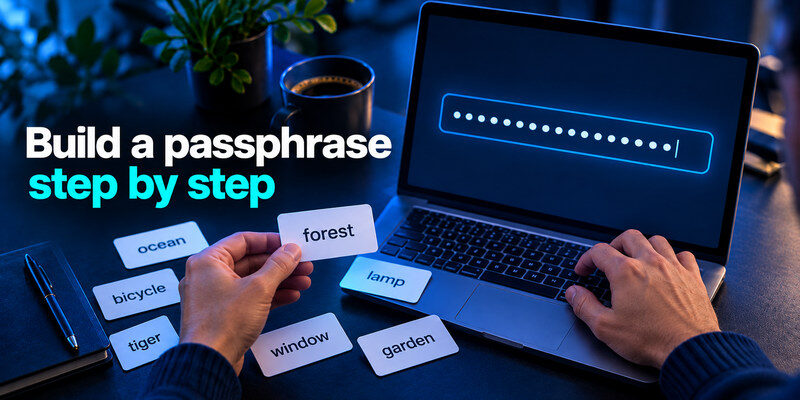
Select several unrelated words using a random word-list method or a trusted generator. Keep the exact order and spelling. You may add separators if they aid typing, but do not depend on a predictable symbol pattern to supply security. Verify that the resulting phrase is unique to this vault account. Do not use an example printed in an article, including this one; an example is public the moment it is published.
Choose words independently
“City-Pet-Birthplace” feels random to the owner but follows biographical clues. Instead, use a method that chooses without your personal associations. Write down the candidate in a private place while you test it; reselect if you notice a recognizable phrase or a sequence you have used elsewhere. Avoid exotic spelling that you will repeatedly mistype on a small phone keyboard.
Add structure only for usability
Separators can help you see word boundaries. Check whether the manager accepts spaces and punctuation, and whether keyboard layouts on all your devices make the phrase practical. The exact characters matter: an accidental trailing space can create a different secret or produce confusing errors. Type it on phone and computer before you lock yourself into the choice. Do not dictate it aloud near a smart speaker or paste it into a shared clipboard.
Confirm it is not recycled
The master phrase must never be the password of your email, workplace, banking, or any other site. If an attacker learns a reused password from a service breach, the manager’s encrypted vault becomes a tempting next target. Do not test the phrase by submitting it to a random “password strength checker” website. Local, reputable manager feedback can be useful, but the fundamental test is independent selection and unique use.
Password reuse can make an unrelated data breach more dangerous, especially when the exposed credential also protects your password vault. If you notice suspicious login activity, our guide on how to check if your account has been hacked explains how to review account alerts, successful sign-ins, and unauthorized changes.
Compare construction methods without a magic formula
| Method | Advantage | Pitfall | Suitable for |
| Random multiword phrase | Easier to learn and type | Weak if words are chosen from personal stories | Most individual users |
| Random character string | Compact for its unpredictability | Harder to memorize and enter | Users with safe backup and practice |
| Personally invented sentence | Memorable | Quotes and patterns are guessable | Only if generated unpredictably, not recycled |
No universal character count guarantees safety because attackers know common patterns, and provider-side protections differ. The practical standard is a long, unique, non-obvious choice that your manager accepts, backed by a secure device and independent sign-in factor. If your phrase is made from a famous quotation with a symbol at the end, replace it rather than arguing about the score in a strength meter.
Do not paste a sample password into production
Articles often offer memorable samples. Those strings appear in search indexes, screenshots, and training material. Treat them as demonstrations of shape only. The same principle applies to a phrase suggested by a friend or generated in a public chat: you need confidence that nobody else has seen the exact secret. Use a trusted private generator or a physical random-selection method for the final choice.
Watch for keyboard errors
On a phone, auto-capitalization and smart punctuation can silently change what you meant to enter. On another computer, the keyboard layout may differ. Test with the visible-password option in a private setting if available, then hide it again. A repeated login failure may be an input mismatch rather than forgotten memory; stop before rate limits complicate recovery.
Memorize it without making your backup fragile
Practice entering the phrase several times over a few days on trusted devices. After the first successful setup, lock the manager and sign in again deliberately. Later, use it without looking at the written copy, then confirm you could find the backup if needed. Do not repeatedly change a good phrase merely because months have passed; change it when there is evidence of compromise or a clear reason to retire it.
A safe temporary learning period
For a short period, keep a protected written copy in a place only you can access. Do not leave it in an unencrypted note titled “master password” or email it to yourself. Once the phrase is familiar, decide whether a sealed physical recovery record is still appropriate for your household and risk level. Memory and backup serve different purposes: one enables daily use, the other prevents permanent lockout.
Consider emergency access honestly
Some managers offer emergency contact or family recovery features. These can be valuable, but they may change who can restore access and under what conditions. Test the feature’s actual workflow and permission model. Do not assume support staff can decrypt a properly zero-knowledge vault after you forget the secret. If the provider says recovery is impossible without designated materials, believe the warning and prepare those materials.
Emergency access becomes especially important when multiple people depend on shared credentials. Our guide to choosing a password manager for small teams explains how to plan vault ownership, access permissions, offboarding, and emergency recovery without depending on a single person.
Add an independent factor and protect devices

A strong phrase is only one layer. Enable a separate authenticator, passkey, or security key for the manager account when supported, and save any recovery codes independently. An authenticator code stored only inside the locked vault cannot help you unlock it on a new phone. Secure your primary email as well, because it may receive account-change notices or act as part of recovery.
Prefer phishing-resistant sign-in where available
CISA recommends phishing-resistant MFA, such as a properly implemented security key or passkey, for important accounts. A TOTP app still adds valuable protection against password-only attacks, but a fake sign-in site may relay a one-time code. Type the manager’s website address yourself or use a trusted bookmark. Never give a code to a caller who claims to be support.
Lock the unlocked vault
Even the strongest master password does not protect an active vault session on an unattended laptop. Set a reasonable auto-lock interval, use a device PIN or biometric, and install security updates. Avoid logging into your manager on an untrusted public computer. If someone might have accessed an unlocked session, changing only the master phrase may not protect the website credentials they already copied.
If you suspect exposure, change the right things

If you pasted the phrase into a phishing page, entered it on a compromised device, or reused it somewhere else, secure the device and email first. From a trusted device, change the manager password, revoke unfamiliar sessions, review account recovery settings, and follow the manager’s incident guidance. Consider rotating important website passwords if the vault could have been opened. A new master phrase does not retroactively erase readable secrets already taken.
Differentiate forgetfulness from compromise
A failed login alone does not mean an attacker is present. Check typing, keyboard layout, and the manager’s official status or recovery information. Do not keep guessing until a lockout. Conversely, an unfamiliar sign-in alert or an unauthorized account change needs prompt action, even if your current phrase still works. Document what happened before changing settings so you can explain it to the provider’s official support channel.
Keep TOTP recovery outside the vault
If you choose to generate a standard TOTP code for the manager where supported, set it up on a trusted device and save the manager’s backup codes separately. A dedicated app can keep the vault’s second factor independent. It cannot recover a forgotten master password unless the manager offers a separate recovery mechanism; plan those as distinct problems.
Test the phrase under ordinary and emergency conditions
The first test is mundane: lock the manager, wait, and enter the phrase from memory on your usual computer and phone. The second test is a new-device sign-in using the official app and your independent second factor. The third is locating the protected recovery record without opening the vault. You need not consume a one-time recovery code merely to prove it exists; verify the current code set and the provider’s documented process.
| Candidate feature | Keep or reject? | Reason |
| Unrelated randomly selected words | Keep | Length plus unpredictable selection |
| Famous sentence with a year added | Reject | Public source and obvious variation |
| Personal names and birthdays | Reject | Searchable or guessable context |
| Unique random character string | Keep if usable | Strong but harder to memorize |
Treat the backup as part of the design
Imagine that you are recovering on a borrowed trusted device after losing both phone and laptop. You need to know the manager’s official sign-in address, the master phrase, the separate factor or recovery code, and any account-specific setup material. Storing all of those only in the lost bag is not redundancy. Split protected copies across locations that make sense for your household and avoid an unencrypted photograph in a cloud gallery.
Do not change a good secret to improve a score
A strength meter may reward symbol variety or penalize a phrase for reasons it cannot explain. Use it as feedback, not as an authority over the construction method. If the phrase was randomly selected, unique, long, and accepted across your devices, repeatedly changing it to chase a different color can introduce mistakes. Change when there is a credible exposure or a practical flaw in the existing choice.
Plan for someone who must help you
If a partner or executor needs emergency access, use a provider-supported mechanism or a protected, clearly labeled physical instruction. Do not email the live master password to a friend “just in case.” Emergency planning is about authorized access under specific conditions, and it should be reviewed when relationships or devices change. A locked vault with no recoverable path may protect against attackers and harm its owner at the same time.
Make the instructions actionable without including every secret in one place. Identify the provider, the location of the protected backup, who is authorized to use it, and how that person should reach the official recovery flow. A note saying only “passwords are in my app” is not enough if the phone is lost. Conversely, leaving the live phrase and second factor together in an unlocked drawer removes the benefit of two separate controls.
Review the arrangement after replacing your phone, changing a household member, or moving homes. A once-secure recovery copy can end up in a box you cannot locate. The goal is not to remember a complicated ritual forever; it is to make the essential route discoverable to the right person and inaccessible to everyone else.
Frequently Asked Questions
Should I change my master password every month?
Usually not without a specific reason. NIST discourages routine forced password changes. Change it when you suspect exposure, reuse, or unauthorized access, and follow your organization’s policy if it imposes a different requirement.
Can I write down a master password?
Yes, if the copy is protected and not left near an unlocked device or photographed casually. A sealed physical recovery copy may be better than permanent lockout. Match the storage to who can access your home or workplace.
Are four random words always enough?
There is no universal guarantee. The selection method, word list, account protections, and threat model matter. Choose a longer independent phrase when the manager permits it, and avoid any phrase derived from personal facts or public text.
What if I forget the phrase?
Use the manager’s official recovery procedure and any recovery materials you prepared. Some zero-knowledge services cannot restore a vault from a forgotten secret. Do not trust a third party promising to bypass encryption.
Final Thoughts
How to create a strong master password comes down to independent selection, sufficient length, unique use, and a recovery copy you can protect. Practice entering it on every device you rely on, then secure the vault with a separate factor and automatic locking. A memorable phrase is strong only if you can use it correctly without falling back to reuse or unsafe notes.
Sources reviewed: NIST SP 800-63B, Authenticators and Digital Identity Guidelines Implementation FAQ; CISA, “Require Multifactor Authentication”; Bitwarden Help, “Two-Step Login Methods” and “Encrypted Data.”
