
Okta Warns About AI Phishing: Why Passkeys Offer Stronger Protection
Published November 4, 2026
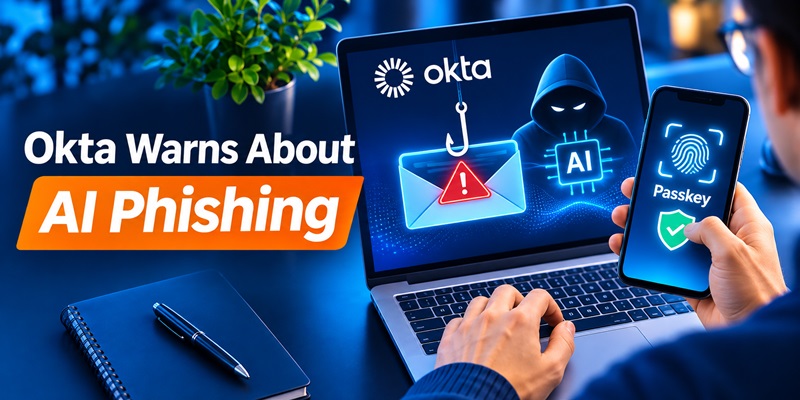
AI phishing attacks are becoming faster, more convincing, and easier to scale, but phishing-resistant passkeys can significantly reduce the risk of account takeover. That is the central message of a new warning published by identity security company Okta on November 2, 2026.
In its latest security analysis, Okta explained that attackers are increasingly using artificial intelligence to support phishing operations, including identifying potential victims, creating convincing messages, and developing phishing tools.
Unlike traditional scams filled with spelling mistakes and suspicious formatting, modern phishing campaigns can closely imitate legitimate communications from employers, banks, and technology providers.
The growing sophistication of these attacks makes it more difficult for users to identify fraudulent login requests.
However, Okta argues that the solution is not simply better phishing awareness.
The strongest defense is authentication technology that prevents stolen credentials from being used in the first place.
According to Okta’s November 2 security warning, passkeys built on FIDO2 and WebAuthn standards provide this protection through cryptographic authentication linked to legitimate websites.
What Okta’s Research Reveals About Account Takeovers
One of the most significant findings comes from Okta Threat Intelligence’s analysis of approximately 6,000 real-world social engineering incidents.
Researchers examined how attackers compromised user accounts and evaluated how different phishing-resistant authentication policies could have changed the outcomes.
The findings illustrate the importance of enforcing stronger authentication throughout the account lifecycle.
Phishing-resistant authentication could stop nearly all analyzed attacks
Okta reported the following results:
| Security measure | Account takeover attempts prevented |
|---|---|
| Mandatory enrollment in phishing-resistant authentication | 88% |
| Enforcement during application sign-in | 99.75% |
| Enforcement during sign-in and account management | Approximately 100% |
These figures represent Okta’s assessment of the analyzed incidents under different security configurations, not a universal guarantee that every phishing attack can be stopped.
The research also excluded certain attack types, including cases where the victim’s device was already compromised.
The findings nevertheless demonstrate a critical weakness in traditional authentication systems.
Strong authentication is most effective when organizations require it consistently, rather than allowing attackers to switch to weaker verification methods.
For example, a company might require passkeys for regular account sign-ins but still permit password resets using SMS verification.
An attacker who cannot defeat the passkey directly may attempt to exploit the weaker recovery process instead.
This makes account recovery policies just as important as login security.
How AI Phishing Attacks Bypass Traditional Authentication
Traditional phishing attempts typically rely on fraudulent emails that persuade victims to reveal their passwords.
Modern AI-powered phishing operations expand on this approach by combining automation, convincing impersonation, and real-time credential theft.
Okta warns that artificial intelligence is accelerating existing attack techniques rather than necessarily creating entirely new forms of cybercrime.
AI-generated phishing messages
Attackers can use generative AI to create professional-looking emails, messages, and fake support conversations.
These messages may imitate:
- Corporate IT security notifications
- Microsoft or Google account alerts
- Password reset requests
- Banking security warnings
- Requests to verify account access
AI can also help attackers tailor messages to specific organizations or individuals.
As a result, phishing messages may appear more credible than traditional scams.
Real-time theft of authentication codes
Another serious threat involves phishing websites designed to capture verification codes.
Consider this scenario:
- An employee receives a convincing message claiming their company account requires immediate verification.
- The message directs the employee to a fake login page.
- The employee enters their username and password.
- The fraudulent website requests a six-digit verification code.
- The attacker captures the code and attempts to use it before it expires.
Although time-based one-time passwords provide an additional security layer, they can still be stolen through real-time phishing.
Attackers may also use adversary-in-the-middle techniques to intercept authenticated sessions.
This is why traditional MFA is stronger than password-only authentication but does not always provide complete phishing resistance.
AI-assisted voice phishing
Okta has also highlighted the growing role of voice phishing, commonly called vishing.
In these attacks, criminals impersonate IT support employees and persuade users to approve suspicious requests or change their authentication settings.
Some attackers specifically encourage victims to avoid stronger authentication methods and use weaker alternatives.
The objective is often to bypass security controls without directly breaking the underlying authentication technology.
Why Passkeys Offer Stronger Protection Against Phishing
The main advantage of passkey security is that passkeys are designed to prevent authentication credentials from being used on fraudulent websites.
Unlike passwords or one-time codes, passkeys rely on public-key cryptography.
Each passkey is associated with a particular service and its legitimate domain.
How passkey authentication works
When a user creates a passkey, the authentication system generates two cryptographic keys:
- Private key: Stored securely by the user’s device or passkey provider.
- Public key: Registered with the website or application.
During login, the legitimate website sends a cryptographic challenge.
The user’s device uses the private key to sign the challenge, allowing the service to verify the login without receiving the private key.
The user typically approves the action using Face ID, fingerprint recognition, or a device PIN.
According to the FIDO Alliance, this approach allows users to authenticate without sharing reusable passwords or verification secrets.
Why fake websites cannot use legitimate passkeys
Imagine a user has registered a passkey for a legitimate banking website.
An attacker creates a convincing copy of the login page using a different domain.
Even if the fake website looks identical, the browser and operating system will not allow the bank’s passkey to authenticate to the attacker’s domain.
This protection is known as origin binding.
It is one of the key reasons passkeys are considered phishing-resistant.
Traditional authentication codes do not provide this same protection because users can manually enter those codes into fraudulent websites.
Passkeys also reduce password-related risks
Passkeys can also help prevent several other common attacks, including:
- Password reuse attacks
- Credential stuffing
- Password database theft
- Automated password guessing
- Theft of reusable authentication secrets through fake login pages
For services that fully replace passwords with passkeys, attackers cannot simply reuse a stolen password to authenticate.
However, these benefits depend on how the service implements login and account recovery.
Passkeys vs Passwords and Authenticator Codes
The differences between authentication methods help explain Okta’s recommendation.
| Security feature | Passwords | Authenticator OTP | FIDO2 Passkeys |
|---|---|---|---|
| Protects against password-only attacks | No | Yes | Yes |
| Resistant to phishing | No | No | Yes |
| Requires typing a reusable secret | Yes | Password often required | No |
| Can be captured through fake login pages | Yes | Yes | Not through ordinary credential phishing |
| Uses cryptographic domain binding | No | No | Yes |
| Supports passwordless login | No | Generally no | Yes |
Passkeys provide stronger protection against credential phishing, while authenticator-generated codes remain a practical second factor for services that do not support passkeys.
It is also important to distinguish an authentication method from an authentication app.
Some authentication apps support multiple sign-in technologies, including OTP codes, passwordless authentication, and passkeys.
An app that generates six-digit TOTP codes does not automatically provide passkey authentication.
Users interested in this distinction can explore our comparison of Microsoft Authenticator vs Passkeys.
How to Protect Your Accounts From AI Phishing
Okta’s findings highlight the importance of combining strong authentication with practical account security habits.
1. Enable passkeys whenever available
Start with accounts that contain sensitive personal or financial information.
Priority accounts include:
- Primary email accounts
- Banking and financial platforms
- Password managers
- Cloud storage accounts
- Workplace applications
- Cryptocurrency services
Look for options labeled Passkey, Security Key, or Passwordless Sign-in in the account’s security settings.
Follow the official instructions to register a passkey and verify that it works before removing existing authentication methods.
2. Use an authenticator app when passkeys are unavailable
Not every website supports FIDO2 authentication.
For services that still require passwords and verification codes, an authenticator app can provide valuable additional protection.
A TOTP authenticator generates temporary verification codes used during account sign-in.
Compared with password-only authentication, this reduces the risk that a stolen password alone will grant access.
The Authenticator App provides TOTP verification codes for compatible services and helps users manage multiple two-factor authentication accounts.
Important: Never share authentication codes with someone claiming to be customer support, and never enter them into an unfamiliar website.
TOTP verification is not equivalent to phishing-resistant passkey authentication.
3. Protect account recovery methods
Even a strong passkey cannot fully protect an account if attackers can exploit weak recovery settings.
Review the recovery email addresses, phone numbers, registered devices, and alternative authentication methods connected to your important accounts.
Remove outdated recovery options and protect your primary email with strong authentication.
For business accounts, administrators should also restrict unauthorized changes to authentication methods.
4. Watch for suspicious login requests
Unexpected authentication notifications can indicate an ongoing attack.
Be cautious if someone asks you to:
- Reveal a one-time verification code
- Approve a login you did not initiate
- Register a new authentication device
- Disable an existing passkey
- Change recovery information urgently
- Install unfamiliar remote-access software
If a request appears suspicious, open the official application directly instead of following a link from the message.
You can also follow our personal cybersecurity checklist to review essential account security settings.
5. Keep your devices and browsers updated
Passkeys rely on devices, browsers, and credential providers to perform secure authentication.
Keeping these components updated helps reduce exposure to known software vulnerabilities.
Use a strong device screen lock, review installed applications, and remove suspicious browser extensions.
If a device is infected with malware, even strong authentication may not prevent session theft or unauthorized activity.
Are Passkeys Completely Secure?
No authentication method can eliminate every cybersecurity risk.
Although passkeys offer strong protection against traditional credential phishing, attackers may still exploit other weaknesses.
Potential risks include:
Compromised devices: Malware may steal session cookies or access sensitive information after a user has authenticated.
Weak account recovery: Attackers may attempt to reset an account through recovery methods that do not require phishing-resistant verification.
Social engineering: Criminals may persuade users or support teams to register unauthorized authentication methods.
Stolen active sessions: An attacker with access to a valid authenticated session may bypass the need to perform a new login.
Okta’s research reinforces the importance of protecting the entire authentication process, including initial registration, account recovery, and changes to security settings.
For organizations, this means implementing phishing-resistant authentication across both application sign-in and account management.
For individual users, it means enabling passkeys wherever possible while securing recovery methods and monitoring suspicious account activity.
Final Thoughts
Okta’s November 2026 warning highlights a growing challenge for cybersecurity: AI phishing attacks are making traditional social engineering easier to scale and harder to recognize.
However, the research also demonstrates that stronger authentication technology can significantly limit the opportunities available to attackers.
Passkeys protect users by replacing phishable credentials with cryptographic authentication linked to legitimate websites.
When organizations consistently enforce these protections across login and account management, they can prevent many account takeover attempts.
For everyday users, the practical recommendation is straightforward:
Use passkeys when supported, enable authenticator-based 2FA when passkeys are unavailable, and protect account recovery methods from unauthorized changes.
As AI continues to reshape phishing campaigns, authentication security must become less dependent on users recognizing every fraudulent message.
Official Sources
- Okta — Phishing Is a Trap. Passkeys Aren’t. — November 2, 2026.
- Okta — New Speed, Same Tricks: Defend Against AI Threats With Security Fundamentals — October 7, 2026.
- FIDO Alliance — Passkeys — Technical overview of passkey authentication.
- Google for Developers — Passkeys — Explanation of passkey security and implementation.
This article is based on publicly available security research and technical documentation. It does not report independent penetration testing.
