
Microsoft Authenticator vs Passkeys: Which Is Safer?
Published October 30, 2026
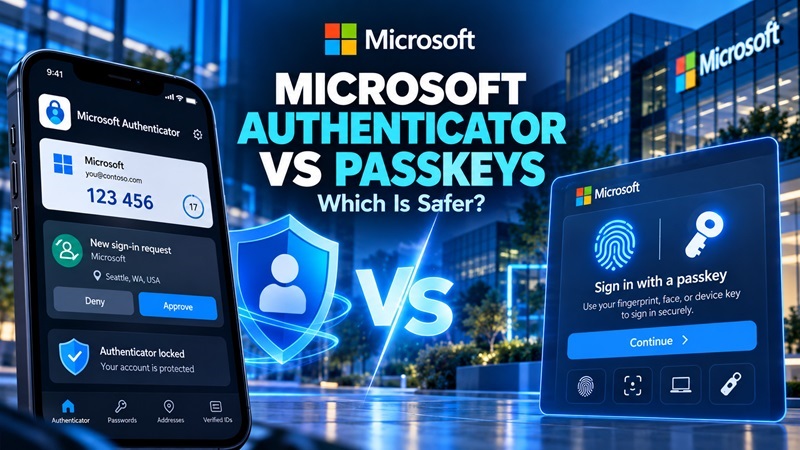
Microsoft is making passkeys the default authentication method in Microsoft Entra ID, marking a major shift away from SMS and voice-based verification. The company began rolling out passkey registration prompts on September 1, 2026, ahead of the retirement of its built-in SMS and voice authentication services in 2027.
This change raises an important question: Microsoft Authenticator vs Passkeys—which offers better protection against modern cyberattacks?
Short answer: Passkeys provide stronger protection against phishing than traditional six-digit authenticator codes or push-based MFA. However, Microsoft Authenticator itself supports passkeys, meaning users do not necessarily need to abandon the app.
Understanding this difference is especially important as Microsoft prepares organizations for passwordless authentication.
Microsoft Is Moving Away From SMS MFA: What Happened?
On July 13, 2026, Microsoft announced that passkeys would become the default authentication experience in Microsoft Entra ID.
The change aims to reduce dependence on SMS and voice authentication, which can be vulnerable to phishing, SIM swapping, and social engineering.
According to Microsoft’s official announcement, the transition follows this schedule:
| Date | Microsoft Security Change |
|---|---|
| September 1, 2026 | Microsoft begins automatically enabling passkeys and prompting eligible SMS/voice MFA users to register |
| October 30, 2026 | Organizations can begin configuring supported third-party telephony providers |
| February 1, 2027 | Microsoft-provided SMS/voice MFA ends for most Entra ID users |
| July 1, 2027 | Retirement extends to Global Administrators and external users |
Important: Microsoft is not eliminating the Microsoft Authenticator app or banning SMS authentication across all its products.
The retirement specifically concerns Microsoft’s built-in SMS and voice delivery in Entra ID public cloud environments. Organizations with a legitimate need for SMS or voice can use supported third-party providers.
Why this security change matters
Traditional MFA significantly improves security compared with passwords alone. However, attackers can still trick users into revealing one-time codes or approving fraudulent login requests.
Passkeys address these weaknesses through cryptographic authentication tied to the legitimate service.
For organizations, the transition is an opportunity to reduce account takeover risks while simplifying the sign-in experience.
Microsoft Authenticator vs Passkeys: Which Is Safer?
Passkeys are generally safer than traditional Microsoft Authenticator OTP codes and push notifications when it comes to phishing resistance.
The difference is not necessarily the application users install. It is the authentication method being used.
Microsoft Authenticator supports several sign-in methods, including OTP verification, push notifications, passwordless phone sign-in, and device-bound passkeys.
Here is a comparison of the most relevant options.
| Security Feature | Authenticator OTP / Push MFA | FIDO2 Passkeys |
|---|---|---|
| Requires a password | Usually for traditional MFA | No |
| Protects against password-only attacks | Yes | Yes |
| Resistant to phishing | Not fully | Yes, by design |
| Uses public-key cryptography for sign-in | Not for traditional OTP | Yes |
| Manually entered security code | Sometimes | No |
| Vulnerable to real-time OTP phishing | Yes, for OTP | Not to OTP theft |
| Uses device biometrics or PIN | Depends on method | Typically yes |
| Can work in Microsoft Authenticator | Yes | Yes |
| Works without SMS | Yes | Yes |
Winner for phishing resistance: Passkeys.
However, that does not mean traditional authenticator-based MFA is useless. It remains substantially better than password-only authentication for many accounts.
For users who cannot immediately adopt passkeys, Microsoft Authenticator continues to provide useful protection.
How Microsoft Authenticator and Passkeys Work
The key to understanding microsoft authenticator vs passkeys is recognizing how each method verifies identity.
Microsoft Authenticator: Codes and approval requests
Microsoft Authenticator can generate time-based one-time passwords, typically six-digit codes that change periodically.
Users enter these codes after providing their account password.
The app can also send push notifications asking users to approve a sign-in. Microsoft uses number matching for Authenticator MFA push notifications to reduce accidental or fraudulent approvals.
These methods provide a second verification step.
However, OTP codes can still be captured by fake login websites, and users can sometimes be deceived into approving malicious authentication requests.
Microsoft also offers a separate passwordless phone sign-in method in Authenticator. This uses device-bound key-based authentication and should not be confused with ordinary OTP verification or FIDO2 passkeys.
Learn more in our Microsoft Authenticator guide.
Passkeys: Cryptographic authentication
Passkeys use public-key cryptography rather than a code users must type into a website.
When a passkey is created, two related cryptographic keys are involved:
- Public key: Registered with the service.
- Private key: Protected by the user’s device or credential provider.
During authentication, the device uses the private key to prove possession of the credential without revealing that private key to the website.
Users typically authorize the operation with a fingerprint, facial recognition, or device PIN.
Passkeys are bound to the legitimate website or application, making them resistant to phishing attempts involving lookalike login pages.
That is the major security advantage in the microsoft authenticator vs passkeys comparison.
Why Microsoft Is Prioritizing Passkeys
Microsoft’s decision reflects a broader industry movement toward phishing-resistant authentication.
1. Stronger phishing protection
Traditional OTP authentication depends on a secret that can be entered into a fraudulent website.
A passkey uses cryptographic verification associated with the legitimate service.
Attackers cannot simply reuse a passkey by convincing someone to type a six-digit code into a fake login page.
This is particularly important for organizations facing sophisticated phishing campaigns.
2. Reduced dependence on passwords
Passwords remain a common target for credential theft, phishing, and password reuse attacks.
Passkeys enable passwordless sign-in, reducing the need to remember or enter passwords during supported authentication flows.
However, an account’s overall security still depends on its recovery process, registered devices, and other enabled sign-in methods.
3. Protection against SIM swapping
SMS verification depends on a telephone number.
An attacker who successfully transfers a victim’s number to another SIM may intercept SMS authentication messages.
Passkeys do not rely on SMS delivery, eliminating that specific authentication risk.
4. Simpler sign-in experience
Passkeys allow supported users to verify their identity through device authentication.
Instead of repeatedly copying verification codes, users can approve a cryptographic sign-in using their device’s security features.
Microsoft recommends phishing-resistant authentication methods such as FIDO2 passkeys, Windows Hello for Business, and supported security keys.
The official Microsoft Entra authentication overview explains the differences between authentication methods and their security properties.
Can Microsoft Authenticator Use Passkeys?
Yes. Microsoft Authenticator can store and use device-bound passkeys for supported Microsoft Entra ID accounts.
This is one of the most important clarifications in the microsoft authenticator vs passkeys discussion.
Microsoft Authenticator is an application. A passkey is an authentication credential and method.
They are not necessarily competing products.
Microsoft Authenticator can act as a passkey provider, allowing users to sign in using phishing-resistant cryptographic credentials.
According to Microsoft’s documentation, Authenticator passkeys use hardware-backed storage:
- iPhone: Private keys are stored using Apple’s Secure Enclave.
- Android: Private keys use the Android Keystore and supported secure hardware.
Microsoft Authenticator passkeys are device-bound and are not synced to another device.
For further reading, see Microsoft Authenticator passwordless sign-in.
The important distinction is whether you use Authenticator for OTP/push verification or for FIDO2 passkey sign-in.
Should You Switch From Microsoft Authenticator to Passkeys?
The answer depends on your account, supported devices, and organizational security requirements.
For most users who have access to properly configured passkeys, passkeys are the preferred option for phishing-resistant sign-in.
| Your Situation | Recommended Approach |
|---|---|
| Personal account supports passkeys | Enable a passkey |
| Microsoft Entra work account | Follow the organization’s passkey enrollment policy |
| Only OTP-based MFA is available | Continue using Authenticator rather than disabling MFA |
| High-security corporate environment | Consider device-bound passkeys or supported FIDO2 security keys |
| Multiple personal devices | Consider supported synced passkeys where account policy allows |
| Shared or managed work devices | Follow IT policies for credential storage and recovery |
When Microsoft Authenticator is still useful
Traditional Authenticator verification remains useful when a service has not introduced passkeys.
Many third-party websites continue to support TOTP codes as their primary app-based 2FA option.
Disabling an existing authenticator method before configuring a supported replacement could reduce account security or cause access problems.
When passkeys are the better choice
Passkeys are especially useful when phishing resistance is a priority.
Organizations protecting employee identities, sensitive company information, and privileged accounts should evaluate passkey deployment as part of their wider identity strategy.
Best practice: Use a supported passkey when available, maintain secure recovery methods, and keep any additional authentication methods required by your organization.
How to Set Up Passkeys in Microsoft Authenticator
Eligible Microsoft Entra ID users can register passkeys directly in Microsoft Authenticator.
Microsoft documents support for iOS 17 or later and Android 14 or later, subject to applicable device capabilities and organizational policies.
Step 1: Check that passkeys are enabled
Your organization’s IT administrator must enable passkey authentication in Microsoft Entra ID.
If the option is unavailable, contact your administrator before changing any existing authentication settings.
Step 2: Open Microsoft Authenticator
Install or update Microsoft Authenticator from an official app store.
Open the application and select your work or school account.
Step 3: Create a passkey
When available, choose Create a passkey.
Follow the verification prompts and complete any required device security configuration.
Step 4: Enable the passkey provider
Depending on your device, you may need to enable Microsoft Authenticator as a passkey provider in operating-system settings.
The steps differ between iPhone and Android.
Step 5: Test the sign-in
Visit your organization’s legitimate Microsoft sign-in page.
Choose the supported passkey sign-in option and complete device verification.
Do not remove your existing authentication or recovery methods until you have confirmed that the new method works.
For the exact procedure, follow Microsoft’s official Authenticator passkey registration guide.
Frequently Asked Questions
Is Microsoft Authenticator less secure than passkeys?
Traditional Microsoft Authenticator OTP codes and push notifications are generally less resistant to phishing than FIDO2 passkeys. However, Microsoft Authenticator itself can store and use passkeys, so security depends on the configured authentication method.
Is Microsoft Authenticator being discontinued in 2027?
No. Microsoft’s announced 2027 retirement concerns its built-in SMS and voice authentication delivery for Microsoft Entra ID, not the Microsoft Authenticator application.
Can Microsoft Authenticator and passkeys work together?
Yes. Users can register a passkey within Microsoft Authenticator where supported. The application can then perform phishing-resistant passkey authentication.
Are passkeys completely hack-proof?
No authentication method is completely immune to compromise.
Passkeys substantially reduce traditional credential phishing risks, but attackers may still exploit compromised devices, stolen authenticated sessions, insecure recovery processes, or other account weaknesses.
What happens if I lose my phone containing a passkey?
Recovery depends on the passkey type and account policies.
Microsoft Authenticator passkeys are device-bound and cannot simply be synced to a new device. Users may need another registered authentication method or assistance from their organization’s administrator.
Synced passkeys stored with supported credential managers have different recovery characteristics.
Will Microsoft force every user to switch to passkeys?
No. The announced 2027 enforcement applies to affected Microsoft Entra ID users relying on Microsoft-provided SMS or voice authentication, not every personal Microsoft account.
Organizations can also configure supported telephony providers when they have legitimate reasons to retain SMS or voice authentication.
Final Verdict: Microsoft Authenticator vs Passkeys
For protection against phishing, FIDO2 passkeys are safer than traditional Authenticator OTP codes or push MFA.
Microsoft’s 2026 announcement reinforces that difference by making passkeys the default authentication method in Microsoft Entra ID ahead of the 2027 SMS and voice retirement.
However, the microsoft authenticator vs passkeys comparison should not be misunderstood as a choice between keeping an app and switching to an unrelated product.
Microsoft Authenticator supports passkeys. Users can potentially benefit from both the familiar application and stronger phishing-resistant sign-in.
The recommended direction is clear: prioritize passkeys where available, preserve secure account recovery, and continue using authenticator-based MFA when passkeys are not supported.
Official Sources
- Microsoft Security Blog — Passkeys Are the Default Authentication Method in Entra ID
- Microsoft Learn — SMS and Voice Authentication Retirement
- Microsoft Learn — Authentication Methods Overview
- Microsoft Learn — Microsoft Authenticator Authentication Method
- Microsoft Learn — Passkey FAQs
- Microsoft Learn — Register Passkeys in Authenticator
