
Blog
Tips, guides, and news on two-factor authentication and account security.
Categories
- App Authenticator
- 2FA Authenticator
- Microsoft Authenticator
- Password Manager
- Google Authenticator
- Cybersecurity Basics & Account Security
- Comparison
- Data Breach Check
- Review
- Email Authenticator
- News
- Apple Authenticator
- Best App
- Binance Authenticator
- Steam Authenticator
- Proton authenticator
- Facebook Authenticator
- Uncategorized

What Is Touch ID? How It Works on iPhone, iPad & Mac
Quick Answer: Touch ID is Apple’s fingerprint recognition technology that allows users to unlock compatible iPhones, iPads, and Macs, authorize purchases, and…
November 3, 2026
What Is Face Recognition Login? Setup, Security, and Privacy
Quick answer: Face recognition login verifies a person by comparing a live facial scan with an enrolled reference. It can unlock a…
November 3, 2026
What Is Biometric Authentication? How It Works and Its Limits
Quick Answer: Biometric authentication is a security method that verifies a person’s identity using unique physical or behavioral characteristics, such as fingerprints,…
November 3, 2026
Best Biometric Authentication Apps in 2026: 8 Secure Picks
Quick answer: The best biometric authentication apps depend on what you want to protect. Apple Passwords and Google Password Manager suit people…
November 3, 2026
How to Use Biometric Login Safely on Your Devices
Quick Answer: To how to use biometric login safely on your phone, computer, or online account, enable fingerprint or facial recognition, set…
November 3, 2026
How to Set Up Windows Hello: Face, Fingerprint, or PIN
Quick answer: To enable Windows Hello, open Start > Settings > Accounts > Sign-in options. Under Ways to sign in, select PIN…
November 3, 2026
How to Set Up Fingerprint Login on Any Device (2026 Guide)
Quick Answer: To how to set up fingerprint login on a supported device, open Settings, find Fingerprint, Touch ID, or Windows Hello,…
November 3, 2026
How to Set Up Face ID on iPhone and Check That It Works
Quick answer: To set up Face ID, open Settings > Face ID & Passcode, enter or create your device passcode, tap Set…
November 3, 2026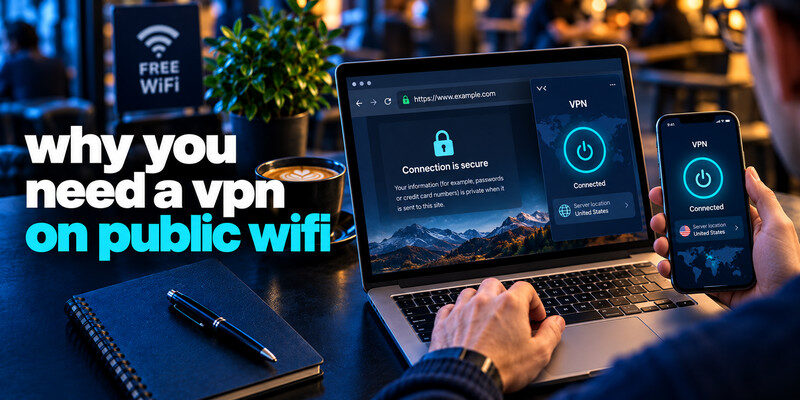
Why You Need a VPN on Public WiFi in 2026: Risks, Benefits, and Safety Tips
Quick answer: A VPN is worth using on public WiFi when you do not trust the network or want to reduce what…
October 30, 2026
ExpressVPN Review 2026: Pricing, Speed, Privacy, Pros and Cons
Short answer: ExpressVPN is a strong choice for users who want a simple VPN with independently examined no-logs controls, broad device support,…
October 30, 2026