Begamob Authenticator vs NordPass Authenticator: Which Is Better?
Published October 9, 2026 · Updated October 21, 2026
Choose NordPass Authenticator when your eligible plan, supported device, and biometric workflow fit integrated verification codes; consider Begamob for a dedicated mobile alternative. Begamob Authenticator vs NordPass Authenticator is no longer a comparison limited to business users, because NordPass now documents Authenticator for personal Premium and Family accounts.
The important question is whether the feature works in the places where you actually sign in. A password manager can be available on a platform while its authenticator feature has narrower requirements. Biometric access, browser support, and the ownership of shared items also affect the decision.
This comparison from the Authenticator App Team uses NordPass’s official personal-account announcement and support guidance, alongside Begamob’s product information. It does not claim hands-on benchmark results. Unverified Begamob implementation details remain evaluation questions rather than assumed advantages.
Begamob Authenticator vs NordPass Authenticator: Quick Comparison
| Requirement | Begamob Authenticator | NordPass Authenticator |
|---|---|---|
| Product arrangement | Dedicated mobile code application | Feature associated with NordPass password items |
| Personal use | Check current supplied app terms | Documented for Premium and Family users |
| Enrollment | QR or manual setup described | Add a two-factor code to the relevant password item |
| Access routine | Verify current app protection settings | Documented biometric confirmation for viewing or filling codes |
| Browser workflow | Verify supported integrations | Supported extensions subject to current requirements |
| Sharing | Verify product-specific behavior | Shared password items can include two-factor codes |
| Vault’s own MFA | Can be evaluated as an independent compatible method | NordPass warns against keeping its own required TOTP inside itself |
Begamob Authenticator vs NordPass Authenticator should be evaluated using the current plan and client. A review that describes NordPass Authenticator as exclusively a business feature misses the personal availability described in NordPass’s January 2026 announcement. For another comparison involving password management and verification codes, explore our Begamob Authenticator vs Bitwarden Authenticator guide to understand how different authentication workflows affect account organization, backup planning, and everyday usability.
Do not infer that every free plan or every NordPass application exposes the feature. Check the official requirements for the subscription, operating system, browser, and authentication hardware you intend to use. Those checks come before migrating important accounts.
Secure your accounts with fast, reliable two-factor authentication. Download now and protect your login in seconds.Download Authenticator App
Check Your Subscription and Device Together
Existing customers should inspect their actual entitlement
NordPass’s personal announcement identifies Premium and Family availability. If you already subscribe, confirm the account currently signed in and the feature shown in that account. A different family member’s subscription or a promotional screenshot is not evidence of your own configuration.
The cost side of Begamob Authenticator vs NordPass Authenticator should distinguish an existing subscription from a new purchase made solely for verification codes. Review current renewal terms and included functionality rather than comparing a temporary promotional price with a permanent assumption.
Supported software still needs a usable device
NordPass’s support guide lists its mobile applications and particular browser-extension combinations. Check that guide for your device instead of assuming all desktop clients provide the same code workflow. The availability of the password manager itself is a separate question.
Include the computer or phone you would use after loss or replacement. If the recovery plan depends on hardware that cannot satisfy the feature’s access requirements, the setup may work today but fail when you most need it.
For example, a reader may have an eligible personal subscription on a phone but use a managed desktop browser with different extension rules. Another may have the right browser but no suitable biometric path on the device they would borrow after a loss. Begamob Authenticator vs NordPass Authenticator should evaluate that complete combination. Make a short list of the normal device and realistic replacement, then check the current requirements for each. Do not let subscription eligibility alone stand in for an end-to-end access test.
Understand the Biometric Step Before Enrolling Accounts
Code access is part of the feature’s workflow
NordPass documents biometric confirmation when revealing or filling its two-factor codes. Its personal setup announcement also describes enabling biometrics before proceeding. Treat this as a practical prerequisite to check on your intended device, not a decorative security label.
For Begamob Authenticator vs NordPass Authenticator, test the actual sequence from a locked application. Check whether the prompt appears where you expect and whether you can complete it reliably. Do not base the decision on a demonstration that begins with everything already unlocked.
Plan for changed or unavailable biometric access
Read the current support procedure before changing devices, resetting biometric enrollment, or depending on a computer without suitable hardware. The recovery steps may differ between personal and organization-managed accounts, so use instructions for the correct account type.
Do not disable an important account’s current authenticator to investigate this requirement. A recoverable test account can establish the workflow first. If the biometric path does not fit your normal devices, a separate compatible authenticator may be simpler to maintain. If you prefer to manage verification codes independently of a biometric password vault, our Begamob and Proton Authenticator comparison examines another dedicated-app approach to personal 2FA, including platform support and recovery considerations.
Test Autofill and Manual Copy as Separate Paths
Autofill has conditions
NordPass’s support guide says code autofill depends on NordPass having filled the username and password first. If you entered those credentials manually, you may need to copy the code from the application or extension instead.
This condition matters in Begamob Authenticator vs NordPass Authenticator because a partially manual routine can feel different from the advertised integrated flow. Test both paths on a low-risk account rather than assuming that every code field will behave the same way.
Copying should preserve the account context
When using a copy route, recheck the website and account before pasting. Avoid switching through unrelated applications with sensitive material on the clipboard. If the code interval is nearly over, wait for a fresh value and complete the sign-in deliberately.
For a dedicated mobile app, assess the corresponding sequence: open, unlock if required, locate the correct entry, and enter the code. The better routine is the one that reduces mistakes on your real devices, not one assigned an invented speed score.
A clear trial compares three moments: the integrated fill path, a manual-password login that requires retrieving the code separately, and a return after the application has locked. Record which path you actually use most often. That evidence makes Begamob Authenticator vs NordPass Authenticator more concrete than a general promise of fewer taps. If the everyday path is mostly manual, evaluate the manual routine honestly rather than assuming the ideal demonstration represents every website and browser combination you will encounter.
Keep NordPass’s Own MFA Outside the Locked Vault
An account cannot be its only recovery doorway
NordPass’s support guidance warns against storing the TOTP needed for NordPass itself inside NordPass Authenticator. If you are logged out everywhere, that arrangement can prevent access to the code required to sign in.
Begamob Authenticator vs NordPass Authenticator can therefore lead to selective separation. A dedicated compatible app may be evaluated for the vault account while other website codes remain integrated. Follow NordPass’s own MFA instructions and retain its supported recovery options.
Trace the complete replacement-device sequence
Write down which account must be opened first, what credential or code it needs, and where that material is independently available. Keep the checklist descriptive; do not place the secrets themselves into an ordinary planning document.
Test the supported non-destructive steps while existing devices remain authorized. An arrangement that depends on an old logged-in phone may be useful, but it is not a complete plan for losing that phone. Resolve the dependency before moving essential accounts.
Review Shared Password Items as Shared Authentication Access
Decide who should receive the code source
NordPass documents two-factor codes in shared password items. Check the permitted recipients and the ownership of the underlying account before adding verification material. Sharing a login can expose more than one expiring number.
In Begamob Authenticator vs NordPass Authenticator, the team or family workflow should be evaluated separately from a private personal account. A convenient shared item is appropriate only when the service and organization allow that access arrangement.
Plan how access ends
When a person leaves a team or no longer needs an account, removing a sharing permission may not invalidate material they previously retained. Follow the protected service’s process to replace authentication secrets when the situation calls for it.
For organization-managed access, use the approved administrator process. Do not move work secrets into a personal authenticator simply because the phone belongs to you. Account ownership and policy remain relevant regardless of which interface feels more convenient.
A shared-item review can start with non-secret questions: who owns the service account, who should use it, who can currently open the item, and who will handle recovery if the owner is unavailable? Resolve discrepancies before adding authentication material. Begamob Authenticator vs NordPass Authenticator can otherwise become a misleading convenience comparison, because the real issue is an unclear access arrangement. Once ownership is settled, choose the supported application workflow and test it with the people and devices actually authorized to participate.
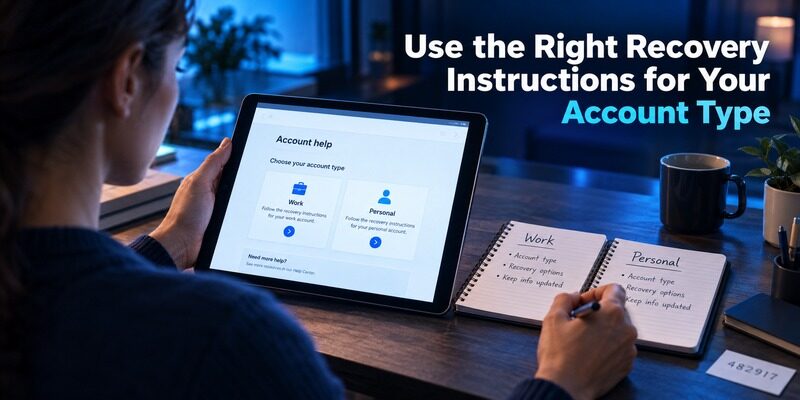
Use the Right Recovery Instructions for Your Account Type
| Situation | First question | Appropriate next step |
|---|---|---|
| Personal user changes phone | Can the new device satisfy current requirements? | Follow personal setup and recovery guidance |
| Business feature needs reset | Is an administrator responsible? | Use the organization’s documented process |
| Vault cannot be opened | Is the required MFA independently reachable? | Use the established account recovery route |
| One website code fails | Is the item linked to the active enrollment? | Check identity, time, and service settings |
| Shared access must end | Could the secret have been retained? | Review permissions and service-side replacement |
Begamob Authenticator vs NordPass Authenticator should not collapse these events into “restore the app.” The affected account, device, and access layer determine the correct procedure. An administrator action for a business environment is not automatically a recovery option for a personal subscriber.
Keep the current setup working while investigating a planned change. If a website is already inaccessible, its account-recovery process may be necessary before either authenticator can be enrolled. Neither application can derive a missing secret from an email address alone.
Compare Integration With a Dedicated Mobile Routine
Integration can reduce application switching
If you already use NordPass on supported devices and its biometric workflow is reliable, keeping compatible codes with password items can make everyday login more direct. The benefit is strongest when the saved item, account identity, and filling route are consistently correct.
Begamob Authenticator vs NordPass Authenticator should acknowledge that convenience without turning it into a universal security claim. Consider access to the decrypted item, shared recipients, and the devices that can open the vault as part of the decision.
A dedicated app can clarify code ownership
A separate application can make verification entries easy to recognize as a distinct collection. It also creates another recovery arrangement to maintain. Two apps on the same phone do not automatically survive the loss of that phone independently.
Define the exact improvement you expect from separation. If the problem is confusing item names, a label cleanup may be enough. If the problem is a circular vault dependency or an unsupported biometric workflow, a different arrangement may address it more directly.
Move Accounts Without Assuming a Password Export Includes Codes
Check the actual transfer format
Read the current export and import documentation for both ends of a proposed move. Do not assume that a password CSV contains every verification secret or that a destination can interpret it. A successful password import is not a complete authenticator migration test.
The migration route in Begamob Authenticator vs NordPass Authenticator should be verified before creating sensitive files. If compatibility remains unclear, use each service’s supported authenticator replacement process and keep account recovery available throughout.
Confirm each important account independently
Track the account name, intended destination, enrollment confirmation, separate sign-in test, and recovery review. Those fields provide a useful checklist without storing reusable secrets. Complete essential email and password-vault accounts carefully before less important services.
For managed methods such as some enrollments, confirm the accepted method with the organization. A standard TOTP replacement is relevant only where the service permits it; it does not reproduce every managed push relationship.
Frequently Asked Questions
Is NordPass Authenticator a separate app?
No. NordPass Authenticator is a feature integrated into the NordPass password manager. Eligible users can generate verification codes through supported applications and browser extensions without installing a separate authenticator app.
Is NordPass Authenticator free?
NordPass Authenticator is available through eligible subscriptions, including documented Premium, Family, and business offerings. Users should review the current plan details because availability can vary.
Can Begamob Authenticator replace NordPass Authenticator?
Begamob Authenticator can generate standard TOTP codes for compatible services. You may need to reconfigure each account’s authentication settings when switching from NordPass.
Does NordPass Authenticator autofill 2FA codes?
Yes, for supported workflows. NordPass can autofill TOTP codes after biometric confirmation when it has also autofilled the relevant login credentials. Other sign-ins may require manually copying the code.
Is it safer to keep passwords and 2FA codes in separate apps?
Separating passwords and TOTP secrets can reduce their dependence on a single application or vault, but it is not automatically safer in every situation. Device security, account protection, backup methods, and recovery procedures also matter.
Can I use Begamob Authenticator to protect my NordPass account?
If your Nord account offers a compatible authenticator-based MFA option, a standard TOTP authenticator such as Begamob may be used. Follow the official Nord account setup instructions and securely retain the recovery codes.
Final Thoughts
Begamob Authenticator vs NordPass Authenticator is a practical choice between dedicated mobile codes and an integrated biometric vault workflow. NordPass’s personal availability broadens the comparison, but subscription, client, and recovery requirements still matter.
Confirm the exact arrangement you will use, keep the vault’s own access independently reachable, and test one account before expanding. A clear recovery sequence should accompany whichever daily routine you prefer.