
Begamob Authenticator vs 2Stable Authenticator: Apple Devices, Browser Access, and Backups
Published October 9, 2026 · Updated October 21, 2026
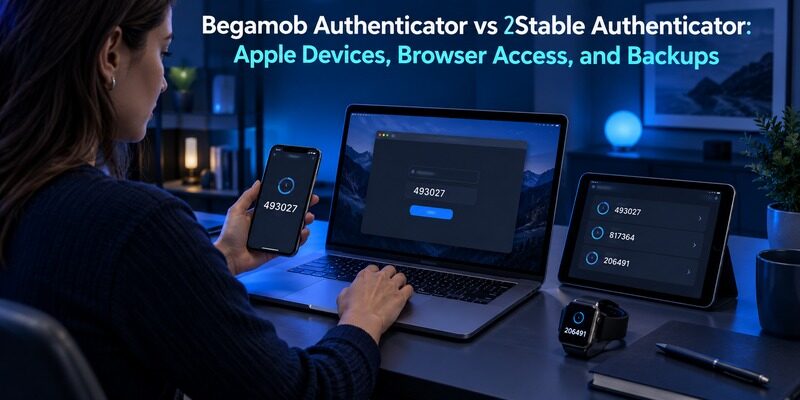
Choose 2Stable when its documented Apple-device and Mac-dependent browser workflow fits your needs; trial Begamob when you want a dedicated supported mobile alternative. Begamob Authenticator vs 2Stable Authenticator should focus on device requirements and recovery, because both products can appear under the generic name “Authenticator App.”
Check the publisher before installing or following a guide. A familiar app name does not establish that you have selected the intended developer, subscription, or backup system. The same caution applies to an Android link: an availability label should be followed through to an actual supported release.
This comparison is written by the Authenticator App Team using 2Stable’s official product, Android, and import/export pages alongside Begamob’s product information. It does not claim hands-on security testing. It distinguishes the provider’s encrypted storage description from the protection of a separately exported file.
Begamob Authenticator vs 2Stable Authenticator at a Glance
| Decision area | Begamob Authenticator | 2Stable Authenticator |
|---|---|---|
| Product identity | Use the supplied Begamob listing | Check that the publisher is 2Stable |
| Primary device evaluation | Current supported mobile devices | Documented iPhone, iPad, Apple Watch, and Mac workflow |
| Browser access | Verify current product support | Advertised extension workflow requires the Mac app |
| Cloud arrangement | Verify current implementation | Official site describes encrypted data with iCloud sync and backup |
| App access | Check installed version’s controls | Passphrase and biometric access described |
| Portable file | Verify supported format and protection | Import/export guide documents an unencrypted JSON backup |
| Android assumption | Do not infer from an iOS listing | Android page currently presents a waiting list |
Begamob Authenticator vs 2Stable Authenticator is most useful when these requirements are tied to your own devices. A person with an iPhone and Mac has different options from someone using an Android phone and a Windows work computer. A generic browser-extension label does not remove the underlying platform dependency. For another comparison focused on mobile authentication and everyday usability, explore our Begamob Authenticator vs Google Authenticator guide to evaluate a different approach to managing personal TOTP accounts.
Current documentation is more reliable than an old review or a feature row without context. The 2Stable Android destination consulted for this article asks visitors to join a waiting list. Do not treat that page as proof that a released Android version can already complete your intended workflow.
Secure your accounts with fast, reliable two-factor authentication. Download now and protect your login in seconds.Download Authenticator App
Verify the Publisher Before Comparing Features
Generic app names make mistaken identity easy
Search results can contain several applications called Authenticator App. Check the developer, official distribution link, and product information before applying any setup or recovery instruction. Features from one publisher should not be attributed to another application with a similar icon or title. This distinction is also important when evaluating apps with similar names or overlapping features. Our Begamob Authenticator vs Microsoft Authenticator comparison helps clarify how two different providers approach personal authentication and supported sign-in workflows.
This identity check belongs at the start of Begamob Authenticator vs 2Stable Authenticator. For Begamob, use the supplied listing rather than selecting an unrelated store result. For 2Stable, follow its official product route and confirm the publisher in the destination.
Purchase restoration is not account restoration
An application may have a process to restore a purchase or subscription entitlement. That is not necessarily the same procedure as restoring authentication entries. Keep billing access, app unlock, and account-code recovery separate in your notes.
Before paying or migrating, identify what the current plan includes and what happens on another supported device. Avoid assuming that a purchase receipt contains the information needed to recreate your authentication collection. The required data and credentials must be established independently.
Before installation, compare the publisher shown in the store with the provider named in the guide you are reading. Keep the official product link in a non-secret setup note so a future replacement does not begin with an ambiguous search. Begamob Authenticator vs 2Stable Authenticator particularly benefits from this step because the shared generic product name can hide different recovery systems. A correct purchase receipt for one application does not establish anything about another publisher’s code collection or backup format.
Map the Apple and Browser Requirements to Your Devices
Apple-device coverage can be a real advantage
2Stable presents a workflow spanning iPhone, iPad, Apple Watch, and Mac. If you use several of those devices, investigate how the current versions work together and which settings are required. The practical benefit is convenient authorized access, not merely owning more installations. If you primarily use Apple devices, our Apple 2FA Authenticator guide provides additional information about authentication options and account protection across the Apple ecosystem.
In Begamob Authenticator vs 2Stable Authenticator, list your actual devices and the device you would use after a loss. A spare tablet can help only if it supports the application and can access the required data through your verified recovery arrangement.
The browser extension has a Mac dependency
The official 2Stable homepage states that its advertised browser extension requires Authenticator App for Mac. Do not read its list of browser names as a promise of independent operation on every computer that can run those browsers. If desktop access is essential to your authentication routine, our Google Authenticator for PC guide explains the available options and limitations of using authenticator codes with a computer.
This can settle Begamob Authenticator vs 2Stable Authenticator for a specific desktop requirement. If your daily computer cannot satisfy that dependency, investigate another supported route instead of buying on the assumption that the extension is a standalone cross-platform vault.
Treat a future Android change as a fresh decision
The current Android landing page is a waiting list, not an installation and setup guide. If your phone choice depends on Android availability, check the actual release, publisher, and documented transfer behavior when that becomes relevant.
Do not assume that a future version will share the Apple product’s synchronization mechanism or subscription conditions. A cross-platform migration deserves its own compatibility and restore test. Keep the working setup until the intended destination has demonstrated accepted codes and recoverability.
Imagine an iPhone owner who uses a Windows computer at work and a Mac at home. The home browser workflow may be a good fit while the work browser remains outside the documented requirement. The reader should decide whether phone access at work is acceptable before subscribing for the desktop convenience. Begamob Authenticator vs 2Stable Authenticator should preserve that distinction. Platform coverage is useful when it matches the actual routine, and a limitation on one machine need not invalidate an otherwise suitable phone workflow.
Distinguish App Access From iCloud Access
No separate app account does not remove every dependency
2Stable’s site advertises no account requirement while also describing iCloud synchronization and backup. These statements concern different layers. A product can avoid a separate vendor login while still relying on an operating-system cloud account for particular features. If cloud synchronization and device recovery are important to your decision, our Begamob and Authy comparison explores another approach to managing verification codes, backup arrangements, and access across devices.
The recovery discussion in Begamob Authenticator vs 2Stable Authenticator should identify the actual prerequisites: app passphrase, cloud access, supported device, and retained data. “No account” is not a complete description of what a replacement installation needs.
Biometric unlock needs its supported fallback
2Stable describes biometric access alongside its passphrase-based workflow. Determine what is required after reinstalling, changing hardware, or losing the original device. A fingerprint or face enrollment on the old phone should not be assumed to unlock a backup on a replacement.
Test the non-biometric route according to current instructions while the working installation remains available. If you cannot supply the required credential, resolve that before a trade-in or reset. An easy daily unlock can hide a recovery prerequisite that has not been used for months.
For the replacement-device rehearsal, distinguish access to the operating-system cloud account from unlocking the authenticator’s data. Write the order of operations and identify where each required credential is retained. Do not assume that successfully signing into one layer proves the other is recoverable. Begamob Authenticator vs 2Stable Authenticator becomes easier to assess when those steps are named separately. You can check the sequence while the original device works, avoiding the unnecessary risk of erasing it just to simulate a failure.
Treat an Exported JSON File as Sensitive Authentication Data
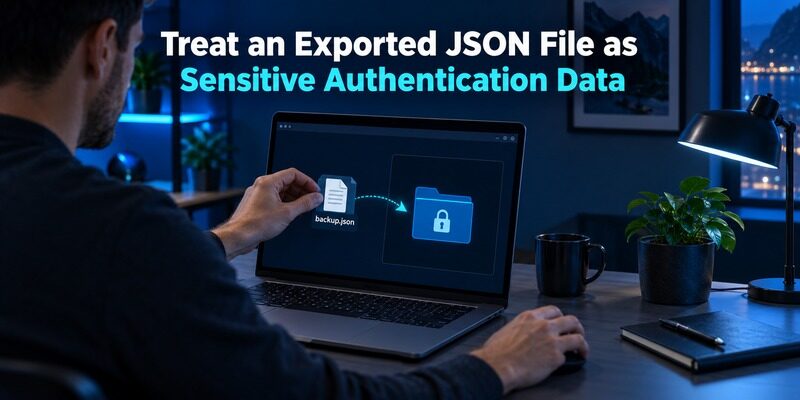
Storage encryption does not automatically protect exports
2Stable’s import/export help page documents creating a JSON backup and explicitly says the exported file is not encrypted. That is a material distinction from its homepage’s description of encrypted app data and iCloud storage.
Begamob Authenticator vs 2Stable Authenticator should not describe every backup with one security adjective. Read the warning for the exact route you use. A portable file may recreate authentication entries and therefore deserves protection even when its filename looks like an ordinary document.
Choose the destination before creating the file
Decide where the export will be stored, who can access that location, and how it will reach the supported destination. Avoid public links, shared downloads folders, ordinary chat attachments, or unknown online converters that ask to inspect the contents.
The portability side of Begamob Authenticator vs 2Stable Authenticator has two requirements: obtaining usable data and protecting it during the move. A convenient export is valuable only when the receiving application understands the format and the transfer does not create uncontrolled secret copies.
Verify the import before removing temporary material
The 2Stable guide describes importing its own JSON or a compatible format. That does not prove every file with a JSON extension is compatible, nor that Begamob accepts the same schema. Verify the current destination instructions before relying on direct transfer.
After import, inspect identities and test fresh codes at the protected services. Then handle temporary copies according to your storage arrangement and the provider’s guidance. Do not delete the only working recovery material before confirming that the new setup is both functional and recoverable.
An export-handling note can identify the file’s purpose, the controlled destination, the supported receiving application, and the point at which temporary copies should be removed. It should not contain the exported data itself. If you cannot explain why a particular copy exists, investigate before retaining it indefinitely. The file-protection question in Begamob Authenticator vs 2Stable Authenticator concerns the actual artifact, not the encryption language elsewhere on a product page. Treat the documented plaintext export accordingly throughout its short, planned transfer lifecycle.
Compare Cloud Recovery With Portable Recovery
| Recovery route | Potential use | Prerequisite to check |
|---|---|---|
| Existing authorized device | Continue using retained entries | Device remains available and usable |
| Supported cloud restore | Recover on another intended device | Correct cloud access, app credential, and current data |
| Compatible portable import | Move or restore through a file | Exact format, file protection, and destination support |
| Service recovery | Recover an individual protected account | Provider-issued recovery method or identity process |
| New enrollment | Replace an obsolete or exposed secret | Authorized account access and confirmation at the service |
Begamob Authenticator vs 2Stable Authenticator should identify the route that survives your most likely failure. A cloud copy can be convenient, while a portable file can address a different migration need. Neither route eliminates the value of independent recovery at essential websites.
Also distinguish a historical backup from a synchronized current state. Do not assume a deletion can be reversed merely because several devices showed the entry earlier. Review the documented retention and restore behavior, then rehearse the supported route with a low-risk account.
Evaluate Watch and Phone Access in Real Situations
Smaller screens need a label test
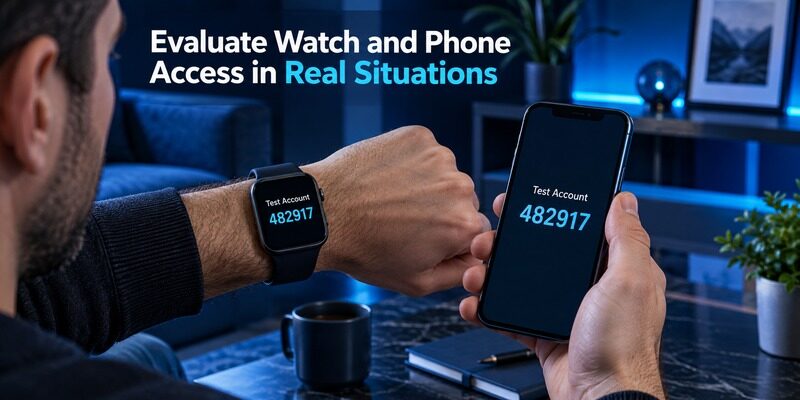
A watch or compact phone view can make a short code easy to glance at, but account identity still matters. Test similar provider names and check whether the distinguishing username is visible. A convenient number is unhelpful if it belongs to the wrong account.
For Begamob Authenticator vs 2Stable Authenticator, test access after locking the device and in the setting where you normally sign in. Do not infer the complete workflow from a promotional image that shows a code already open on the screen.
More devices mean more access points to review
Before returning, selling, or lending a device, follow the supported sign-out, removal, and reset procedures. If authentication material may have been copied, consider service-side replacement of affected secrets. Removing an icon from a home screen does not revoke a website enrollment.
Keep a short inventory of devices authorized to display important entries. Record device names and review dates without storing secrets in the inventory. This is especially useful when a watch, tablet, and desktop can all participate in the routine.
Test two similar identities on the smallest screen you intend to use. Check whether you can distinguish a personal account from a work or test account without memorizing their order. Then repeat after the device locks. Begamob Authenticator vs 2Stable Authenticator should use this realistic selection task rather than judging a watch or phone solely by a large attractive code. If the label is truncated or unclear, adjust the naming or use a different supported access point before trusting that display for important logins.
Trial Begamob Without Assuming Equivalent Ecosystem Features
Define a mobile improvement worth testing
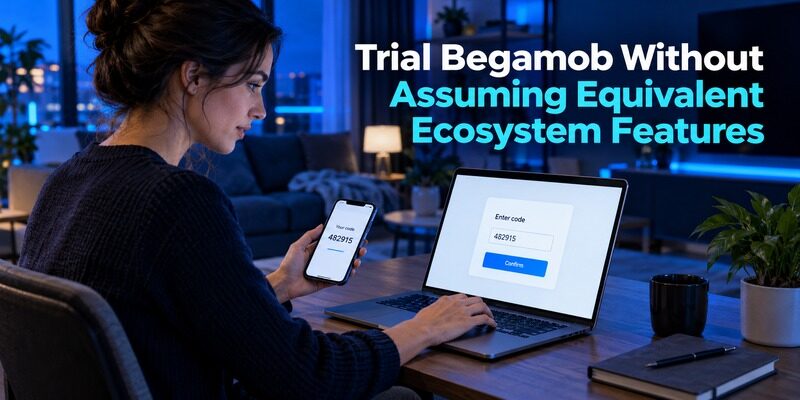
describes a dedicated mobile collection for compatible TOTP entries, with QR or manual setup and offline generation. Begin with one recoverable account and a specific goal such as clearer labels or a preferred phone interaction.
The Begamob Authenticator vs 2Stable Authenticator trial should use the supplied to establish device support and purchase terms. Do not infer a Mac extension, watch application, or iCloud architecture from the mobile product name.
Use service-side replacement when direct transfer is unclear
If the current Begamob documentation does not establish compatibility with a 2Stable export, follow each website’s supported authenticator-change process. Preserve an authenticated session, enroll the new secret, confirm a current code, and test a separate login before retiring the old entry.
When comparing a transfer from , verify that specific source route separately. An application accepting an ordinary setup QR does not automatically support every bulk-transfer QR or backup file from another authenticator.
Keep the existing setup when it already meets the requirement
Begamob Authenticator vs 2Stable Authenticator need not end in a complete switch. If your current Apple-device workflow is clear and its recovery route has been tested, changing applications should offer a concrete benefit. Avoid migrating important accounts only because another app looks newer.
If a trial does solve a problem, expand gradually and verify each important account. Check backup completeness after adding entries, not only on installation day. Recovery material created before an account was enrolled cannot protect that later account unless the documented process updates it.
Frequently Asked Questions
Are the two Authenticator App products the same?
No. The generic product name does not establish the publisher. Use the supplied Begamob listing for Begamob and 2Stable’s official distribution route for its product. Check the developer before applying setup, purchase, or recovery instructions from a search result.
Does 2Stable’s browser extension work independently of a Mac?
The advertised browser workflow on 2Stable’s official homepage requires Authenticator App for Mac. Check current requirements before relying on it from another computer. A browser appearing in the supported list does not by itself prove independent operation on every operating system.
Is the 2Stable JSON export encrypted?
The current import/export help page explicitly says the exported backup file is not encrypted. Treat it as sensitive authentication data. This is distinct from the provider’s description of encrypted app or cloud storage, and the exact destination format must still be compatible.
Can I assume the Android version is available?
The Android destination consulted for this article presents a waiting list. Verify an actual released app and its current documentation before planning an Android migration. Do not infer cross-platform synchronization behavior or purchase terms from the Apple product’s feature description.
Which app should I choose for an iPhone?
Begamob Authenticator vs 2Stable Authenticator depends on whether you need the documented Apple ecosystem features or a focused mobile routine. Check current device support, try a recoverable account, and test the replacement-device procedure. Let those results decide whether a switch is worthwhile.
Sources reviewed: 2Stable official Authenticator overview, Android waiting-list page, and Import/Export Feature help article; Begamob product overview and current App Store listing.
Final Thoughts
Begamob Authenticator vs 2Stable Authenticator is about more than a familiar app name. 2Stable documents an Apple-centered workflow, a Mac requirement for its browser extension, and a portable export whose protection differs from its cloud-storage description. Begamob can be evaluated for supported mobile use.
Confirm the publisher, map the actual device dependencies, and handle exports according to their real protection level. Keep the working installation until the destination accepts fresh codes and the recovery route has been rehearsed.
