
Begamob Authenticator vs Bitwarden Authenticator: Local Codes, Vault Sync, and Recovery
Published October 9, 2026
Choose Bitwarden Authenticator when its documented local-code workflow or connection to Bitwarden Password Manager meets your needs; trial Begamob for a dedicated supported mobile alternative. Begamob Authenticator vs Bitwarden Authenticator requires distinguishing local entries from vault-synced entries, because they have different access dependencies.
Older comparisons can miss this distinction. Bitwarden now documents synchronization between its Password Manager and Authenticator apps, while allowing local codes to remain separate. That does not mean every entry is backed up to a vault or that synced codes remain independently available after logout.
This comparison from the Authenticator App Team uses current official Bitwarden help pages and Begamob’s published product information. It explains how to evaluate the arrangements without claiming a hands-on security audit. Verify any essential Begamob backup or platform behavior in the current app before relying on it.
Begamob Authenticator vs Bitwarden Authenticator: The Main Differences
| Decision | Begamob Authenticator | Bitwarden Authenticator |
|---|---|---|
| Core role | Dedicated mobile TOTP application | Standalone mobile authenticator |
| Basic enrollment | QR or manual setup described | QR or manual setup supported |
| Relationship to a password vault | Verify current product behavior | Can keep local codes or connect supported vault codes |
| Entry location | Check installed app and recovery route | Distinguishes local and synced groups |
| Password-manager integration | Do not assume a specific integration | Documented connection to Bitwarden Password Manager |
| Recovery decision | Verify backup and transfer prerequisites | Depends on whether entries are local or vault-based |
The useful question in Begamob Authenticator vs Bitwarden Authenticator is where each secret actually resides. Two entries shown in the same app may have different recovery routes. An attractive unified list should not hide that difference when you prepare a replacement phone.
Bitwarden’s Authenticator help page distinguishes its standalone app from the integrated authenticator inside Password Manager. Compare the exact product and plan you intend to use. A feature offered by one does not automatically describe every mode of the other.
Before comparing the two apps, it’s helpful to understand Bitwarden’s standalone approach to two-factor authentication. Our Bitwarden Authenticator app guide explains its core features, account setup, and available backup options.
Secure your accounts with fast, reliable two-factor authentication. Download now and protect your login in seconds.Download Authenticator App
Separate the Standalone App From the Integrated Authenticator
A separate app can hold local entries
Bitwarden presents its standalone Authenticator as available to users with or without a Password Manager account. This creates a genuine standalone option for someone who wants mobile verification codes without first adopting a password vault.
In Begamob Authenticator vs Bitwarden Authenticator, that option should be compared with Begamob’s dedicated mobile workflow on supported devices. It should not be dismissed because the Bitwarden brand is also associated with password management.
Integrated codes belong to vault items
Bitwarden Password Manager also has an integrated authenticator associated with login items. Check its current plan requirements and supported clients before deciding that an existing free or organizational account includes every function you expect.
A saved login item can bring a username, password, website, and verification material into one workflow. That arrangement has different convenience and access implications from keeping local codes in a separate app. Evaluate the arrangement you will actually configure rather than the brand name alone.
A reader who only wants a standalone mobile app should evaluate that mode directly, while a reader already using a Bitwarden vault should examine the connection deliberately. Neither reader needs to adopt the other’s arrangement. Begamob Authenticator vs Bitwarden Authenticator becomes misleading if the integrated feature’s convenience is attributed to every local entry, or if an old description of a local-only app is applied to the current connected workflow. Start the trial by naming the product, account, and storage mode being tested.
Know Which Entries Are Local and Which Are Synced
Local means the vault is not the assumed backup
Bitwarden’s Sync Verification Codes guide distinguishes codes saved locally in Authenticator from codes associated with a Password Manager account. Local entries do not become vault items merely because both applications are installed on the phone.
This is a critical check for Begamob Authenticator vs Bitwarden Authenticator. Open the list and identify where your test entry appears. Then establish the supported export or backup route for that location. Do not treat an account sign-in elsewhere on the device as evidence that the local entry is recoverable there.
Synced entries should identify the account
The same guide explains that synced codes are grouped under the relevant account email heading. That distinction is particularly useful when you have several Bitwarden accounts or are separating personal and organizational data.
Verify the expected identity before adding or copying an entry. A code stored in the wrong account may create an ownership or recovery problem even if it generates valid numbers. Use a non-secret record of the chosen location so the decision remains clear months later.
For a practical inventory, select three non-critical entries and record only their account labels and locations. One may be local, another associated with a personal vault, and another controlled by an organization. Ask which installation or account would restore each one after losing the phone. Begamob Authenticator vs Bitwarden Authenticator should preserve those distinctions in the final recommendation. A single list of entry names can look simple while concealing several ownership and recovery rules that need different treatment.
Understand What Connecting the Apps Changes
Enable the connection deliberately
Bitwarden documents an Allow authenticator syncing setting in Password Manager, with platform and installation prerequisites. Read the current instructions for your device rather than following an old description that says the standalone app cannot connect to a vault.
For Begamob Authenticator vs Bitwarden Authenticator, connectivity is useful when it supports a workflow you want. If you prefer local separation, do not enable a connection merely to clear an onboarding prompt or imitate another person’s configuration.
Copying an entry is a separate decision
Moving authentication material into a vault changes where it is held. Before doing so, confirm the destination account and login item. Avoid creating a second similarly named record that later makes it unclear which secret is current.
Consider a personal shopping account and an organization-owned administration account. They may both accept TOTP, but ownership can determine where their secrets should live. The correct destination is not necessarily whichever vault happens to be open during setup.
Bitwarden’s integration options can be useful if you already manage passwords in a digital vault. If you’re new to this workflow, our guide to using a password manager explains how to organize credentials and build a secure account recovery routine.
Test Logout Before Depending on Synced Codes
A visible entry may depend on a logged-in vault
Bitwarden’s sync guide states that synced codes require Password Manager to remain logged in. Logging out makes those synced codes unavailable in Authenticator until the account is logged in again. They are not an independent local recovery copy.
That fact changes Begamob Authenticator vs Bitwarden Authenticator more than a small interface difference. A setup that works in an already-open session may fail your replacement-device scenario if the required vault login depends on an inaccessible synced code.
Rehearse with a low-risk account
Use a test entry and retain an independent route into the vault before exploring logout behavior. Follow the official procedure and distinguish locking from logging out. They can have different effects on retained credentials and available data.
Record what happened in plain language: which app was logged out, which group became unavailable, and what restored access. Do not infer behavior from a single screen label. A deliberate rehearsal is more useful than discovering the dependency after a session expires unexpectedly.
Use the same test account before and after the supported session change, and keep the account’s independent recovery method available. Note the difference between a locked vault, an app closed in the background, and a fully logged-out account. Those states should not be treated as synonyms. A useful Begamob Authenticator vs Bitwarden Authenticator trial records the state that produced the result. Otherwise, an entry visible after one kind of lock may create false confidence about what remains available after a genuine logout.
Keep Bitwarden Account Access Outside a Circular Dependency
Protect the vault with an independently reachable method
An authentication method needed to open a vault should not be available only after that same vault is already open. Bitwarden’s documentation specifically warns about this risk for synced verification codes and recommends an alternative two-step login method.
Begamob Authenticator vs Bitwarden Authenticator can therefore produce a mixed arrangement: integrated or synced codes for some services, with an independently maintained method for the vault itself. The important property is reachable access, not using one application for every account.
Review the provider’s recovery mechanism
Read Bitwarden’s current two-step login recovery instructions and retain the required recovery material appropriately. A vault password, a two-step recovery code, and an authenticator export perform different jobs; label their purpose clearly in your recovery plan.
Do not collect all of those secrets in an ordinary checklist. The checklist can record where protected material is kept and when it was last verified. Test the sequence while your working installations remain available, especially before replacing the phone used for authentication.
Imagine a replacement phone with neither application signed in. Work through the intended order on paper before touching your real configuration. Which app opens first? Where is its required password? What supplies the second factor? What independent method remains if that step fails? These questions make Begamob Authenticator vs Bitwarden Authenticator concrete without requiring you to erase a working device. Resolve any circular step using the provider’s supported options, then test the non-destructive parts while your current access remains intact.
If ease of use is your main priority, our Begamob Authenticator vs Google Authenticator comparison offers another perspective on everyday code generation, account setup, and the experience of managing personal 2FA accounts.
Compare Three Storage Arrangements
| Arrangement | Potential benefit | Responsibility to verify |
|---|---|---|
| Dedicated mobile app | Clear place for compatible codes | Independent backup, device support, and restore access |
| Bitwarden local entries | Standalone code workflow without assuming a vault | Local-data portability and backup completeness |
| Bitwarden vault-connected entries | Codes associated with an existing vault workflow | Account ownership, logged-in dependency, and vault recovery |
Begamob Authenticator vs Bitwarden Authenticator is more useful as this three-way decision than a false choice between “separate” and “integrated.” The current Bitwarden product can participate in more than one arrangement, and individual entries need not all use the same one.
Choose intentionally and document exceptions. For example, a low-impact service may suit an integrated routine, while the account controlling your password vault requires a separate recovery path. The right arrangement follows the consequences of losing access and the controls accepted by the service.
Evaluate the Daily Code-Selection Routine

Similar account names deserve a realistic trial
Create clearly distinguishable labels for two test identities at the same provider. Check how much of each identity remains visible in the preferred display. Search and grouping matter only if they help you choose the correct secret under normal use.
The usability portion of Begamob Authenticator vs Bitwarden Authenticator should include switching from a browser to the app, unlocking it, selecting an entry, and returning to the sign-in. Judge the complete sequence rather than an already-open screenshot.
Wait for a usable code interval
If a displayed code is about to expire, wait for the next interval instead of rushing. Confirm the correct account and enter the fresh value. A rejection can come from timing, device clock, or an obsolete enrollment rather than a defective application.
Avoid reinstalling an authenticator as a first troubleshooting step. That can remove local material without correcting the service-side cause. Preserve entries while checking the basic conditions and the provider’s documented recovery options.
Check Import and Export Before Creating Sensitive Files
Match the exact source and destination
Bitwarden publishes instructions for importing and exporting Authenticator data. Consult the current format and protection requirements. A password-manager vault export and a standalone authenticator export should not be treated as interchangeable merely because both came from Bitwarden.
A Begamob Authenticator vs Bitwarden Authenticator migration needs verified destination support. If Begamob’s current import compatibility is unclear, do not promise a one-click transfer. Change the authenticator at each protected service using its supported process instead.
Confirm more than the entry count
After a supported import, inspect account identities and test fresh sign-ins. Matching totals can conceal duplicates, outdated secrets, or entries assigned to the wrong account. Give essential email and vault accounts individual checks before retiring the original installation.
Keep exports protected according to their format and avoid unknown online converters. A file capable of recreating authentication entries may contain reusable secrets even when its ordinary filename looks harmless. Store only non-secret migration status in a tracking document.
After a supported import, choose entries with different identities rather than repeatedly testing one provider’s first result. Check for personal versus work usernames, renamed accounts, and services whose authenticator was recently replaced. A matching count can conceal a stale duplicate. In Begamob Authenticator vs Bitwarden Authenticator, migration quality means the intended account accepts the current secret and its location is understood. The checklist should capture that evidence without recording the secret or retaining unnecessary screenshots of transfer material.
Decide Whether Begamob Solves a Specific Problem
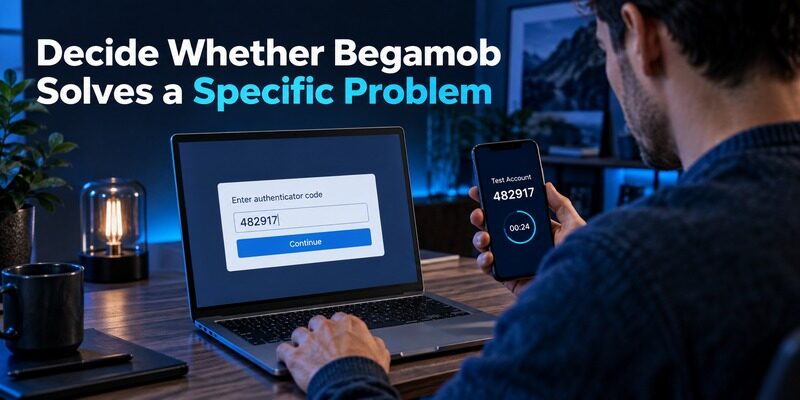
Test the supported mobile experience
describes compatible TOTP enrollment using QR or manual keys and offline code generation. Evaluate it on a supported device with one recoverable account. Define the improvement you want before starting the trial.
Begamob Authenticator vs Bitwarden Authenticator may favor a Begamob trial when you want a dedicated mobile routine independent of your current vault workflow. Check the supplied for current requirements and purchase terms, then verify recovery separately.
Both apps are designed around time-based verification codes for compatible accounts. To better understand the technology behind these codes, read our guide on how TOTP authenticator apps work, including how codes are generated and why accurate device time matters.
Retain useful integrations when they fit
If the documented Bitwarden connection already solves your daily access needs, changing applications needs a stronger reason than a new visual design. You can improve labels, clarify local versus synced entries, and repair recovery dependencies without migrating everything.
When comparing other ecosystems, apply the same distinction between standard codes and product-specific functions described in . Similar-looking codes do not imply identical account relationships or restore procedures.
A decision note should explain why the selected arrangement is worth maintaining. If the main gain is integration, document the vault dependency. If it is separation, document independent recovery. Begamob Authenticator vs Bitwarden Authenticator then remains understandable after an update or device change, instead of depending on a vague memory that one application once seemed simpler.
Frequently Asked Questions
Is Bitwarden Authenticator only part of Password Manager?
No. Bitwarden documents a standalone Authenticator app as well as an integrated authenticator in Password Manager. The standalone app can hold local entries. Current documentation also describes connecting supported vault codes, so identify the product and entry location before comparing features.
Are all standalone entries automatically in my vault?
No. Local entries and vault-connected entries are distinct. Check the grouping and account identity in the current application. Establish the recovery route for each location instead of assuming that installing or logging in to Password Manager automatically backs up every local code.
What happens to synced codes after Password Manager logout?
Bitwarden’s sync guide says they become unavailable in Authenticator until you log back in. They are not independently stored local copies for this purpose. Preserve an alternative way to complete the vault’s two-step login and verify your recovery arrangements before testing logout.
Can Begamob be used alongside Bitwarden Password Manager?
Begamob Authenticator vs Bitwarden Authenticator can lead to a separate-app arrangement for compatible accounts. Confirm the protected service accepts the chosen standard method, then enroll and test it. Do not assume an undocumented direct integration or bulk transfer between the products.
Which option is best if I want simple recovery?
Choose the arrangement whose prerequisites you can explain and rehearse. Local entries need usable retained recovery material; connected entries require access to the relevant account. A successful login today is not a restore test, so verify both before moving essential accounts.
Sources reviewed: Bitwarden Help, TOTP Sync and standalone Authenticator documentation; Begamob product overview and current App Store listing.
Final Thoughts
Begamob Authenticator vs Bitwarden Authenticator depends on entry location as much as application choice. Bitwarden offers documented local and vault-connected workflows with different access dependencies. Begamob is a dedicated mobile candidate whose current recovery route should be established directly.
Know which account owns each secret, preserve an independent route into your vault, and test the loss or logout scenario you need to survive. Those decisions make the comparison practical rather than a contest of feature labels.
