
Etsy Authenticator App Setup for Shoppers and Shop Owners
Published November 20, 2026
By the Authenticator App Team
Last updated: November 2026
Set up an Etsy authenticator app by choosing Authenticator App in the two-factor authentication section of Etsy Security. Pair the app through the official setup screen, confirm a fresh value, and save the backup codes Etsy displays before you finish. Etsy also documents a setup path in the Etsy Seller app.
If you are opening a new shop, Etsy asks you to set up two-factor authentication during onboarding. You can choose an authenticator app where offered, including when phone verification is impractical. If you already lost your old phone, use a saved nine-digit backup code on the official Etsy prompt and check the current Security settings before reenrolling.
Find Etsy 2FA in the Browser or Etsy Seller App
Use the Browser for Account-Level Settings
On Etsy.com, open the profile menu, then Account settings and Security. Confirm the email and, if you sell, the shop name before changing the method. In the two-factor authentication area, choose the action to turn on 2FA and select the authenticator app. Follow the setup prompts and verify the account that is open.
Etsy Help’s How to Make Your Account More Secure article documents this browser path and also lists SMS and phone options. Choose the method you intend to use. If your phone number is about to change, consider whether you can continue accessing the Etsy authenticator app independently of that number.
Start From the Seller App Where Appropriate
Etsy’s seller guidance lists the More tab, then Account & app settings and two-factor authentication. Choose the method and follow the app’s prompts. Check that you are in the Etsy Seller app with the correct shop account. The app you use to generate rotating codes is a separate application from Etsy Seller.
Etsy’s How to Open an Etsy Shop guide describes setting up two-factor verification during shop creation. If you are still onboarding and see a verification step, complete the method offered there. Keep your access to the browser or seller session until Etsy confirms the new method and you save the backup set.
Identify What the Setup Screen Will Ask For
Before you open setup, confirm that you can sign in to Etsy and open the phone that will hold the code entry. If an Etsy authenticator app QR code appears, scan it with the app’s add-account function. You may need a trusted computer or another screen if you are setting up the code on the same phone.
The setup material belongs to the current enrollment. Keep it out of shop messages and screenshots. If a support page asks you to send a security value, pause and check the official support route. Etsy says its support team will never ask for your backup codes.
Keep the account you are using for Etsy 2 factor authentication visible while pairing. If the browser signs in through a saved profile, compare its email with the login you expected. Before scanning an Etsy authenticator app QR code, close any setup window for a different account. This avoids creating two similar entries when you need only one.
How Does Microsoft Authenticator Work for Different Accounts
Verify the Etsy Authenticator App Before Closing Setup
Pair the Correct Etsy Account
Install a compatible authenticator from a verified listing. Keep the Etsy setup screen open and add the account using the QR or current options Etsy displays. Check the email or account name in the browser. If you operate a shop and also shop from another account, give each entry a recognizable label where your app supports it.
Enter the app’s current value in Etsy’s confirmation field. If the value changes before you submit, wait for a fresh one. Seeing digits on the phone confirms it has a pairing, while Etsy’s success message confirms that the pairing belongs to the current account.
Save the Backup Codes Before Completing Enrollment
Etsy Help says it displays nine-digit backup codes during setup and that they are shown once. Save the codes in a secure place you can reach without your usual phone. If you store them in a password manager, confirm you can open that manager from another trusted device. Keep the record out of your Etsy inbox or shop messages.
Label the record with the account email and the date you saved it. If your Etsy authenticator app stops working after a phone reset, you can distinguish the current backup set from a previous enrollment. Do not attach it to a support request or store it beside a screenshot of the setup QR.
Run a Fresh Login and Check the Shop Account
Keep the first session open and test a new sign-in in another trusted browser profile. Use a current value from the exact Etsy authenticator app entry when asked. Confirm the account name and open the normal page you use. For a seller, verify that the expected shop and orders are visible.
If you do not see the challenge, the browser may already be recognized or signed in. Review Security settings and test from a trusted context where Etsy requests verification. An unrecognized browser can trigger a second proof. Do not force a logout on the only device that can reach the account.
Know Which Code Etsy Is Requesting
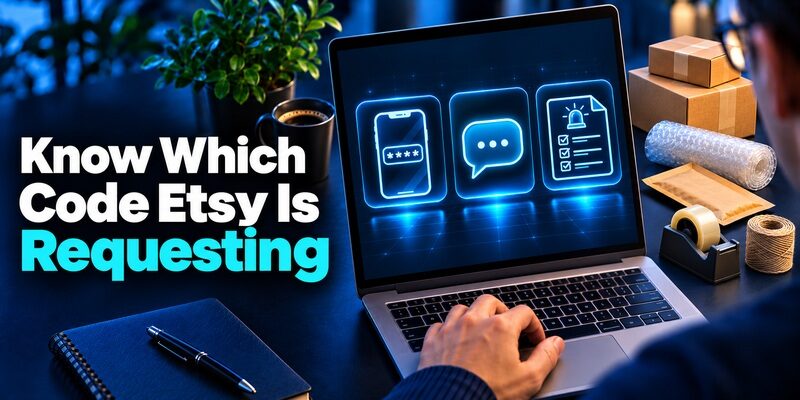
| Prompt | What it asks for | Where to get it |
|---|---|---|
| Authenticator app | A current rotating value | The entry paired with the current Etsy account |
| Text message or phone call | A value delivered for the request | The verified number shown by Etsy |
| Security Code when the primary method is unavailable | An unused backup code | The protected backup set issued at setup |
| Etsy seller onboarding | An eligible two-factor method | The official shop creation flow |
| Etsy payment or deposit verification | The proof described by the official seller prompt | The service or account named in that prompt |
Distinguish the Setup QR From the Sign-In Code
An Etsy authenticator app QR code belongs to the enrollment step. Later, open the saved entry for a current value when you sign in. You do not need a new setup QR each time. If you find a QR in an old screenshot, use the live account settings instead of assuming it still represents the current pairing.
A nine-digit backup code is also separate from the rotating value. It is issued by Etsy and can work once. Use it only in the official recovery context when needed. A code received by SMS or phone belongs to the request that caused it to be delivered.
Follow the Verification Path in the Browser or App
If an Etsy prompt says to check a particular phone number, compare the masked destination before trying the app. If it asks for the code generator, use the app entry that matches the login. Etsy two factor authentication can be configured with different methods, so the account’s active choice matters more than the device you are holding.
When an email or Etsy Message asks you to reverify a shop, open the official seller dashboard or site yourself and check whether that task appears there. Keep passwords and live app values private. A request to forward a security code or scan a QR from another person can expose account access.
Passwordless Multi Factor Authentication With Passkeys and Security Keys
Use a Nine-Digit Backup Code After a Phone Loss
Enter One Unused Code on the Official Sign-In Page
Etsy’s security guide says to sign in with your usual account details and enter an unused backup code in the Security Code field if the primary method is unavailable. Choose the code for the correct account. Mark it as used after access succeeds because it cannot be used again.
Open Security settings while the session is available and confirm the active Etsy authenticator app or phone method. Pair a replacement through the current controls if necessary. Keep any newly issued codes in protected storage and make sure you can reach them without depending on the replacement phone.
Recover Without Guessing When the Set Is Missing
Check your protected records and any trusted device that might still open the code app. If you have an official browser session that works, preserve it while checking the available methods. Security changes can still require proof even inside a working session. The existing session helps you identify the correct account.
If no method works, use Etsy’s official support process for trouble signing in. Identify the account and, for sellers, the shop. Explain whether the problem is a lost phone, unavailable number, or rejected code. Follow the provider’s ownership review and keep live verification values out of the request.
A backup code should be retrieved from the record associated with the account you are signing into. If you have several Etsy mailboxes or shop accounts, use the date and email to identify it. Check the Etsy authenticator app on the replacement device after you regain access. A previous successful code does not prove that a newly restored entry works.
Venmo 2FA for New Devices, Phone Changes, and Account Recovery
Replace Your Phone or Switch From SMS
Move the App While the Previous Phone Works
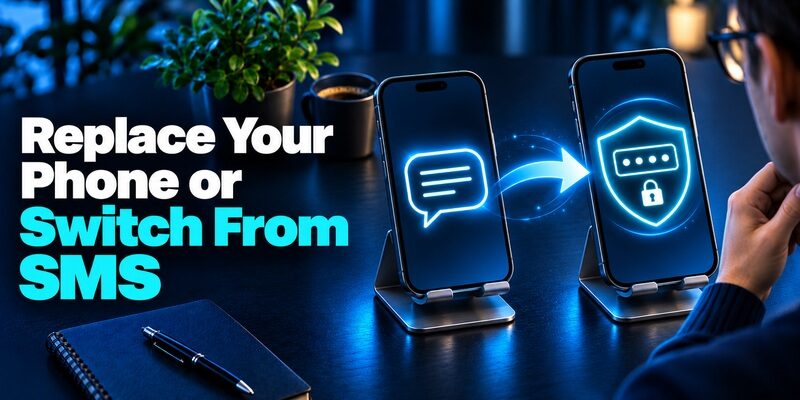
If your authenticator supports a transfer or restore, use its official instructions and keep the original phone. Test the restored entry in Etsy before erasing anything. If the new phone shows a matching label but the value fails, check whether the backup predates your current Etsy authenticator app enrollment.
If transfer is unavailable, follow the live Etsy security controls to change the method. Keep a working session and the backup set at hand. Verify the new pairing, then store the new backup codes if Etsy issues them. Check the replacement from the device you normally use for shopping or managing the shop.
Follow Etsy’s Procedure for a Changed Number
Etsy Help’s How to Update the Phone Number in Your Etsy Account guide describes using the existing number’s proof or a backup code when changing a phone-based method. If you are switching to an Etsy authenticator app, use the method Etsy offers during reenrollment. Verify the app challenge before giving up an old number.
If you choose to continue with SMS or calls, verify the new destination and check that the masked display matches it. A number tied to shop onboarding or payments may be managed through a separate official process. Check the specific purpose of the number before changing it.
Fix an Etsy Authenticator App Code That Does Not Work
| Symptom | First check | What to do next |
|---|---|---|
| The value changed while you typed | Wait for a new code | Enter the current full value promptly |
| Only one Etsy account fails | Compare the entry with the signed-in email | Verify the most recent pairing |
| Several app values fail | Check automatic date and time on the phone | Try a fresh value after correction |
| A phone code is missing | Check the masked number and active request | Use the official alternate route if available |
| Login works but shop access is missing | Check which account owns the shop | Follow Etsy’s account or shop support path |
Verify the Entry and the Phone Clock
Enable automatic date and time on the device producing the value. Open the entry for the exact Etsy email and wait for a new value. Include any leading zero. If the first attempt was close to the end of the display, test again after the app generates a fresh code.
A repeated failure can indicate that the Etsy authenticator app entry came from an old setup. Compare the original device, if available, with the replacement and check the live account. Keep a working session while you verify the current method or use an unused backup code.
Report the Exact Verification Stage
When contacting Etsy, state whether you could enter your password and whether the browser displayed a live code field. Name the device or app and the stage where it stopped. Crop any QR, live value, or personal payment information out of a screenshot. Use the official site to reach support.
If the problem appears after sign-in, check what is missing. An Etsy account can open while a shop action requires its own proof or the wrong account is signed in. A successful Etsy authenticator app code verifies the login it was used for. It does not move a shop or order to a different account.
Verify That the Shop Still Belongs to the Signed-In Account
Check the Shop and Email Together
After changing Etsy 2FA, open the shop dashboard and check the shop name as well as the account email. A shopper and a shop owner can use the same browser, and switching profiles can leave the previous account active in another tab. A working Etsy authenticator app code proves only the identity that entered it. Use the dashboard to verify you reached the shop you intended.
If an invitation or email notification opens a second session, return to the account security page in the browser you normally use. Confirm which account accepted the change. For business continuity, document how the authorized owner can reach support if the normal phone and browser are unavailable. Keep the recovery record private.
Diagnose a Shop Prompt That Appears After Login
An Etsy sign-in test can succeed and still leave a separate verification request for an account change or seller workflow. Note which page displays the prompt and what action you selected. Do not treat a payment, deposit, or shop ownership request as another rotating-code challenge unless Etsy’s official screen says so.
When there is an unexpected shop action, open the official seller dashboard independently and check the status there. Etsy Help’s guidance on suspected fraud directs users who cannot access the account to Etsy Support. Report the affected account and action without exposing the Etsy authenticator app code, backup set, or financial data in ordinary messages.
Protect the Recovery Route for an Active Shop

Test Access Before a Busy Sale or Trip
A practical check for a seller is to open the shop dashboard on the device they use for orders, verify a fresh login, and confirm they can reach the backup record on a second trusted device. Do this before changing a phone, leaving for a trip, or handing a shared computer back.
If your Etsy authenticator app produces values offline, the Etsy site still needs to verify the submitted code. Check the device and connection separately before assuming an expired value is the issue. Keep the associated email protected and make sure you can recover it independently if Etsy asks for another account check.
Use a Compatible Code App and Keep Records Private
For eligible QR enrollment, can hold a rotating code for a compatible account. Verify the setup through Etsy before you rely on it. If you keep separate buyer and seller entries, include a recognizable identifier and verify each with its own account.
For a shop team, follow Etsy’s account and access policies for each person. Avoid sharing a live Etsy authenticator app code or a backup set to get through an urgent login. Keep the owner’s official recovery and support information in a secure place where it can be reached when the usual device is unavailable.
For a planned upgrade, list the devices that can open the Etsy Seller app, the enrolled code app, and the protected backup record. Test the official website as well as the Seller app where you use both. That shows which device and sign-in still work before you remove the one you are replacing. Keep the recovery record available until the move is verified.
OPay OTP Code Help for Missing, Rejected, or Unexpected Codes
Final Thoughts
Pair an Etsy authenticator app through the official Security settings, verify a fresh value, and save Etsy’s nine-digit backup codes when they appear. Test the account and shop before changing phones or numbers. If you lose the primary method, use the current backup set or Etsy’s official account recovery process.
Download Authenticator App
Secure your accounts with fast, reliable two-factor authentication. Download now and protect your login in seconds.
