
Binance Authenticator App Setup and Recovery
Published November 11, 2026
To set up a Binance authenticator app, sign in to the official Binance account for your region, open Security, and enable the authenticator app method. Add the QR or setup key to the app named or supported by your provider, then submit its current six-digit code to confirm. Keep the original session open and test the new method before you retire a working phone.
Binance and Binance.US publish separate setup and recovery instructions. Use the one for your account. If you cannot reach your factor, use the official reset option and check the security notice on your account. A reset can temporarily restrict withdrawals or other actions.
Identify the Binance Authenticator App Option for Your Account
Check Whether You Use Binance or Binance.US
Start with the official app or website where you already sign in. Binance and Binance.US have distinct support documentation and can present different labels. A Binance authenticator app setup for one platform does not automatically change another account. Check the email or phone and the provider shown in the official session before opening security settings.
Distinguish the Exchange App From the Code App
The Binance exchange app provides account security settings. The authenticator generates the rotating value after you enroll it. Binance publishes setup for Google Authenticator and documents a branded BAuthenticator in some support markets. Check the official instructions for your account before you choose a download. A similarly named app in a search result may have a different publisher.
Identify the Factor Named on the Screen
Binance can show multiple checks, such as an app-generated code or another registered verification method. Read the label next to each field. A value from your Binance authenticator app belongs only in the matching field. A passkey prompt uses the supported device or credential. An SMS or email value comes from the destination the provider displays. Keep any other verified method reachable while setting up the new one.
For example, you may have used Binance abroad and later opened an account with Binance.US. An old entry can have the same label as the new one. Check which provider is on the sign-in screen and label the entries by account and platform. Confirm the current factor with the provider before deleting anything from either entry.
For Binance accounts that permit compatible standard TOTP enrollment, you can evaluate an authenticator app such as Authenticator App by Begamob. Compare supported devices, backup options, and recovery methods, then verify that Binance accepts the generated code before relying on the new enrollment.
Secure your accounts with fast, reliable two-factor authentication. Download now and protect your login in seconds.Download Authenticator App
Set Up an Authenticator From Binance Security
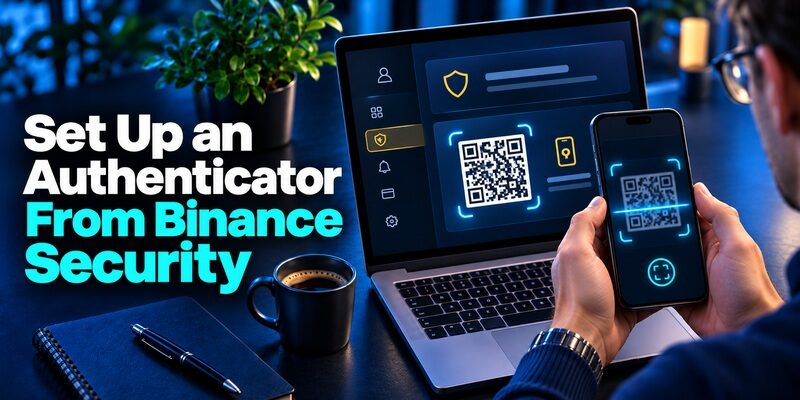
Open the Security Page From the Official Client
In Binance’s app guide, you start in the account profile, then open Security and enable the authenticator app method. The web guide uses the account area and its Security page. On Binance.US, use the settings and terminology in that platform’s own Help Center. Avoid following a guide that takes you into a different account portal. For additional guidance on Binance account verification, read our Binance Authenticator guide. It covers the authentication methods associated with Binance accounts and helps explain why setup instructions and recovery options can differ between supported platforms.
Add the Setup Data to the App
Binance displays a QR and a setup key in its documented Google Authenticator workflow. Use the authenticator’s add-account action and scan the QR or enter the key privately. The official mobile guide describes copying the setup key when you cannot scan a QR from the same phone. Label the Binance authenticator app entry with the correct account and platform. Keep the setup secret out of messages, support tickets, and screenshots.
Verify the Six-Digit Value Before Leaving
Return to the official settings page and proceed to confirmation. Enter the current value generated by the new entry and verify that Binance shows the method as enabled. If the timer is near the end, wait for a fresh code. An entry can display a number before Binance completes enrollment. Keep the current session until a separate sign-in accepts the Binance authenticator app code.
Keep a Verified Alternative
Check which additional methods your actual account allows and confirm you can reach the relevant device or contact. Binance can require more than one proof for particular account actions. A normal login test and an account security change can therefore show different screens. Review the official requirements before planning a phone replacement or another sensitive change.
The Binance website guide allows scanning a QR or entering the setup key in the documented app. If you copy the key from one official screen to another, keep it out of notes or a shared clipboard history where possible. Finish the confirmation on the account page before closing the setup. Check that the new app is the one that produced the accepted value.
Read more: Binance 2FA Authenticator: Setup, Code Errors, Reset, and Security Guide
Choose a Compatible App and Official Download

| Choice | When to use it | What to check |
|---|---|---|
| Google Authenticator | The provider documents it for your market | Official app listing and transfer settings |
| Binance BAuthenticator | Your Binance region’s official instructions offer it | Publisher, distribution route and backup behavior |
| Another standard code app | Provider permits compatible TOTP apps | Expected key and code parameters |
| Passkey or other supported method | Your account offers it | Device compatibility and a recovery route |
Start From the Provider’s Current Recommendation
The Binance authenticator app option may be labelled generically or mention Google Authenticator. Binance.US says that many apps meeting its documented six-digit TOTP and key-format requirements can work even when the option is labelled Google Authenticator. Use the instructions for the platform you actually use. If you choose a third-party app, confirm that the current settings and enrollment parameters match.
Check the Publisher Before Installing
Use the official publisher’s store listing or the download route linked by your Binance platform. An APK on an unfamiliar site is a poor place to enter a live setup secret. Check the name, publisher, device support, and the recovery process for the Binance authenticator app before scanning. If a provider offers a branded authenticator, verify the current availability for your market through its official documentation. If you are enrolling a Binance account in a verification app for the first time, follow our guide on how to use an authenticator app. It explains how to scan a QR code, enter a manual setup key, confirm a temporary verification code, and prepare recovery options before completing setup.
Compare Backup as Well as Compatibility
Begamob’s is an option to review for compatible standard code enrollment where the provider allows it. Compare its supported devices and recovery path with the app that your account provider documents. Test the first code on the actual account. A supported app still needs setup data from the account before it can answer a Binance verification prompt.
If two app store listings have similar names, start from the recommended listing for your market and verify the publisher. A search for a Binance authenticator download may also surface the exchange app. That client and a separate code app have different jobs. Decide which one you need before installing software or granting it access to setup data.
Check Security Notices Before Changing the Method
| Operation | Official route | Check before confirming |
|---|---|---|
| Add a new app while signed in | Account Security settings | Registered alternatives and setup confirmation |
| Change an existing factor | Provider’s edit or change control | The current platform’s restriction notice |
| Reset after losing access | Sign-in recovery or official support | Identity verification and review instructions |
| Review a suspicious enrollment | Provider’s account security controls | Active sessions, contacts, and account activity |
Read the Notice for Your Own Platform
Binance’s website guide for changing an authenticator describes a restriction of up to 48 hours on withdrawals, internal transfers, and P2P transactions. Binance.US separately describes a 48-hour withdrawal hold after a two-factor reset. These are provider-published descriptions for specific workflows. The account’s current notice and support guidance determine which restrictions apply to your Binance authenticator app change.
Separate an App Transfer From a Provider Reset
An approved app transfer can preserve the same enrollment data. A provider reset can revoke or replace the method and may trigger account checks. Verify whether the provider requires a new enrollment before you start. If the app transfer succeeds, test the same account without assuming that a visible code proves the transfer worked. If a reset is required, read the provider’s confirmation screen carefully.
Check What the Account Will Require Next
When you have access, make a record of the account platform, approved factor, recovery contact, and status of any provider hold. Keep real codes and setup keys out of the record. If you rely on another contact method for the reset, verify that it is current before ending your trusted session. If your account has a special classification, check the support route that applies.
Read the restriction notice before changing an authenticator even if you can still sign in. A sign-in that works does not demonstrate that all account actions are available immediately after a security change. If a hold is shown, use the official account status and support instructions to confirm the covered actions and the applicable waiting period.
Read more: Binance Authenticator QR Code: How to Find, Scan, and Set Up 2FA
Keep Access When You Change Phones
Transfer or Re-Enroll While the Old Phone Works
Use the app’s documented restore route if it is appropriate for the two devices. If it cannot transfer your Binance authenticator app enrollment, use the official Binance security settings to replace the factor while you can still sign in. Keep the existing phone available until the new code is accepted. Test from a separate session and confirm the account and platform.
Check for the Correct Entry on the New Device
A backup can restore a plausible Binance entry that represents an earlier enrollment. Compare the entry with the account you are actually signing in to and check whether the provider shows the current method as active. If only the original phone works, do not remove it yet. Use the supported replacement flow and wait for the final confirmation before testing the new device.
Use Official Recovery When the Phone Is Gone
If you have an alternate verification option, try it on the official account page. Otherwise use the platform’s lost-factor reset. Binance’s documented recovery flow can show a route for unavailable security verification and request identity checks. Binance.US has its own reset instructions and may require support for some account types. Use the official provider process rather than giving a Binance authenticator app setup key to a third party.
If you move to a replacement phone while keeping the same number, verify the app and SMS methods separately. A working text does not establish that the Binance authenticator app transfer succeeded. Likewise, the ability to generate a code does not establish that the provider still has your current number. Test the registered routes while you still have the old device.
Read more: How to Add Binance Authenticator: Complete 2FA Setup Guide
Fix a Binance Code That Does Not Work

Check the Clock and Latest Enrollment
Turn on automatic date and time for a time-based code. Wait for the next value and type it into the matching Binance field. If you enrolled several Binance accounts, check the label first. If Binance just reset the factor, use the new entry. The old Binance authenticator app entry can continue showing numbers even after the provider stopped accepting them.
Compare the Verification Methods
A screen may ask you to complete separate email, SMS, app, or passkey checks. Read each label and do not substitute one value for another. If the registered device is unavailable, select the official alternate or reset option. If the account limits attempts, follow the instructions on screen. Repeatedly trying the same wrong method will not restore the enrollment.
Keep a Support Record Without Secrets
Note the platform, the verification step, the error text, and whether the old phone works. If you need to provide an image to official support, crop or obscure live codes, setup keys, and personal data the agent did not request. A Binance authenticator app issue can be caused by a method mismatch or replacement rather than a failed account login. Explain what the service asked for before describing the app. If Binance directs you to use Google Authenticator, review our Google Authenticator guide to understand standard TOTP enrollment, code generation, device transfer, and recovery considerations. Always follow the official setup instructions for your Binance platform.
If the account screen requests several proofs during a method change, complete them in their own fields and keep track of which one failed. This is more useful for official support than a general report that two-factor authentication stopped working. Confirm the platform, device, and current step. Keep codes and screenshots of enrollment secrets private.
Respond to a Suspicious Request or Exposure
Verify Any Request Inside the Official Account
If a message asks you to send a code or scan a setup QR, open Binance independently. Review whether you started the action and whether the account actually shows it. A current code can be relayed to a fraudulent login. A setup key can generate future values until the enrollment is replaced. Use the Binance authenticator app only within the account flow you started and verified.
Replace an Exposed Setup Secret
If you shared a live key, use the provider’s settings or official support to replace that factor. Test the new entry and confirm the old registration is no longer active. Review account sessions and available security activity. If you also entered a password on a page you now suspect was fraudulent, follow the official compromised-account process for that platform.
Protect the Connected Email and Phone
Your registered email and number may help receive verification or recover the account. Check that you control them and that their own security settings are current. If you cannot access the email or phone, follow the provider’s instructions for that method rather than trying to reuse the authenticator code. A working Binance authenticator app does not by itself prove ownership of those contact methods.
After a suspected exposure, protect the email account as well if it was used to verify or recover Binance access. Confirm its registered methods and remove any unfamiliar session through the email provider. Then check the Binance security record again. A valid new app code shows that the replacement works, while the session review checks for access that already existed.
Read more: What Is Binance Authenticator App? A Beginner’s Guide to Binance 2FA
Questions About the Binance Authenticator App
Is Google Authenticator Required for Binance?
Check your market and provider. Binance documents Google Authenticator and offers a branded option in some regions. Binance.US explains that compatible apps can work under the Google Authenticator label when they meet its requirements. Follow the official instructions for your account.
Where Do I Get the Binance QR?
Start from the official Security page and choose the authenticator app setup. The QR and setup key belong to that enrollment. A QR from a message or another account cannot register your method. Confirm the first code on the same official setup page.
Does Changing Phones Start a Withdrawal Hold?
A provider reset or method change can trigger restrictions under the applicable Binance platform’s rules. An app restore and a provider reset are different operations. Read the current notice before confirming a change. Use the provider’s documentation for your specific workflow.
Can I Generate Codes Without Cellular Service?
An enrolled Binance authenticator app can calculate time-based codes on the device without receiving an SMS. The account client still needs to connect to the provider. Other verification methods can have their own requirements.
Can Support Give Me My Old Code?
A current app code comes from the active enrollment and time. If you cannot access the app or its approved backup, use the provider’s official reset process. A new installation needs a valid restore or a new enrollment.
If you are uncertain whether your Binance authenticator app change has completed, check the official Security page for the enrolled method and any account notice. Test a normal sign-in from a trusted separate session. If the official platform still reports a review or restriction, follow that status before relying on the restored account for a time-sensitive action.
Final Thoughts
Choose the Binance authenticator app method from the official platform for your account. Use the provider’s setup information, confirm the current code, and test before changing phones. Keep an approved recovery route reachable outside your primary phone.
If you have lost the factor, follow the provider’s reset instructions and read any restrictions shown before confirming. After access is restored, test the new enrollment and review the other registered methods and account sessions.
