
Proton Authenticator Review: Is It Safe and Worth Using?
Published August 18, 2026 · Updated October 5, 2026
This independent proton authenticator review examines what the app does well, where its design creates trade-offs, and whether it is a sensible home for time-based one-time password codes. Proton offers the app for iOS, Android, Windows, macOS, and Linux, with local offline use, optional end-to-end encrypted synchronization, imports, exports, backups, and a biometric or PIN lock.
Those features make it unusually broad for a standalone authenticator, especially for people who want access from both phones and desktops. However, convenience does not erase the risks inherent in TOTP. Codes can still be phished, synchronized copies increase the number of endpoints to protect, and no authenticator can compensate for weak account recovery.
Our proton authenticator review verdict is based on practical security boundaries rather than brand reputation alone. We assess setup, privacy, migration, backup, daily usability, platform support, recovery, and the difference between a standalone authenticator and password-manager integration. The goal is to help you decide whether Proton’s balance of privacy and convenience fits your threat model.
Is proton authenticator safe? Key Features Explained
When asking “is proton authenticator safe?”, you need to look at its underlying technology. Unlike many standard 2FA apps that leave your backup data vulnerable on the cloud, the Proton Authenticator app encrypts all your 2FA codes end-to-end. This means nobody—not even Proton’s developers—can access your tokens.
Key security features include:
-
Offline Functionality: You can generate secure one-time passwords without an internet connection or cellular service.
-
Encrypted Sync & Backups: Safely back up your codes across multiple devices so you never lose access to your accounts if your phone breaks or gets lost.
-
Open Source Transparency: The code is public and verifiable by independent security experts, ensuring there are no hidden backdoors.
-
App Lock: You can lock the application itself using biometrics (Face ID/Fingerprint) or a custom PIN code.
Download Authenticator App
Secure your accounts with fast, reliable two-factor authentication. Download now and protect your login in seconds.
Proton Pass Authenticator vs. Standalone Proton Authenticator App
A common point of confusion in any proton authenticator review is the difference between Proton’s two main security products.
-
Proton Pass: This is primarily a robust password manager. However, it features a built-in proton pass authenticator that can generate and seamlessly autofill 2FA codes as you log into websites.
-
Proton Authenticator App: Launched as a dedicated, standalone application, this is strictly for generating 2FA codes (similar to Authy or Microsoft Authenticator).
If you want the ultimate convenience of an all-in-one tool, the proton pass authenticator is a fantastic choice. However, if you prefer compartmentalized security—keeping your passwords in one app and your 2FA codes in a completely different app—the standalone Proton Authenticator app is exactly what you need.
Keep hackers out of your accounts! Click here to Download our ultimate Authenticator App today and secure your digital life
Platforms, Setup, and Migration
Broad operating-system coverage
Proton lists iOS, Android, Windows, macOS, and Linux support. Desktop availability is a significant differentiator because many standalone authenticators remain phone-first. A desktop client can help people who work across several systems or need codes when a phone is unavailable, but it also adds another endpoint that must be patched, locked, and monitored.
The official proton authenticator download route is preferable to third-party APK sites, repackaged installers, or copied repository releases. Verify the publisher and destination before installing. On managed work devices, confirm that organizational policy allows a personal authenticator and encrypted synchronization.
This proton authenticator review gives high marks for reach. Platform choice is one of the strongest results in the proton authenticator review. The advantage is not that every person should install every client; it is that each person can choose the smallest set of platforms that supports their routine. Fewer enrolled endpoints usually mean a simpler security boundary.
Import carefully, then verify
Proton’s support documentation lists imports from Google Authenticator, 2FAS, Aegis, Bitwarden Authenticator, Ente Auth, and LastPass. Import support can prevent a painful manual migration, but the transfer stage is sensitive. Export files and migration QR codes may contain the seeds required to generate future codes.
Perform migration in private, use trusted and updated devices, and prevent screenshots or screen sharing. After importing, compare account labels and generate a fresh code for each critical service before removing the old app. Do not delete the previous authenticator until the new code has succeeded and independent recovery options have been checked.
An unofficial proton authenticator apk should not be used to shortcut store availability. Sideloading changes the trust chain and can expose every imported token. This proton authenticator review recommends official distribution even when manual installation appears faster. When migration is complete, securely remove temporary export files, clear them from cloud trash where practical, and rotate any factor whose seed may have been exposed.
📘 Find the Right Guide: Proton Authenticator GitHub: Download, Setup, and Security Guide
Sync, Backup, and Recovery
Synchronization improves continuity
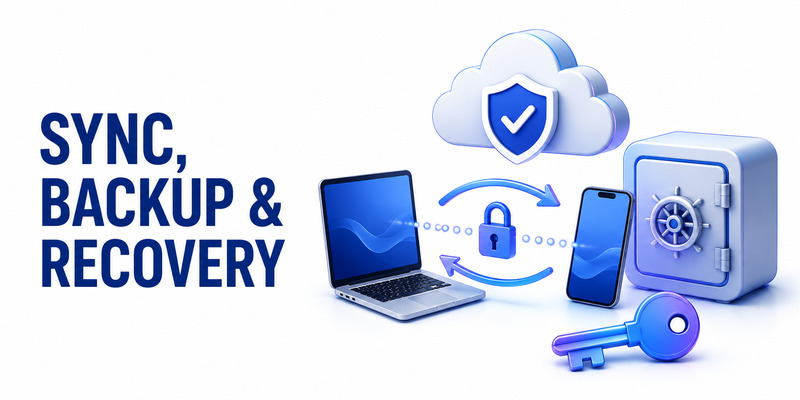
Optional encrypted synchronization is the app’s most compelling convenience feature. It can keep entries available across supported devices and reduce the chance that a lost phone immediately locks the user out of every account. For a household or individual with several personal devices, this can be more manageable than manually re-enrolling each factor.
The security cost is a broader endpoint set. If five devices can decrypt tokens, all five operating systems, local accounts, locks, and sessions matter. Good practice is to synchronize only devices you actively use, remove old devices promptly, and review access after theft, resale, repair, or employee offboarding.
A proton authenticator sync plan should be written before it is needed. Decide which device is primary, which one is the emergency fallback, how devices are revoked, and where service recovery codes are stored. This proton authenticator review favors optional sync for users who otherwise have no reliable backup, but local-only operation can be preferable for a carefully managed high-security setup.
Backups must remain independent
Proton documents encrypted backups when using a Proton Account and backup support through iOS. Exports are also available for portability. These mechanisms solve different problems: synchronization provides continuity, an encrypted backup helps recover state, and an export assists migration. None should be confused with the recovery codes issued by each protected service.
A sound proton authenticator backup strategy keeps at least one recovery path outside the devices carrying synchronized tokens. Store service recovery codes offline in a secure location, test the restoration process with a low-risk account, and record what credentials are required to unlock the backup. A backup that depends on a password or second factor you cannot recover is not useful.
The proton authenticator export function deserves the same caution as a password-vault export. In this proton authenticator review, export safety is a core recovery criterion rather than a minor feature. Create it only when needed, encrypt it if the workflow permits, avoid shared folders, and delete temporary copies after verification. Never email an unprotected export to yourself. Recovery should be rehearsed with synthetic or low-value data before a real emergency.
📘 Find the Right Guide: Proton Authenticator Review: Privacy, Features & Verdict
Comparisons and Ideal Users
Where Proton stands out
Proton Authenticator’s combination of account-free local use, optional encrypted sync, open-source clients, imports and exports, and desktop applications is unusually complete. It will appeal to privacy-conscious users who want a dedicated authenticator without giving up cross-platform continuity.
The question is proton authenticator good depends on priorities. It is a strong fit when standalone separation, portability, and desktop coverage matter. It may be less compelling when a user wants one-tap password-and-code autofill inside a single vault, enterprise enrollment controls, or hardware-backed phishing resistance.
This proton authenticator review recommends comparing workflows rather than counting feature labels. A tool with fewer options can be safer if the user understands and backs it up; a feature-rich tool can be safer if synchronization prevents improvised screenshots and unprotected exports.
| User priority | Proton Authenticator fit | Important caveat |
|---|---|---|
| Local, no-account TOTP | Strong | User owns backup discipline |
| Phone and desktop access | Strong | Every synchronized endpoint matters |
| Separate passwords and codes | Strong | Separation weakens on the same unlocked device |
| Integrated autofill | Moderate | Proton Pass may be more convenient |
| Enterprise administration | Limited | Confirm organizational requirements |
| Phishing-resistant MFA | Not the primary tool | Prefer passkeys or security keys |
Choose for the threat model
The app is best suited to individuals who use several operating systems, want a clear export path, or distrust ad-funded authenticators. It is also useful for people moving away from a mobile-only app, as long as migration artifacts are protected and deleted afterward.
Community discussions found through proton authenticator reddit searches can reveal usability experiences, bug reports, and platform-specific annoyances, but they are not authoritative security documentation. Check the date, app version, operating system, and whether a claim links back to Proton’s official support or source repositories.
Organizations should evaluate policy, provisioning, recovery ownership, device management, and incident response before standardizing any consumer app. A favorable personal proton authenticator review does not replace a formal enterprise risk assessment, and our proton authenticator review makes no enterprise-compliance certification.
🛠️ Learn with Step-by-Step Guides: Ente Auth vs Proton Authenticator: Which Is Better?
Limitations and Trade-Offs
TOTP remains phishable
The largest limitation belongs to the authentication method, not uniquely to Proton. A convincing fake sign-in page can ask for a password and then immediately request the current TOTP code. An attacker can relay both before the code expires. Domain-bound passkeys and FIDO2 security keys are designed to resist that class of phishing more effectively.
Use the strongest method a service supports. If TOTP is the best available option, Proton Authenticator is a reasonable way to manage it, but remain suspicious of unsolicited prompts, shortened links, and domains that only resemble the real service. Never disclose a code to someone claiming to be support.
This proton authenticator review therefore does not award “perfect security” to any TOTP app. Its role is to protect against password-only compromise and reduce dependence on SMS, not to make social engineering impossible.
Convenience expands the boundary
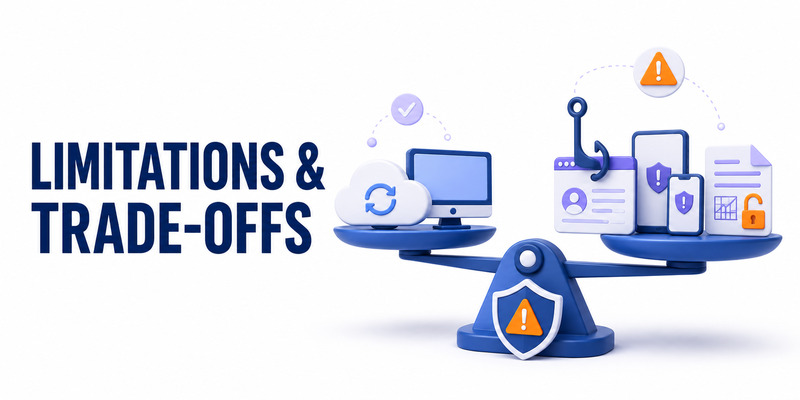
Desktop clients and sync improve access while adding endpoints. Widgets can improve speed while potentially showing information in previews. Exports improve portability while creating a high-value file. Each feature has a sensible use, but each should be enabled deliberately.
Platform features and interface details can also change over time. Confirm current operating-system requirements, backup behavior, and import formats in official documentation before a large migration. Test with one noncritical token first, then proceed in batches and keep the old setup available until verification is complete.
Users who prefer password and TOTP autofill in one place may find Proton Pass smoother. Users who insist on maximum factor separation may prefer a dedicated phone or hardware key rather than synchronized desktop codes. The right conclusion from a proton authenticator review is not that one configuration wins universally; it is that Proton offers enough control to build either a convenience-first or separation-first setup. That flexibility is a major positive in this proton authenticator review.
Frequently Asked Questions
Is Proton Authenticator free?
Yes. Proton presents the standalone authenticator as free, with core local use available without a Proton Account. Optional account-based synchronization does not change the need to protect devices and recovery credentials.
Is Proton Authenticator safe?
It includes valuable safeguards such as open-source clients, offline operation, optional end-to-end encrypted synchronization, backups, imports and exports, and biometric or PIN locking. Safety still depends on trusted downloads, patched devices, strong locks, careful exports, and independent recovery codes.
Does Proton Authenticator work without internet?
Yes. TOTP codes are calculated locally and can work offline. Internet access is relevant to downloading updates and using synchronization, but the basic code-generation process does not require a live connection.
Do I need a Proton Account?
No. Local use is available without an account. A Proton Account is optional when you want Proton’s encrypted synchronization across devices. Choose the mode that matches your backup capability and endpoint risk.
Can I import from Google Authenticator?
Proton’s support material lists Google Authenticator among supported import sources. Protect the migration QR or export, verify every critical account in Proton Authenticator, and remove temporary migration material afterward.
Is there a browser extension?
Proton documents mobile and desktop applications for the standalone authenticator. Do not install an add-on merely because its name resembles the product. Use only software reached through Proton’s official pages or trusted stores.
Should I use Proton Authenticator or Proton Pass for codes?
Use the standalone app when separating passwords and codes is a priority. Proton Pass can be more convenient when integrated autofill is the goal. Evaluate whether both tools share the same devices and unlock path before assuming separation is complete.
Can Proton Authenticator stop phishing?
No TOTP authenticator can fully prevent real-time phishing. Verify domains and prefer passkeys or hardware security keys when available. TOTP remains a useful improvement over password-only access and often over SMS-based codes.
This FAQ portion of our proton authenticator review reflects the product’s published model, but platform behavior can evolve. The answers support the wider proton authenticator review without replacing current platform documentation. Check Proton’s support pages before a migration, a backup restore, or a high-impact security change.
📖 Read More Guides: Proton Authenticator Download: How to download Step by Step
Final Verdict
What earns the recommendation
Proton Authenticator combines a privacy-respecting business model with unusually broad platform support and practical portability. Local no-account use gives cautious users control, while optional encrypted synchronization helps ordinary users avoid a single-device failure. Open-source clients, imports, exports, backups, and app locking complete a strong baseline.
The answer to “is it good?” is yes for people seeking a standalone, cross-platform TOTP manager, provided they download it officially and create an independent recovery plan. This proton authenticator review especially recommends it to privacy-conscious individuals, mixed desktop-and-mobile users, and anyone who wants codes outside the password manager. That audience receives the clearest value in our proton authenticator review.
What to do next
Install only the platforms you need, enable a strong device lock, decide between local mode and encrypted sync, and test with a low-risk account. Save each service’s recovery codes outside the authenticator, then verify restore or device-loss procedures before migrating high-value accounts.
For services that support them, adopt passkeys or hardware security keys for stronger phishing resistance. Keep Proton Authenticator for compatible accounts and intentional fallback use. If you want a neutral companion for understanding QR enrollment, backups, and safe TOTP habits, explore Authenticator App.
Our final proton authenticator review verdict is favorable: the app offers an excellent balance of privacy, portability, and convenience without forcing cloud use. Its remaining risks are manageable, but only when synchronization, exports, endpoints, and recovery are treated as part of the security design rather than afterthoughts.
Download Authenticator App
Secure your accounts with fast, reliable two-factor authentication. Download now and protect your login in seconds.
