
What Is a Credential Leak? Passwords, Tokens, and Recovery Secrets
Published October 21, 2026
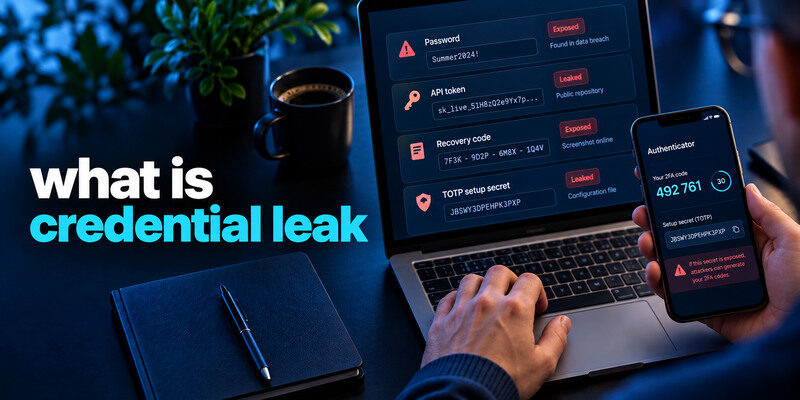
A credential leak is the unauthorized exposure of a secret or authentication material that can help someone access an account or system. It may involve a password, API key, session token, recovery code, or authenticator setup secret. A leaked email address alone identifies an account but is not itself a credential. The immediate action is to identify exactly which secret escaped, revoke or replace it at its issuer, and check for unauthorized use. Different credential types need different cleanup steps.
Identify the credential, not just the file
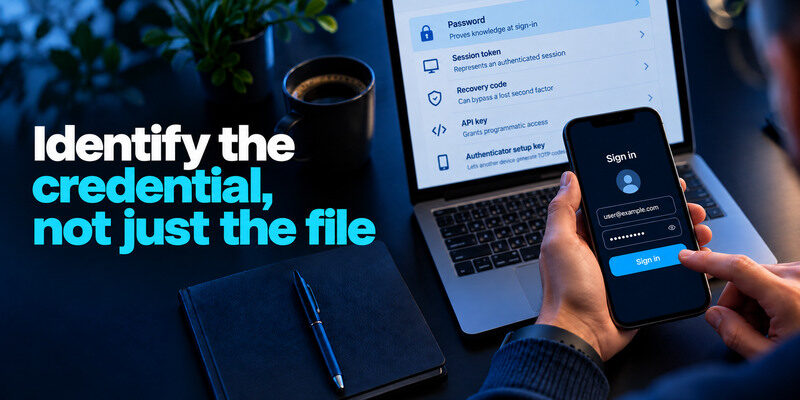
A password proves knowledge at a sign-in. A session token can represent an already authenticated session. A recovery code can bypass a lost second factor. An API key grants programmatic access according to its permissions. An authenticator setup key lets another device generate the same TOTP codes. Calling all of these “passwords” can lead to an incomplete response.
| Leaked item | What it may enable | First containment |
| Password | New sign-in attempt | Change it and reused copies, add MFA |
| Session token/cookie | Use of current login | Revoke sessions, secure device |
| Recovery code | Backup route into account | Regenerate codes and inspect factors |
| API key | Access to an app or data | Revoke key, issue narrow replacement |
| TOTP setup secret/QR | Generate matching codes | Remove and re-enroll that factor |
| Email address alone | Targeted attempts and phishing | Review security, no blanket reset by itself |
The scope also depends on whether the secret is current, expired, restricted, or paired with another factor. Do not publish a supposedly redacted screenshot without checking that a QR code, token, or code fragment remains visible. A partial exposure can still be sensitive.
Where credentials escape
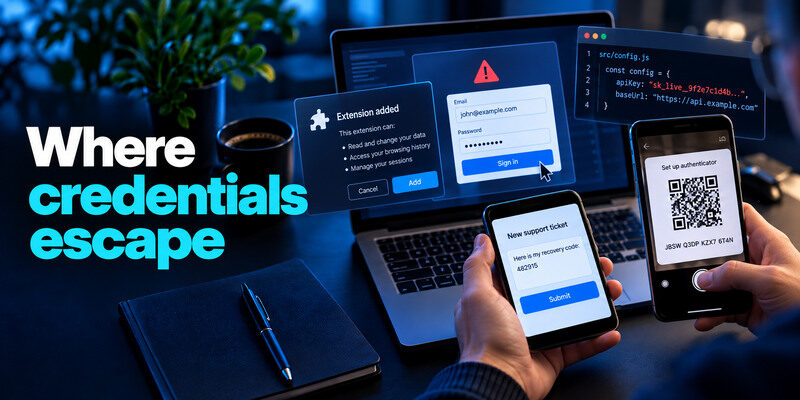
A company breach can expose password data. A phishing page can collect a live login. Malware or an extension can take browser sessions. A developer may accidentally commit an API key to a public repository. A person may photograph a TOTP setup QR or paste a recovery code into a support ticket. The route matters because it tells you what else to inspect: a company leak suggests reuse, while an infected device suggests the new replacement could leak again.
The original service may be intact
A password stolen from one website can be tried at a different website without either site’s current database being breached. This is credential stuffing. Reuse creates the bridge. Replace every account that shared the exposed secret with independent generated credentials. A new password at the original service does not fix other copies.
When one leaked password is reused across multiple websites, attackers may attempt the same credentials on unrelated accounts. A trusted password manager app can help generate and store independent passwords for every service, making it easier to replace all reused credentials after an exposure.
A screenshot can carry a reusable secret
A TOTP QR code contains setup material, not merely an illustration. Anyone who imports the same seed may generate matching future codes. Do not save setup screenshots in an unprotected photo library or send them through chat. If one was exposed, use the service’s factor-reset process and invalidate the old seed; simply waiting for the displayed six-digit code to change is not enough.
When setting up the Google Authenticator app or another TOTP-compatible application, treat the enrollment QR code as a sensitive secret. Anyone who obtains the underlying setup key may be able to generate matching verification codes until the affected factor is removed and enrolled again.
How a leak differs from a breach or takeover
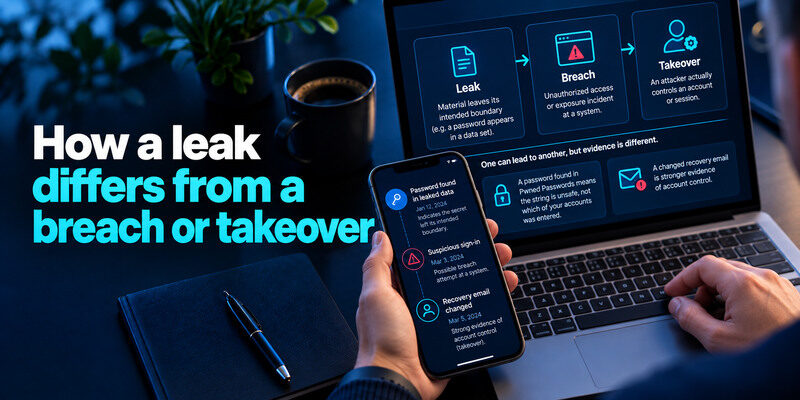
A leak describes material leaving its intended boundary. A breach is the unauthorized access or exposure incident at a system. Takeover means an attacker actually controls an account or session. One can lead to another, but evidence is different. A password found in Pwned Passwords tells you the string is unsafe, not which of your accounts was entered. A changed recovery email is stronger evidence of account control.
Check the timeline
When was the secret issued? When was it exposed? Was it revoked before the exposure became public? If a token has expired and no unauthorized use occurred, its current access risk may be lower, though underlying data might still be exposed. Record times carefully. Do not assume an alert added today means the leak happened today.
Check permissions
An API key limited to a read-only test account has a different blast radius from an administrator key. A session for a shopping account differs from one for primary email. Prioritize by what the credential can unlock or change. Work secrets require the organization’s authorized incident process and log review.
Find evidence without leaking more
Use provider breach notices, trusted password-manager warnings, reputable known-breach checks, and the account’s own activity page. Have I Been Pwned can show known email exposure, while Pwned Passwords checks whether a password string appeared in known data through a documented privacy-preserving method. Do not upload your vault, API key, or recovery codes to an unknown “dark web scan.”
Different breach-checking services provide different evidence. Some identify known email exposure, while password managers can flag compromised saved credentials. Our comparison of the best data breach checker tools explains which checks are useful and why no public lookup can prove that every private token or recovery secret remains safe.
A clean check has limits
Private leaks, phishing, and malware may never appear in a public dataset. If an account has an unknown successful session or unauthorized transaction, respond even when a checker is negative. Conversely, a historical corpus match does not prove active abuse. Pair exposure information with activity evidence.
Use official support for uncertain scope
A company notice may say credentials were “potentially accessed” without identifying each record. Ask for account-specific guidance through its real support channel. Avoid sending the secret itself to prove ownership. Keep a redacted incident note with dates and case numbers.
Replace and revoke by secret type
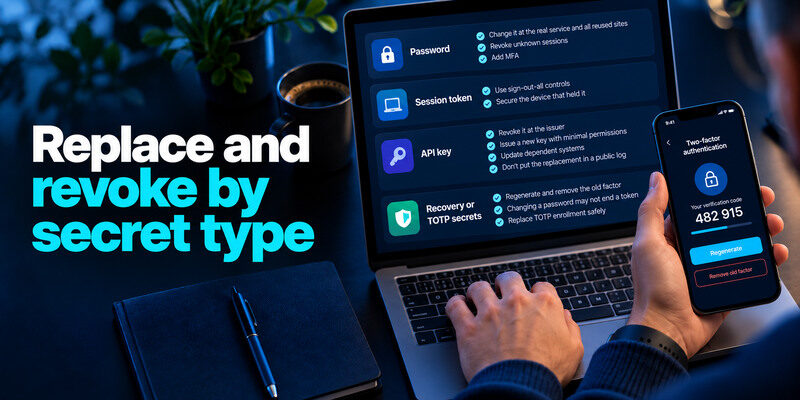
For a password, change it at the real service and all reused sites; revoke unknown sessions and add MFA. For a session token, use explicit sign-out-all controls and secure the device that held it. For an API key, revoke it at the issuer and issue a new key with minimal permissions; update dependent systems without placing the replacement in a public log. For recovery or TOTP secrets, regenerate and remove the old factor according to the provider’s documented process.
Changing a password may not end a token
Some services preserve active browser sessions after a reset. Check the provider’s session list and connected apps. An attacker with a token may not need to enter the new password immediately. Revoke sessions and inspect what actions occurred while the token was valid.
Unlike a leaked password, a stolen session token may allow an attacker to continue using an already authenticated session. Learn how session hijacking attacks work and why revoking active sessions is an important step when authentication tokens are exposed.
Replace TOTP enrollment safely
While still signed in, add a new supported factor or follow the provider’s reset flow, confirm a fresh code, save new recovery codes, then remove the exposed factor. can generate TOTP codes for compatible accounts, but the provider controls enrollment and revocation. Verify that an old code source no longer works only through a safe official test, without locking yourself out.
If your account supports app-based verification, follow the provider’s official instructions to replace an exposed authenticator enrollment. For Microsoft accounts, our guide on how to use Microsoft Authenticator app explains supported authentication methods and important setup considerations. Confirm that the replacement works and that the exposed factor has been removed before ending your trusted session.
Prevent recurrence at the source
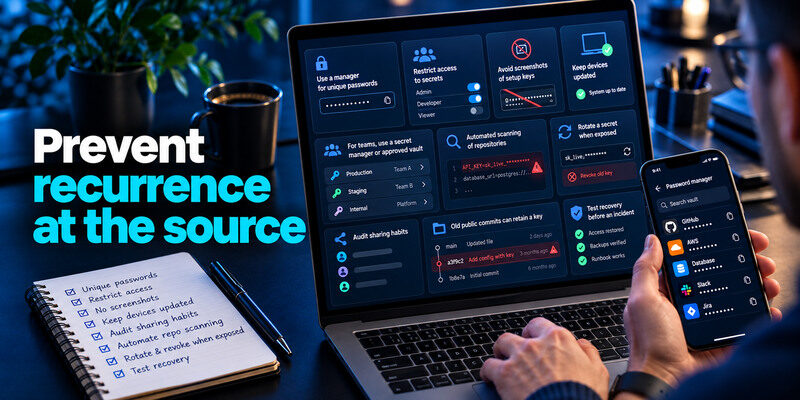
Use a manager for unique passwords, restrict access to secrets, avoid screenshots of setup keys, and keep devices updated. For teams, use a secret manager or approved vault, role-based access, and automated scanning of repositories where appropriate. Rotate a secret when exposed, not as a substitute for removing it from the place it leaked. An old public repository commit can retain a key even after the latest file is edited; revocation is essential.
Audit sharing habits
Do not paste a password into a support ticket or send a code in a direct message. A person who needs access should receive an individual role where the service supports it. If a shared secret is unavoidable, document its owner and revoke it after a collaborator leaves. Screenshots and exported backups deserve the same care as the live secret.
Test recovery before an incident
Keep backup codes outside the only device or vault they unlock. Verify a second sign-in while the original phone works. A rushed factor replacement can lock out the owner, delaying containment. Prepare the route now, then act quickly if a secret leaks.
Authenticator recovery should be planned before the original device is lost or replaced. If you use Microsoft Authenticator, review our guide to Microsoft Authenticator app recovery to understand backup limitations, account restoration, and the importance of keeping alternative sign-in methods available.
A concrete response for each kind of leaked credential
Suppose a developer accidentally posts a cloud API key, while a household member discovers that a reused web password appears in a known breach. The API key owner should revoke and rotate it with the cloud provider, inspect usage logs, and remove the secret from exposed repositories and build outputs. The household member should replace the reused password at every site, inspect sessions, and enable MFA. Copying the same remedy across both would miss the specific risk.
Recovery codes need a different plan
If backup codes were disclosed, regenerate them at the service and store the new set securely outside the authenticator device. If a TOTP setup secret was exposed, remove and re-enroll that factor with a fresh secret where the provider permits. Changing only the account password may leave the old second-factor secret valid.
Tokens require revocation
An active session token or OAuth grant may stay usable until revoked or expired. Use the provider’s connected-app and session controls; for work systems ask the administrator to investigate logs. Record the affected token’s purpose without publishing the token value.
| Secret exposed | Where to revoke or rotate | Follow-up evidence |
| Website password | Actual service account settings | Sessions and recovery changes |
| API key | Provider console and deployment secrets | Usage logs and downstream systems |
| Recovery code | Account MFA settings | Old codes invalidated, new codes stored |
| Session token or OAuth grant | Sessions and connected-app controls | Remaining access and recent actions |
Frequently Asked Questions
Is my email address a credential?
Usually it is an identifier, not a secret. It can help target phishing or password guessing, so protect the account. A leaked password, token, or recovery factor creates a more direct access risk.
Is a leaked token worse than a leaked password?
It depends on permissions and lifetime. A token may allow use of an existing session without a new MFA prompt; a password may work across reused accounts. Revoke the exact secret type and review associated activity.
Can I delete a leaked key from a public file and be safe?
No. Copies, version history, caches, or forks may retain it. Revoke the key at its issuer, create a restricted replacement, and investigate use. Remove the public copy as cleanup, not as the sole containment.
If a TOTP code expires, is the leak over?
A single six-digit code expires, but a leaked setup key or QR code can generate future codes until the factor is reset. Remove and re-enroll that factor through the provider’s official process.
Final Thoughts
A credential leak is a secret-management incident whose response depends on the exact material exposed. Identify what the credential grants, revoke it at the source, issue a safe replacement, and check for use. Do not rely on a general email breach search to prove every token or recovery code remains private.
