
Begamob Authenticator vs 1Password Authenticator: Separate App or Codes in Your Vault?
Published October 9, 2026
Choose 1Password’s built-in authenticator when you want compatible verification codes alongside saved logins; consider Begamob when you prefer a dedicated mobile code app. Begamob Authenticator vs 1Password Authenticator compares two storage and access arrangements, not two identical standalone products.
The convenient option is the one that fits your actual sign-in routine, but convenience is only part of the decision. Consider what happens when the vault is unavailable, when a login item is shared, and when you replace the phone used for a separate app. Those events reveal the dependencies hidden by a smooth everyday login.
The Authenticator App Team prepared this comparison using 1Password’s official support guidance and Begamob’s product information. It does not claim independent penetration testing or measured login-speed results. The recommendations below are practical evaluation steps grounded in the documented product roles.
What the Two Names Mean in This Comparison
1Password stores codes within its password-management workflow
1Password’s official one-time-password guide describes adding an authentication field to a Login item. Its apps and browser workflow can then make that code available alongside the associated credentials. The exact filling experience depends on the client and platform.
That product scope is central to Begamob Authenticator vs 1Password Authenticator. You are evaluating a feature within a password manager against a dedicated mobile application. A separate search result called “1Password authenticator” should not be assumed to represent another standalone product. To better understand the tradeoffs of keeping passwords and verification codes in one place, read our guide to using a password manager for practical advice on credential storage, vault security, and recovery planning.
Begamob is a dedicated mobile candidate
Begamob describes compatible TOTP entries, QR or manual enrollment, and offline generation. The current supplied App Store listing is the place to check supported devices and purchase conditions. Precise backup architecture and transfer compatibility should be established before relying on them.
You can use a password manager and a separate authenticator together where the protected service accepts the chosen method. The comparison does not require abandoning password management. It asks where you want the verification secret to live and how you will regain access to it. If you want to compare Begamob with another widely used standalone option, our Begamob Authenticator vs Google Authenticator guide explores the differences in everyday code generation, account setup, and mobile usability.
Begamob Authenticator vs 1Password Authenticator Comparison Table
| Question | Begamob Authenticator | 1Password’s built-in authenticator |
|---|---|---|
| Where do I look for codes? | Dedicated supported mobile application | Associated Login item in 1Password |
| Main convenience | Focused code list | Password and code in one login workflow |
| Enrollment | QR or manual setup described | One-time-password field populated through supported setup |
| Autofill relationship | Verify current supported behavior | Documented filling or copying varies by client |
| Sharing implications | Verify app-specific capabilities | Sharing a relevant Login item can include its code material |
| Recovery dependency | App and device recovery arrangement | Access to the relevant 1Password account and vault |
| Account protecting the vault itself | Can be evaluated as an independent compatible method | Should not depend solely on a code inside that same vault |
Begamob Authenticator vs 1Password Authenticator should be decided by the arrangement you can maintain. Integrated access can reduce switching between applications. Separate storage can preserve a distinct routine, provided its backup does not silently depend on the same unavailable vault.
Neither column proves universal superiority. A dedicated app on an unlocked compromised phone is not automatically isolated from every threat, and an integrated code is not automatically useless because a password is stored nearby. Define the failure you are trying to prevent before choosing.
Secure your accounts with fast, reliable two-factor authentication. Download now and protect your login in seconds.Download Authenticator App
Follow One Complete Login From Start to Finish
Try the integrated path on your actual browser
With a recoverable test account, open the correct website and use the supported 1Password workflow. Observe how the username, password, and code are filled or copied. Check current instructions for your platform rather than expecting every desktop and mobile client to behave identically.
The practical side of Begamob Authenticator vs 1Password Authenticator is the entire sequence after a locked session. Include unlocking the vault and choosing the correct Login item. An already-open demonstration can conceal steps that matter during normal work.
Try the separate-app path on the same account type
For a dedicated authenticator, measure the routine in terms of attention rather than invented seconds: switch to the phone app, unlock if required, identify the entry, and enter a fresh code. Notice whether the account label remains clear when several entries share a provider name.
Do not enroll an important account twice casually just to create a comparison screenshot. Use a low-risk test account or the service’s supported replacement process. Confirm which secret is active at the website so an obsolete entry does not distort the trial.
Use two ordinary situations for the trial: a login at your desk and a login away from the computer you normally use. In each case, start from the access state you typically encounter rather than leaving every application open in advance. Begamob Authenticator vs 1Password Authenticator should reflect those repeated moments. If the integrated path is excellent on one computer but confusing on your phone, note that limitation explicitly. If the separate app is easy to read but hard to recover, the daily convenience has not completed the evaluation.
Decide How Much Credential Separation You Need

Integration concentrates access in a useful place
Keeping a code source with its password can make an established password-manager routine easier to use. It can also mean that access to the relevant decrypted item exposes both pieces of information. That tradeoff deserves deliberate consideration, especially for important accounts. If you prefer to keep authentication codes outside your password vault, our Begamob and Proton Authenticator comparison provides another perspective on dedicated code management, synchronization options, and recovery considerations.
Begamob Authenticator vs 1Password Authenticator is therefore partly about your access model. Ask who can open the vault, which devices retain sessions, and how you handle shared computers. A strong account password alone does not answer every question about an already-open device.
A separate app needs independent recovery too
Separation is more meaningful when the code source has its own usable recovery route. If every required restore credential exists only inside the password vault, losing vault access can still block the supposedly separate arrangement.
Write the recovery sequence before changing storage. For example, identify the replacement device, protected backup location, required app credential, and independent service recovery option. The exercise should expose dependencies without collecting all the secrets in one ordinary document.
Match the choice to the account’s consequences
A personal forum and the email account that resets many other passwords may deserve different arrangements. You do not need one rule for every service. Apply the strictest recovery review to accounts that unlock other accounts or control valuable administration functions.
This makes Begamob Authenticator vs 1Password Authenticator a selective decision rather than a wholesale migration mandate. Retain integrated convenience where it fits, and use an independently maintained method where a dependency or policy requires it. Confirm that the protected service accepts that method before changing enrollment.
For an account that controls several other services, map the consequences of losing each component. Losing a phone may interrupt the separate code app; losing access to a vault may interrupt integrated codes; losing both requires the retained independent recovery route. Begamob Authenticator vs 1Password Authenticator is not improved by pretending one arrangement eliminates every shared dependency. Instead, identify the combination you need to survive and verify a supported path through it before making the account central to your daily work.
Keep the 1Password Account’s Own Authentication Reachable
Avoid putting the only required code behind itself
1Password’s account two-factor guidance is separate from its instructions for storing website codes. Read that account-protection guidance when configuring the method used to sign in to 1Password itself. An ordinary website Login item is a different use case.
For Begamob Authenticator vs 1Password Authenticator, the key test is simple: could you complete a fresh vault sign-in without first opening the inaccessible vault? If the answer depends on an already-authorized device, identify the supported alternative before that device disappears.
Review account recovery as a complete procedure
1Password publishes Emergency Kit and recovery guidance. Determine which credentials and recovery mechanisms apply to your account type, and keep them according to the provider’s instructions. Do not assume that resetting one credential automatically restores every form of access.
Rehearse the non-destructive parts of the procedure while your working devices remain available. Check that you can locate the required material and recognize the intended account. Preserve sensitive contents separately from the checklist that records when you last verified the route.
A useful rehearsal begins with a replacement-device scenario described on paper. Identify the official installation route, the account identity, the required sign-in credentials, and the method that supplies the second factor. Then check where each required item can be reached independently. In Begamob Authenticator vs 1Password Authenticator, this exercise is especially valuable for the vault account itself. It can reveal a circular dependency without signing out of every authorized device or deliberately disabling the access that currently keeps you safe.
Review Shared Logins Before Adding Verification Secrets

A shared item can carry more than a password
1Password’s one-time-password documentation describes sharing logins that contain verification codes. Before adding a code field to an item, inspect the vault or sharing destination and the people who can access it. The convenient placement may expand access beyond the person doing the setup.
The sharing side of Begamob Authenticator vs 1Password Authenticator is about authorization. Confirm that a shared account is appropriate in the first place and use individual identities where the service or organization requires them. Do not treat code sharing as a substitute for access policy.
Removing access is not always secret rotation
If someone has retained reusable authentication material, removing their access to one interface may not invalidate the copy. When the relationship ends or exposure is suspected, follow the protected service’s process for changing the authenticator secret and other affected credentials.
Keep account ownership and recovery responsibility explicit. A family member who helps with recovery may need a different role from a teammate who uses a shared operational login every day. The storage decision should reflect those roles rather than convenience alone.
Consider a shared household service whose login moves from one person’s private item to a family-accessible location. Before adding the verification field, review whether everyone with access should be able to use the account and whether they understand who owns recovery. The same question applies to a team operational account, with organization policy added. Begamob Authenticator vs 1Password Authenticator should treat this as a permission decision rather than a minor interface setting. Sharing convenience should follow an agreed role, not silently create one.
Compare Failures That Look Similar but Need Different Fixes
| Symptom | First distinction to make | Practical response |
|---|---|---|
| Cannot open the vault | Account sign-in or local unlock problem? | Follow the relevant 1Password access procedure |
| Dedicated app is unavailable | Lost device or app-data problem? | Use the verified app or service recovery route |
| One website rejects a code | Correct account and active enrollment? | Check label, timing, and latest secret |
| Many codes fail | Device time or broader access issue? | Check automatic time and current instructions |
| Shared user should lose access | Interface permission or copied secret? | Review permissions and rotate at the service when needed |
Begamob Authenticator vs 1Password Authenticator should not promise that changing apps fixes every failed login. A wrong Login item can supply the wrong code just as easily as selecting the wrong entry in a standalone app. Preserve data while diagnosing the cause.
When testing an expiring code, wait for a fresh interval rather than repeatedly submitting near-expiry values. Check the correct website and account identity. Reinstalling an authenticator can make recovery harder without solving an account-side mismatch.
Move Verification Material Without Confusing It With Password Import
Inspect what the transfer actually includes
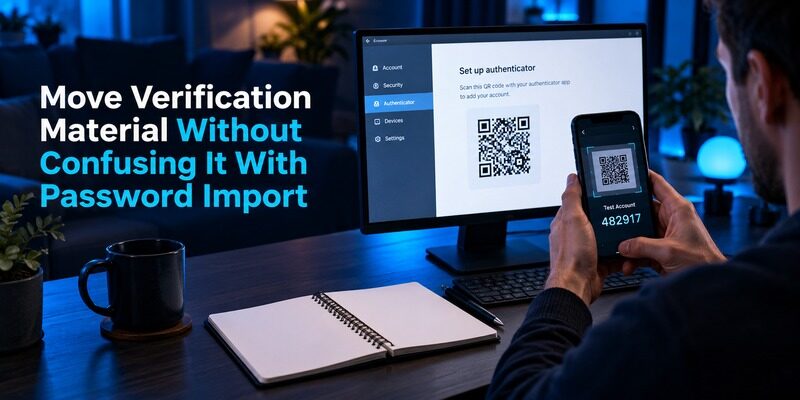
A password migration does not automatically guarantee that every verification secret moves with it. Read the source export and destination import instructions, including treatment of custom fields and one-time-password data. Verify the exact format before producing a sensitive file.
For Begamob Authenticator vs 1Password Authenticator, do not promise a direct bulk transfer unless the current destination supports it. A list of saved passwords appearing in the new place is not evidence that the authenticator entries also arrived and remain current.
Re-enroll when compatibility is uncertain
Use each protected service’s supported authenticator-change process when a direct transfer is not established. Keep a working session, add the new secret, complete confirmation, and test an independent login. Retain the old installation until important accounts have been verified.
If you are also evaluating , treat its supported transfer process as a separate compatibility question. Similar QR graphics can encode different transfer formats, and an app recognizing ordinary enrollment does not imply universal bulk-import support.
Keep the tracking document non-sensitive
Track account names, intended destination, test status, and the location of protected recovery material. Do not paste setup keys or recovery codes into that document. A useful migration checklist helps you resume safely after an interruption without becoming another secret repository.
Handle any export according to its actual protection level. An encrypted vault does not guarantee that every exported file retains that encryption. Read the export warning, choose a controlled destination, and remove temporary copies when the supported migration is complete.
Choose a Trial That Answers Your Real Question
When Begamob deserves a closer look
is relevant when you want compatible codes in a dedicated mobile application. Use the current to check device requirements and purchase terms, then test one recoverable account.
The Begamob Authenticator vs 1Password Authenticator trial should have a measurable purpose: clearer ownership, a preferred mobile routine, or an independent route for an important account. Verify the app’s current backup and transfer behavior separately from its appearance before expanding the collection.
When keeping integrated codes makes sense
If your current 1Password routine is clear, authorized, and recoverable, integration may remain the practical choice. You can still review shared items and preserve an independent method for the vault account. Improving the arrangement does not always require changing applications.
Begamob Authenticator vs 1Password Authenticator can also result in selective use of both. Keep the rule understandable and avoid uncontrolled duplicates. Every important account should have a known active enrollment and a recovery procedure you can follow when its usual device or session is unavailable.
Write the trial outcome in terms of behavior: the intended account is easy to identify, the code reaches the correct website, the normal locked-session routine is manageable, and recovery does not depend exclusively on the unavailable component. If those conditions are already met, retaining the existing setup is a valid result. Begamob Authenticator vs 1Password Authenticator is useful when it helps you make a maintainable choice, not when it encourages a migration for its own sake. Keep any exceptions few and clearly documented.
Frequently Asked Questions
Is 1Password Authenticator a separate app?
This comparison refers to 1Password’s built-in one-time-password feature in its password-management workflow. It stores verification material with Login items. Identify the exact product before following a guide, because a standalone authenticator and a vault feature have different access and recovery arrangements.
Is keeping passwords and codes together always wrong?
It is a tradeoff. Integration can simplify correct daily use while concentrating access to credentials in one place. Evaluate device access, sharing, and recovery requirements. A separate app also needs a tested independent recovery route; separation alone does not complete the security plan.
Can I keep only my vault’s code in another app?
Where the account supports that method, a separate authenticator can provide an independently reachable route. Follow 1Password’s own account two-factor instructions and preserve its supported recovery options. Do not rely solely on a code that becomes available only after opening the vault.
Does sharing a Login item share its verification capability?
It can. 1Password documents sharing logins with one-time passwords. Review the sharing destination before adding a code field, and consider whether recipients can retain the underlying material. Removing interface access may need to be accompanied by service-side secret replacement.
Which app should I choose for everyday use?
Begamob Authenticator vs 1Password Authenticator depends on whether you prefer dedicated mobile access or integrated logins. Test the complete locked-session routine and recovery procedure. Choose the arrangement that reduces mistakes without creating a dependency you cannot resolve after device loss.
Sources reviewed: 1Password Support, Save and Fill One-Time Passwords, Two-Factor Authentication, and Emergency Kit; Begamob product overview and current App Store listing.
Final Thoughts
Begamob Authenticator vs 1Password Authenticator is a choice about where verification secrets belong. 1Password integrates them with saved logins; Begamob can be evaluated as a dedicated mobile alternative for compatible accounts. Neither arrangement removes the need to understand sharing and recovery.
Keep the vault’s own access independently reachable, confirm every changed enrollment at its service, and choose a routine you can explain clearly. A small verified trial is enough to decide whether a wider move is worthwhile.
