
One-Time Password Explained Through HOTP and TOTP
Published November 16, 2026
By the Authenticator App Team
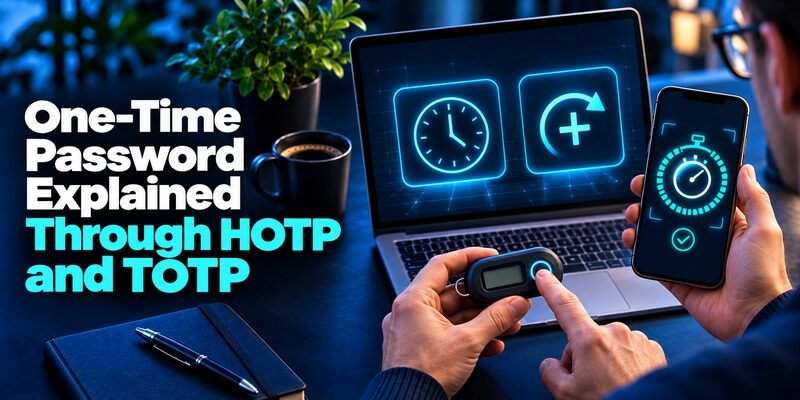
A one-time password is an authentication value a service can accept only once. The two common standards for authenticator-generated values are HOTP, which advances a counter, and TOTP, which advances with time. A service can also issue a random value for a single challenge. The common property is how the verifier handles reuse after acceptance.
The visible number is only part of the process. To understand why an authenticator keeps changing its value, why some entries work offline, or why a code can stop working after a phone move, follow the secret and the changing input. Those details also explain why keeping a setup QR private matters long after the first code disappears.
What Makes a One-Time Password Single Use
The verifier decides whether a submitted value is acceptable. It checks the value against the account and its active verification rules. After acceptance it must prevent a replay of the same value within the relevant validity period. NIST’s Digital Identity Guidelines make that requirement explicit for OTP verifiers. This is an important difference between a one-time password and a password that stays valid across many sign-ins.
A Valid Window Has an End
A service can reject a submission before it has ever been used if the challenge or time window is over. A time-based app may already be showing a new value by the time the browser submits the old one. A counter-based token can fall ahead of the verifier. The result looks like an incorrect number even when the original generator was registered properly.
Single Use Applies After Acceptance
An authenticator may continue to display the same value until its timer advances, even after the service accepted it. The app calculates what belongs to that time step. The verifier separately tracks what it already accepted. If you open two login windows and finish the first, wait for a new one-time password before you try the second. This behavior does not require the app to know which browser completed sign-in.
In a test environment, try submitting a value, then submitting the same value again before its timer changes. A correctly implemented verifier should reject the replay. That test checks a behavior the generator alone cannot demonstrate. Use a disposable enrollment for this check so that you do not interrupt an important account or write a real secret into a test log.
Follow the Secret From Enrollment to Verification

At enrollment, the service and a compatible authenticator get the data they need to agree on future values. The user often sees a QR code or a manual setup key. A verifier subsequently checks the code shown by the registered authenticator. Account labels help the user choose the right entry, but changing a label does not change the shared secret.
The QR Code Can Carry Long-Lived Data
A QR code can encode the secret and information needed to configure the algorithm. Opening an authenticator camera inside a trusted app can import it. The account name helps you recognize the entry afterward. A screenshot of the QR may still contain everything needed to create more values. If it was exposed, replace the enrollment at the account provider instead of merely deleting the image on your phone.
The Displayed Code Is the Short-Lived Result
A one-time password is the output, while the setup secret is a long-lived input. Sharing the displayed code can still enable a live phishing attempt. Sharing the setup secret can expose future values as well. Keep each where it belongs. The secret goes into the authenticator during trusted enrollment, and the current output goes into the actual provider challenge you opened.
When a device is enrolled for a one-time password, record the associated account or token name rather than the setup key. If the provider offers you a new QR during replacement, confirm which registration you plan to keep. A code derived from the previous secret may continue to look correct in the old app even after the server stops accepting it. Test the new registration in a separate session before you remove the old entry.
How HOTP Uses a Moving Counter

RFC 4226 defines HOTP using a shared secret and a counter. A token can advance the counter as it generates a new value, and the verifier maintains its own state for that token. An HOTP value therefore changes in response to a counter event. Time alone does not advance it. That is why a counter-based hardware token can behave differently from a phone app with a visible countdown.
When the Token Gets Ahead
If you repeatedly trigger a counter-based token without submitting the values, it may move ahead of the verifier’s expected counter. A verifier may support a limited look-ahead window and a documented resynchronization process. Follow the provider’s process for your device. Generating more values to guess where the counter should be can make a one-time password synchronization problem harder to diagnose.
When the Same Event Is Used Twice
After the verifier accepts an HOTP value, it advances its state for the relevant enrollment. Replaying the already-used event should not work. If you have multiple active requests, use the one you intend to complete and generate a fresh value only as the service asks. Do not assume a specific resynchronization procedure applies to all tokens. Use the instructions that came with yours.
A practical sign of a counter token is that its display changes after a button press rather than a timed countdown. Follow the provider’s description rather than inferring the algorithm from appearance alone. Some hardware devices also generate time-based codes. Knowing which kind of one-time password you have determines whether to check a device clock or follow the provider’s counter synchronization procedure.
How TOTP Replaces the Counter With Time
RFC 6238 extends the counter-based algorithm by deriving the moving value from time. The standard specifies a 30-second default time step, though the parties need to agree on the parameters for their own configuration. Both sides use the shared secret and the time-derived input. That is how a compatible app and verifier can arrive at the same one-time password without exchanging a new message for each interval.
| Mechanism | Changing input | Practical issue |
|---|---|---|
| HOTP | Event counter | Repeated generation may put the token ahead |
| TOTP | Time step | Clock drift or the edge of a time step can cause rejection |
| Delivered challenge value | Service-generated value associated with the request | Delivery or challenge timeout can affect access |
Why the App Can Work Offline
Once enrolled, the device has the secret and a clock. It can calculate a one-time password without fetching it from the service. The sign-in device still needs a connection to the service for verification. If only one account fails while others produce accepted codes, focus on enrollment for that account. If several fail, check the time setting first.
Why Waiting for the Next Value Helps
A service may account for limited clock drift and transmission time, but the exact rules vary. Avoid relying on a grace period. When the app is near the end of its countdown, wait for the next code and submit it promptly. This gives you a clear test without needing to know how much tolerance the verifier allows.
Think of a time step as a numbered period shared by the app and verifier. An app that has already moved into the next period can show a value that differs from the one an earlier browser submission carried. Once the clock is correct, use a fresh one-time password on the active page. A wider verification window can change how the server handles drift, but it is a provider decision rather than a setting to guess during sign-in.
Separate Algorithm Problems From Login Problems
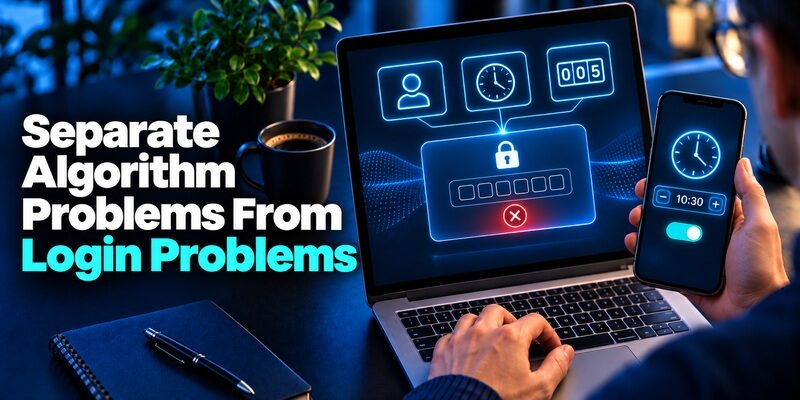
A rejected one-time password does not reveal which layer failed. The account can be wrong, the page can expect a different factor, or the verifier may have rejected the value under its protocol rules. Compare what the provider asks for with what your tool actually generated before resetting the registration.
| What you observe | Likely layer | What to check |
|---|---|---|
| Current value fails for one app entry | Enrollment | Confirm the account and whether it was re-enrolled |
| Time-based values fail for several services | Device time | Enable automatic time, then retry a fresh value |
| Counter token was used repeatedly without submitting | Counter state | Follow the provider’s supported resync |
| The prompt expects SMS | Selected factor | Use the registered number or choose a supported alternate method |
| The same value was accepted elsewhere | Replay protection | Wait for a fresh one-time password |
Use the Evidence From Other Accounts
A successful login elsewhere on the same app can help isolate the issue. It suggests the app and device clock are working for at least one enrollment. It does not establish that the affected service has the same secret or settings. Match the exact identity and check the provider’s enrolled methods from a session you can still access.
Leave an Existing Session Open
If the account offers another sign-in method, use it before you remove the old factor. Keep a known working session available while you test a new one-time password. Ask the service or your administrator about recovery when no method works. Deleting an app entry does not remove the provider’s requirement or update its verifier state.
If you are developing the verifier, test account separation as well as timing. An entry registered for one test account should fail against another account, even when the code looks plausible. Keep the verification attempt tied to the correct identity and challenge. Use independent test enrollments and record the outcome without recording the one-time password or shared secret.
Recognize Where a One-Time Password Falls Short

A one-time password can block someone who has only your ordinary password. It does not stop a fake website from collecting the current code and forwarding it to the genuine provider before it expires. NIST classifies manually entered OTPs as lacking phishing resistance. The factor may still be worth using when an account offers few choices.
Keep the Code Inside the Original Challenge
If a person asks you to read out the value to confirm a support request, leave the conversation and open the service through an address you know. The FTC describes scams that use this tactic. A real-looking page can relay an active value. A timer that says it will expire soon gives you no reason to rush past checking the address.
Choose Stronger Proof When Available
If an important service supports a FIDO security key or passkey, check whether you can enroll it and recover it safely. That kind of protocol binds the authentication to the site. Continue using a compatible one-time password where the service does not offer the stronger method or where your legitimate workflow requires app codes.
The verifier also has a role after an incident. If somebody got your enrollment data, wait for access through a trusted session and use the provider’s change flow. Replacing a password alone may leave the old authenticator registration active. Replacing the one-time password secret at the service changes what future values it accepts. Review active sessions separately if the account may already have been accessed.
Choose a Tool for a Compatible Enrollment
Check which mechanism the account supports before installing a new authenticator. TOTP and HOTP may look similar on screen, but a service that enrolled one algorithm expects that one. A provider-specific push approval or passkey uses a different process. The enrollment page tells you which kind of evidence the account will accept.
Use a Trusted TOTP App for Standard Codes
Begamob’s product page describes as an option for standard TOTP accounts using a compatible QR code or setup key. Its offline generation is useful if you want to find a one-time password without waiting for a message. Check the provider’s instructions and the app’s platform support before you switch. Label the entry so you can match it to the sign-in screen.
Keep Recovery Outside the App
A spare device, a registered hardware key, or a provider-issued recovery code may give you a route back when the phone is unavailable. Follow the provider’s rules. If you change the authenticator, test a fresh sign-in with the replacement while the old session still works. A successful code from one app entry does not verify a backup or confirm the rest of your accounts transferred.
Before moving several entries, identify any that rely on a separate counter token or an employer-managed device. The app’s transfer feature may apply only to entries it already holds. Keep the original token until the provider confirms whether you can replace it. A one-time password that works for one service says nothing about the requirements of the others.
2FA Live Verification Codes: How They Work and Safer Options
Questions About One-Time Passwords
Is a One-Time PIN the Same Thing?
The phrase often means a short verification value the provider expects for one use. Check the service’s instructions. A personal device PIN can instead be a reusable local unlock code. The difference is whether the verifier expects a short-lived value or an established PIN.
Why Can the App Show the Same Code After I Used It?
A TOTP authenticator keeps displaying the result for the current time step. It may have no way of knowing that the verifier accepted it. Wait for the next time step before using a code for another sign-in.
Can Two Devices Show the Same Value?
Yes, if they have the same registered secret, algorithm parameters, and relevant moving input. For TOTP, that means corresponding time steps. Keep each copy protected. Use the provider’s authorized transfer or enrollment process to move the factor.
Can a Code Generator Recreate a Lost Setup Key?
A code generator needs the enrollment secret already. A username, password, or current value is not enough to reconstruct it in normal use. Restore the trusted authenticator backup or follow the service’s recovery and re-enrollment steps.
Is a Backup Code an HOTP or TOTP Value?
Usually it is a separately issued recovery value. Follow the provider’s alternate sign-in route to use it. An authenticator generates new codes as its input changes, while a saved recovery code was created in advance.
If the service gave you a recovery code during setup, record where you can find it without the original device. It has a different role from the rotating code you normally type. When you use the recovery route, return to the account settings and check what the provider expects you to enroll next.
Final Thoughts
A one-time password works when the code, account, challenge, and registered method match. HOTP follows a counter, and TOTP follows time. Keep the setup secret private because it can generate more codes after today’s value expires. Use the current result only on the genuine provider page for the sign-in you initiated.
When troubleshooting, first identify the mechanism. Check the clock for TOTP and follow the supported resynchronization process for a counter token. If the account asks for a delivered value or a device approval, switch to that actual method. Test a replacement before removing a factor that still works, and keep a recovery route you can reach without the usual device.
For routine use, keep a simple record of which accounts depend on each authenticator or token. It can be a list of account names and official recovery routes without any verification values. During a device change, mark each entry after a real sign-in test. That keeps the distinction between a copied entry and a tested one-time password visible when it matters.
Download Authenticator App
Secure your accounts with fast, reliable two-factor authentication. Download now and protect your login in seconds.
