
Riot Games Authenticator: Which App to Use and How to Set It Up (2026)
Published September 9, 2026 · Updated October 5, 2026
Riot Games has no standalone “Riot Games authenticator” app. To turn on Riot Games multi factor authentication, sign in to your Riot account page, open the Multi-Factor Authentication card, click Enable, confirm the email Riot sends you, then add Riot Mobile or an authenticator app like Google Authenticator, Microsoft Authenticator or Duo. It takes about five minutes. Stuck on a code or locked out? Jump to the Riot Games login issues fixes.
Quick answer: how to set up the Riot Games authenticator
- Sign in at account.riotgames.com.
- Find the Multi-Factor Authentication card and click Enable.
- Open the email from Riot Games and click Enable Multi-Factor Authentication.
- Add Riot Mobile (scan the QR code) or a Google/Microsoft Authenticator or Duo app.
- Log in again and enter the 6-digit code to confirm it works.
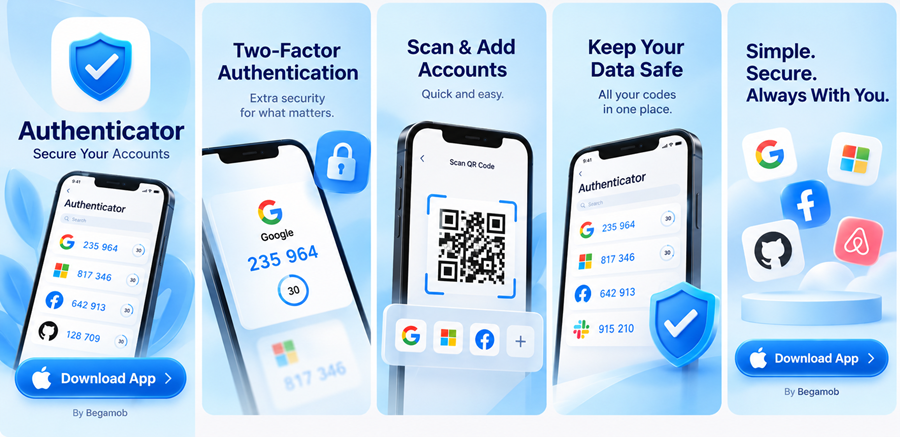
Need an app to hold your Riot Games codes? Begamob Authenticator is free, needs no sign-up, locks with your fingerprint or face, and backs up your codes with encryption, so a lost phone doesn’t mean a lost account.
Which authenticator app works with Riot Games?
The Riot Games authenticator comes in three forms. Riot introduced two-factor authentication in 2022 and expanded it in 2025, so you now choose from three methods: Riot Mobile, an authenticator app, or email.
| Method | Best for | Good to know |
|---|---|---|
| Riot Mobile | Fast approval, QR-code login, VALORANT Competitive | Email MFA must be on first |
| Riot Games authenticator app (Google Authenticator, Microsoft Authenticator, Duo) | One app for all your accounts | You type the code yourself |
| Easiest setup | Riot sends a 6-digit code; only as safe as your inbox |
Which one should you pick? If you play VALORANT Competitive, use Riot Mobile (see the VALORANT rule below). Otherwise, an authenticator app plus email as a backup gives you the best mix of security and recovery. Already use Google Authenticator or Microsoft Authenticator? Add Riot there and keep one place for all your Riot Games authenticator codes.
Secure your accounts with fast, reliable two-factor authentication. Download now and protect your login in seconds.Download Authenticator App
How do I enable Riot Games multi factor authentication?
Turn on email MFA first, then add your second method. Riot requires email MFA before you can activate Riot Mobile.
Step 1: Enable email MFA
- Sign in to your Riot account page.
- Find the Multi-Factor Authentication card and click Enable (or Resend).
- Open the email from Riot Games (check spam if it’s missing) and click Enable Multi-Factor Authentication.
Step 2a: Add Riot Mobile
- Install the Riot Mobile app and sign in. On a new device you’ll confirm with your email code first.
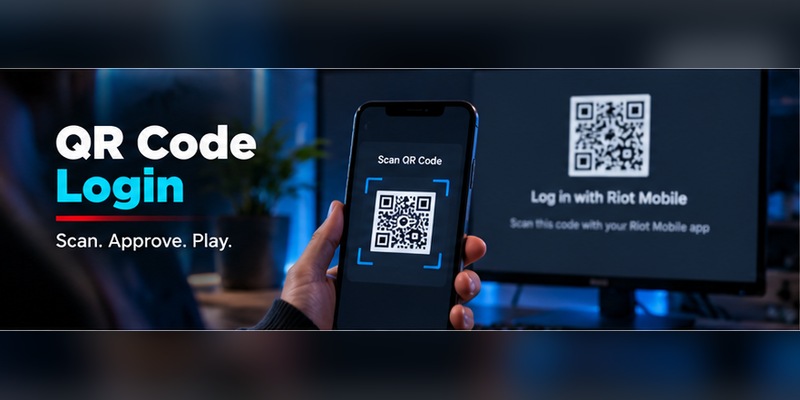
- On your account page, click Activate next to Riot Mobile to show a QR code.
- In the app, tap the QR scanner and scan it, then tap Enable.
- Allow notifications so you can approve sign-in requests.
Step 2b: Add an authenticator app
- Install Google Authenticator, Microsoft Authenticator or Duo.
- Follow the setup on your Riot account page: scan the QR code (or enter the setup key) in the app.
- Type the 6-digit code the app shows to confirm.
Test before you relax: log out, log back in, and make sure your code works. Never remove your old method until the new one passes.
Download Begamob Authenticator for your Riot Games codes
Where do I find my Riot Games authenticator code?
Where your code appears depends on the method you chose:
- Riot Mobile: Riot sends a sign-in notification or shows the 6-digit code in the app. You can also scan a QR code on the login screen for faster sign-in.
- Email: Riot sends a 6-digit code to the email on your account. Look in spam if it doesn’t arrive.
- Authenticator app: Open the Riot entry in your Riot Games authenticator app. The code refreshes every 30 seconds or so, so type the current one.
Don’t want a code on every login? Tick Remember this app for 30 days under the code field in the Riot launcher. Use it only on a personal device you trust. Anyone who asks for your code, even “Riot support”, is a scammer; the code belongs only on Riot’s login screen.
How do I fix Riot Games login issues with MFA?
Most Riot Games authenticator problems come down to a few causes. Check these before you disable MFA:
- Code rejected: Set your phone’s date, time and time zone to automatic, then wait for a fresh code. If you have several Riot entries in your app, try the newest one.
- QR code won’t scan: Update Riot Mobile, allow camera access, raise screen brightness, and make sure the whole QR code is visible.
- No Riot Mobile notification: Turn on notifications and confirm the app is signed in to the same Riot account.
- Email code never arrives: Check spam and promotions folders. Riot shows a hint of which email it used.
- MFA emails you didn’t ask for: Big account changes (new email, new password, new social login) trigger MFA automatically. If it wasn’t you, change your password, then use Log out everywhere in the Login Management card on your account page.
- Lost phone: If your email still works, use the email code and re-add your authenticator. If you’ve lost access to the email too, your only option is to submit a ticket to Riot Player Support.
Keep two methods active (for example, authenticator app plus email) so one lost device never locks you out.
Is Riot Mobile verification required for VALORANT?
Yes, for Competitive, and you can’t bypass it. If Riot requires it, a Verify Account button replaces the Start button in the Competitive queue until you finish the process. Riot Mobile MFA is the only method that counts for this check; Google Authenticator and email don’t replace it.
Riot first required it for Ascendant+ and shared accounts in 2025. Its current FAQ says that from around late May/early June 2026, every player joining the Competitive queue must verify. If you already verified with Riot Mobile, you’re done. Skip “bypass” tools: account sharing and boosting break Riot’s rules and are a common way accounts get stolen or banned. The fix is simple: install Riot Mobile, sign in, and activate it from your account page.
Is the Riot Games authenticator worth setting up?
Yes. Riot says MFA protects your password, payment information and collections, and it adds a free reward on top. If you enable MFA with Riot Mobile or an authenticator app, you get:
- League of Legends: Taliyah “Very Cool” emote
- VALORANT: “Keep it Safer” Gun Buddy
- Legends of Runeterra: Rare Prismatic Chest
- Teamfight Tactics: 100 Treasure Tokens
Players who already signed up with email MFA have received these already. To stay safe beyond MFA: use a unique password, only enter your code on Riot’s real login page, and turn on MFA for your email account too.
Riot Games authenticator FAQ
What authenticator app does Riot use?
Riot supports Riot Mobile, its own app, plus third-party authenticator apps: Google Authenticator, Microsoft Authenticator and Duo. There is no separate app named “Riot Games Authenticator.” Any of these gives you a Riot Games authenticator app for codes.
How do I get my 6 digit authenticator code?
Open Riot Mobile or your authenticator app and read the current code, or check the email Riot sent you if you use email MFA. Enter it on the login prompt. Tick “Remember this app for 30 days” on trusted devices to skip repeat codes.
How do I add an authenticator to my Riot account?
Sign in to your Riot account page, click Enable in the Multi-Factor Authentication card, confirm the email, then add Riot Mobile or an authenticator app by scanning the QR code Riot shows. Full steps are in the setup section above.
Can I bypass Riot Mobile verification?
No. If Riot asks for Riot Mobile verification to play VALORANT Competitive, you must complete it. Email or a third-party authenticator app won’t satisfy it. Installing Riot Mobile and activating it takes a few minutes.
Is there an official Riot Games Authenticator app?
No. Riot’s own option is Riot Mobile, and for everything else it supports standard authenticator apps.
Do I need to enable email MFA first?
Yes. Riot says email MFA must be enabled before you can activate Riot Mobile MFA.
Does Riot MFA ask for a code every time I log in?
Not if you tick “Remember this app for 30 days.” Use it only on your own devices.
Don’t wait for a Riot Games login issue to find out your account is exposed. Set up your Riot Games authenticator today, and let Begamob keep your codes secure, backed up and one tap away.
Download Authenticator App
Secure your accounts with fast, reliable two-factor authentication. Download now and protect your login in seconds.
