
2FA Live Verification Codes: How They Work and Safer Options
Published November 12, 2026

By the Authenticator App Team
Last updated: November 2026
Get a 2FA Live code for an account from the authenticator you already enrolled. The website called 2FA Live is a separate tool that calculates codes from a setup secret you provide. It cannot retrieve that secret for you. For an account you actually use, opening your registered authenticator keeps the enrollment secret inside a tool you already chose and leaves the service’s sign-in rules in place.
If your code is missing or rejected, identify the requested factor before you look for another generator. You may need a newer code from the same entry, another enrolled device, a backup code, or help from the service that controls the account.
Use the Code Your Account Asks For
The fastest route is to read the prompt and find the matching method. A service can display the same number of blank boxes for app-generated and text-message codes. The wording around the boxes, the method you enrolled, and the selected account are the better clues.
If the Prompt Says Authenticator App
Open the account entry in the app you previously registered. If your workplace and personal account use the same service, look for the full email address or tenant label. When people say “2FA live code” in this context, they mean the value currently showing for that account. Wait for the next value if only a few seconds remain before it changes. Enter it on the genuine page where you initiated sign-in.
If the Prompt Says Text Message or Approval
A 2FA Live browser generator cannot read messages sent to your number or respond to a request in an enrolled app. Select the method named in the prompt. If you didn’t start the sign-in, deny the request or leave the message alone and check the account directly. An unexpected message can be a sign that somebody else initiated the process.
If the first prompt offers a choice of factors, choose one you know you can access. A remembered laptop might go straight through, while a private browser window asks for the factor again. A prompt in that second window is an opportunity to confirm which 2FA Live code belongs to the account while your regular session stays available.
Download Authenticator App
Secure your accounts with fast, reliable two-factor authentication. Download now and protect your login in seconds.
What the 2FA Live Website Does
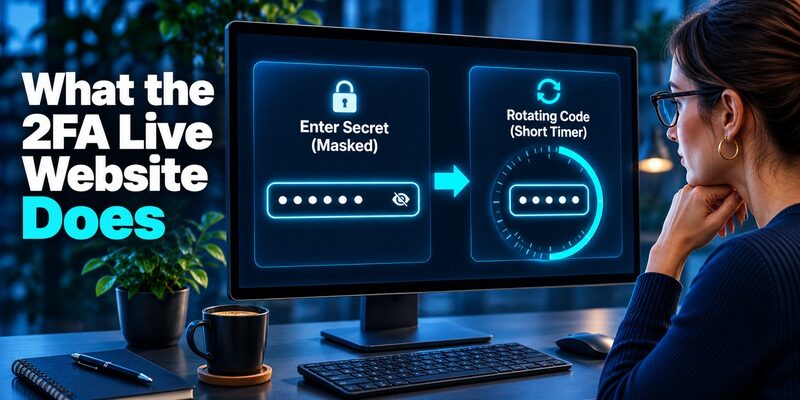
The public page at 2fa.live labels its input as a two-factor authentication secret. That input is the data a compatible generator uses to produce a time-based code. The page is distinct from the account provider where you enrolled the factor. Its public description does not establish that your credentials remain private if entered there.
What You Need Before It Can Calculate
A time-based one-time password needs a valid setup secret and the current time. RFC 6238 defines how those inputs are combined, with a default interval of 30 seconds. A browser generator can display digits from a setup secret supplied to it. The number is useful for signing in only if the service recognizes that enrollment and the time window is valid.
What the Page Cannot Do for You
2FA Live cannot derive a lost setup key from a username or retrieve a code delivered by another service. It cannot make the account accept an earlier seed after enrollment has been replaced. The site may show a countdown even if the number it displays has nothing to do with the account you’re trying to access. A countdown shows when the output changes. Your account provider is the one that checks whether the output matches.
Some visitors reach 2FA Live from a bookmarked address or an old walkthrough. The name of the page alone does not prove who is behind the address or whether the browser session is trustworthy. If the service needs proof that you control the account, start a fresh sign-in through that service. Use a calculator only where its input makes sense.
2FA Auth Online and Safer Ways to Get a Code
Check Whether the Browser Is the Right Place
For regular accounts, use an authenticator you can keep on a trusted device. An online generator may look useful on a borrowed computer because nothing needs installing. That convenience comes with a choice about where you enter the key. A shared device or untrusted browser adds people, software, and storage locations that you may not control.
| Situation | Better place to get a code | Reason |
|---|---|---|
| Normal sign-in | The enrolled app | The existing entry already corresponds to the account |
| No phone signal | The enrolled TOTP app | Code calculation can continue without a text message |
| Temporary test or demo | A controlled test environment with a disposable seed | You can verify the calculation without exposing an account |
| Device lost | The provider’s alternate sign-in or recovery process | A generator cannot recreate the secret |
A website that accepts 2FA Live setup data is asking for something much more durable than a code. If your reason for using it is that a phone cannot connect, open the installed authenticator first. Google Account Help confirms that Google Authenticator generates codes without an internet connection or mobile service. The device loading the service still needs connectivity, and the clock on the code-generating device still needs to be accurate.
The decision can be as simple as checking what would happen if you shut your laptop. If the registered phone can still display the code, the browser tool offers little benefit. If the phone is absent and you have only an old setup image, go back to the provider to see whether a spare factor can take its place. A 2FA Live form cannot tell you if that old image is still valid.
2FA Code KuCoin: Setup, Find, Fix, and Recover Your Google Verification Code
Keep the Seed Out of the Sign-In Form

A 2FA Live result can change every time the timer advances. The secret that produces it remains usable until you change the account’s enrollment. You can usually recognize the secret by where it appears. The provider supplies it during setup, often next to a QR code or in a manual entry view. During routine sign-in, the provider asks for the short value from your app.
Read the Location Before You Type
Check which website or app requested the information. A six-digit box on the provider’s sign-in page calls for the current code. A setup QR code belongs inside a trusted authenticator’s enrollment scanner. Neither belongs in a chat with someone who claims they can “help you verify” the account.
Treat Setup Images Like Credentials
A screenshot of the enrollment QR can carry the seed even when you can’t read it by eye. If you need help with an error, share the wording or describe the symptoms without showing the enrollment image. NIST’s Digital Identity Guidelines explain that manually entered one-time codes lack phishing resistance. The risk from a copied seed goes further because whoever has it may be able to generate future codes as well.
For a worked example, imagine a login prompt that shows six empty boxes while a second browser tab asks for a long key. Read the form title and the site address before entering anything. The short 2FA Live code belongs in the provider’s active verification challenge. A long string belongs only in a trusted enrollment flow that you intentionally opened.
Apple 2FA Authenticator: How It Works, Setup, Codes, and iPhone Security
2FA Live Alternatives for Everyday Sign-In
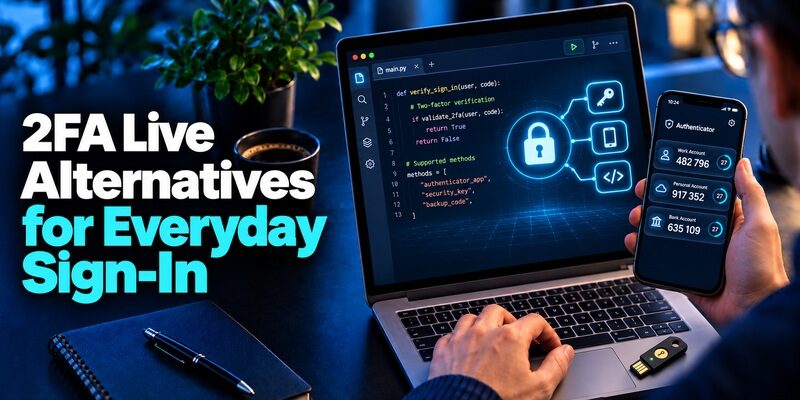
Choose an alternative based on the service and the devices you rely on. If you are looking for a 2FA.Live alternative because you want something quick to open, compare how the apps handle account enrollment, access without a connection, and phone replacement. Test your chosen method with the account before retiring any old one.
| Option | Useful when | Trade-off to check |
|---|---|---|
| Google Authenticator | You already use it for compatible accounts and want an established offline code flow | Review the choice between Google Account sync and manual transfer |
| 2FAS Auth | You prefer an app whose source is published and want an option for Android or iOS | Read the platform’s backup instructions before relying on them |
| Authenticator App by Begamob | You want to add compatible accounts using a QR code or setup key and read codes in one place | Check support for your device and how you’ll restore access |
| FIDO passkey or security key | The service supports it and phishing resistance is a priority | Check the service’s enrollment rules and independent recovery method |
Google Authenticator and 2FAS Auth
Google Account Help documents code sync when you sign in to Google Authenticator with a Google Account. It also describes a manual transfer route for people using it without an account. The 2FAS publisher describes 2FAS Auth as an open-source authenticator for mobile platforms. If either looks suitable, check how you would restore the entries on your next device before switching your most important account.
Authenticator App for Compatible Accounts
Begamob’s product page says can add compatible accounts by QR scan or manual key and calculate codes offline. It’s a practical replacement for a 2FA Live lookup if your main goal is to find several accounts’ rotating codes on a device you control. If the service only permits a provider-specific approval, use that enrollment path. If it supports a FIDO passkey and phishing resistance is your priority, consider that method before choosing any typed code.
Decide how much independent access you need before changing your main method. If you use the same device for work, personal email, and your password manager, its loss can affect all three at once. A spare hardware key or separately stored recovery code may be more useful than another copy of the app on the same phone. Keep the backup somewhere you can reach during travel.
Get a Fresh Code When One Fails
If a code changes before you submit it, wait for the next one to appear, then enter it on the sign-in page you opened. Doing this once removes the most common uncertainty around the end of the time window. If the next attempt fails too, look for a cause you can actually check.
One Account Fails and Others Work
Compare the account label and recent changes to its settings. You may have scanned a fresh QR on a second phone while keeping a similarly named entry with an older setup key. A 2FA Live calculator can produce plausible-looking digits from either key. Only the registration recognized by the service can complete the sign-in. Use the provider’s alternate method if necessary, then check which enrollment is active.
Several Time-Based Codes Fail Together
Check that automatic date and time are enabled on the device generating the codes. A clock that has drifted can affect multiple entries because each app calculation relies on the current time. If only a text message or a push approval is missing, focus on delivery to the registered device or number. Adjusting the clock is relevant to TOTP and may do nothing for those other methods.
If the service names a particular factor, read the selected method before you retry. An app code can look exactly like the digits in a text message. One more 2FA Live value will do little if the form belongs to an SMS challenge or if the screen has changed to a push approval. Select the app-based method explicitly where the service lets you.
Will 2FA Stop Hackers? What Two-Factor Authentication Can and Cannot Do
Handle a Key Already Entered Online

If you entered a real key in a browser tool and you don’t know who had access to it, open the account directly from a device you trust. If you used 2FA Live or another browser tool, start from a signed-in session if one is available. Confirm your spare sign-in method before changing the authenticator. This reduces the risk of locking yourself out while trying to replace the exposed secret.
Change the Enrollment at the Service
Use the provider’s official security settings to replace the authenticator registration. Scan or enter the newly issued key in the app you plan to use. Confirm the new entry by signing in with it. Once the service accepts only the new registration, the old seed stops being useful for that account. Erasing the old entry on your phone alone does not achieve the same result.
Review the Surrounding Activity
Check for sessions you don’t recognize and changes to trusted devices or recovery methods. If the page also collected your password, change the password at the service and review sign-in activity. For a managed account, report the event through your administrator’s known channel. Tell them which factor or credential you exposed and when, without including the actual secret or code in the report.
Consider which keys may have been exposed if the website accepted more than one account entry. Prioritize email or any account that can reset access elsewhere. Once you’ve rotated an entry, label the new one clearly, test it against the service, and note the remaining accounts that still need attention. Recheck recovery methods as you go.
Restore Access After Losing the App
When your old phone is unavailable, start with a previously enrolled alternative or the provider’s recovery workflow. Searching 2FA Live cannot give the browser a key it never had. If your authenticator has a backup or sync feature, follow that app’s supported restoration flow and then test the restored entry against the actual service.
If there is no working backup of the authenticator data, check the service for a stored recovery code, a registered spare key, or a trusted device. Google Account Help documents single-use backup codes for eligible Google Accounts. Each service sets its own rules. If none of your methods works, contact the service through its official recovery path. A work or school account might require your administrator to verify your identity before resetting the factor.
On the replacement phone, use one high-priority account for the first test. Verify a sign-in before turning off a method that still works. Record where the new recovery option lives so you can find it without opening a locked account. If you’re upgrading proactively, a sign-in test before wiping your old phone can turn a risky move into a routine one.
People who relied on a web bookmark should make this distinction before moving devices. Restoring browser bookmarks does not restore enrollment data to the app. An older 2FA Live shortcut may lead to a page that can perform the calculation, but the provider still requires a seed or an enrolled replacement. Confirm which type of backup you actually have.
2FA Authenticator APK: Safe Download, Installation, and Setup Guide for Android
Common Questions About 2FA Live
Can I Get a 2FA Live Code From an Email Address?
No. An email address may identify the account, but the calculator needs a setup secret that was registered with the provider. If you lost the authenticator and have no saved enrollment, use a backup sign-in method or the service’s official recovery flow.
Can I Use an Authenticator Without an Internet Connection?
Yes, a configured TOTP app can calculate the time-based code offline. The device loading the provider’s sign-in page still needs to reach the service. Check the app entry and system clock if you’re offline and the code is later rejected.
Are Codes From Two Authenticator Apps Interchangeable?
They can match if both apps hold the same secret and use the same configuration and time window. Enroll or transfer the entry with a supported method. A QR code from an unrelated account or a prior reset can still produce digits that fail at sign-in.
Can a Live Code Tool Generate an SMS Code?
No. An SMS verification code is delivered by the provider to the registered number. A time-based generator uses a secret and time instead. If the service gives you a choice, select the verification method you actually have access to and use the corresponding code.
Does Sharing One Code Expose the Setup Key?
A current 2FA Live code and its underlying key are different pieces of data. Sharing a current code can still help somebody complete a phishing attempt before it expires. If you shared the enrollment QR code or manual key, replace the authenticator registration at the provider.
2FA Authenticator App: Complete Guide to Setup, Use, Download, and Secure Your Accounts
Final Thoughts
Treat 2FA Live as a lookup term that can refer to either a website or the code you see changing in your own app. For daily sign-in, open the enrolled authenticator and match the entry to the service’s prompt. A trusted app can keep the code available when you have no cell signal, and the account’s recovery method can help when the app itself is gone.
When a 2FA Live code fails, use the service’s own settings to repair enrollment problems. If you kept an old setup screenshot, check whether the related registration is still active before storing it anywhere new. If a browser tool may have seen the key, create and test a replacement from a trusted session. Keep the new seed private and save a recovery option separately.
For a practical check now, open the security settings of the account you use most. Confirm which authenticator entry belongs to it and what alternate method you could use if your phone were unavailable. Those two checks address both the ordinary code lookup and the moment when you have nothing left to enter.
If the only thing you have is a saved browser shortcut, verify the account’s recovery route while you can still sign in.
Download Authenticator App
Secure your accounts with fast, reliable two-factor authentication. Download now and protect your login in seconds.
