Begamob Authenticator vs 2FAS: Browser Convenience, Backups, and Mobile Fit
Published October 5, 2026
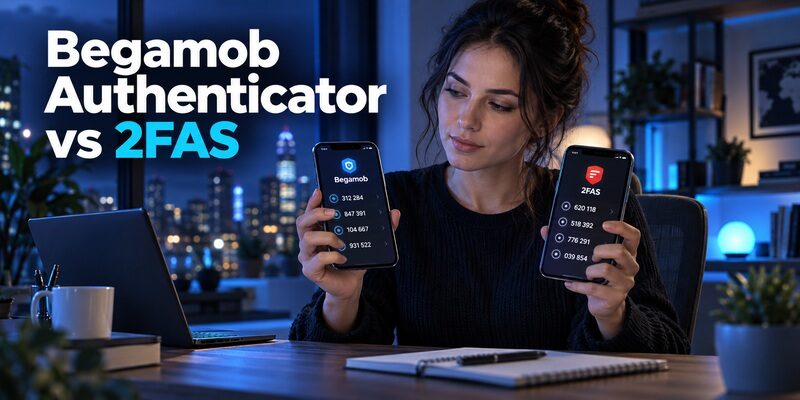
Choose 2FAS Auth for phone-paired browser entry and portable backups, or trial Begamob for a focused mobile routine. Verify current device and recovery support before choosing the replacement. Begamob authenticator vs 2fas is best decided by the workflow you need beyond displaying a rotating code.
Both are relevant to compatible authenticator-code accounts, but that shared purpose does not prove identical browser, import, or synchronization behavior. A useful comparison checks those capabilities separately and preserves your existing access during a trial.
This article is written by the Authenticator App Team. It compares documented roles and practical evaluation steps without claiming independent security testing or inventing equivalent features where current product evidence is incomplete.
Decide Whether the Browser Is Part of Your Requirement
If repeatedly typing codes into a computer is your main frustration, browser integration deserves early attention. If you normally sign in on the phone itself, it may be less important.
2FAS offers a phone-paired extension
The official 2FAS Auth browser-extension page describes pairing the extension with the mobile application. Its documented workflow lets a user request a token in the browser and confirm through the phone.
This is a concrete advantage to examine in begamob authenticator vs 2fas when browser convenience drives the choice. It should not be described as a completely independent desktop token vault. The phone remains part of the supported workflow.
A mobile-only workflow can remain simpler
If you rarely use a desktop browser, a separate extension adds another component without necessarily improving your routine. Test the normal phone-to-service interaction before making browser support the deciding feature.
For begamob authenticator vs 2fas, the question is whether the additional integration solves your problem. A dedicated mobile code list can be sufficient when labels are clear, the countdown is readable, and recovery has been prepared.
🗺️ Browse How-To Guides: Google Authenticator vs Microsoft Authenticator: Which Is Better
Check the Product Name Before Comparing Features
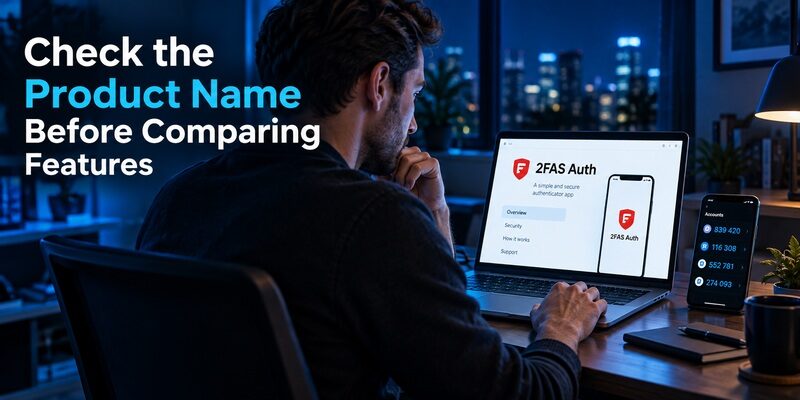
2FAS offers more than one product. This comparison concerns 2FAS Auth, the authenticator, rather than assuming every feature described for 2FAS Pass belongs to the same app.
Distinguish Auth from Pass
The official 2FAS site presents Auth and Pass as separate products. A password-manager page can describe storage, subscriptions, and browser behavior that should not automatically be attributed to the standalone authenticator.
When researching begamob authenticator vs 2fas, keep the source page’s product name in view. Otherwise, you can accidentally compare one app against a mixture of features from several products and reach an unsupported conclusion.
Verify Begamob’s actual installation destination
Use the supplied and confirm current device requirements and purchase terms. Similar app names do not establish that another store result is the same product.
A website can introduce a feature, but the installed version’s supported controls and instructions are what you will rely on. Record any feature essential to your decision and verify it before enrolling important accounts.
💡 Discover Helpful Guides: Google Authenticator vs Authy: Which 2FA App Is Better in 2026?
Begamob Authenticator vs 2FAS by Everyday Need
The most useful comparison separates verified features from requirements that need an app-specific check. It does not assign unsupported security scores or assume every device is supported.
| Need | Begamob Authenticator | 2FAS Auth |
|---|---|---|
| Compatible mobile TOTP | Described on the official homepage | Documented mobile authenticator role |
| QR or manual enrollment | Described on the homepage | Supported account setup workflow |
| Browser-assisted code entry | Verify current product support | Documented phone-paired extension |
| Backup portability | Verify supported format and protection | Documented 2FAS backup files |
| Cross-OS move | Confirm actual supported process | Documented file-based transfer |
Begamob’s core appeal is a dedicated mobile code workflow for compatible accounts. 2FAS has documented features worth favoring when browser pairing or its backup-file approach is specifically needed.
A fair begamob authenticator vs 2fas decision can acknowledge that advantage while still testing which mobile interface fits you better. Do not create a feature tie by assuming that a broad marketing description establishes the same implementation.
📘 Find the Right Guide: Google Authenticator and Binance: Which Authenticator Should You Use?
Understand 2FAS Cloud Sync Boundaries
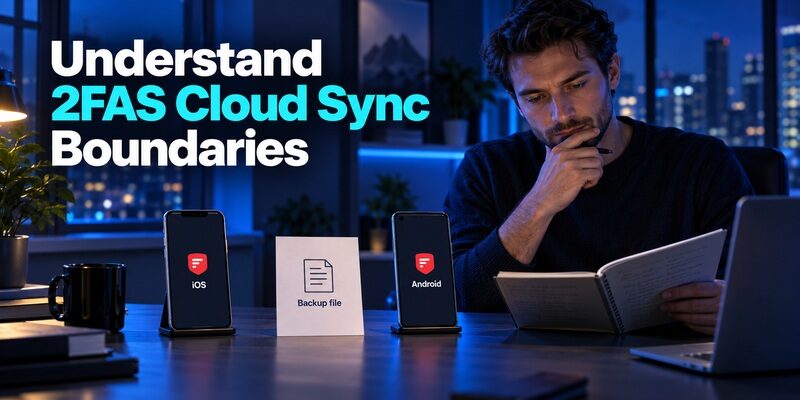
2FAS support distinguishes same-operating-system cloud synchronization from moving between iOS and Android. The chosen cloud account is part of the recovery arrangement.
Same-platform synchronization
The official guide describes iCloud for iOS and Google Drive for Android, with the same cloud account used on the relevant devices. Check the backup setting rather than assuming ordinary app installation activates it.
For begamob authenticator vs 2fas, this is a practical platform consideration. Someone replacing an iPhone with another iPhone has a different scenario from someone moving between Android and iOS. Write down the scenario you actually need to support.
Cross-platform movement
2FAS documents transfer between iOS and Android using a local 2FAS backup file. That is a distinct operation from expecting an iCloud backup to appear through Google Drive or vice versa.
Keep the source device until the imported accounts work. A successful file transfer is only an intermediate step; the destination app must read the file correctly and generate codes accepted by the protected services. Check essential accounts individually.
Treat an Export File as Authentication Material
Portability is useful, but an export contains information that may generate future codes. The file deserves more protection than an ordinary account-name checklist.
Choose protection deliberately
The 2FAS Auth tutorial describes password-protected export, where the contents are encrypted. Read the export choices carefully and safeguard the password separately from the only device you may lose.
The backup-file side of begamob authenticator vs 2fas should examine both availability and confidentiality. An export feature is not a benefit if the resulting file is left unprotected in a shared downloads folder or sent through an inappropriate channel.
Test the file before relying on it
Perform a controlled import using a low-risk entry or supported spare installation. Confirm that you can open the file with the required password and that the restored entry works for a fresh sign-in.
After adding or changing important tokens, consider whether your retained backup is still current. A file created before the latest enrollment cannot contain that new secret. Keep only deliberate, protected copies and remove temporary transfer copies after verification.
📖 Read More Guides: YubiKey vs Microsoft Authenticator: Which Is More Secure for 2FA in 2026?
Try Begamob for a Focused Mobile Routine
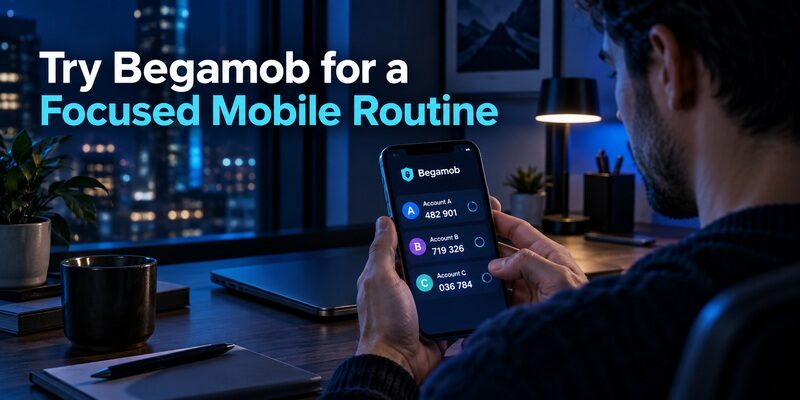
describes QR and manual-key enrollment, multiple accounts, and offline TOTP generation. These features make it relevant when the main task is managing compatible codes on a supported mobile device.
Test the actual repeated action
Enroll one low-risk account and try finding it after closing and reopening the app. Add clear account labels, then test a code close to the end of its countdown by waiting for the next value rather than rushing.
In begamob authenticator vs 2fas, personal usability should be observed rather than advertised as universally better. Check whether the list remains understandable when two accounts share a provider name. An attractive first screen is not the whole daily workflow.
Confirm the recovery route separately
Inspect the current backup or transfer settings and determine what a replacement installation would need. Avoid inferring a specific cross-platform sync capability from a general promise of access across devices.
For begamob authenticator vs 2fas, a fair trial includes that evidence before the full migration. If an essential capability is unverified, keep the established setup while you resolve it. A candidate app can be useful without becoming your only code source immediately.
Pair Browser Convenience With Deliberate Approval
The 2FAS extension can reduce manual code entry, but the browser and phone interaction still needs to be understood. Use the provider’s supported extension and follow its pairing instructions.
Pair only devices you control
Avoid connecting a personal authenticator to a shared or employer-managed browser without understanding the policy and access implications. Review which browser profile you are using and whether other people can open it.
The browser advantage in begamob authenticator vs 2fas is meaningful only in a trustworthy environment. A convenient integration should not leave personal account access tied to a computer you will soon return or stop controlling.
Check what triggered the request
Initiate the sign-in yourself and confirm the expected request on the phone. Do not treat every prompt as routine merely because the extension is installed. Keep the sign-in destination and account identity in view.
Plan how to unpair or retire the browser when the device changes. This is part of maintaining the integration, not a reason to avoid it. A small periodic review keeps convenience aligned with the devices you still trust.
💡 Discover Helpful Guides: Begamob Authenticator vs Google Authenticator: Which 2FA App Is Better for You?
Switch Apps Without Assuming File Compatibility
An export format that works between two 2FAS installations does not automatically work in another product. Confirm the destination’s supported import instructions before exposing or moving the file.
Use documented import only where supported
If the current destination app explicitly supports the source format, follow that route and validate the imported entries. Keep the original application available during testing. Do not upload a sensitive export to an online converter of unknown trustworthiness.
For begamob authenticator vs 2fas, missing format support is a migration constraint, not a reason to improvise with secrets. The protected services’ own re-enrollment processes remain an alternative when direct import cannot be verified.
Re-enroll services one at a time
Sign in to the service, preserve independent recovery information, and follow its authenticator-change process. Add the newly issued QR or manual key to the intended app and complete confirmation with a current code.
Test a separate login before removing the old entry. Re-enrollment can invalidate the old secret even when the old application keeps displaying numbers. Keep a non-secret account checklist to show which entries have actually been verified.
Compare Transparency Without Promising Invulnerability
2FAS describes Auth as open source and free. That is relevant to readers who value inspectability and the project’s distribution model, but it is not proof that every possible threat has been eliminated.
Open source allows review; it does not mean every user has audited the installed software. Trusted installation sources, updates, device protection, and careful handling of exports remain necessary.
In begamob authenticator vs 2fas, avoid turning the absence of an equally specific public claim into an invented conclusion about another app’s internals. State the documented property and explain why it matters to your requirement.
Ordinary TOTP also remains distinct from phishing-resistant authentication. Microsoft’s authentication guidance separates OATH codes from supported passkeys. If the protocol is your concern, assess the protected service’s available methods rather than expecting an app change alone to solve it.
Build a Recovery Plan for the Failure You Fear
Think beyond a normal phone replacement. Loss of the phone, loss of the cloud account, and an outdated backup file can create different obstacles.
| Failure scenario | Preparation | Verification |
|---|---|---|
| Phone lost | Independent cloud or file recovery route | Restore an intended spare installation |
| Cloud account inaccessible | Service recovery codes or another approved method | Confirm access outside the missing phone |
| Export outdated | Refresh protected backup after changes | Check that new entries are included |
| Browser retired | Supported unpairing and cleanup | Old profile no longer participates |
For begamob authenticator vs 2fas, the stronger recovery choice is the setup you can demonstrate. A backup toggle, a downloaded file, or an installed extension is not by itself proof of recoverable access.
Keep a short note identifying the recovery route and the date of the last test, without including secrets. Review it after a device change or significant enrollment change. This makes the arrangement maintainable over time rather than a one-time installation task.
Choose the Best Option for Your Specific Role
A useful shortlist should end with a recommendation tied to your requirement. It should not force every reader toward the same product regardless of how they sign in.
Favor 2FAS for its documented specialized workflow
If phone-paired browser entry, published source, and the documented backup-file process are central requirements, 2FAS Auth is a strong fit to test. Confirm the browser and platform combination you use and rehearse recovery before depending on it.
That is an evidence-based outcome of begamob authenticator vs 2fas. It does not require claiming that every other app is unsafe or that the feature list removes the need for independent recovery codes.
Favor a Begamob trial for a dedicated mobile alternative
If you mainly want a separate compatible code list and prefer Begamob’s workflow after trying it, evaluate its current device and restoration behavior. Move one account first, then expand only when the improvement and recovery route are clear.
For required work approvals, keep the approved application such as . For another ordinary mobile-code option, has its own documented local and synced arrangements. These roles should remain distinct.
Rehearse a browser change as well as a phone change
A new browser profile can remove an extension’s existing configuration even when the phone still works. Include that case in a trial if browser convenience is your reason for choosing 2FAS. Follow the supported pairing process again and confirm a sign-in to the intended account.
This adds a useful test to begamob authenticator vs 2fas: can you maintain the workflow after the component you use every day is replaced? Keep manual code entry available for compatible accounts while diagnosing pairing, rather than changing the underlying authenticator secret unnecessarily.
Review the result after normal use
After several ordinary sign-ins, note which actions actually became easier and which required extra attention. Separate typing convenience from account recovery; success in one area does not demonstrate success in the other. Include a check that labels distinguish multiple accounts at the same provider.
The practical winner in begamob authenticator vs 2fas should satisfy your priority without creating an unresolved dependency. A final begamob authenticator vs 2fas checklist can therefore record three separate outcomes: daily sign-in works, the intended integration works, and the recovery route has been verified. Keep the existing setup until those outcomes are clear.
🗺️ Browse How-To Guides: Begamob Authenticator vs Authy: Backups, Device Access, and Switching Safely
Frequently Asked Questions
Is 2FAS Auth free and open source?
Yes. Its official Auth page describes the product as free and open source. Keep that statement separate from 2FAS Pass or other products with their own terms. Check current platform requirements and use the provider’s supported distribution channels.
Does the 2FAS browser extension work without the phone?
Its documented workflow pairs the browser extension with the mobile app and uses phone confirmation to provide a token. Do not describe it as an independent desktop authenticator. Test the supported interaction on your actual browser and phone before relying on it.
Can 2FAS move codes between Android and iPhone?
Yes. 2FAS documents a local backup-file transfer between iOS and Android. Same-platform cloud synchronization is a separate route. Protect the export, retain any required password, and verify codes on the destination before retiring the original device.
Can Begamob import a 2FAS backup automatically?
Do not assume that format compatibility. Check the current destination app’s supported import instructions. If the format is not explicitly supported, use each service’s authenticator re-enrollment process while preserving working access. Never send a secret-containing file to an untrusted conversion service.
Which app should I choose for a phone-only setup?
Test the daily code workflow and the recovery route on your intended device. Begamob authenticator vs 2fas becomes a practical mobile fit question when browser integration is unnecessary. Clear labels, correct enrollment, and recoverable access matter more than unused features.
Final Thoughts
Begamob authenticator vs 2fas is most useful when it starts with the workflow beyond basic codes. Favor 2FAS when its documented browser pairing and backup-file model meet a real need. Trial Begamob when a dedicated mobile alternative fits your routine and its current support is verified.
Protect exports, distinguish same-platform sync from cross-platform transfer, and test a fresh login after every important move. Keep your established setup until the replacement is both usable and recoverable.